
7 Best Kadence Theme Alternatives in 2026 (Tested and Compared)
Kadence doesn’t handle deep WooCommerce customization well, and its header builder stops short of what some competitors ship. If you’re running into those walls, one of these seven themes will fit better.
I’ve built 50+ WordPress sites with Kadence over the past three years. It’s genuinely one of the best themes in the ecosystem. But after testing every serious alternative across real client projects, I know exactly where each one wins and loses.
I’ve tested all seven alternatives on this list across real client projects. Not quick installs on localhost. Actual production sites with real traffic, real performance requirements, and real deadlines.
Table of Contents
What Makes a Good Kadence Alternative?
Before you switch themes, you need to know what you’re giving up. Kadence brings lightweight code (under 50KB), a solid header/footer builder, native Gutenberg compatibility, and the Kadence Blocks plugin that rivals most page builders.
Any alternative worth considering needs to match or beat Kadence in at least three of these areas:
- Performance: Sub-50KB frontend footprint, no jQuery dependency, clean DOM output
- Gutenberg compatibility: Works natively with the block editor, not fighting against it
- Customizer depth: Header builder, blog layouts, typography controls, color management
- Starter templates: Pre-built designs you can import and customize in minutes
- WooCommerce support: Product page layouts, cart customization, checkout optimization
- Documentation quality: Searchable docs, video tutorials, active community
The themes that score highest across these criteria made my list. The ones that don’t? I left them off, even if they’re popular.
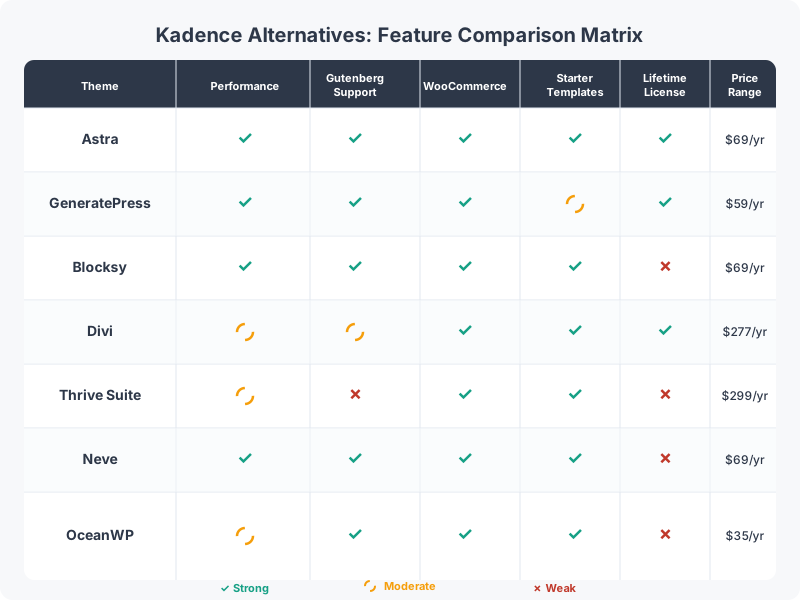
7 Best Kadence Theme Alternatives
Here’s a quick comparison of all seven alternatives before we get into the details:
| Theme | Best For | Starting Price | Lifetime Deal? |
|---|---|---|---|
| Astra | Best overall alternative | $69/year | Yes ($319+) |
| GeneratePress | Performance purists | $59/year | No |
| Blocksy | Gutenberg + WooCommerce | $42/year | Yes ($140+) |
| Divi | All-in-one visual builder | $89/year | Yes ($224) |
| Neve | Budget + premium features | $69/year | No |
| Thrive Suite | Conversion-focused sites | $149/quarter | No |
| OceanWP | Best free theme | $43/year | Yes ($356+) |
| Feature | GeneratePress | Astra | Kadence | Blocksy | Neve | Divi |
|---|---|---|---|---|---|---|
| Free Version | Yes | Yes | Yes | Yes | Yes | No |
| Pro Price | $59/yr | $49/yr | $149/yr | $49/yr | $69/yr | $89/yr |
| Performance Key Factor | Excellent (lightest) | Very Good | Good | Very Good | Good | Average |
| Page Size (no plugins) | ~30 KB | ~50 KB | ~70 KB | ~50 KB | ~60 KB | ~200 KB |
| Block Editor Support | Excellent (GP Elements) | Excellent | Excellent (Kadence Blocks) | Excellent | Good | Own builder |
| Starter Templates | 60+ | 240+ | 100+ | 80+ | 100+ | 2,000+ |
| Header Builder | Yes (pro) | Yes (pro) | Yes (free) | Yes (free) | Yes (pro) | Yes |
| WooCommerce | Good (pro) | Excellent | Good | Good | Good | Good |
| Hook System | Yes (Elements) | Yes (Custom Layouts) | Yes (Elements) | Yes (Hooks) | Yes (pro) | No |
| Lifetime Option | $249 | $239 | No | $149 | No | $249 |
| Best For | Speed purists, developers | Most starter templates | Free header builder | Modern design, FSE | Budget lightweight | Visual builder fans |
| Visit GeneratePress | Visit Astra | Visit Kadence | Visit Blocksy | Visit Neve | Visit Divi |
1. Astra (Best Overall Alternative)

Astra (Best Overall Alternative)
- 2 million+ active installs
- 240+ starter templates included
- Under 50KB frontend footprint
- Works with all major page builders
- Lifetime deals available from $249
The most popular lightweight WordPress theme with 2 million+ active installs. Massive starter template library, under 50KB frontend footprint, and works with every major page builder with every major page builder.
Astra is the closest thing to a direct Kadence competitor. With over 2 million active installs on WordPress.org, it’s the most popular lightweight theme in the entire directory.
I’ve used Astra on roughly 30 client projects, and it consistently delivers where it matters: speed, flexibility, and compatibility. The theme loads under 50KB on the frontend, ships zero render-blocking resources by default, and plays nicely with every page builder I’ve thrown at it.
Where Astra beats Kadence: Starter template library. Astra ships 240+ pre-built templates spanning blogs, agencies, ecommerce stores, portfolios, and SaaS sites. That’s roughly 3x what Kadence offers. If you need to spin up a professional-looking site fast, this library saves hours.
Where Kadence beats Astra: The Kadence Blocks plugin is more polished than Spectra (Astra’s companion block plugin). If you’re building with the native block editor and want advanced layout control, Kadence still has the edge.
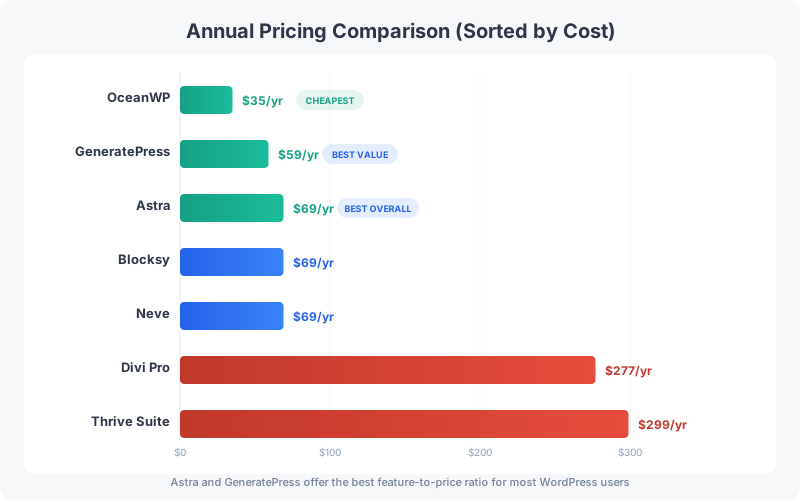
Pricing: Astra Pro starts at $69/year. The Essential Toolkit ($119/year) bundles Spectra, Ultimate Addons for Elementor, and starter templates. The Business Toolkit ($159/year) adds ZipWP AI website builder. Lifetime deals start at $319 (Pro) up to $699 (Business).
Best for: Anyone who wants maximum compatibility with page builders and the largest starter template library available.
2. GeneratePress (Best for Performance Purists)
- Under 30KB with zero jQuery
- 100/100 PageSpeed scores consistently
- Block-based theme builder (Elements)
- 10+ year track record of stability
- Up to 500 sites per license
Ultra-lightweight WordPress theme focused on stability and performance. Under 30KB, no jQuery dependency, and a decade of a decade of stable, clean code. My go-to for performance-critical sites.
GeneratePress is the theme I recommend to developers who care about code quality above everything else. Tom Usborne (the solo developer behind it) has maintained this theme for over a decade with a focus on stability that’s rare in the WordPress ecosystem.
The numbers speak for themselves: under 30KB frontend footprint, zero jQuery dependency, and a DOM structure so clean it makes other themes look bloated. I’ve covered the free vs premium comparison separately if you want the full breakdown.
Where GeneratePress beats Kadence: Raw performance and code quality. GeneratePress consistently scores 100/100 on PageSpeed Insights with minimal effort. In 10+ years, I’ve never had a GeneratePress update break a site.
Where Kadence beats GeneratePress: Feature richness in the free version. Kadence gives you more out of the box without paying. GeneratePress Premium unlocks the good stuff (Elements, Site Library, Block Element), but the free version is deliberately minimal.
Pricing: GeneratePress Premium costs $59/year for up to 500 sites. GeneratePress One (which bundles GP Premium + GenerateBlocks Pro) costs $149/year. Both include a 30-day money-back guarantee.
Best for: Developers and performance-obsessed site owners who want the cleanest, most stable WordPress theme available.
3. Blocksy (Best Gutenberg-Native Theme)
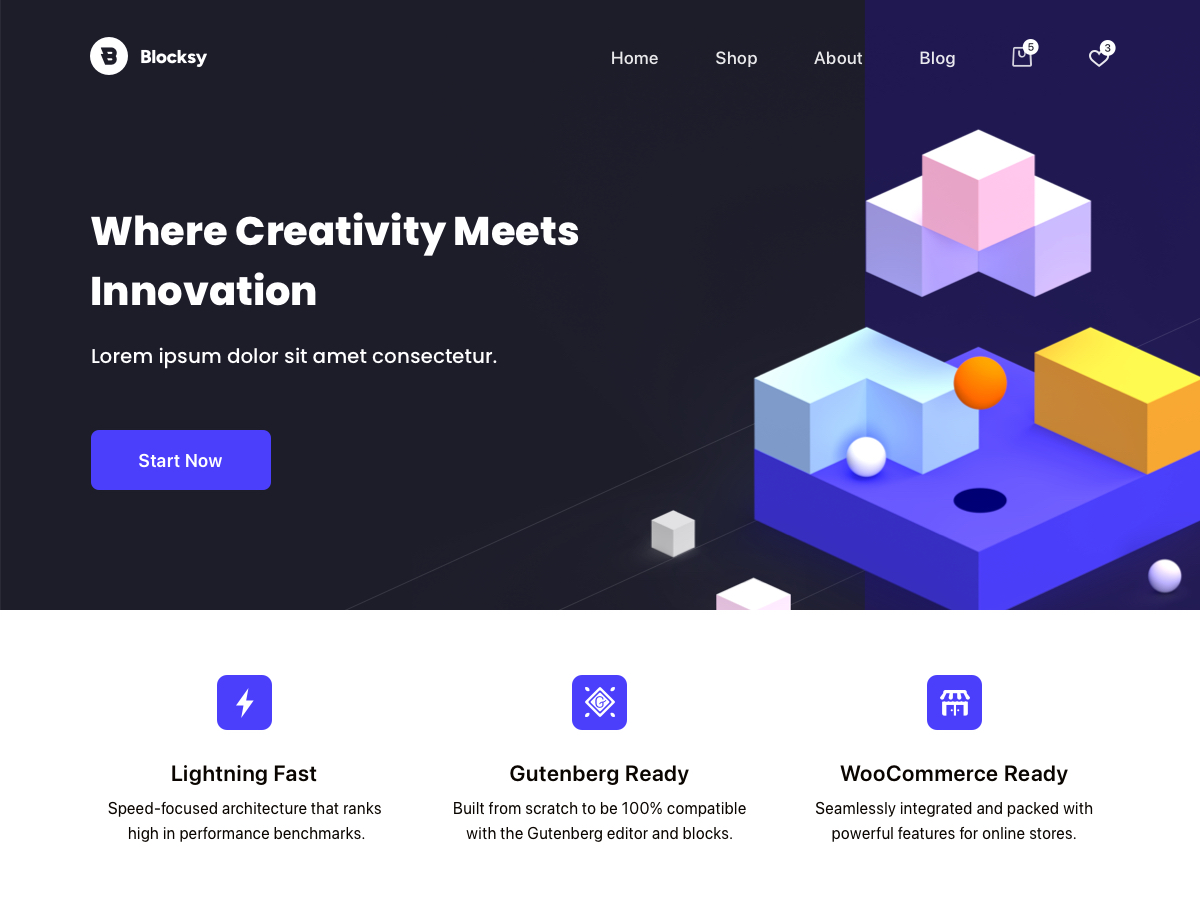
- Deep WooCommerce integration built-in
- Most extensive customizer controls
- Product quick-view and wishlists included
- Lightweight and block-editor-first
- Lifetime deals from $140
Fast, modern WordPress theme with deep Gutenberg and WooCommerce integration. The most extensive customizer of any lightweight theme, with product quick-view, wishlists, and comparison features built in.
Blocksy is the theme Kadence was often compared to when it first launched, and the comparison still holds. Both themes took a Gutenberg-first approach, both have excellent customizer options, and both deliver strong performance.
What sets Blocksy apart is its customizer depth. The header builder alone offers more layout options than Kadence: transparent headers, sticky behaviors, off-canvas menus, and conditional logic that lets you show different headers on different pages. The free version is remarkably generous.
Where Blocksy beats Kadence: WooCommerce integration. Blocksy’s product page layouts, quick-view modals, product comparison features, and wishlist functionality are built into the theme. With Kadence, you’d need additional plugins for most of this.
Where Kadence beats Blocksy: The Kadence Blocks ecosystem. Blocksy’s companion plugin (Blocksy Companion) is useful but doesn’t compete with Kadence Blocks for content layout capabilities.
Pricing: Blocksy Pro Personal is $42/year (1 site). Business is $60/year (10 sites). Agency is $90/year (unlimited sites). Lifetime options: $140, $210, $350 respectively. Blocksy 2.0 shipped in late 2025 with a revamped color system, dark mode, and zero unused JS/CSS loading.
Best for: WooCommerce store owners and anyone who wants the deepest customizer experience with native Gutenberg support.
If you’re building a WooCommerce store and want to avoid installing 3-4 extra plugins for product features, Blocksy’s built-in WooCommerce toolkit (quick-view, wishlists, product comparison) will save you both money and site speed.
4. Divi (Best All-in-One Solution)
- 2,000+ pre-made professional layouts
- Visual drag-and-drop theme builder
- Built-in Divi AI assistant
- Lifetime access for $249 one-time
- Unlimited website usage on all plans
All-in-one WordPress theme and visual page builder by Elegant Themes. 2,000+ layouts, visual theme builder, built-in AI assistant, and lifetime membership. The complete package for non-developers.
Divi takes a fundamentally different approach than Kadence. Instead of being a lightweight theme that works with the block editor, Divi is an all-in-one platform: theme + visual page builder + theme builder + AI assistant, all from Elegant Themes. And with Divi 5 (launched February 2026), the entire builder got a ground-up React rewrite with major performance improvements.
I’ll be honest, I have mixed feelings about Divi. The visual builder is powerful and genuinely intuitive for non-developers. But it adds weight. A Divi page outputs more DOM elements than a Kadence + Kadence Blocks page doing the same thing. If performance is your top priority, Divi isn’t the answer.
The strengths are real though. The 2,000+ pre-made layouts are professional quality. The visual theme builder lets you design headers, footers, blog templates, and 404 pages without writing code. And Divi AI can generate layouts, write copy, and create images directly in the builder.
Where Divi beats Kadence: Design capability for non-developers. If you don’t want to learn Gutenberg blocks and want a true drag-and-drop WYSIWYG experience, Divi delivers.
Where Kadence beats Divi: Performance, code cleanliness, and Gutenberg alignment. Kadence is the better choice if you’re building with WordPress’s native editor.
Pricing: Divi costs $89/year (includes Divi, Extra, Bloom, Monarch). Divi Pro is $277/year with premium support. Lifetime access starts at $224 one-time. Both plans work on unlimited sites.
Best for: Non-developers who want a visual builder experience and don’t mind trading some performance for design flexibility.
5. Neve (Best Budget Option with Premium Features)
- Loads in under 1 second
- 100+ starter site templates
- Header/footer builder in free version
- WooCommerce Booster (Pro)
- Unlimited sites on all paid plans
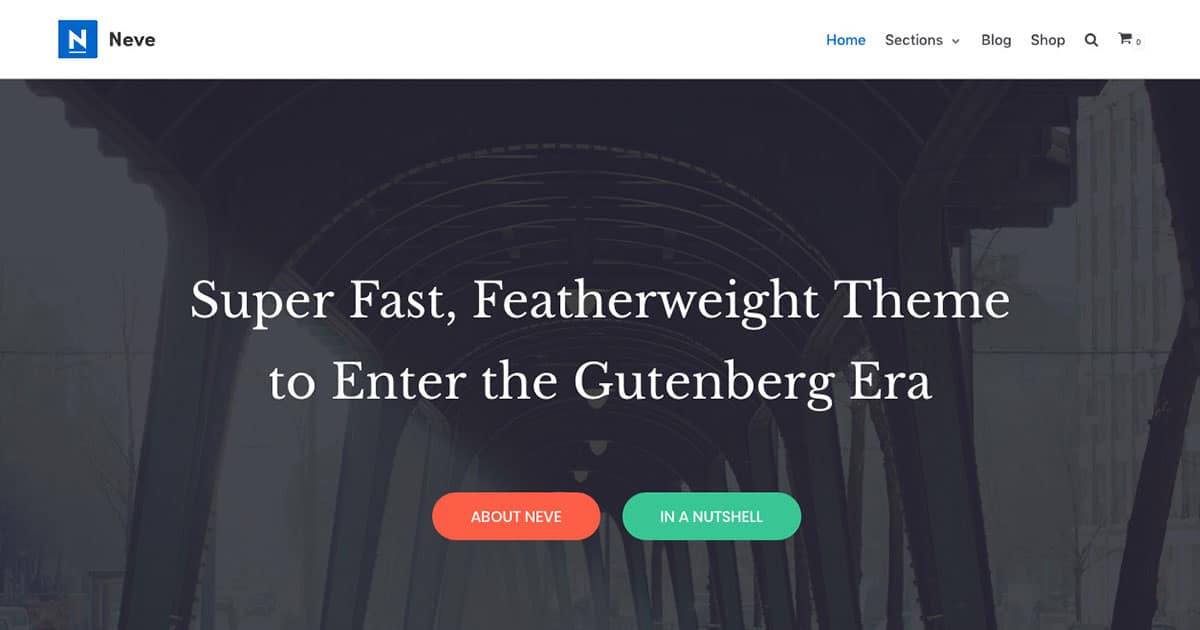
Lightweight WordPress theme by ThemeIsle that loads in under 1 second. Generous free version with header/footer builder, blog customization, and WooCommerce compatibility included.
Neve by ThemeIsle is an underrated Kadence alternative that deserves more attention. It’s lightweight (the core theme loads in under 1 second), and ships with 100+ starter templates covering most common website types.
What impressed me about Neve is how much they’ve packed into the free version. Header/footer builder, blog customization, WooCommerce compatibility, and mobile responsive controls, all without paying. The premium version adds custom layouts, white labeling, WooCommerce Booster, and priority support.
Where Neve beats Kadence: Price-to-feature ratio at the entry level. Neve’s free version arguably offers more customization depth than Kadence’s free version. All paid plans include unlimited site usage.
Where Kadence beats Neve: The Kadence ecosystem (Kadence Element Hooks, Kadence Blocks, Kadence Cloud) provides a more complete site-building toolkit overall.
Pricing: Neve Personal starts at $69/year (unlimited sites). Business is $149/year (adds WooCommerce Booster, 110+ premium templates). Agency is $259/year (white label, VIP support).
Best for: Budget-conscious site owners who want a solid, lightweight theme without the premium price tag.
6. Thrive Suite (Best for Conversion-Focused Sites)
- Theme builder + visual page builder
- Built-in A/B testing (Thrive Optimize)
- Lead generation forms (Thrive Leads)
- Course platform (Thrive Apprentice)
- Quiz funnels (Thrive Quiz Builder)
Complete marketing toolkit with theme builder, visual page builder, lead generation, A/B testing, quiz builder, course platform, and scarcity campaigns. Everything you need to convert visitors into customers.
Thrive Suite is the outlier on this list. It’s not really a “theme alternative” in the traditional sense. It’s an entire marketing toolkit that happens to include a theme builder.
The suite bundles Thrive Theme Builder (with Shapeshift, Omni, and Kwik themes), Thrive Architect (visual page builder), Thrive Leads (email opt-in forms), Thrive Quiz Builder, Thrive Automator, Thrive Apprentice (course platform), Thrive Ultimatum (scarcity campaigns), and Thrive Optimize (A/B testing).
If your primary goal is building a website that converts visitors into subscribers, customers, or leads, Thrive Suite gives you every tool you need in one subscription.
Where Thrive beats Kadence: Built-in marketing tools. A/B testing, lead generation, quiz funnels, scarcity timers, and course creation are all included. With Kadence, you’d need 5-6 separate plugins to match this.
Where Kadence beats Thrive: Performance and simplicity. Thrive Suite adds significant weight to your site. It’s also a steeper learning curve since there are so many tools to master.
Pricing: Thrive Suite costs $149/quarter or $299/year (up to 5 sites). The Agency plan is $599/year first year (up to 50 sites).
Best for: Marketers, course creators, and affiliate bloggers who need built-in conversion tools and don’t want to cobble together multiple plugins.
Thrive Suite is powerful but heavy. If you install all the Thrive plugins on a single site, expect your page weight to increase. Pair it with a solid managed WordPress host like Cloudways or Rocket.net to keep load times acceptable.
7. OceanWP (Best Free Theme Alternative)
- 220+ demo starter templates
- Premium starts at just $35/year
- Modular extension system
- Works with Gutenberg + Elementor
- Lifetime deals from $144
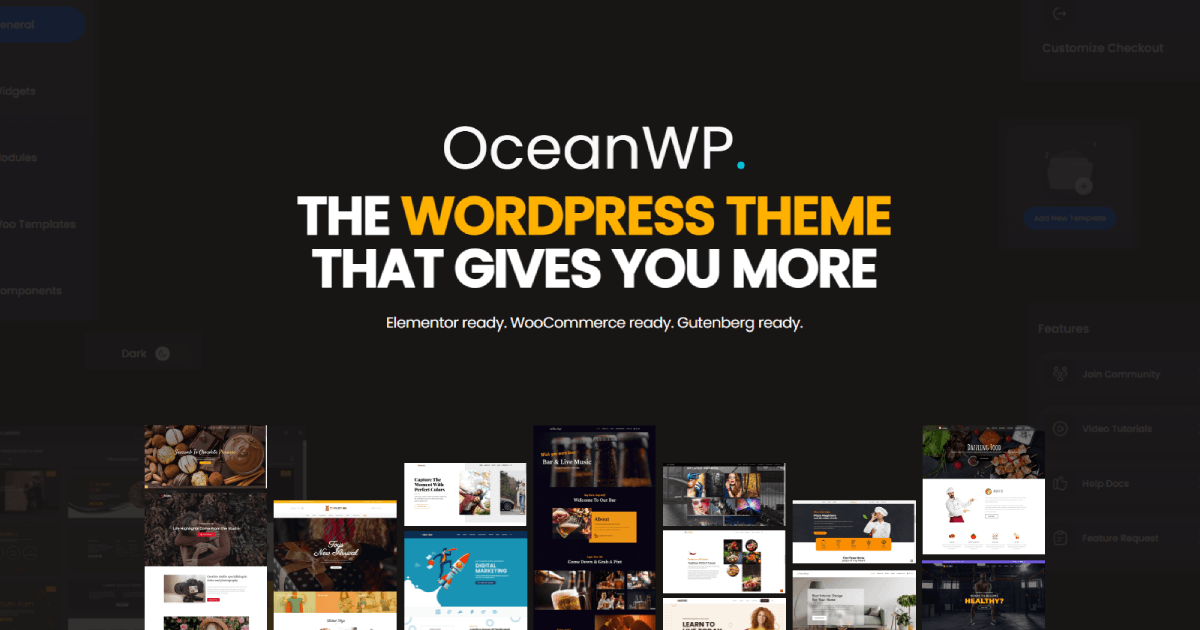
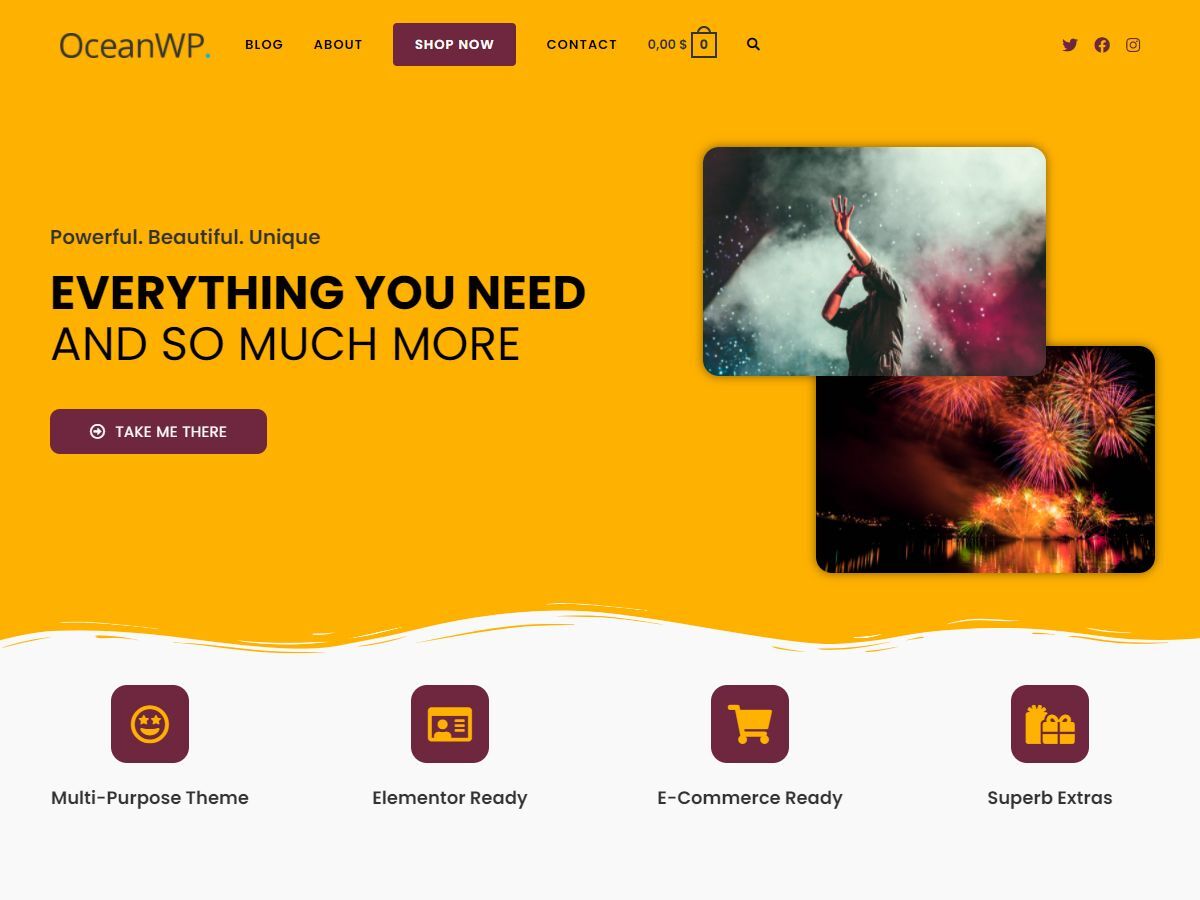
Feature-rich free WordPress theme with 220+ demo templates. The most affordable premium option starting at just $35/year. Modular extension system lets you add only what you need.
OceanWP rounds out this list as the most affordable option. The free version is genuinely feature-rich, comparable to what many themes charge premium prices for.
OceanWP ships with 220+ demo templates, works with both Gutenberg and Elementor, and includes customization options for headers, footers, blog layouts, and WooCommerce pages. The extension system lets you add features modularly instead of bloating the core theme.
The catch? OceanWP’s codebase isn’t as clean as GeneratePress or Kadence. Adding too many extensions can slow things down. And some of the “free” demo templates actually require paid extensions to fully work, which feels misleading.
Where OceanWP beats Kadence: Price. The free version offers more features, and the premium starts at just $43/year. If budget is your primary constraint, OceanWP is hard to beat.
Where Kadence beats OceanWP: Code quality, performance, and the Kadence Blocks ecosystem. Kadence is the cleaner, faster theme.
Pricing: Personal plan starts at $43/year (3 sites). Business is $89/year. Agency is $159/year (50 sites). Lifetime options: $356 (Business) and $636 (Agency).
Best for: Beginners and budget-conscious users who want maximum features at minimum cost.
How to Choose the Right Kadence Alternative
Picking the right theme depends on what you’re building and what matters most to you. Here’s the quick version:
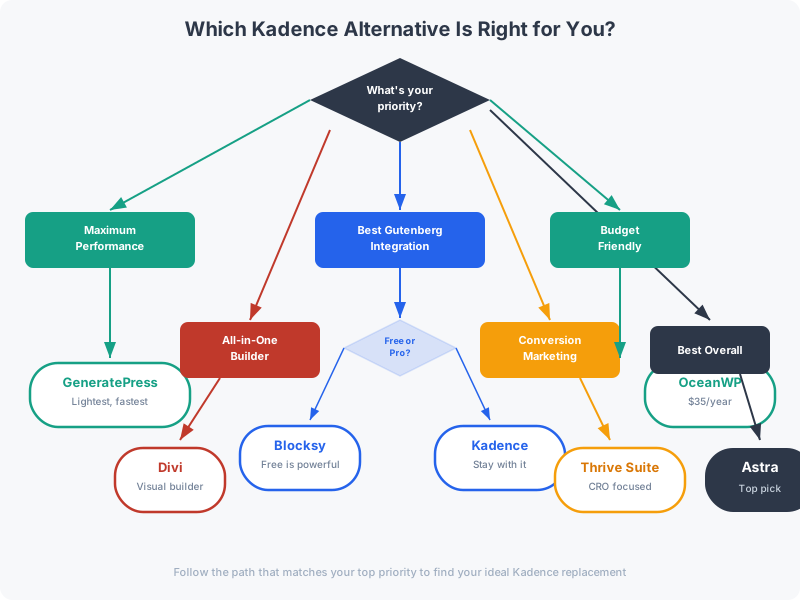
- Building a blog or content site? Astra or GeneratePress. Both are lightweight, fast, and have excellent Gutenberg block support.
- Building a WooCommerce store? Blocksy. Its built-in WooCommerce features save you from installing 3-4 extra plugins.
- Building a marketing site? Thrive Suite. The conversion tools alone justify the price if you’re serious about lead generation.
- Want a visual builder? Divi. No other option on this list matches its drag-and-drop design experience.
- On a tight budget? OceanWP. The free version covers most needs.
- Want the absolute fastest theme? GeneratePress. Nothing beats it on raw performance.
If you’re still unsure, start with Astra. It’s the safest all-around choice. For a deeper look at how to choose a WordPress theme properly, I’ve covered the full decision framework in a separate guide.
Frequently Asked Questions
Is Kadence still a good WordPress theme in 2026?
Kadence is excellent in 2026. It’s lightweight (under 50KB), Gutenberg-native, and the Kadence Blocks plugin is one of the best block editors available. The alternatives on this list are for people who need something Kadence doesn’t offer, like deeper WooCommerce integration (Blocksy), built-in marketing tools (Thrive), or a visual page builder (Divi).
What is the fastest Kadence alternative?
GeneratePress is the fastest Kadence alternative. It loads under 30KB with zero jQuery dependency and consistently scores 100/100 on PageSpeed Insights. Astra and Blocksy are close seconds, both loading under 50KB on the frontend.
Can I switch from Kadence to another theme without losing content?
Yes. Your content (posts, pages, media) stays intact when you switch themes. You’ll lose theme-specific settings like header layouts, color schemes, and typography. If you used Kadence Blocks for content layouts, those blocks will still work since they’re plugin-based, not theme-dependent. Always create a full backup before switching.
Which Kadence alternative is best for WooCommerce?
Blocksy has the deepest built-in WooCommerce support with product quick-view, wishlists, comparison features, and advanced product page layouts. Astra and Neve are also solid WooCommerce options with dedicated WooCommerce modules in their pro versions.
Is Astra better than Kadence?
It depends on your priorities. Astra has a larger starter template library (240+ vs Kadence’s 80+) and broader page builder compatibility. Kadence has a better native block editor experience through Kadence Blocks. For most bloggers, either theme works well. I slightly prefer Astra for its template variety and Kadence for its block editor workflow.
Do I need the premium version of these themes?
For most production sites, yes. The free versions are good starting points, but premium features like advanced header builders, WooCommerce customization, custom layouts, and priority support make a real difference. The exception is OceanWP, whose free version is surprisingly complete for basic sites.
Which Kadence alternative has the best lifetime deal?
Divi offers the best lifetime value at $224 one-time for unlimited sites with lifetime updates. Blocksy ($140-$350 depending on plan) also offers excellent lifetime deals. OceanWP has lifetime options starting at $356. GeneratePress dropped its lifetime option in June 2024.
Final Thoughts
Kadence is one of the few WordPress themes I’d call genuinely hard to replace. The combination of lightweight code, Gutenberg-native design, and the Kadence Blocks ecosystem makes it a strong choice for most WordPress sites.
But “most” isn’t “all.” If you need a broader template library, Astra is your best bet. If you want the absolute fastest theme, GeneratePress wins. If you’re building a WooCommerce store, Blocksy saves you plugins. And if you need conversion tools baked in, Thrive Suite covers everything.
My top pick? Astra. It’s the safest all-around choice for anyone switching from Kadence, and the 240+ starter templates make getting started painless.
Have a question about any of these themes? Reach out on X @wpgaurav.
Disclaimer: This site is reader-supported. If you buy through some links, I may earn a small commission at no extra cost to you. I only recommend tools I trust and would use myself. Your support helps keep gauravtiwari.org free and focused on real-world advice. Thanks. - Gaurav Tiwari