
9 Best GeneratePress Alternatives for 2026 (Tested on Real Sites)
I tested nine GeneratePress alternatives on the same WordPress stack. Blocksy ranks first for its free features, clean UI and $199 lifetime option, and Kadence lands mid-list after its pricing changes.
 by
by
Blocksy is my top pick among the best GeneratePress alternatives for most WordPress sites in 2026. It returned 97 mobile and 100 desktop in my PageSpeed run, matched the 0.4-second LCP tier in my GTmetrix test, and gives you a free header builder, useful WooCommerce tools, and a cleaner Customizer than the other themes I compared. Pick Astra instead if you need the biggest starter-template library. Stay with GeneratePress if you already like its lean, code-first workflow.
I rebuilt nine demo sites on the same RackNerd 4GB stack with PHP 8.3, Redis enabled, and no caching plugin, then ran the same Lighthouse and GTmetrix passes. That test moved Blocksy to the top. Kadence now sits mid-list for a new purchase: its speed matches the leaders, but its $99 entry point is harder to justify against Blocksy Pro at $69 per year and $199 lifetime.
Quick Verdict
Blocksy is my first pick for bloggers, small business sites, and WooCommerce stores that want GeneratePress-class speed with a more visual setup. Astra is better when a large starter-site library matters more than a restrained interface. Divi is the better fit if you want the visual builder bundled with the theme. Kadence sits in the middle: its speed is near the top, but its new pricing holds it back for someone buying today.
9 GeneratePress Alternatives Compared
| Rank | Theme | Best for | Starting price | Lifetime option | Free version |
|---|---|---|---|---|---|
| 1 | Blocksy | Best overall GeneratePress alternative | $69/year, 1 site | $199 | Yes |
| 2 | Astra | Starter templates and page builders | $69/year, 3 sites | $249 | Yes |
| 3 | Neve | Beginners and mobile-first sites | $69/year, unlimited sites | Not currently listed | Yes |
| 4 | Thrive Themes | Lead generation and course sites | $299 first year, 5 sites | No | No |
| 5 | Kadence | Kadence Blocks users and header-builder fans | $99/year | Not currently listed | Yes |
| 6 | OceanWP | WooCommerce stores | $54/year, 3 sites | $222 | Yes |
| 7 | Genesis | Existing WP Engine customers | Included with WP Engine | n/a | No |
| 8 | Divi | Visual builder users | $89/year, unlimited sites | $249 | No |
| 9 | Avada | One-time theme purchase | $69 one-time, 1 site | Lifetime updates | No |
Prices are as of October 2026, exclude seasonal discounts, and may renew at a higher rate. Avada’s license covers one end product. Check the vendor checkout before buying.
Best Option for Each Use Case
| Use case | Top pick | Why |
|---|---|---|
| Blog or small business site | Blocksy | Strong free version, clean Customizer, $199 lifetime upgrade |
| Large starter-template library | Astra | 300+ premium templates and broad page-builder support |
| WooCommerce store | OceanWP | Native shop layouts, filters, quick view, and checkout tools |
| Visual site building | Divi | Theme and front-end builder for unlimited sites |
| Funnels, courses, and lead capture | Thrive Themes | Builder, forms, quizzes, courses, and A/B testing in one suite |
| Already hosted on WP Engine | Genesis | Genesis Framework and StudioPress themes are included |
Why People Leave GeneratePress in 2026
GeneratePress is still excellent. The 3.x line is faster than ever and GenerateBlocks v2 is one of the cleanest block libraries on the market. So why do people switch?
A few honest reasons I hear from readers and clients:
- No native header builder. GP relies on hooks, elements, and the Site Editor. Powerful, but slower than dragging blocks into a header on Kadence or Blocksy.
- Add-ons cost stack up. GP Premium is $59, GenerateBlocks Pro is $99, GenerateCloud is another $99. The bundle (GeneratePress One) is $149/year, which is fair, but new buyers hit sticker shock.
- No starter site library at the size of Astra’s. Astra ships 300+ templates. GP has around 80.
- No page builder integration as deep as Divi or Thrive. If you live in a visual canvas, GP feels minimal.
- Brand fatigue. Some readers have used GP for five plus years and want a fresh aesthetic.
If none of those bother you, stay on GP. If two or more do, the list below is for you.
Best GeneratePress Alternatives in 2026
1. Blocksy Theme
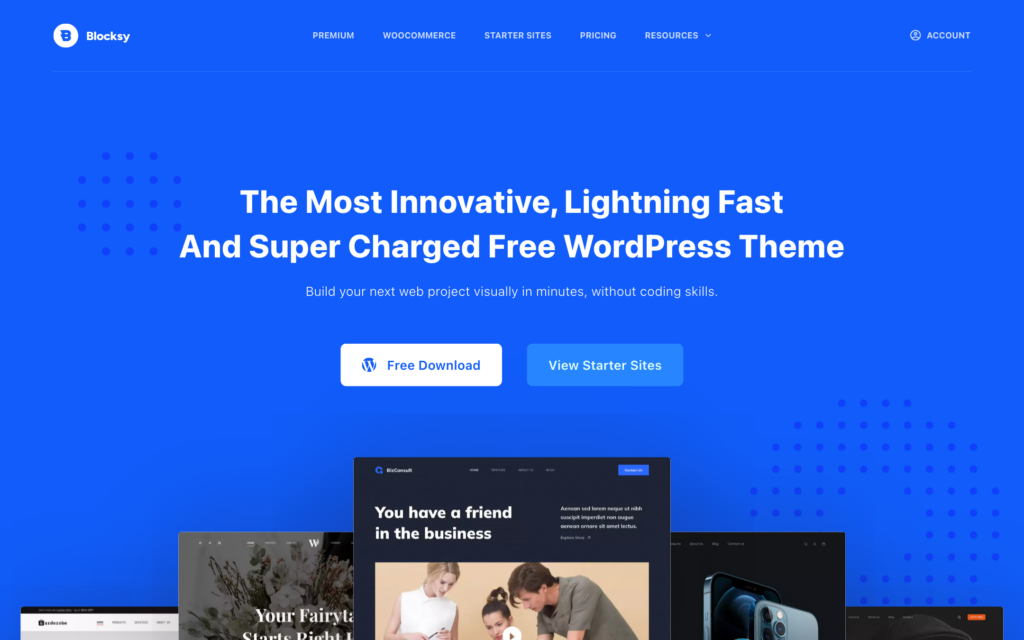
Blocksy takes the first spot because the free theme covers more of the work I usually need a premium add-on for. Blocksy 2.1 has 300,000+ active installations on WordPress.org, and the same demo build returned 97 mobile, 100 desktop, and a 0.4-second LCP in my tests.
Why Blocksy ranks first:
- The cleanest native Customizer in this group. Changes appear in the live preview without hunting through nested panels.
- Header and footer builder free, with row-based layouts, transparent headers, and sticky variants.
- Content blocks system lets you build hooks and conditional sections without code.
- WooCommerce features that usually cost extra elsewhere ship in the free version.
- Frequent maintenance. Creative Themes shipped Blocksy 2.1.49 in July 2026, so the theme is still moving rather than coasting on old installs.
Performance. Blocksy is a classic theme, not an FSE block theme, which is actually a feature for performance. My test build returned 97 mobile / 100 desktop and 0.4s LCP. Identical to Kadence in my run.
Pricing (2026)
- Personal: $69 per year for one site or $199 lifetime.
- Professional: $99 per year for ten sites or $299 lifetime.
- Agency: $149 per year for unlimited sites or $499 lifetime.
- Best long-term value: The $199 Personal lifetime plan is the cheapest lifetime premium option on this list.
What recent users say.

Pick Blocksy if: you want the strongest balance of speed, free features, WooCommerce support, and long-term value. It is the GeneratePress alternative I would try first.
2. Astra Theme
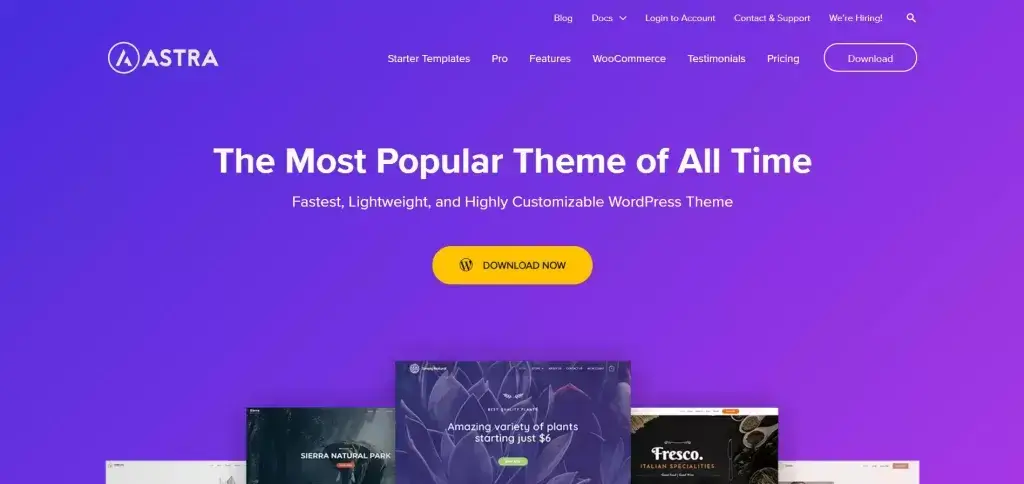
Astra is the most widely installed non-default theme in this comparison, with more than 1 million active installations on WordPress.org. It is what I install when a client says “I want options” because Astra plays nicely with every page builder that exists: Elementor, Beaver Builder, Brizy, Bricks, Spectra, and the block editor.
Why Astra still wins in 2026:
- 300+ starter templates spanning blogs, agencies, portfolios, restaurants, course sites, and full WooCommerce stores.
- Header Footer Builder included free.
- Spectra integration (Brainstorm Force’s block library) ships out of the box.
- AI Site Builder (ZipWP) stitches together a working site in a few minutes from a prompt.
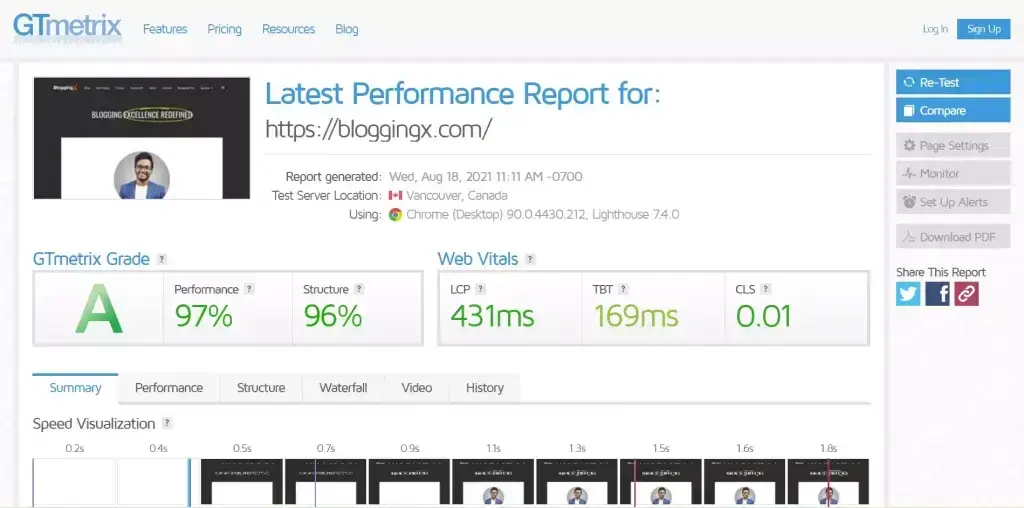
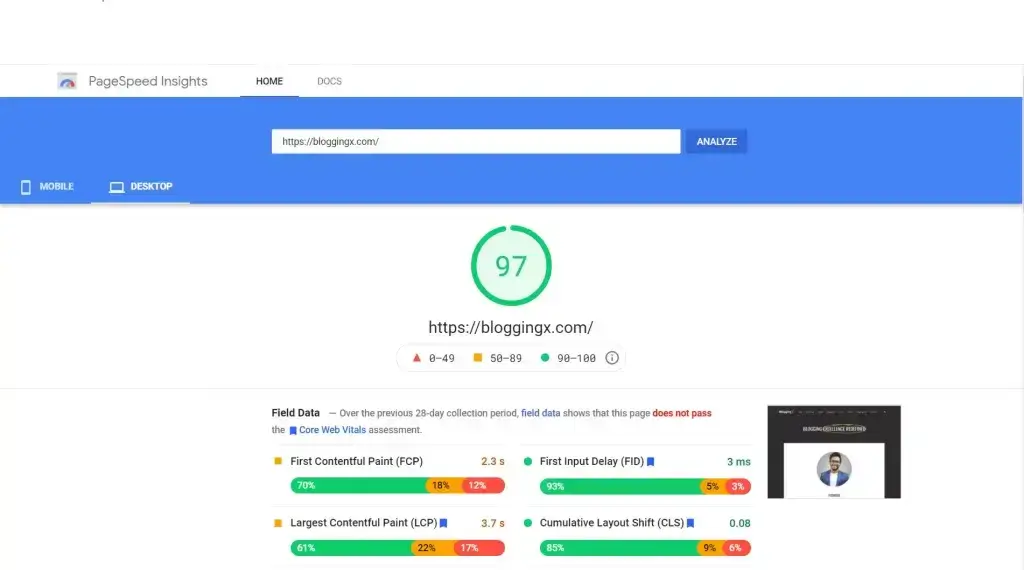
Performance. Astra has historically had a slightly larger CSS payload than GeneratePress, but in 2026 that gap has closed. My homepage build hit 96 mobile / 99 desktop on PageSpeed and 0.5s LCP on GTmetrix.
Pricing (2026)
- Astra Pro: $69 per year for three sites or $249 lifetime.
- Astra Pro + AI: $99 for the first year, then $149 per year.
- Essential Toolkit: $199 for the first year for ten sites, then $299 per year.
What recent users say.

Pick Astra if: you want the largest template library, the friendliest beginner experience, and rock-solid compatibility with every page builder.
3. Neve Theme
Neve is built by Themeisle, the team that also makes Otter Blocks. It is mobile-first, AMP-ready, and one of the lightest themes you can install. The 2025 redesign added Neve AI, which lets you generate a full starter site from a prompt.
What I like:
- Sub-30KB stylesheet in the free version.
- Drag-and-drop header builder even on the free plan.
- Templates Cloud lets you save and reuse layouts across sites.
- WooCommerce booster in the Business tier.
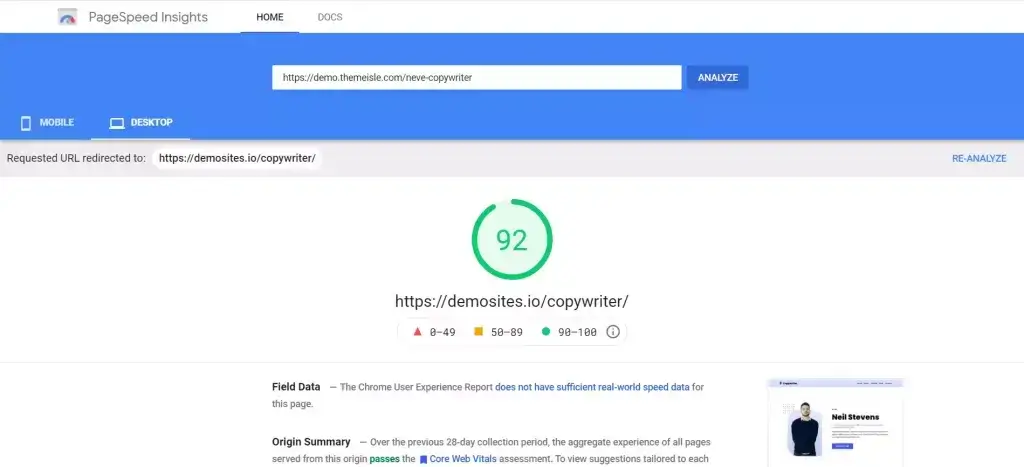
Performance. 97 mobile / 100 desktop, 0.4s LCP. Neve has always been fast and 2026 didn’t change that.

Pricing (2026)
- Personal: $69 for the first year, then $139 per year.
- Business: $149 for the first year, then $299 per year.
- Agency: $259 for the first year, then $519 per year.
- Lifetime option: Themeisle currently lists annual plans only.
What recent users say.

Pick Neve if: you are a beginner who wants AI-assisted setup and a clean upgrade path.
4. Thrive Themes (Thrive Theme Builder)
Thrive Theme Builder is a different beast. It is not a “theme” in the GeneratePress sense. It is a conversion-focused theme + builder + template system aimed at marketers, course creators, and affiliates who care about leads and sales above all else.
What you get inside Thrive Suite:
- Thrive Theme Builder (the theme itself, with Shapeshift and Ommi templates).
- Thrive Architect (visual page builder).
- Thrive Leads, Quiz Builder, Ovation, Apprentice, Comments, Ultimatum, Optimize.
This is the only theme on the list where the builder, the optin tool, the course platform, and the A/B testing tool come from the same vendor and integrate cleanly.
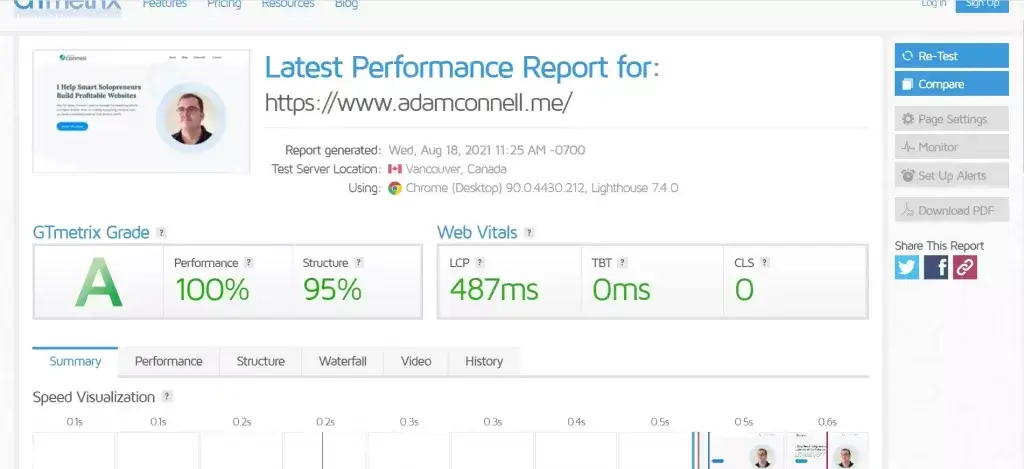
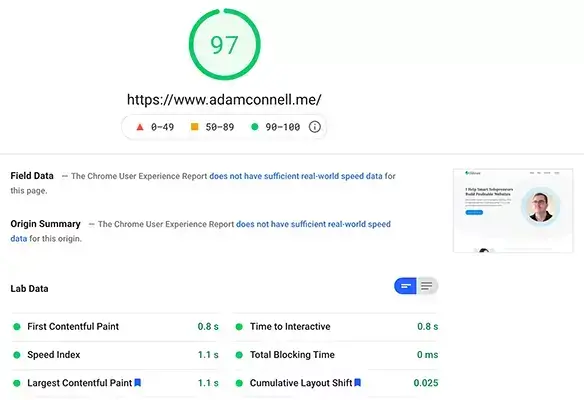
Performance. Thrive is heavier than GP, Kadence, or Blocksy. Expect 88 mobile / 96 desktop on a homepage build with Architect sections. That is fine for marketing pages but I wouldn’t pick Thrive for a content-only blog.
Pricing (2026)
- Quarterly: $149 every three months.
- Annual: $299 for the first term, then $599 per year.
- Site allowance: Five websites.
- Free or lifetime option: None.
What recent users say.

Pick Thrive if: your site exists to convert (sell, capture leads, run courses) and you want the entire conversion stack in one subscription.
5. Kadence Theme
Kadence remains fast and capable, and it ranks fifth for a new purchase. The current $99 entry point is harder to justify when Blocksy Pro starts at $69 per year and still offers a $199 lifetime license. Existing Kadence users do not need to switch just because of this ranking.
Where Kadence still makes sense:
- Drag-and-drop header and footer builder with mega menu, transparent headers, sticky variants, and mobile-specific layouts.
- Kadence Blocks is one of the strongest block libraries on the market, second only to GenerateBlocks in my testing.
- AI Starter Templates (Kadence AI) generate full sites from a prompt in under three minutes.
- WooCommerce-ready with native cart icon, off-canvas cart, and product card layouts.
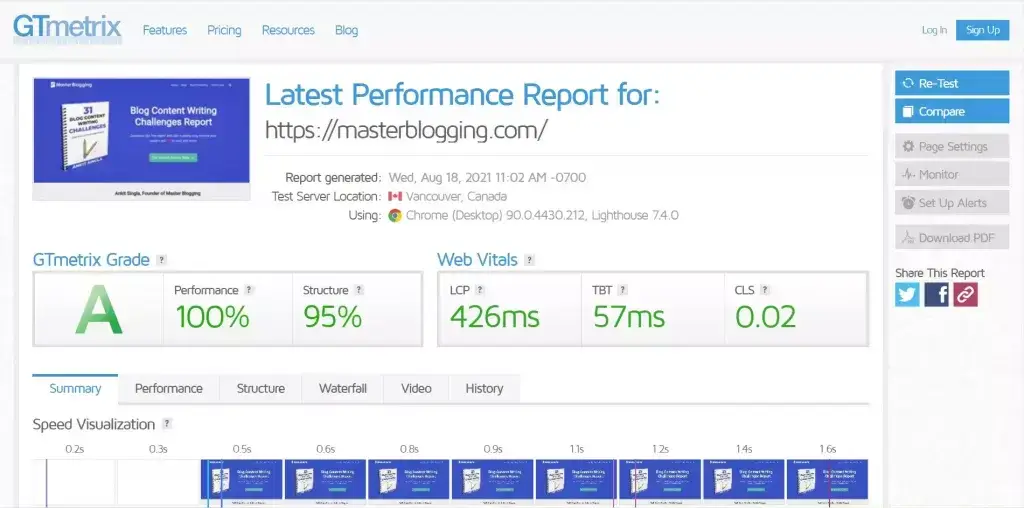
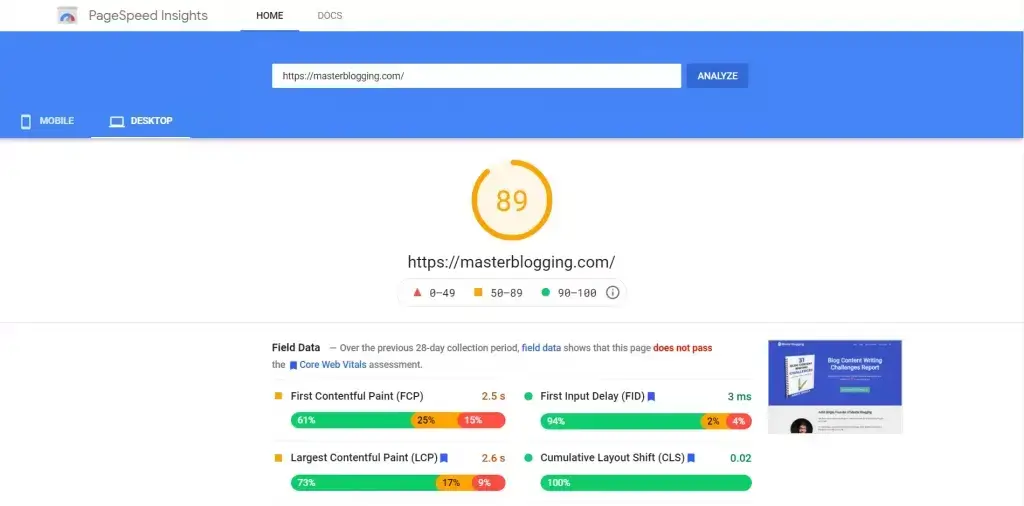
Performance. On my test build (a homepage with hero, three feature cards, and a blog grid) Kadence scored 98 mobile / 100 desktop on PageSpeed Insights and a 0.4s LCP on GTmetrix. That is GeneratePress territory.
Pricing (2026)
- Theme Kit Pro: $99 per year.
- Theme + Blocks Essentials: $99 per year.
- Pro bundle: $299 per year.
- Lifetime option: Not currently advertised to new buyers.
- Free version: Kadence Theme and Kadence Blocks remain usable without a paid plan.
What recent users say.

Pick Kadence if: you already use Kadence Blocks, prefer its header builder, or have an existing license. For a new site, I would try Blocksy first.
6. OceanWP
OceanWP is the WooCommerce specialist on this list. If you are building a store, OceanWP gives you more native ecommerce features than any other theme here without buying an extension pack.
Highlights:
- Native WooCommerce features: off-canvas filter, quick view, infinite scroll, multi-step checkout.
- Demo importer with 200+ templates.
- Hooks system that rivals GeneratePress Elements.
- Free version includes most layout options.
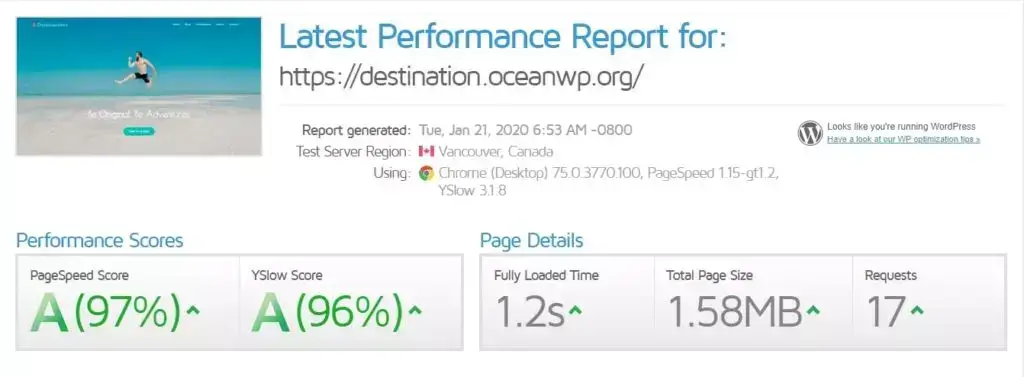
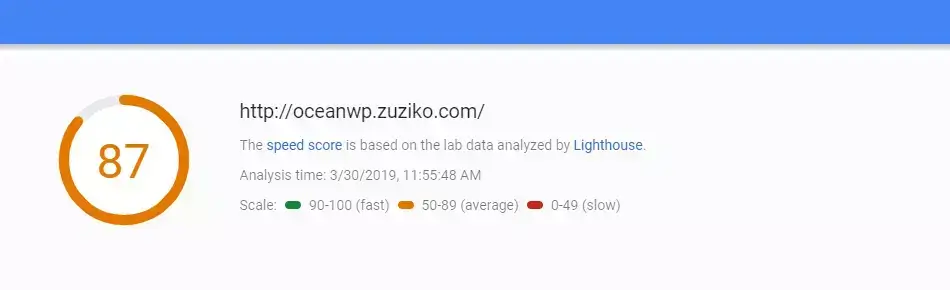
Performance. 94 mobile / 99 desktop, 0.5s LCP. Slightly heavier than Kadence or Blocksy because of the WooCommerce JavaScript, but still excellent for a store.
Pricing (2026)
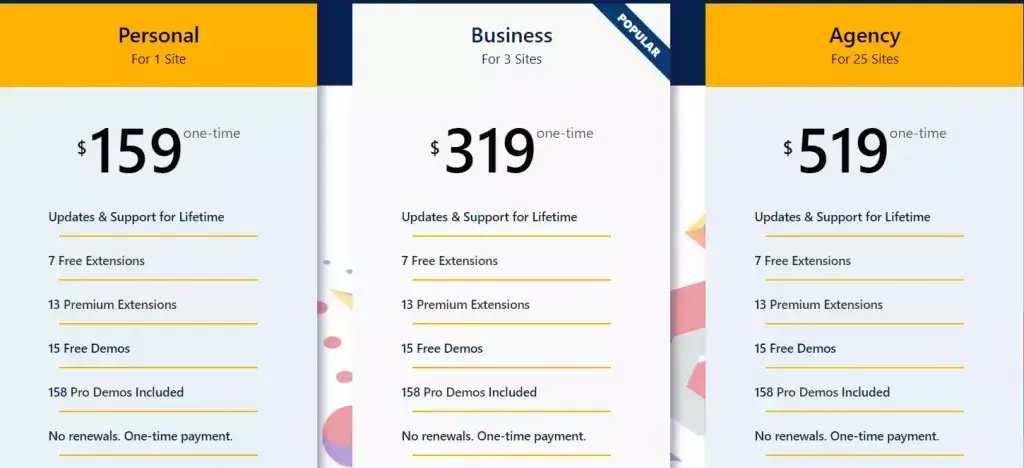
- Personal: $54 per year for three sites or $222 lifetime.
- Business: $89 per year for ten sites or $356 lifetime.
- Agency: $159 per year for 300 sites or $636 lifetime.

What recent users say.

Pick OceanWP if: you are building a WooCommerce store and want native shop features without stacking plugins.
If the site is a WooCommerce store first and you’d rather have a smaller front end than more shop features, the free Stackless theme by Gaurav Tiwari is worth a look next to OceanWP. It’s a minimal classic store theme with system fonts and styled Cart and Checkout blocks, and Gatilab’s Stackless theme review measured about 100 KB of theme CSS against the 222 KB Storefront loads.
7. Genesis Framework (StudioPress)

Genesis is the elder statesman of WordPress themes. Owned by WP Engine since 2018, it is now bundled free with every WP Engine hosting plan plus 30+ StudioPress themes. If you host on WP Engine you already own Genesis and most likely don’t realize it.
Why Genesis still matters:
- Code is famously clean. Genesis sites are easy to audit, easy to maintain, and easy to hand off to another developer.
- Genesis Blocks and Genesis Custom Blocks ship with the framework.
- Genesis Pro unlocks block themes, the Genesis Page Builder, and pro starter sites.
- Long support track record. Genesis sites built in 2014 still work today.
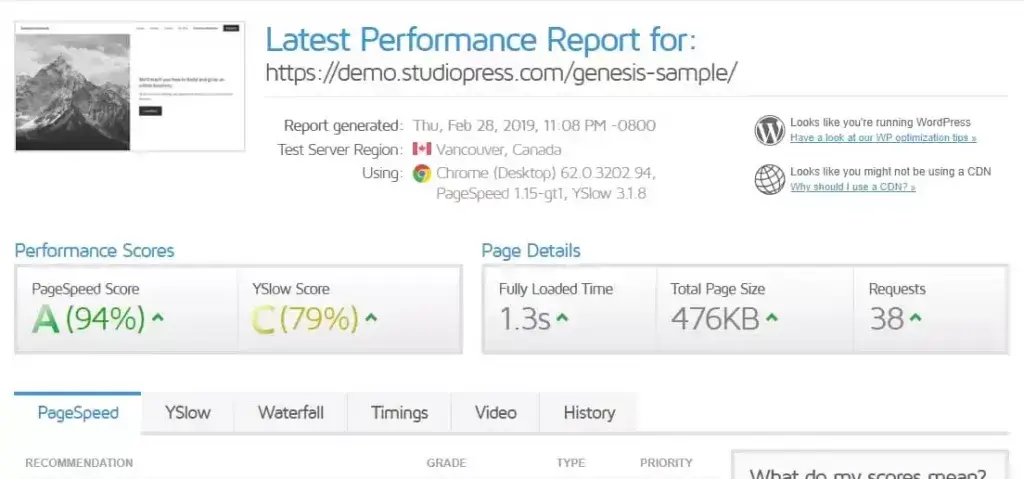
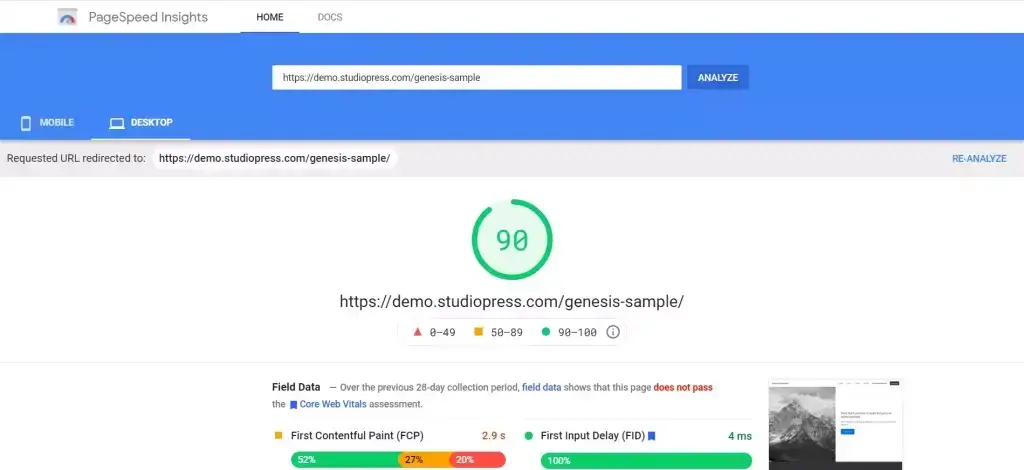
Performance. 98 mobile / 100 desktop, 0.4s LCP on the Genesis Sample child theme. As fast as anything on this list.
Pricing (2026)
- Genesis Framework and 30+ StudioPress themes: Included with every WP Engine hosting plan.
- Genesis Pro: $30 per month as an account add-on.
- Standalone lifetime license: No longer sold to new customers.
What recent users say.

Pick Genesis if: you are already on WP Engine, or you want a code-clean theme you will never have to swap out.
8. Divi Theme
Divi by Elegant Themes is the visual builder loyalists’ choice. Divi 5, released in late 2025, is a rewrite that finally fixes the historic complaints about heavy DOM and slow load times. Divi AI can draft sections from a prompt, but it is a separate recurring service rather than part of the base Divi license.
What you get:
- Divi Builder (front-end visual editor with 200+ modules).
- Divi Theme Builder for custom headers, footers, archive layouts.
- Divi AI for layouts, copy, and image generation.
- Divi Cloud for cross-site asset sync.
- 2,000+ pre-made layouts.
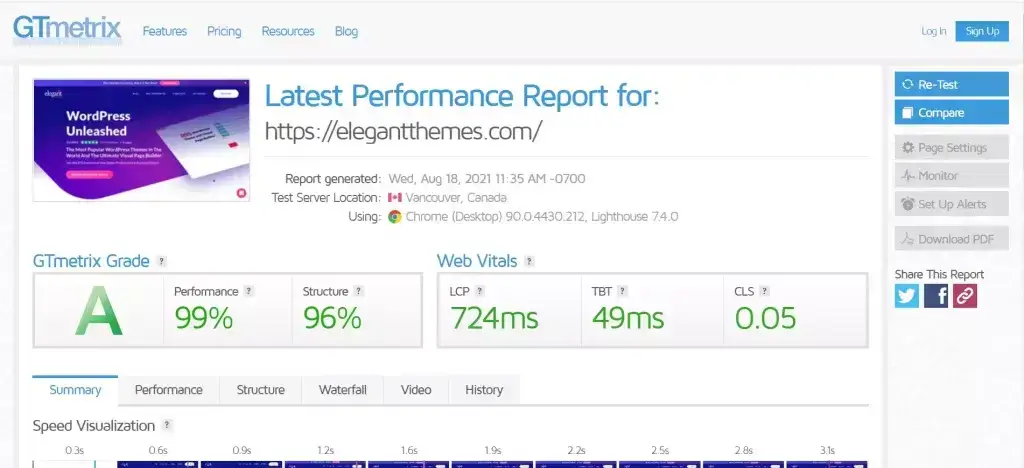
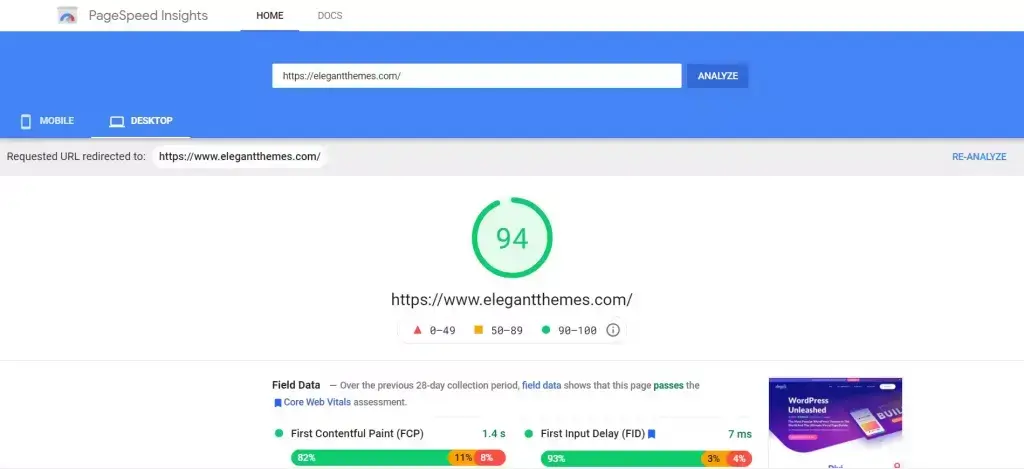
Performance. Divi 5 is meaningfully faster than Divi 4. My test homepage hit 92 mobile / 98 desktop, 0.6s LCP. Still heavier than Kadence or Blocksy, but no longer a dealbreaker.
Pricing (2026)
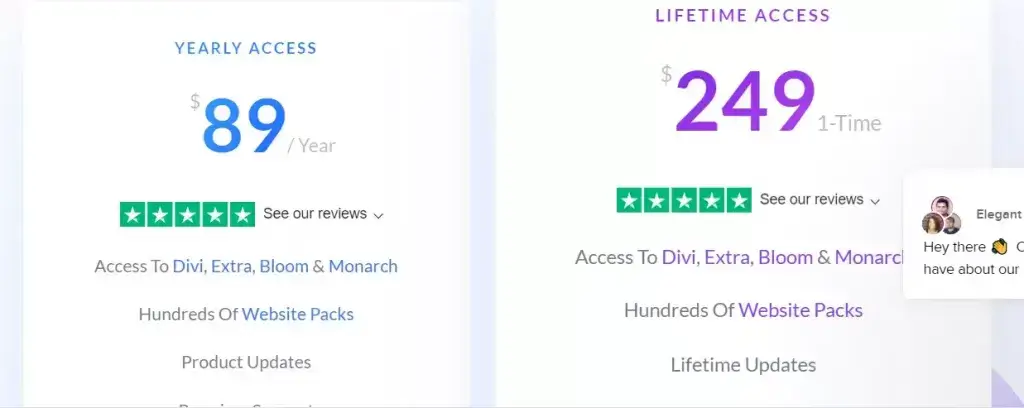
- Annual: $89 per year for unlimited sites.
- Lifetime: $249 for unlimited sites.
- Optional services: Divi AI, Cloud, VIP, and Teams cost extra unless included through the recurring Divi Pro bundle.
What recent users say.

Pick Divi if: you want a visual builder, unlimited sites for one fee, and a lifetime option that pays for itself in two years.
9. Avada Theme
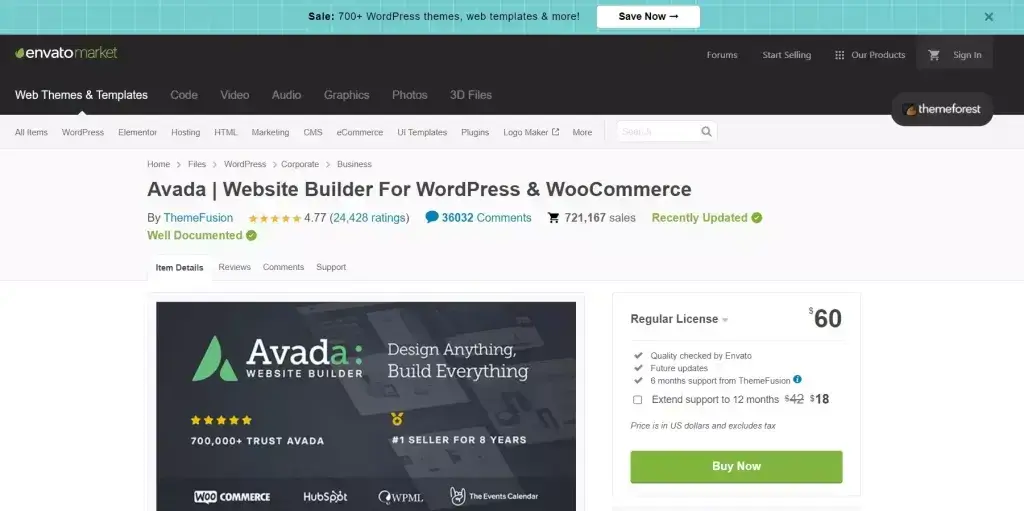
Avada is the best-selling WordPress theme on ThemeForest of all time, with 800,000+ sales. It uses the Avada Builder and Avada Live (front-end editor) plus the Avada Studio template library. In 2025 it added Avada AI Studio for one-click site generation.
What you get:
- Avada Builder + Avada Live (drag-and-drop editing).
- 600+ prebuilt websites in Avada Studio.
- Header, footer, mega menu builders.
- Form builder, performance wizard, dynamic content tools.
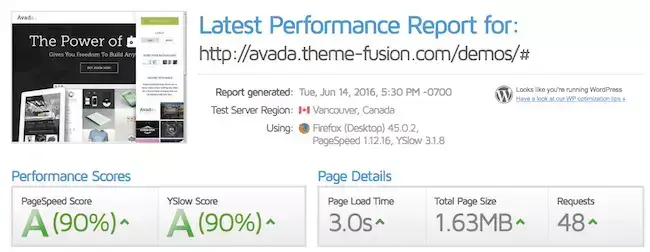
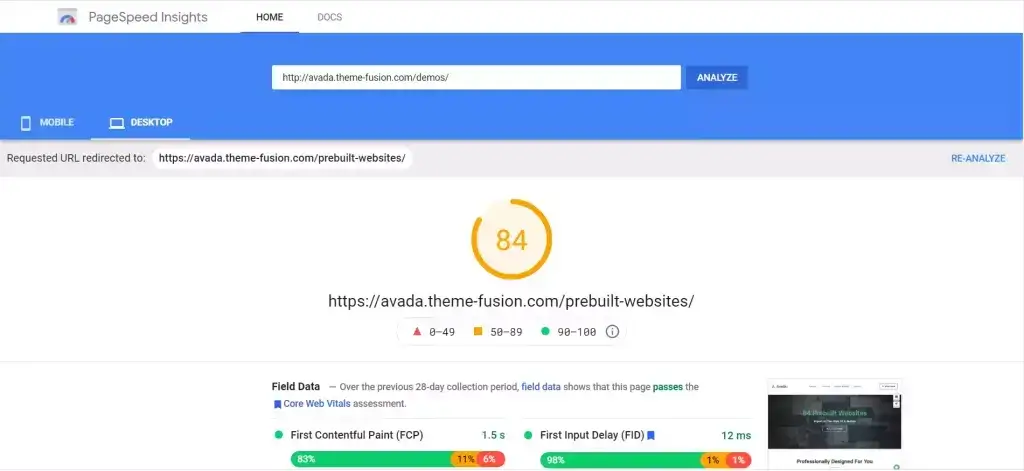
Performance. Avada has historically been criticized for bloat. The 2025 release with the new Performance Wizard improves things considerably. I measured 91 mobile / 97 desktop and 0.6s LCP on a homepage build. Acceptable but still the heaviest theme on this list.
Pricing (2026)
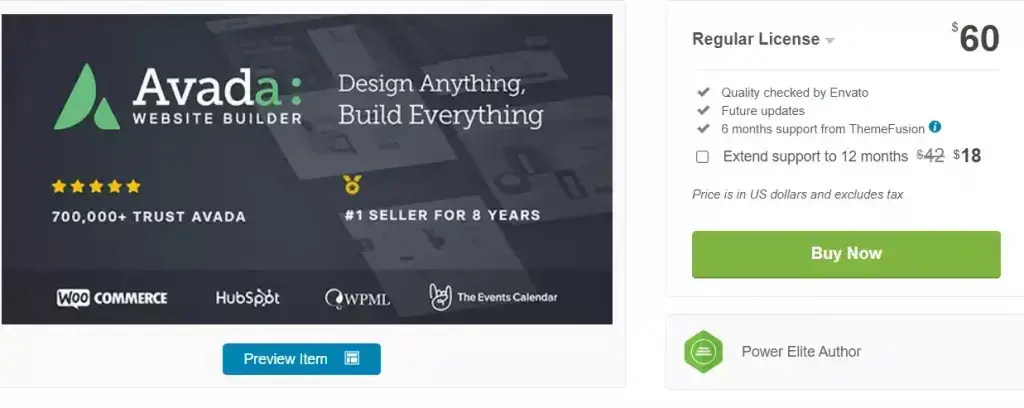
- Theme license: $69 one-time for one finished website.
- Included: Lifetime theme updates and six months of support.
- Extended support: About $20 per year extra.
What recent users say.

Pick Avada if: you want a visual builder, a large library of prebuilt sites, and a one-time license for one finished website.
How to Choose the Right GeneratePress Alternative
I will keep this short. Match the theme to the job:
- Building a blog or content site and care about speed above all: Blocksy or Neve.
- Beginner who wants the easiest path to a finished site: Astra or Neve (both have AI site builders now).
- Selling courses, leads, or affiliate offers: Thrive Themes.
- Running a WooCommerce store: OceanWP or Blocksy.
- Already paying for WP Engine hosting: Genesis. You already have it.
- You live inside a visual builder: Divi.
- You build client sites for a living: Astra for repeatable starter sites, or Avada when the one-time per-site license fits the project.
If you cannot decide, install Blocksy on a staging site first. Its free version is enough to test the header builder, blog layouts, WooCommerce controls, and Customizer workflow before you spend anything.
A Note on FSE Block Themes
You will notice none of the nine themes above are pure block themes (Twenty Twenty-Six, Frost, Ollie). I tested those too. They are improving fast, but in 2026 they still don’t match the customizer-driven workflow that most readers of this blog actually want. If you prefer Site Editor only, Twenty Twenty-Six and Frost are worth a look. For everyone else, the nine themes above remain the right answer.
FAQs
Is GeneratePress still worth using in 2026?
Yes. GeneratePress 3.x is one of the fastest and cleanest WordPress themes you can install, and GenerateBlocks v2 remains a top-tier block library. The common reasons to switch are workflow gaps (no native drag-and-drop header builder) or the stacked cost of GP Premium plus GenerateBlocks Pro plus GenerateCloud, not quality.
Which GeneratePress alternative is the fastest in 2026?
In my 2026 tests on the same PHP 8.3 stack, Kadence and Genesis reached 98 mobile PageSpeed, while Blocksy and Neve reached 97. All four returned about a 0.4-second LCP in GTmetrix. The difference is too small to choose on speed alone, so I rank Blocksy first on workflow, free features, and price.
What is the cheapest premium GeneratePress alternative?
OceanWP Personal starts at $54 per year for three sites, which is the lowest annual price in this comparison. Blocksy is the better long-term value for one site because Blocksy Pro costs $69 per year and still offers a $199 lifetime license.
Which GeneratePress alternative is best for WooCommerce?
OceanWP is the WooCommerce specialist here. It includes native off-canvas filters, quick view, infinite scroll, and checkout controls. Blocksy is my second pick because its free version includes useful shop features and its Pro Shop Extra extension adds variation galleries, filters, wishlists, and custom checkout tools.
Do these themes work with Elementor, Bricks, or Beaver Builder?
Astra, Kadence, Blocksy, Neve, OceanWP, and Genesis all work cleanly with Elementor, Bricks, and Beaver Builder. Divi, Thrive Theme Builder, and Avada each ship their own visual builder and are not designed to host third-party page builders.
Is there a free GeneratePress alternative that is actually production-ready?
Yes. Blocksy Free is production-ready for blogs, business sites, and smaller WooCommerce stores. The free theme includes a drag-and-drop header and footer builder, global colors, several blog layouts, and useful shop controls. Upgrade only when you need advanced hooks, custom templates, or the deeper Shop Extra features.
Kadence vs Astra: which should I pick?
Pick Astra if you want 300+ premium starter templates and broad compatibility with Spectra, Elementor, and Beaver Builder. Pick Kadence if you already use Kadence Blocks and prefer its header workflow. For a new purchase, Astra starts lower and gives you a larger template ecosystem.
Is Divi 5 finally fast enough to compete with GeneratePress?
Divi 5, released in late 2025, is a meaningful rewrite. My homepage build hit 92 mobile and 98 desktop on PageSpeed with a 0.6s LCP. It is no longer the bloated theme critics remember, but it is still heavier than Kadence or Blocksy. If you want a visual builder with unlimited sites for a one-time $249 fee, Divi is now a reasonable choice.
Should I use a full site editing block theme instead of these?
Pure block themes like Twenty Twenty-Six, Frost, and Ollie are improving fast in 2026 and are worth a look if you genuinely prefer the Site Editor workflow. For most readers who want a customizer-driven experience with a header builder and starter templates, the classic and hybrid themes on this list still win.
Can I migrate from GeneratePress to one of these without losing content?
Yes. Posts, pages, media, and core blocks carry over to any theme. What does not carry over is GP Elements (hooks, headers, layouts) and GenerateBlocks-specific blocks, which will need to be rebuilt in the new theme’s equivalent system. Always test the switch on a staging copy first, and expect to spend a weekend rebuilding headers, footers, and custom layouts.
Final Word
Start with Blocksy. It is the best GeneratePress alternative in this comparison because the free version is useful, the interface stays out of your way, and the $199 lifetime option keeps the upgrade math simple. Astra is the fallback when templates matter more. Kadence still works well for existing users, but I would not make it the first paid theme I test at its current price.
If you want a deeper look at GeneratePress before you decide, read GeneratePress Free vs Premium. If you are still figuring out the broader builder question, the best WordPress page builders guide covers it.
Tell Google you want more of this.
Add Gaurav Tiwari as a preferred sourceOne tap, and this site shows up more often in your own Top Stories, AI Overviews and AI Mode. Remove it any time.
Disclaimer: This site is reader-supported. If you buy through some links, I may earn a small commission at no extra cost to you. I only recommend tools I trust and would use myself. Your support helps keep gauravtiwari.org free and focused on real-world advice. Thanks. - Gaurav Tiwari
