
Introduction to GT Performance
A WordPress page cache and front-end optimizer built around one rule: a wrong cache hit costs more than a miss. Everything here defaults to correctness, and the transformations that can break a theme stay opt-in.
GT Performance is free, GPL-2.0-or-later, and listed on WordPress.org. Development happens at wpgaurav/gt-performance. Release notes live in the changelog, and planned work is on the roadmap.
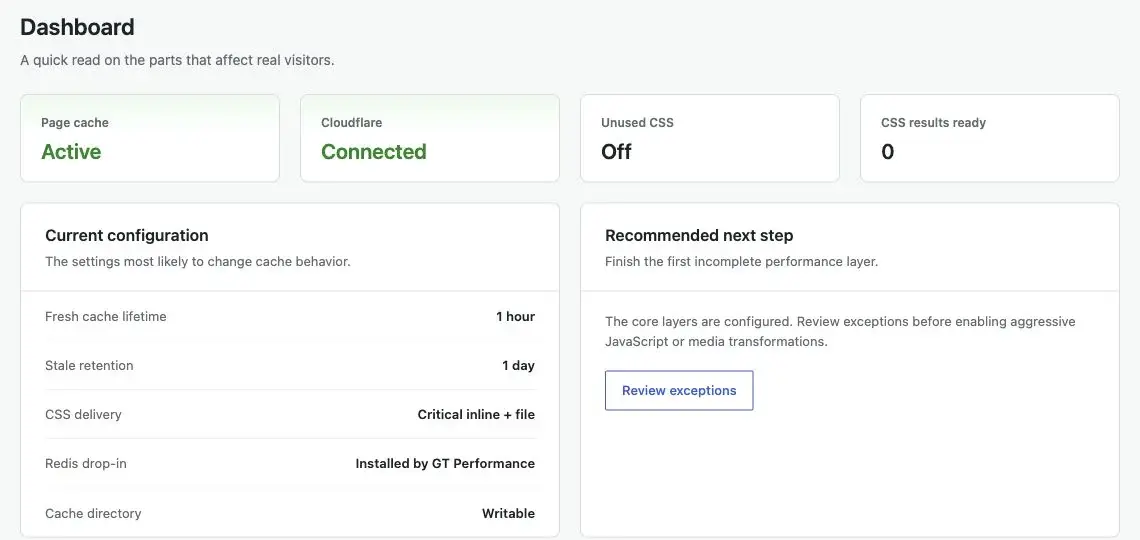
Start here
| If you want to | Read |
|---|---|
| Get it running | Installation |
| Walk a fresh install to a verified cached page | Setup |
| Understand what gets cached and what doesn’t | Page Cache |
| Keep the cache full after a purge | Cache Warming |
| Know which pages a content change clears | Purging |
| Know why a page isn’t caching | Diagnostics, then Troubleshooting |
| Strip unused CSS safely | CSS Optimization |
| Check site health, run jobs, or undo a settings change | Tools |
| Let an AI assistant read cache evidence | AI and MCP |
| Script it | WP-CLI |
| Extend it | Hooks Reference |
What it actually does
Origin page cache. A drop-in serves cached HTML before WordPress loads. Entries carry a fresh window, a stale window, and a stale-if-error window. On a host that already caches pages, optimize-only mode stores nothing and hands optimized pages to the host’s cache instead. See Page Cache and Setup.
Warming and purging. Sitemap-driven warming runs in resumable background batches, recent pages first, inside a cache size budget. A content change purges the pages that actually showed it: listings, query loops, reusable blocks, menus, and shop listings. See Cache Warming and Purging.
Front-end optimization. Unused-CSS removal with three delivery modes and page-builder state preservation, JavaScript minify/defer/delay, hero image rules, image lazy-loading and dimension injection, self-hosted Google Fonts, lightweight YouTube embeds. See CSS Optimization, JavaScript Optimization, Media, Fonts and Embeds.
Edge and object caching. A Cloudflare Free cache rule compiled from your own bypass policy, an origin-pull CDN for static files, xCloud edge coordination, and an owned Redis object-cache drop-in. See Cloudflare, CDN, xCloud, Redis Object Cache.
Commerce safety. FluentCart, Easy Digital Downloads and WooCommerce adapters keep cart, checkout, account and session state out of shared caches. See Commerce Safety.
Operations. Verified purge receipts, an Explain This Page report, a health report (also in Site Health), a background queue you can pause, retry, and cancel, settings history with restore, JSON export and import, and background database cleanup. See Diagnostics, Tools, Database Cleanup.
Optional AI access. On WordPress 6.9 or later, an assistant you connect can read cache and health evidence, and with separate permission purge, preload, or propose settings for an administrator to approve. On WordPress 7.0 or later, an optional adviser explains diagnostics with the AI provider configured in WordPress. All of it is off by default. See AI and MCP.
What it deliberately does not do
- No account, no telemetry, no phone-home. See External Services.
- No HTML minification. The saving is small and the breakage is not.
- No “optimize everything” button. Riskier transformations are individually switchable and off by default.
- No caching of any response that sets a cookie, is not
text/html, is not HTTP 200, or carriesno-store/private. See Page Cache. - No multisite. Activation stops on a network install, because one site’s settings would decide another site’s cache behavior.