
10 Best Tablets That Work Really Well With Keyboards
I've been using tablets with keyboards as my travel setup for years. Most '2-in-1' lists are just spec sheets without real usage insights. I've actually worked from these devices on flights, in cafes, and at client meetings. Here are the ten best tablets that genuinely work well with keyboards, based on real productivity use, not just paper specifications.
 by
by
I’ve been using tablets with keyboards as my travel setup for years now, and I can tell you most “2-in-1” lists are just spec sheets with affiliate links slapped on. The truth? Only a handful of these devices actually work as laptop replacements. The rest are tablets with a keyboard awkwardly bolted on.
I’ve typed thousands of words on iPads, Surface Pros, and Samsung Galaxy Tabs. I’ve edited WordPress sites from airport lounges and coffee shops with nothing but a tablet and a keyboard cover. Some of these combos felt like a proper workstation. Others made me want to throw the thing out a window.
So here’s my honest list of the 10 best tablets with keyboards you can buy in 2026. I’ve ranked them based on real typing experience, keyboard quality, and how well the whole package comes together for actual work.
10 Best Tablets with Keyboards in 2026
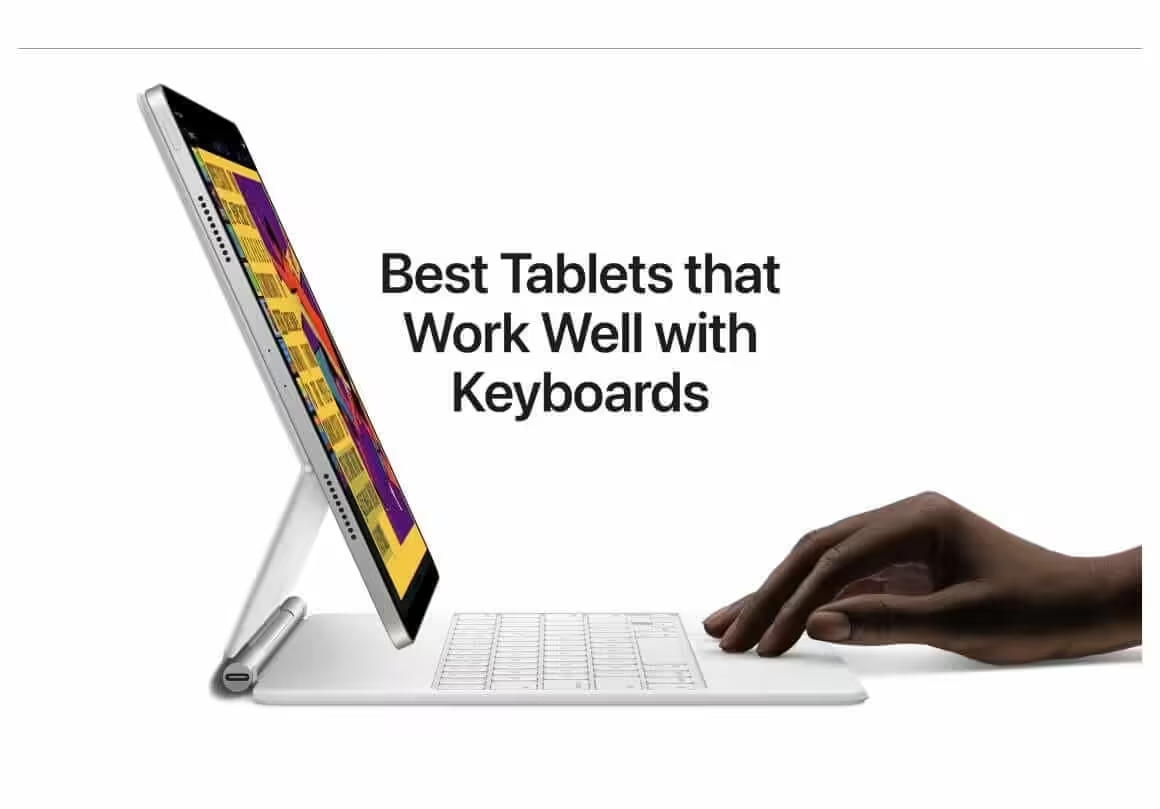
I’ve tested all 10 of these tablets with their respective keyboard accessories. My ranking considers keyboard feel, trackpad accuracy, how well the software supports a keyboard workflow, and overall value for the price. If you’re buying a tablet specifically to type on, this list is for you.
1. Apple iPad Pro

The iPad Pro with the Apple Magic Keyboard is the best tablet-keyboard combo you can buy. Period. I’ve used this setup for writing articles, editing sites, and managing client emails on the go. The keyboard feel is close to a MacBook, and the built-in trackpad makes iPadOS feel like a proper desktop.
The Magic Keyboard connects magnetically and makes the iPad look like it’s floating. It also has a USB-C passthrough port for charging, which means you don’t lose your only port while working. That alone is worth the price premium over third-party keyboards.
You get two screen sizes: 12.9 inches and 11 inches. The 12.9-inch model has a Liquid Retina XDR display with mini-LED backlighting, which means better brightness (1600 nits peak HDR) and a 1,000,000:1 contrast ratio. The 11-inch model uses a standard Liquid Retina display at 600 nits. For most people, the 11-inch is more portable and practical. If you do a lot of photo editing or video work, the 12.9-inch display is worth the extra size and cost.
Both run Apple’s M2 chip, the same one in the MacBook Air. An 8-core CPU, up to 10-core GPU, and 16-core Neural Engine. This thing handles 4K video editing, heavy multitasking, and demanding apps without breaking a sweat. Storage ranges from 128GB to 2TB. I’d recommend at least 256GB if you’re using it as a work machine.
Best for: Professionals and creatives who want the closest thing to a laptop in a tablet form factor. If you’re already in the Apple ecosystem, this is the one to get.
- 12.9-inch display: Liquid Retina XDR, 2732 x 2048, mini-LED, 1600 nits peak
- 11-inch display: Liquid Retina, 2388 x 1668, LED, 600 nits
- Processor: Apple M2 (8-core CPU, up to 10-core GPU)
- Storage: 128GB, 256GB, 512GB, 1TB, 2TB
- Battery: Up to 10 hours
- Cameras: 12MP Wide + 10MP Ultra-Wide + LiDAR (rear), 12MP Ultra-Wide (front)
- Connectivity: Wi-Fi 6E, Bluetooth 5.3, optional 5G
- Accessories: Apple Pencil (2nd gen), Magic Keyboard, Smart Keyboard Folio
2. Apple iPad Air

The iPad Air is what I recommend to people who want 80% of the iPad Pro experience at about 60% of the price. It runs the same M2 chip, works with the same Apple Magic Keyboard and Smart Keyboard Folio, and handles all but the most demanding creative workflows.
The differences? The Air has a 11-inch Liquid Retina display (500 nits, P3 wide color) instead of the Pro’s XDR panel. You get two speakers instead of four. One rear camera instead of the Pro’s dual-camera setup with LiDAR. And Touch ID instead of Face ID, which I actually prefer when typing because my hands are already on the device.
Performance is strong enough for everything I’ve thrown at it: writing, browsing, light photo editing, and running multiple apps side by side. Gaming performance is solid too, beating out the Samsung Galaxy Tab S9 in most benchmarks. If you don’t need the Pro’s HDR display or quad speakers, the Air gives you the same typing experience with the Magic Keyboard for a lot less money.
Best for: Writers, students, and anyone who wants a great iPad keyboard experience without spending $1,000+.
3. Samsung Galaxy Tab S9 series
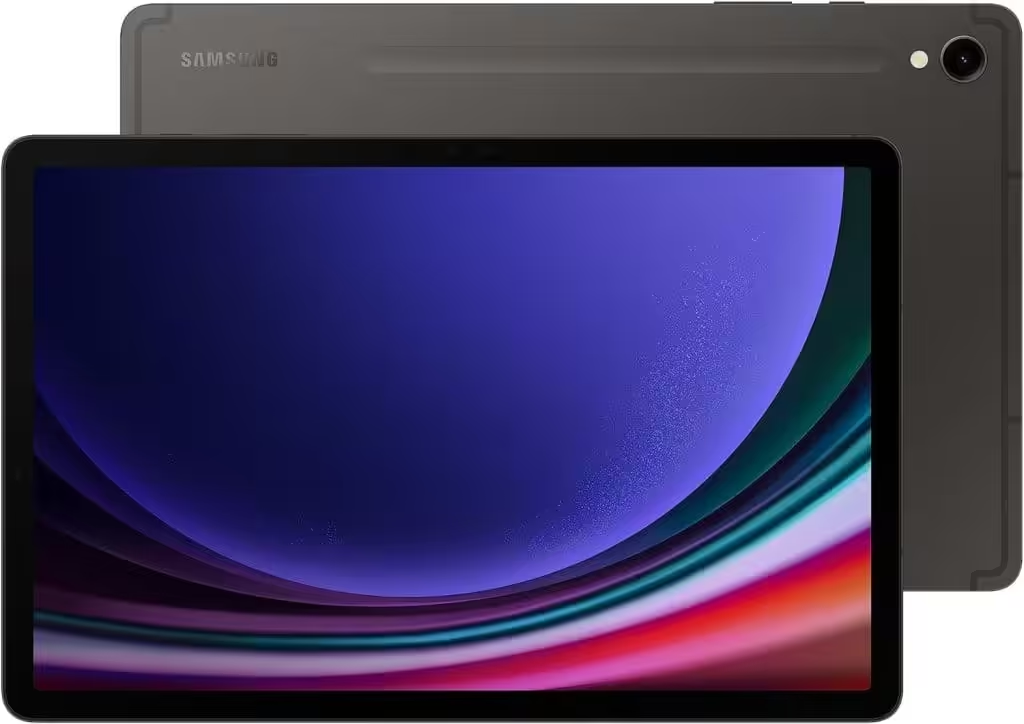
If you’re on Android, the Galaxy Tab S9 series is the answer. Samsung makes the only Android tablets that actually work well as laptop replacements, thanks to DeX mode. DeX turns the tablet into a desktop-like interface with resizable windows, a taskbar, and proper file management. With a keyboard attached, it feels closer to a Chromebook than a typical Android tablet.
Samsung offers three sizes: the 11-inch Tab S9, the 12.4-inch Tab S9+, and the massive 14.6-inch Tab S9 Ultra. All three use the Qualcomm Snapdragon 8 Gen 3 processor with 8GB, 12GB, or 16GB of RAM respectively. Storage runs from 128GB to 512GB. Samsung sells two keyboard options for each: a thin keyboard case and a better (but pricier) keyboard cover with a bigger trackpad.
The Tab S9+ and Ultra have Super AMOLED displays that look gorgeous for video and media work. The base Tab S9 uses an 11-inch LCD, which is fine but not in the same league. All three support 120Hz refresh rates and come with an S Pen included. I’d go with the Tab S9+ for the sweet spot of screen size, portability, and display quality.
Best for: Android users who want a real laptop alternative, especially if you already use Samsung phones and want everything to sync through Samsung’s ecosystem.
4. Samsung Galaxy Tab S8+
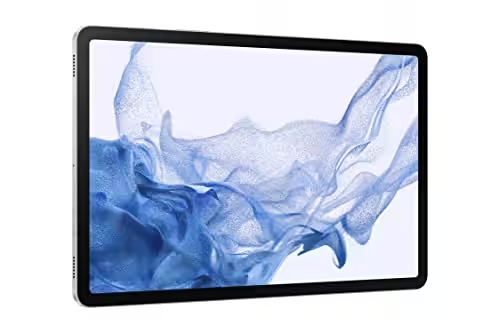
The Galaxy Tab S8+ is the previous generation, but it’s still a strong pick, especially now that prices have dropped. You get a 12.4-inch Super AMOLED display with 120Hz, HDR10+ support, and a 16:10 aspect ratio that’s great for documents and spreadsheets. The hinge on Samsung’s official keyboard cover goes up to 165 degrees, giving you more angle flexibility than most laptop hinges.
It runs Samsung DeX just like the S9 series, and for day-to-day productivity, you won’t notice a performance gap. The S Pen is included, and the keyboard cover has a decent trackpad. If you’re choosing between this and the Tab S9, the S8+ often goes on sale for $200-300 less, which makes it a better value for people who don’t need the latest processor.
Best for: Budget-conscious buyers who still want a large-screen Samsung tablet with a solid keyboard experience. Great for document work, spreadsheets, and light creative tasks.
5. Lenovo Tab P12 Pro
The Lenovo Tab P12 Pro is a strong alternative to the Galaxy Tab S8+ for less money. You get a 12.6-inch Super AMOLED display, Lenovo’s Precision Pen 3 included, and a keyboard cover that detaches and works via Bluetooth. That last part is a big deal because it means you can prop the tablet up and type with the keyboard on your lap, something Samsung’s magnetic keyboard can’t do.
It runs a Qualcomm Snapdragon 870 with 6GB or 8GB of RAM and 128GB or 256GB of storage. Not as fast as Samsung’s flagship tablets, but it handles Fortnite on high settings, smooth multitasking, and productivity apps without lagging. The metal build, fingerprint reader, and quad speakers make it feel more expensive than it is.
The tradeoff? Lenovo’s software update track record isn’t as good as Samsung’s or Apple’s. You might get 2-3 years of OS updates versus 4-5 with Samsung. If long-term software support matters to you, keep that in mind.
Best for: People who want a large-screen Android tablet with a keyboard for under $500. Solid pick for students and casual work.
6. Lenovo Tab P11 Pro Gen 2
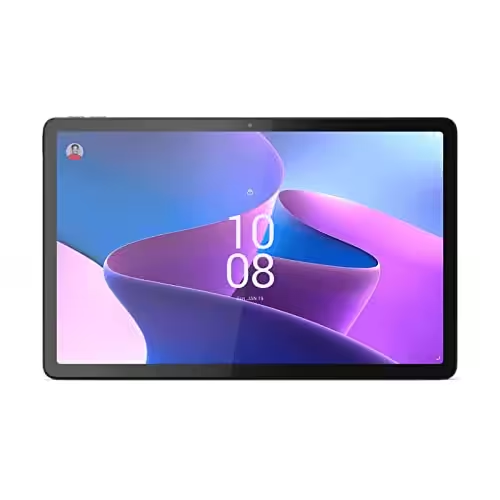
This is the budget pick that punches above its weight. An 11.2-inch OLED display with HDR10+, 120Hz, and 2560 x 1536 resolution. At this price point, you won’t find a better screen. The Precision Pen 3 comes included, which saves you another $50-80 you’d spend on a stylus with other tablets.
The MediaTek Kompanio 1300T chipset handles games like PUBG Mobile and Fortnite fine, and it’s more than enough for writing, browsing, and video calls. You get 6GB to 8GB of RAM and 128GB to 256GB of storage. Lenovo’s optional keyboard cover is well-built and nearly as good as Samsung’s version at a lower price.
I’d recommend this as a secondary device. Don’t expect it to replace your laptop, but for writing on the couch, taking notes in class, or casual work during travel, it hits the right balance of price and features.
Best for: Students and budget-conscious buyers who want an OLED display and a decent keyboard without spending more than $400.
7. Lenovo Duet Chromebook 5
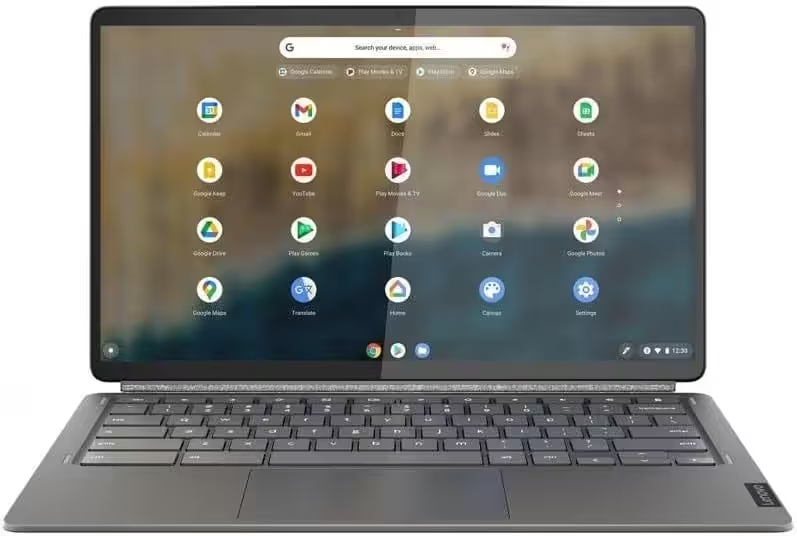
If your work lives in a browser, the Lenovo Duet Chromebook is the smartest $250 you can spend. Chrome OS was built for keyboard and mouse input, unlike Android or iPadOS which are touch-first. That means tabbing between apps, keyboard shortcuts, and window management all feel natural from day one.
The 10.1-inch display is small. I won’t sugarcoat that. But for writing, Google Docs, email, and web browsing, the size is fine once you adjust. The keyboard cover comes included in the box, which is rare at this price. You get a MediaTek Helio P60T processor with 4GB of RAM and 64GB or 128GB of storage. It’s not powerful enough for heavy multitasking or gaming, but for web-based work, it’s responsive.
Best for: Students who need a cheap, portable writing device. If Google Docs, Sheets, and web apps cover your needs, skip the expensive tablets and get this instead.
8. Microsoft Surface Pro 9
The Surface Pro 9 is the only tablet on this list that runs full Windows 11. That means real desktop apps: Photoshop, Visual Studio Code, full Chrome with extensions, the works. No mobile versions, no web app compromises. If your workflow depends on Windows software, this is your only real option.
The Surface Pro Signature Keyboard connects magnetically and has a spot to charge the Slim Pen 2 stylus. The keyboard feel is good, not MacBook-level, but comfortable for long typing sessions. You get 12th-gen Intel Core i5 or i7 processors, 8GB to 32GB of RAM, and 128GB to 1TB of storage. The 13-inch display has a 3:2 aspect ratio (great for documents), 2880 x 1920 resolution, and up to 120Hz refresh rate.
Performance handles Photoshop, basic Premiere Pro editing, and heavy browser tabs without issues. The keyboard is sold separately (around $180), which is annoying at this price point. But if you need Windows on a tablet, this is the best way to get it.
Best for: Windows power users who need full desktop software on a portable device. Developers, designers using Adobe apps, and anyone whose workflow doesn’t work on iPadOS or Android.
9. Microsoft Surface Pro X
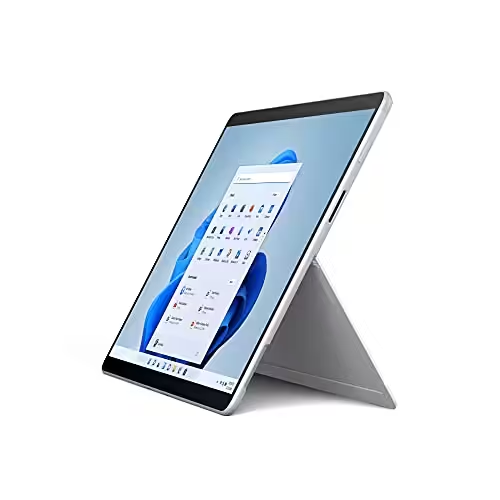
I have mixed feelings about the Surface Pro X. It’s thin, light, and the design is beautiful. The Type Cover keyboard feels great. And for Microsoft Office apps (Word, Excel, OneNote, PowerPoint), it’s smooth and responsive.
But it runs on an ARM processor, which means app compatibility is a real problem. Many traditional Windows apps and drivers don’t work properly, or they run through emulation which kills performance. If you mostly use Microsoft Office and browse the web, the Surface Pro X works fine. If you need specialized Windows software, Photoshop plugins, or legacy drivers, you’ll hit walls fast. I’d steer most people toward the Surface Pro 9 instead, unless portability and battery life are your top priorities.
Best for: People who use Microsoft Office 90% of the time and want the lightest possible Windows tablet. Not for power users or anyone who depends on traditional x86 Windows apps.
10. Samsung Galaxy Tab S7
The Galaxy Tab S7 is a couple of generations old now, but it’s still a capable tablet, especially at the discounted prices you can find in 2026. The 11-inch display runs at 120Hz, supports HDR10+, and the 16:10 aspect ratio is comfortable for split-screen work. The Snapdragon 865+ processor with 6GB or 8GB of RAM still handles most apps and games without trouble.
Samsung DeX mode works just as well here as it does on newer models. The S Pen is included and magnetically attaches to the back for charging. The official keyboard cover (sold separately) has a built-in trackpad and a decent typing feel. Quad speakers tuned by AKG sound surprisingly good for a tablet. The 8,000mAh battery lasts through a full workday with fast charging to top it up quickly.
The catch is software updates. Samsung’s support window for the S7 is winding down, so don’t expect the latest Android features or security patches for much longer. But if you’re buying this as a secondary device at a steep discount, it’s still a lot of tablet for the money.
Best for: Anyone who wants a capable Samsung tablet with keyboard support on a tight budget. Great entry point into the Samsung tablet ecosystem without paying current-gen prices.
Conclusion
My top pick for most people is the iPad Air with the Magic Keyboard. It’s the best balance of typing experience, performance, and price. If you need Windows, get the Surface Pro 9. If you’re on Android, the Galaxy Tab S9+ with Samsung’s keyboard cover is the way to go.
Before you buy, figure out what you’ll actually do on the tablet. If it’s mostly writing and browsing, you don’t need to spend $1,000+. The Lenovo Duet Chromebook at $250 or the iPad Air at around $600 will handle that fine. Save the big money for devices you’ll use for heavy creative work or full Windows workflows. And whatever you do, try the keyboard in person before buying. A great tablet with a bad keyboard is just an expensive touchscreen.
Frequently Asked Questions
What should I look for when buying tablets with keyboards?
Three things matter most: keyboard feel, trackpad quality, and how well the OS supports keyboard input. A good typing experience means nothing if the software keeps forcing you back to the touchscreen. I’d also check the hinge or stand mechanism. Some keyboard covers only prop up at one angle, which gets uncomfortable fast. Read user reviews specifically about the keyboard, not just the tablet itself.
Are expensive tablets with keyboards worth the premium price?
If you’re using it daily for work, yes. I’ve owned cheap tablet keyboards that flexed, had mushy keys, and lost Bluetooth connection randomly. The $150-180 you spend on Apple’s Magic Keyboard or Samsung’s official cover pays for itself in a month of comfortable typing. But if you’re only using a tablet for casual browsing and occasional emails, a mid-range option like the Lenovo Duet Chromebook does the job at a fraction of the cost.
How often should I replace or upgrade tablets with keyboards?
Most tablets stay usable for 3-5 years. iPads tend to last longest because Apple supports them with software updates for 5-6 years. Samsung gives about 4 years of updates. Lenovo and others typically stop at 2-3 years. I’d upgrade when the software updates stop or when your daily apps start feeling sluggish. Don’t upgrade just because a new model came out.
Can I find good tablets with keyboards on a tight budget?
Yes. The Lenovo Duet Chromebook costs around $250 with the keyboard included. You can also grab previous-gen Samsung tablets like the Galaxy Tab S7 at steep discounts. Amazon Prime Day and Black Friday are the best times to buy. I’ve seen the iPad Air drop $100-150 during these sales. Refurbished iPads from Apple’s official store are another smart option since they come with the same warranty as new ones.
Where is the best place to buy tablets with keyboards?
Amazon is my go-to because of easy returns and fast shipping. But check the manufacturer’s website too. Apple, Samsung, and Microsoft sometimes offer trade-in deals or student discounts that beat Amazon’s price. If you’re in India, Flipkart often has better deals on Samsung tablets during Big Billion Days. Always compare prices across 2-3 stores before buying.
What warranty should I expect with tablets with keyboards?
Most tablets come with a 1-year manufacturer warranty. Apple and Samsung offer extended coverage (AppleCare+ and Samsung Care+) for an extra fee, which I’d recommend if you’re spending $800+. The keyboard accessories usually have their own separate warranty, so check that too. I’ve had a Magic Keyboard replaced under AppleCare when the keys started sticking after 14 months. Without it, that would’ve been a $300 fix.