
Coworking in Gig Economy: Navigating Freedom and Community
You quit the cubicle for freedom. Then you spent six months hunched over a kitchen table, back screaming, WiFi dropping during client calls, and no one to talk to until your partner came home at 6 PM. I did the same thing when I started freelancing. I worked from my couch, then a spare bedroom, then a coffee shop, then a coworking space. Each shift taught me something about what actually makes remote work sustainable.
The problem isn’t remote work itself. It’s that most freelancers and bloggers never intentionally design their work environment. They default to whatever’s available and wonder why they can’t focus, feel isolated, or burn out within two years. Over 73 million Americans freelance in some capacity in 2026, yet most never think beyond “I need a laptop and WiFi.”
I’ve tested every setup over the past decade. Home office, coworking memberships in three cities, coffee shop rotations, library desks, and the full digital nomad bag. Here’s what actually works, what’s overrated, and how to build the right setup without blowing your budget.
Work Environment Comparison: Home vs Coworking vs Coffee Shop vs Library vs Hybrid
Every work environment comes with tradeoffs. The best freelancers don’t pick one and stick with it forever. They match the environment to the type of work they’re doing that day. Here’s an honest breakdown of the five most common options.
Home office is where most freelancers start and where many stay. Zero commute, zero cost beyond what you’re already paying for rent, and total control over noise, temperature, and lighting. For deep focus work like writing, coding, or design, home is hard to beat. The downside is brutal: isolation creeps in slowly. You don’t notice it until you realize you haven’t had a real conversation with another professional in two weeks. Work-life boundaries blur. The fridge is always right there.
Coworking spaces solve the isolation problem while keeping your flexibility. A hot desk runs $100-300/month in most cities. A dedicated desk costs $250-500/month. You get reliable internet, meeting rooms, a professional address, and humans who understand freelance life. The downside? Monthly cost adds up, open floor plans can be noisy, and you might socialize when you should be working.
Coffee shops feel productive but often aren’t. I’ll cover this myth in detail below. Short version: ambient noise can boost creativity, but unreliable WiFi, tiny tables, no external monitor, and the social pressure to keep ordering drinks make coffee shops a poor daily workspace.
Public libraries are the most underrated option. Free, quiet, decent WiFi in most cities, and zero temptation to snack or do laundry. The catch: no phone calls, limited hours, no meeting rooms, and the social factor is zero. Great for writing sprints.
Hybrid setup (my recommendation) means working from home 3-4 days per week for deep focus and using a coworking space 1-2 days for collaborative work, client calls, and social connection. This keeps your monthly cost between $100-200 while giving you the best of both worlds.
Where do you do your best work?
Home Office Optimization: Build a Productive Setup Under $500
Your home office doesn’t need to cost $3,000. I’ve seen freelancers spending that on standing desks and ultrawide monitors while billing $30/hour. That math doesn’t work. What you need is a setup that prevents physical pain, supports video calls, and separates work from life. You can build that for under $500.
The priority order matters. Buy the chair first. A used Herman Miller Aeron goes for $150-200 on Facebook Marketplace, and it’ll save your back for the next decade. Your spine doesn’t care if your desk is fancy. It cares about lumbar support and seat height.
Next, get an external monitor. A 24-inch IPS panel costs $100-120 and gives you 20-30% more productive screen space versus hunching over a laptop. The Dell SE2422HX or LG 24MP60G are both solid at this price point. Add a $15 laptop stand to raise your screen to eye level, and you’ve eliminated the neck strain that most laptop workers develop within a year.
For the desk, don’t overthink it. A 48-inch wide surface with enough depth for your monitor and keyboard is all you need. The IKEA LAGKAPTEN/ADILS combo runs about $60-80 and does the job. If you can find a used sit-stand desk for $100-150, even better.
Round it out with a wireless keyboard and mouse ($30), noise-cancelling headphones ($50-80), a desk lamp with adjustable color temperature ($20-30), and a surge protector ($25). Total: $420-495.
Video call lighting matters more than you think. Position a desk lamp at a 45-degree angle from your face, slightly above eye level. This costs $20-30 and makes you look infinitely more professional on Zoom calls than the overhead fluorescent that lights most home offices. Clients judge competence partly by how you appear on camera. It’s unfair, but it’s real.
Coworking Spaces in 2026: What’s Changed and What It Really Costs
The coworking landscape looks different than it did three years ago. WeWork’s bankruptcy restructuring shook the industry, but independent coworking spaces are thriving. The survivors are smaller, more community-focused, and often better value than the big chains ever were.
There are now over 40,000 coworking spaces worldwide. Pricing breaks down into four tiers. Hot desks (no assigned seat, sit wherever there’s space) run $100-300/month in most cities. Dedicated desks with storage cost $250-500/month. Private offices start at $500-1,500/month. Day passes are available for $15-40 if you don’t need daily access.
For someone billing $50-100/hour, even one extra productive hour per day covers the cost of a hot desk. The ROI calculation is straightforward: if the environment helps you focus better, ship faster, or land one client through networking, the membership pays for itself.
How to choose the right space. Visit at least three before committing. Test the WiFi yourself (you need 50+ Mbps download for video calls). Check meeting room availability and pricing. Spend a full day there to see if the vibe matches your work style. Some spaces are library-quiet, others are buzzy and social. Neither is wrong, but a mismatch will frustrate you.
Look at the community, not just the amenities. A space full of enterprise remote workers might not serve a freelance designer. Ask who else works there. The best coworking connections happen organically, between people with complementary skills sitting three desks apart.
I’ve picked up two significant freelance clients from casual conversations at coworking events. Neither came from pitching. Both came from genuine conversation about shared interests.
Contract flexibility matters. Month-to-month is standard. Avoid spaces requiring 6-12 month commitments unless you’re getting a significant discount. Your needs will change. The ability to upgrade, downgrade, or cancel without penalty is worth paying slightly more per month.
The Coffee Shop Myth: Why Cafes Are Overrated as Workspaces
The “laptop in a coffee shop” aesthetic looks great on Instagram. The reality is less glamorous. I’ve done hundreds of hours of coffee shop work, and it’s fine for about 90 minutes. Beyond that, every advantage turns into a liability.
There’s real science behind the appeal. A 2012 study published in the Journal of Consumer Research found that moderate ambient noise (around 70 decibels, roughly coffee shop level) boosts creative thinking compared to silence. Your brain processes abstract ideas better with some background hum. That’s legitimate.
But the practical problems stack up fast. WiFi is unreliable. You can’t take client calls without disturbing everyone. There’s no external monitor, so you’re hunching over a laptop screen. The table is usually too low. Your back starts hurting within an hour. And the unspoken pressure to keep ordering ($4-6 per drink, 2-3 drinks per session) adds up to $60-150/month, which is hot desk money at a coworking space.
Coffee shops work best as a change-of-scenery option, not a daily workspace. I use them for 60-90 minute brainstorming sessions when I need fresh creative energy. For anything requiring a call, a second screen, or more than two hours of focus, they’re the wrong choice.
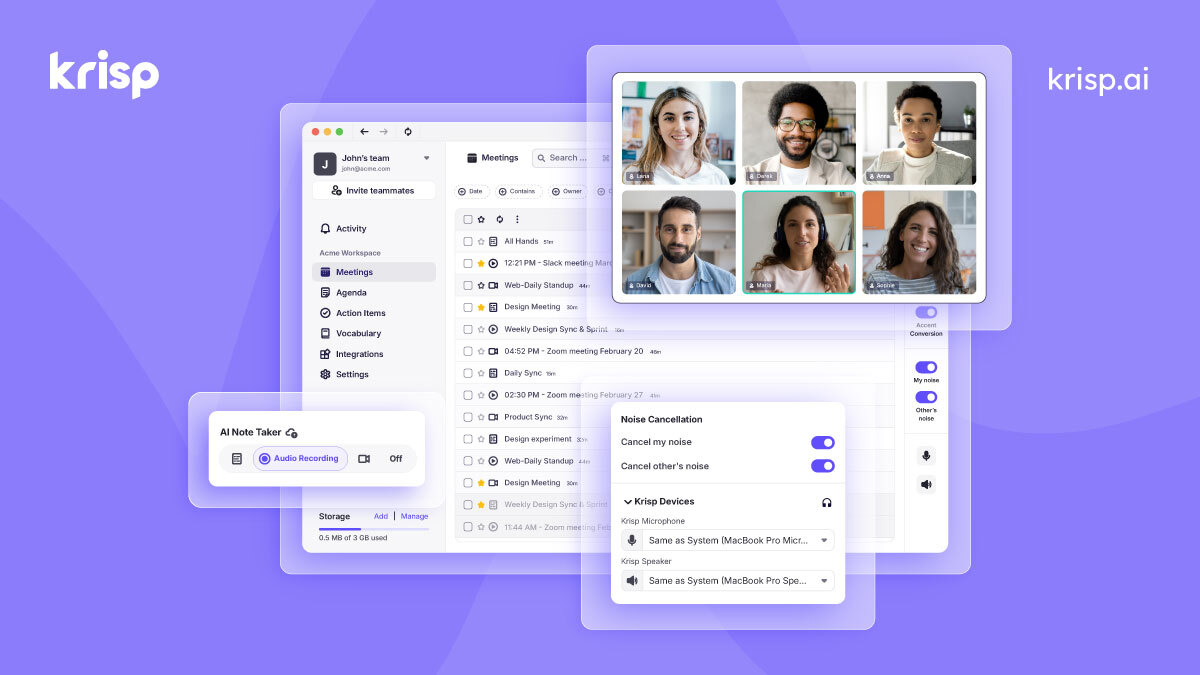
- Removes background noise from both sides of the call
- Works with Zoom, Google Meet, Slack, and 800+ apps
- AI meeting notes and transcription included
- Free plan available with limited minutes
Digital Nomad Setup: Work Productively From Anywhere
Working from different locations every few weeks requires a different gear philosophy than a fixed home office. You need everything to be portable, redundant (especially internet), and durable enough to survive a backpack.
The essential nomad kit. A good laptop is your foundation. Beyond that, you need a portable monitor (15.6-inch USB-C models weigh under 2 pounds and cost $130-200), a foldable laptop stand ($15-25), noise-cancelling headphones, and a compact wireless keyboard if you’re using the stand to raise your screen.
Internet redundancy is non-negotiable. Cafe WiFi drops. Hotel WiFi is often throttled. Coworking WiFi is usually reliable but you might not have a space every day. Carry a mobile hotspot or use an eSIM data plan as backup. In most countries, 5-10GB of mobile data costs $15-30/month and can save a client call when the primary connection dies.
Noise management on the move. This is where Krisp becomes essential. It uses AI to strip background noise from both sides of your call. I’ve taken client calls from busy cafes in Bali and airport lounges, and clients had no idea I wasn’t in a quiet office. At $8/month, it’s the cheapest professional upgrade you can make as a nomad.
Power management. Carry a 65W USB-C charger that works for both your laptop and phone. A 20,000mAh power bank adds about 6-8 hours of laptop life in emergencies. Universal travel adapters are obvious but easy to forget until you’re in a country with different outlets.
The biggest mistake nomad freelancers make isn’t the gear. It’s underestimating how much time you lose to logistics. Finding WiFi, hunting for outlets, scouting workspaces. Budget an extra hour per day for this when you’re in a new city.
Async Communication: The Remote Freelancer’s Secret Weapon
Meetings are where freelancer productivity goes to die. Every 30-minute call costs you at least an hour once you factor in prep, context switching, and the recovery time to get back into deep work. Async communication, where you send a message now and the other person responds when they can, solves this.
Notion is my hub for everything. Project docs, client wikis, task boards, meeting notes. The free tier is generous enough for solo freelancers. If you’re working with a team, the $10/month plan adds collaboration features that replace five other tools. I’ve used it across 50+ client projects and it handles everything from simple task lists to complex content calendars.
Loom for video updates. Instead of scheduling a 30-minute sync call with a client, record a 3-minute Loom video walking through the work. The client watches it when they have time. This alone has saved me 5+ hours per week in unnecessary meetings. The free plan gives you 25 videos up to 5 minutes each.
Slack for quick questions. Don’t email when you could Slack. Don’t Slack when you could Loom. Don’t Loom when you could meet. Match the communication tool to the complexity of the message. Simple question? Slack. Need to show something visual? Loom. Need real-time back-and-forth? Meeting. This framework cuts communication overhead by 40-50%.
Google Workspace ties it all together. Calendar, email, Meet for video calls when you actually need them, and Drive for shared files. At $7/month, it’s the cheapest way to look professional and stay organized. The custom domain email alone justifies the cost versus using a gmail.com address on invoices.
- Custom domain email (you@yourbusiness.com)
- Google Meet with recording and noise cancellation
- 30GB cloud storage per user
- Real-time collaboration on Docs, Sheets, and Slides
The Social Isolation Problem and How to Fix It
Loneliness is the occupational hazard nobody warns freelancers about. The Harvard Business Review reports that remote workers who use coworking spaces score significantly higher on measures of thriving compared to those working from home. You can push through isolation for months, sometimes years, but it chips away at your motivation, creativity, and eventually your work quality.
If you’re not using a coworking space, you need to build social infrastructure deliberately. It won’t happen by accident.
Online communities that actually help. Indie Hackers is the best free community for solo founders and freelancers building products or services. The discussions are specific, practical, and full of people sharing real revenue numbers and growth strategies. For bloggers, niche-specific Facebook groups still have value if you find the right ones.
Local meetups. Check Meetup.com for freelancer, tech, or creative groups in your city. Show up consistently, not once. Relationships form over repeated contact. Even one monthly meetup gives you a social anchor point that remote work otherwise lacks.
Mastermind groups. Find 3-5 freelancers at a similar stage and meet weekly or biweekly on video. Share wins, problems, and accountability. I’ve been in a mastermind group for two years, and it’s the single best thing I’ve done for my freelance career. The accountability alone increased my monthly output by about 30%.
Virtual collaboration tools help bridge the gap between async work and real connection. Whiteboarding sessions, collaborative docs, and shared Notion workspaces create touchpoints that reduce the feeling of working alone even when you physically are.
- Docs, databases, kanban boards, and calendars in one app
- Generous free tier for personal use
- Client-facing shared pages for project visibility
- Templates for freelance workflows and invoicing
Productivity by Environment: What the Research Says
Environment shapes output more than willpower does. Research from environmental psychology gives us specific parameters for optimal knowledge work. Here’s what the science actually says, stripped of the productivity guru fluff.
Noise. Moderate ambient noise (around 70 dB) boosts creative thinking. Complete silence is better for analytical, detail-oriented work like coding, accounting, or editing. Loud environments (above 85 dB) hurt both creative and analytical performance. Translation: work from a quiet home office when you need precision, and use a busier environment when you’re brainstorming or ideating.
Temperature. A Cornell University study found that worker productivity peaked at 77 degrees Fahrenheit (25 degrees Celsius). Colder offices increased errors by 44% and cut output by nearly half. If you work from home, you control the thermostat. If you’re in a coworking space, bring a light jacket. It sounds trivial until you realize you’ve been uncomfortable and unfocused for three hours.
Lighting. Natural light wins. A study in the Journal of Clinical Sleep Medicine found that workers in offices with windows slept an average of 46 minutes more per night and reported better quality of life. Position your desk near a window if possible. If not, a 5000K LED desk lamp mimics daylight and reduces eye strain during long sessions.
Deep work capacity. Cal Newport’s research suggests most knowledge workers have 3-4 hours of deep, focused work in them per day. The rest is shallow work: email, admin, calls. Structure your environment accordingly. Use your highest-focus environment (usually home office or library) during your peak 3-4 hours. Use the social environment (coworking, coffee shop) for communication and lighter tasks.
Tax Implications of Your Work Setup
Your workspace costs are business expenses. Knowing the rules saves you real money. These apply primarily to US freelancers filing as self-employed, but most countries have similar deductions.
Home office deduction. The simplified method gives you $5 per square foot, up to 300 square feet ($1,500 max). The regular method lets you deduct the percentage of your home used exclusively for business, including rent, utilities, insurance, and repairs. If your office is 10% of your apartment, you deduct 10% of those costs. The key word is “exclusively.” A guest bedroom you sometimes work in doesn’t count.
Coworking membership. Fully deductible as a business expense. This includes monthly fees, day passes, and meeting room charges. Keep receipts for everything.
Equipment depreciation. Your desk, chair, monitor, and other equipment are depreciable business assets. Under Section 179, you can deduct the full cost in the year of purchase (up to $1,160,000 in 2026). That $500 home office setup? It’s fully deductible in year one.
Software subscriptions. Google Workspace, Notion, Krisp, Parallels, VPN services, time tracking tools, and any other software you use for business are fully deductible. At $36/month for the full tool stack above, that’s $432/year in deductions.
Internet. If you use your home internet for both personal and business, you can deduct the business-use percentage. Most freelancers claim 50-70%. If you have a separate business internet line, it’s 100% deductible.
My Actual Work Setup (And Why I Chose Each Piece)
After years of experimentation, here’s what I actually use daily. Nothing on this list is aspirational. It’s all battle-tested over thousands of hours of client work and content creation.
Primary workspace: Home office with a 60-inch desk, a 27-inch 4K monitor (worth the upgrade from 24-inch once your budget allows), a mechanical keyboard, and a used Herman Miller chair. The monitor arm frees up desk space and lets me adjust height precisely. Total investment over time: about $800, but I started with the $500 budget setup above and upgraded piece by piece.
Secondary workspace: A coworking space membership (2 days per week, hot desk plan at $150/month). I go on Tuesdays and Thursdays. Client calls happen there. Networking happens there. Deep writing and development happen at home.
Software stack: Google Workspace for email and calendar ($7/month). Notion for project management and client wikis ($10/month). Krisp for noise cancellation on calls ($8/month). Loom for async video updates (free). Toggl for time tracking (free). Parallels for running Windows tools on my Mac ($50/year). Total: about $30/month.
Travel kit: When I work on the road, I bring a 15.6-inch portable USB-C monitor, a foldable laptop stand, noise-cancelling headphones, and a compact wireless keyboard. The whole kit fits in a side pocket of my backpack and adds maybe 3 pounds. Having a second screen while traveling is the single biggest productivity upgrade for mobile work.
The total monthly cost of my entire work infrastructure is about $180 (coworking + software). Compare that to renting a traditional office ($500-2,000/month) and the hybrid freelance setup looks like a bargain. And I’m writing it all off on taxes.
Frequently Asked Questions
What’s the best work setup for a freelancer on a tight budget?
Start with a home office setup for under $500. Prioritize an ergonomic chair ($120-180, buy used), an external monitor ($100-120), a basic desk ($60-100), and noise-cancelling headphones ($50-80). Add free tools like Slack, Loom, and Toggl Track. This setup handles 90% of freelance work. Add a coworking day pass ($15-40) once a week if isolation becomes a problem.
Is a coworking space worth the cost for freelancers?
For freelancers billing $3,000+ per month, yes. The productivity boost, networking opportunities, and professional meeting rooms typically pay for the membership. 64% of coworking members report receiving work referrals from other members. If you’re just starting out, start with weekly day passes ($15-40 each) instead of a full monthly membership to test whether coworking improves your output.
How much does a coworking space cost per month?
Hot desks (flexible seating) cost $100-300/month in most cities. Dedicated desks run $250-500/month. Private offices start at $500-1,500/month. Day passes are $15-40. Major cities like New York, San Francisco, and London are at the high end. Suburban and smaller city spaces are 40-60% cheaper. Most spaces offer month-to-month contracts with no long-term commitment.
Can I be productive working from coffee shops?
For short sessions of 60-90 minutes, yes. Research shows moderate ambient noise (around 70 dB) can boost creative thinking. But coffee shops are poor daily workspaces due to unreliable WiFi, no external monitor, uncomfortable seating, and the cost of ordering drinks ($60-150/month). Use coffee shops for brainstorming and light tasks. Use a home office or coworking space for focused, multi-hour work sessions.
What tools do remote freelancers actually need?
The essential stack costs about $36/month: Google Workspace ($7/month) for email and video calls, Notion (free-$10/month) for project management, Krisp ($8/month) for noise cancellation on calls, and free tools like Slack, Loom, and Toggl Track. Add a VPN ($3-5/month) if you work from public WiFi regularly. This covers communication, productivity, and security for most freelance operations.
How do I handle social isolation as a remote freelancer?
Build social infrastructure intentionally. Join a coworking space for 1-2 days per week. Attend local freelancer meetups monthly. Start or join a mastermind group of 3-5 freelancers at your level. Participate in online communities like Indie Hackers. Use async video tools like Loom to maintain human connection with clients and collaborators. The key is consistency. One meetup won’t fix isolation, but a weekly rhythm of social touchpoints will.
Can I deduct my home office and coworking costs on taxes?
Yes, both are deductible business expenses for self-employed freelancers. The home office deduction is $5 per square foot (up to 300 sq ft) using the simplified method, or a percentage of your actual home costs using the regular method. Coworking memberships, day passes, and meeting room fees are fully deductible. Equipment like desks, chairs, and monitors can be deducted in full the year you buy them under Section 179. Keep all receipts.
What’s the best portable setup for digital nomad freelancers?
Pack a 15.6-inch portable USB-C monitor ($130-200), a foldable laptop stand ($15-25), noise-cancelling headphones, and a compact wireless keyboard ($30-50). Carry a mobile hotspot or eSIM data plan ($15-30/month) for backup internet. Use Krisp for noise cancellation on calls from noisy locations. The whole kit adds about 3 pounds to your bag and gives you 80% of a full office setup anywhere in the world.
Build Your Ideal Work Setup This Week
Your work environment isn’t a nice-to-have. It’s infrastructure. The freelancers who last longer than two years without burning out are the ones who invest in their setup early, both physical and digital.
Start where you are. If you’re working from a kitchen table, buy a chair and a laptop stand this week. That’s $165-200 and it transforms your posture and focus immediately. If you’re already home-based but feeling isolated, book a coworking day pass for next Tuesday. If you’re spending $200/month at coffee shops, redirect that money to a hot desk membership that comes with actual WiFi and a real desk.
The hybrid approach works best for most freelancers I know and for me personally. Home office for deep work, coworking for social energy and client calls, and the right tool stack to stay productive everywhere. The total investment is surprisingly low: under $500 upfront for the physical setup and about $36/month for the software. That’s less than most people spend on streaming subscriptions.
Don’t overthink it. Pick the one upgrade that would make the biggest difference in your daily work experience, and do it this week. Your future self, the one without back pain and with actual human connection, will thank you.
Disclaimer: This site is reader-supported. If you buy through some links, I may earn a small commission at no extra cost to you. I only recommend tools I trust and would use myself. Your support helps keep gauravtiwari.org free and focused on real-world advice. Thanks. - Gaurav Tiwari