
Best Free Website Builders of 2026 with Drag and Drop Support
You have an idea for a website. You don’t want to code it. You don’t want to pay $200/month for something you’re not sure will work yet. Good news: the free tiers on website builders have gotten genuinely useful. Bad news: most “best free website builder” lists recommend 16 tools without telling you which one to actually pick.
I have tested and used dozens of website builders over the years, both for my own projects and for clients. Some free plans are generous enough to launch a real site. Others are glorified demos designed to frustrate you into upgrading. The difference matters.
This guide covers 12 free website builders that I would actually recommend in 2026. I cut the filler. If a builder’s free tier is too restrictive to be useful or the product itself has stalled, it’s not here. I also updated this on March 15, 2026 to reflect the latest plan changes and new entrants worth knowing about.
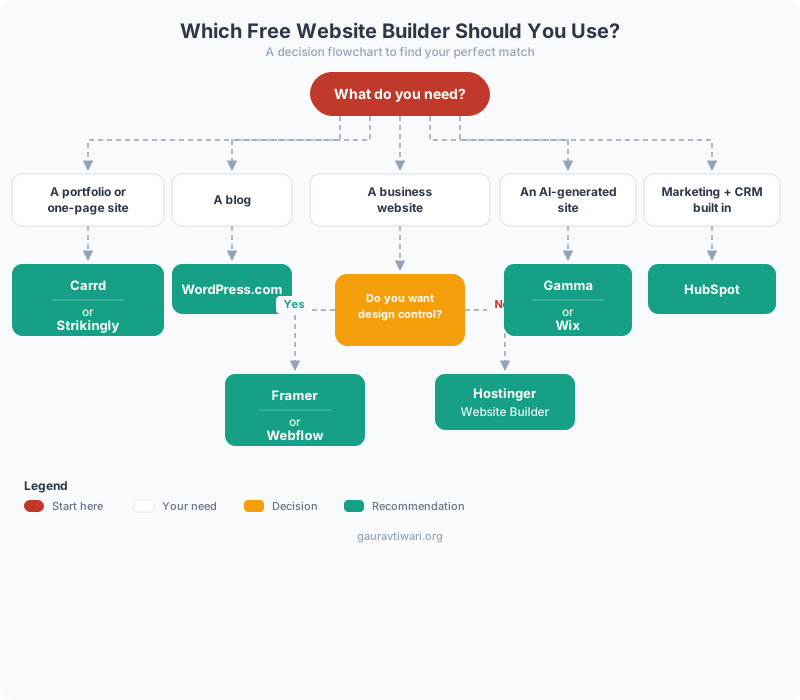
Short answer: Framer is my top pick for most people. Webflow wins if you want full design control. Hostinger Website Builder is the best option if you want a business site with AI help and plan to grow.
Best Free Website Builders in 2026
- Framer – Best overall for design-forward sites without code
- Webflow – Best for full CSS/HTML control through a visual editor
- Hostinger Website Builder – Best for AI-assisted business sites
- HubSpot Website Builder – Best for CRM-integrated marketing sites
- Gamma – Best for AI-generated presentations and microsites
- Strikingly – Best for single-page sites and portfolios
- Site123 – Best for absolute beginners who want a site in minutes
- Weebly – Best for small business sites with built-in ecommerce
- WordPress.com – Best for bloggers who want long-term flexibility
- Wix – Best for template variety and app integrations
- Google Sites – Best for internal team pages and quick documentation
- Carrd – Best for one-page landing pages and link-in-bio sites
Framer
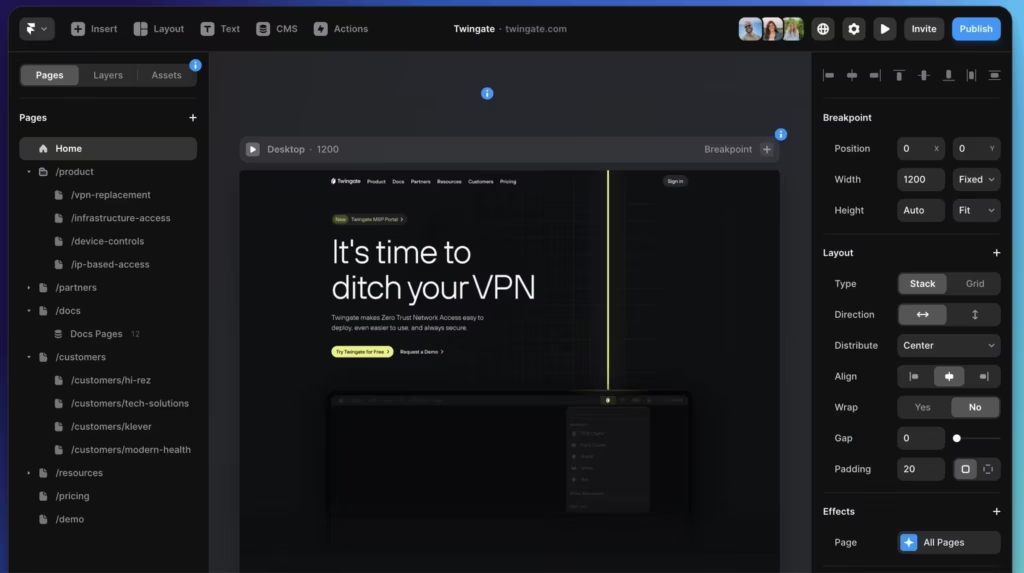
Framer started as a prototyping tool for designers, then quietly became one of the best website builders available. The free plan lets you publish a live site on a framer.site subdomain with no page limits. You get the same visual editor that paid users get, which means real layout control, scroll animations, and component-based design.
What sets Framer apart from every other builder on this list is how it handles interactions. Hover effects, scroll-triggered animations, page transitions, and responsive breakpoints all work through a visual interface. You don’t need to write a single line of CSS or JavaScript. The result looks and feels custom-built, not templated.
The free tier does show a small Framer badge and uses a subdomain. You also get 1GB of bandwidth, which is enough for a portfolio or business site that isn’t pulling massive traffic. Once you outgrow it, paid plans start at $5/month for a custom domain.
I recommend Framer first because it gives you the most design power for zero dollars. If your site needs to look distinctive rather than templated, this is where I’d start.
Webflow
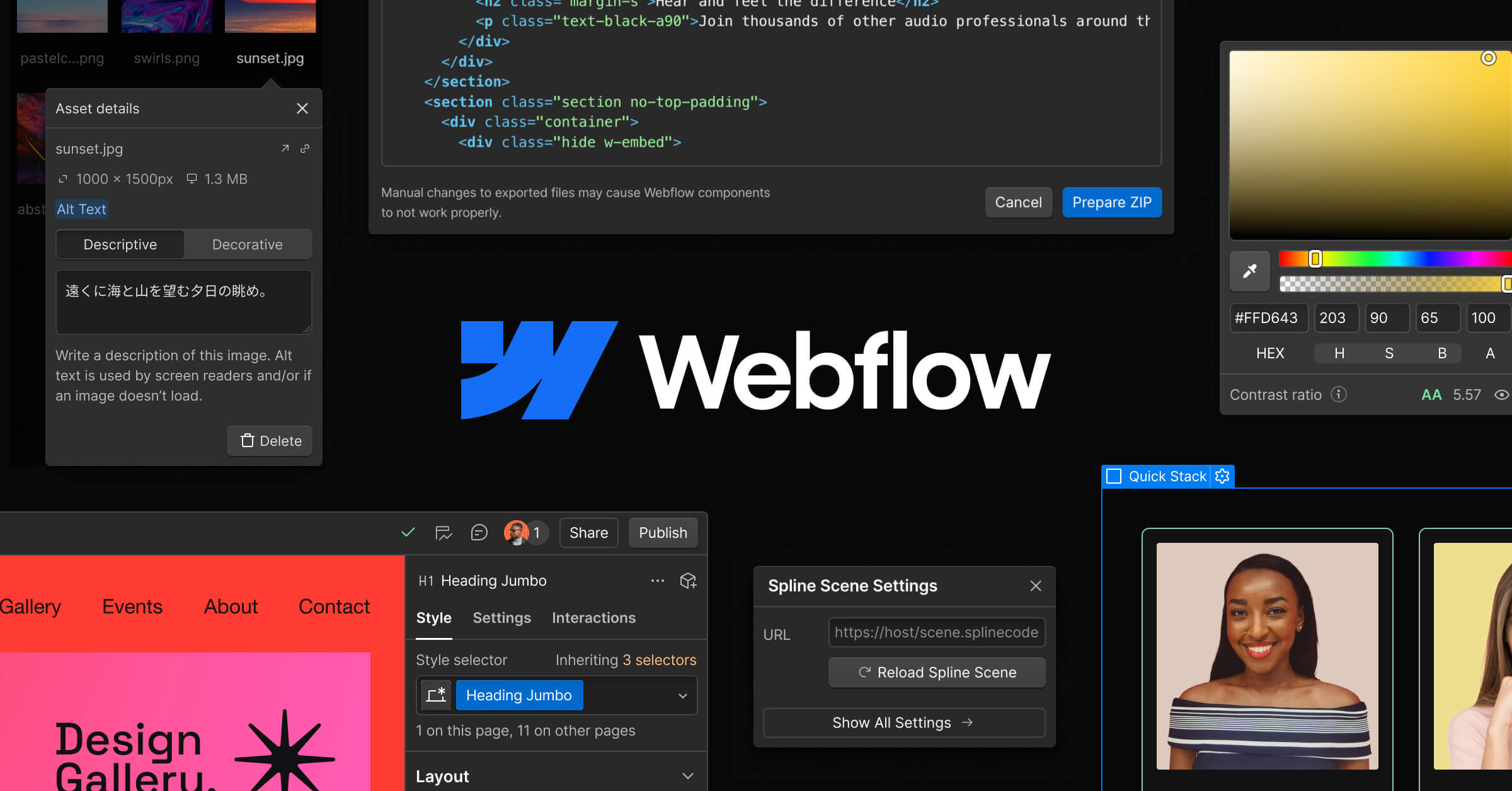
Webflow is the most powerful free website builder if you want full control over HTML and CSS without actually writing code. The visual editor generates clean, production-ready markup. You can build up to 2 projects on the free plan with webflow.io subdomains.
The learning curve is steeper than Framer or Wix. Webflow doesn’t hide complexity behind templates. Instead, it exposes flexbox, grid, typography scales, and interactions in a visual interface that mirrors how a developer thinks. That’s either a strength or a barrier depending on your experience. If you’ve ever wished you could “see” CSS while designing, Webflow is exactly that.
Free plan limits: 2 projects, 1GB bandwidth, 50 CMS items, webflow.io subdomain, and Webflow branding. There’s no ecommerce on the free tier. But for portfolios, agency sites, and marketing pages, the free plan is genuinely capable. If you’re comparing Webflow and Wix side by side, I broke that down in Webflow or Wix: Which Website Builder is Right for You?
Choose Webflow when pixel-perfect design matters more than speed of setup. It’s not the fastest builder, but it produces the cleanest output.
Hostinger Website Builder
Hostinger Website Builder is the best option when you want a business-ready site with AI assistance and plan to grow into hosting. The builder itself uses AI to generate layouts, copy, and even logos based on your business type. Setup takes minutes, not hours.
Hostinger’s builder is bundled with their hosting plans, so you don’t get a permanently free tier like Framer or Wix. But the entry price is so low (often under $3/month during promotions) that it deserves a spot here. You get a custom domain, no branding, ecommerce support, and 100GB bandwidth, which is far more than any truly free builder offers.
The AI features are what make this stand out. You describe your business, and the builder generates a full site layout with placeholder content that’s actually usable. The drag-and-drop editor is clean, the templates are modern, and the hosting performance is solid. I covered this in more depth in my Hostinger Website Builder review.
Pick Hostinger if you’re serious about launching a business site and want hosting, domain, email, and builder in one package at a low entry price.
Every “free” website builder comes with tradeoffs. You’ll usually get a subdomain (yoursite.builder.com), the builder’s branding on your site, limited storage, and no ecommerce. That’s fine for testing ideas, portfolios, and personal projects. But if you need a custom domain or want the branding removed, expect to pay $5-16/month on most platforms. Know what “free” means before you commit time to building.
HubSpot Website Builder
HubSpot’s free website builder is built for businesses that want their website connected to marketing and CRM tools from day one. The drag-and-drop editor is decent, but the real value is the ecosystem: forms, email marketing, live chat, contact management, and analytics all come free.
The free CMS includes hosting on HubSpot’s infrastructure, SSL, and a content delivery network. You get a subdomain (yoursite.hubspot.com) on the free plan. Templates are business-focused rather than creative, which makes sense given the audience.
Where HubSpot shines is the integration layer. Every form submission, chat conversation, and page visit feeds into the CRM automatically. If you’re building a business site that needs lead capture and follow-up, HubSpot gives you that pipeline for free. The website builder itself is not as polished as Framer or Webflow, but the marketing tools around it are best-in-class.
Gamma

Gamma is a newer entrant that blurs the line between presentations, documents, and websites. You describe what you want, and Gamma’s AI generates a polished, multi-section page in seconds. The output looks more like a modern landing page than a slide deck, and you can publish it as a standalone website.
The free plan is generous: unlimited AI-generated pages, sharing, and basic analytics. Gamma handles responsive design automatically, so the pages look good on mobile without any manual adjustments. The design quality out of the box is surprisingly high for an AI-first tool.
Gamma won’t replace a full website builder for complex sites. There’s no ecommerce, no blog engine, and limited customization compared to Framer or Webflow. But for pitch pages, internal proposals, event sites, product overviews, and content-heavy pages, it’s the fastest tool I’ve tested. Describe what you want, edit the result, publish. Done.
Strikingly
Strikingly specializes in one-page websites for small businesses and personal brands. The editor is clean and straightforward. You pick a template, customize sections, and publish. The free plan gives you one site with a strikingly.com subdomain, basic analytics, and 5GB monthly bandwidth.
Strikingly also offers a simple ecommerce feature on the free plan (limited to one product), which is unusual for free builders. The templates lean toward modern, minimal designs that work well for portfolios, freelancer sites, and small business pages.
It’s not as powerful as Framer or as flexible as Wix. But if you want a clean one-page site without overthinking the design, Strikingly delivers. The mobile optimization is automatic and generally looks good without manual tweaking.
Site123
Site123 takes a template-first approach. Instead of dragging elements onto a canvas, you choose a layout and fill in your content. The editor uses a sidebar panel where you configure sections, which makes it faster than freeform builders for people who don’t want design decisions.
The free plan includes 250MB storage, 250MB bandwidth, and a site123.me subdomain. You also get basic SEO tools and multilingual support, which is a nice touch for a free tier. The templates cover businesses, portfolios, blogs, and online stores.
Site123 is best for people who want a presentable site quickly without any design skill. The tradeoff is less customization than Framer or Wix. If you’re comfortable with a structured layout and just need to fill in the blanks, Site123 does that efficiently.
Weebly
Weebly was one of the original drag-and-drop website builders, and the free tier remains functional. You get unlimited pages, 500MB storage, a weebly.com subdomain, and basic ecommerce (up to 10 products). The editor is intuitive and beginner-friendly.
There’s an important caveat: Square acquired Weebly in 2018, and development has shifted toward Square Online. Weebly still works and still accepts new signups, but it doesn’t get the same feature updates it once did. The templates feel dated compared to Framer or Wix, and there’s no AI assistance.
Weebly is still a solid choice for a simple website or small online store if you value ease of use above all else. But if you’re starting fresh today, I’d lean toward Framer or Hostinger unless you specifically want Weebly’s simple ecommerce on the free tier.
WordPress.com
WordPress.com (not to be confused with self-hosted WordPress.org) offers a free tier powered by the same software that runs over 40% of the web. You get a yoursite.wordpress.com subdomain, 1GB storage, dozens of free themes, and the block editor.
The free plan is best for bloggers. WordPress invented the modern blog format, and the writing experience still feels natural. You get categories, tags, comments, RSS, and a reader community built in. For a simple blog or personal site, WordPress.com Free is hard to beat.
The limitations are real, though. No custom domain, no plugins, limited theme customization, and WordPress.com ads appear on your site. If you want to learn WordPress without paying for hosting first, this is an excellent starting point. When you outgrow it, you can migrate to self-hosted WordPress with full control. I explained the difference in WordPress.com vs WordPress.org.
I signed up for the free plan on every builder in this list. I built a simple business page on each one, tested the editor, checked mobile responsiveness, and noted what’s locked behind a paywall. Builders that required a credit card upfront or had free tiers too restrictive to publish anything useful were cut from this list.
Wix
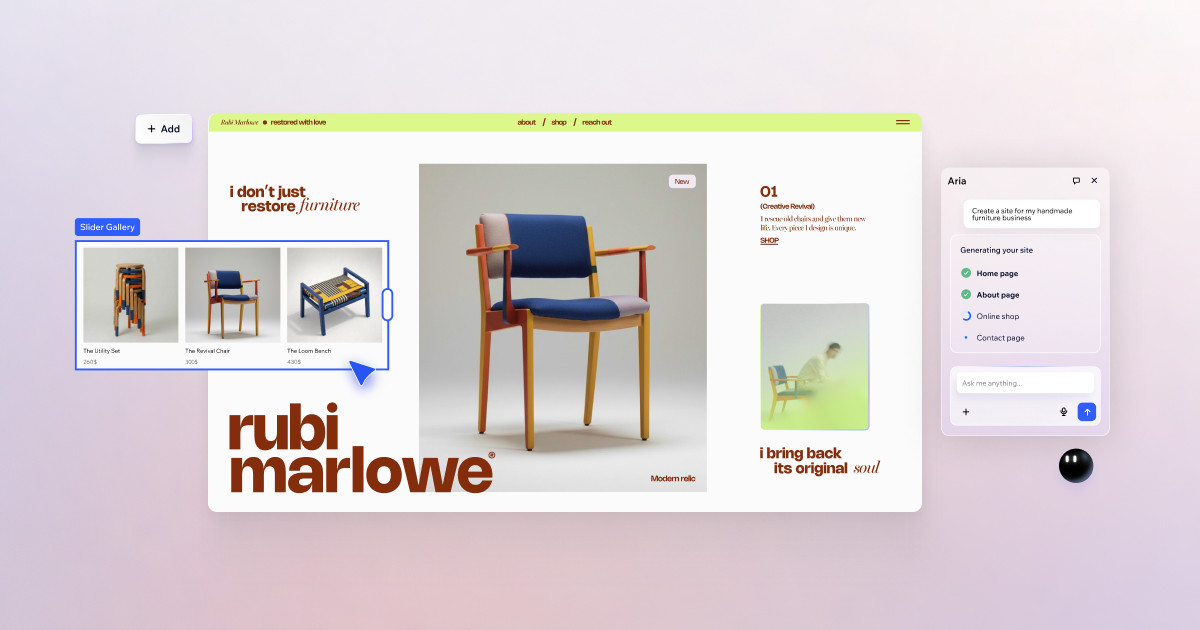
Wix is probably the most recognized name in free website builders, and for good reason. The drag-and-drop editor is genuinely intuitive. You can place elements anywhere on the page, which gives you more layout freedom than most template-locked builders. The free plan includes 500MB storage, 500MB bandwidth, and a wixsite.com subdomain.
Wix has also invested heavily in AI. Their AI Site Builder can generate a full website from a text description, and the AI tools extend to copy generation, image creation, and SEO setup. For someone who wants a site up fast without design skills, the AI workflow is surprisingly good.
The downside: Wix’s free tier shows prominent Wix ads on your site, and you can’t connect a custom domain without upgrading. The templates are strong, but sites can feel heavy on mobile if you overload them with animations and widgets. Keep it simple and Wix performs well. If you’re torn between Wix and something more technical, my Webflow vs Wix comparison might help.
Google Sites
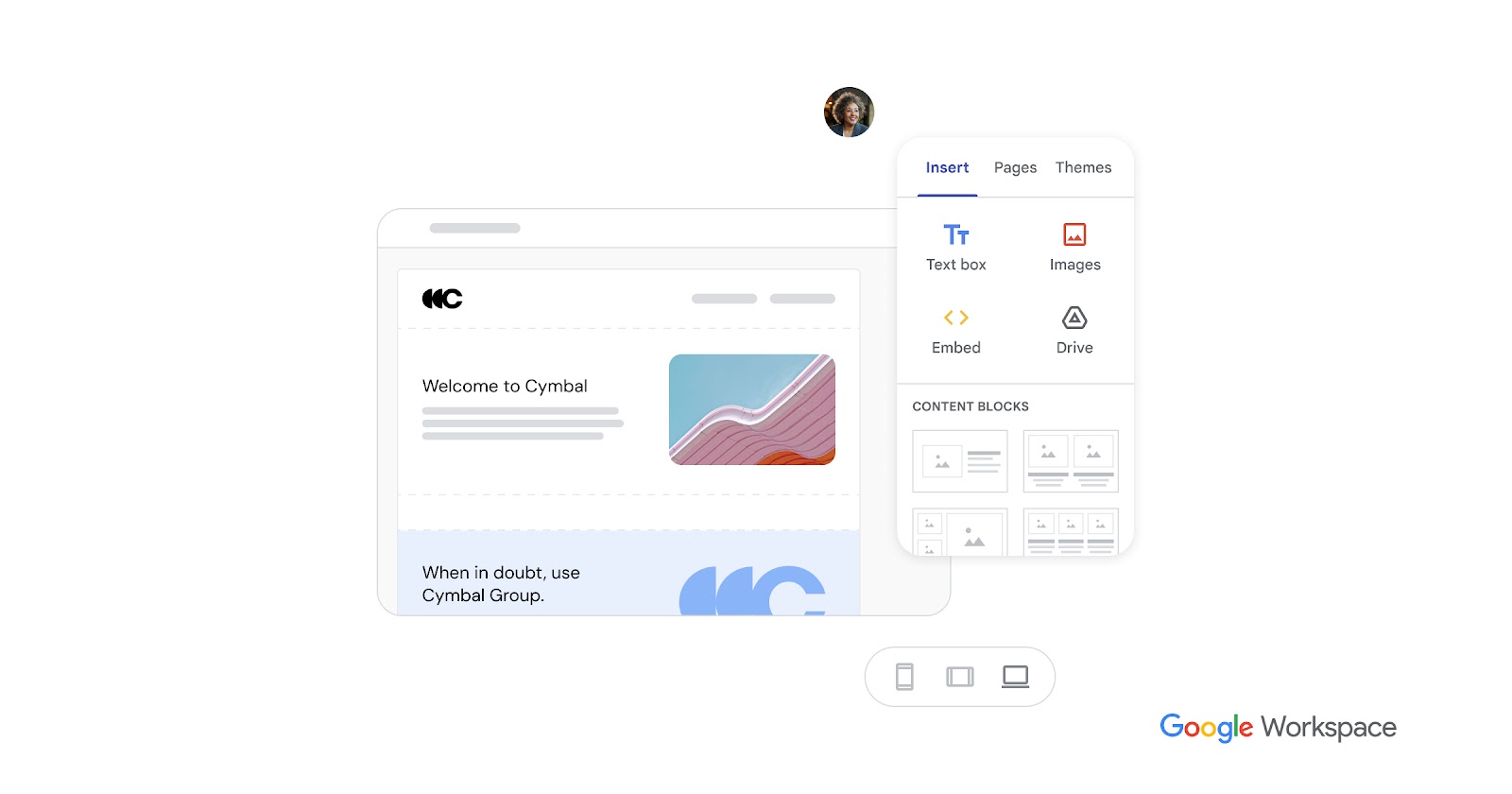
Google Sites is the simplest website builder on this list, and that’s its strength. If you have a Google account, you already have access. No signup, no plan selection, no credit card. Just open it and start building.
The editor is stripped down compared to Framer or Wix. You get a handful of layout options, basic text formatting, and easy embedding of Google Docs, Sheets, Slides, Maps, Calendar, and YouTube. Storage uses your Google Drive (15GB free), and there’s no bandwidth limit, no builder branding, and no ads.
Google Sites won’t win any design awards. But for internal team pages, class projects, event sites, documentation, and quick info hubs, it’s the fastest path from idea to published page. The fact that it integrates natively with every Google service makes it ideal for anyone already living in the Google ecosystem.
Carrd
Carrd does one thing extremely well: one-page websites. If you need a portfolio, a link-in-bio page, a simple landing page, or a “coming soon” page, Carrd is the fastest way to get it done. The free plan lets you build up to 3 sites.
The editor is minimal but effective. You choose a template, customize text and images, and publish. There’s no multi-page support on the free tier, no blog, no ecommerce. That’s by design. Carrd exists for people who need a clean, fast, single-page site and nothing else.
Pro plans start at $9/year (not per month), which makes Carrd one of the most affordable builders if you do need features like custom domains, forms, and widgets. For the free tier alone, it’s perfect for personal sites, project showcases, and event pages. If you need something more robust for lead capture, check the best landing page builders instead.
Which free website builder should you choose?
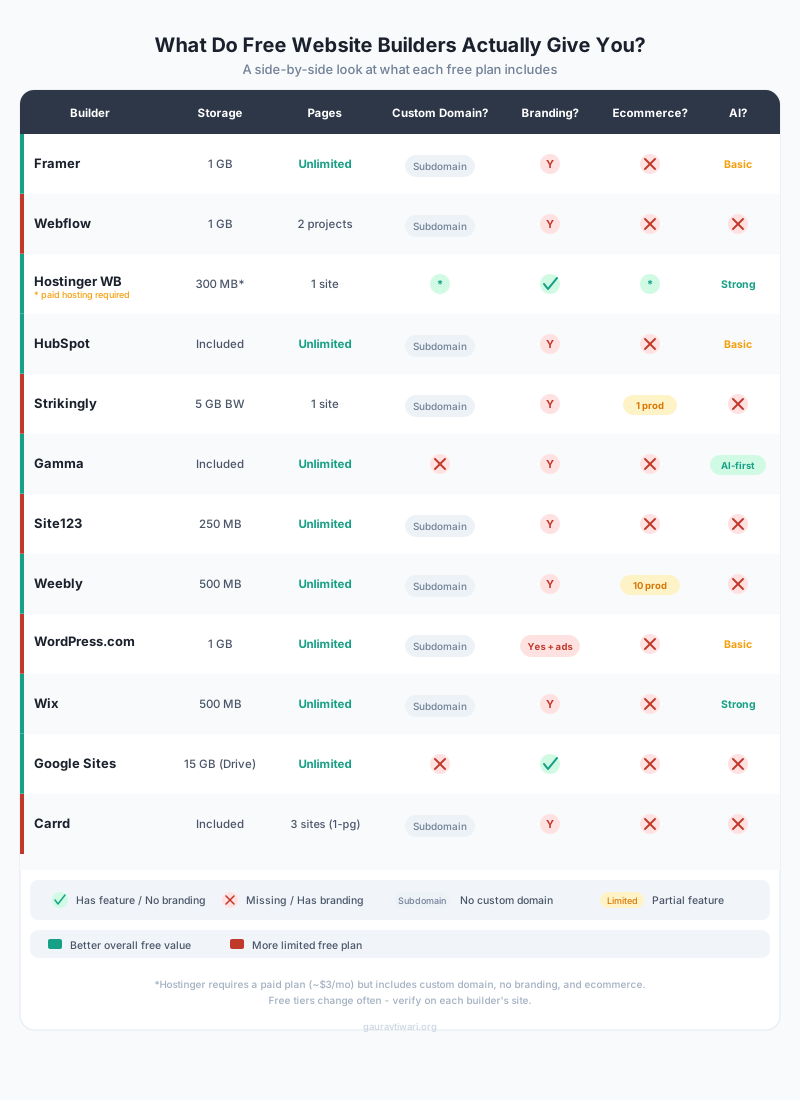
The right builder depends on what you’re building and how much control you want. Here’s a quick comparison to help you decide:
| Builder | Best For | Free Storage | Custom Domain Free? | AI Features |
|---|---|---|---|---|
| Framer | Design-focused sites, portfolios | 1GB | No | Basic AI |
| Webflow | Developers, pixel-perfect design | 1GB | No | No |
| Hostinger | Business sites, AI setup | 300MB* | Yes* | Strong AI |
| Wix | General purpose, beginners | 500MB | No | Strong AI |
| HubSpot | Marketing, lead capture | Included | No | Basic AI |
| Google Sites | Internal pages, quick hubs | 15GB (Drive) | No | No |
| Carrd | One-page sites, link-in-bio | Included | No | No |
| Gamma | AI-generated pages, pitches | Included | No | AI-first |
| Strikingly | One-page business sites | 5GB BW | No | No |
| Weebly | Simple sites + basic ecommerce | 500MB | No | No |
| WordPress.com | Blogs, content sites | 1GB | No | Basic AI |
| Site123 | Fast template-based sites | 250MB | No | No |
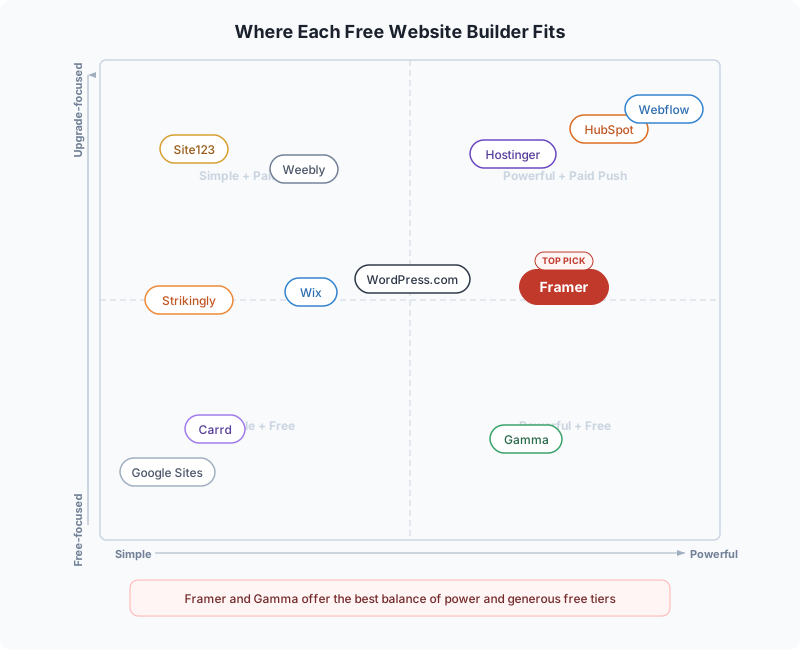
When in doubt, start with Framer. It has the best balance of design power and free tier generosity. If you need a blog, go WordPress.com. If you want AI to build it for you, try Gamma. And if you’re ready to invest a few dollars a month for a proper business site, Hostinger Website Builder gives you the most value. If you’re also figuring out where to host a blog, my guide on how to start a blog walks through the full setup.
FAQ
Common questions about free website builders, answered from what I’ve seen testing them.
Disclaimer: This site is reader-supported. If you buy through some links, I may earn a small commission at no extra cost to you. I only recommend tools I trust and would use myself. Your support helps keep gauravtiwari.org free and focused on real-world advice. Thanks. - Gaurav Tiwari