
Best WordPress Security Plugins to Protect Your Website
WordPress powers over 43% of the web in 2026. That popularity makes it the single biggest target for hackers, bots, and brute force attacks. I’ve cleaned up hacked WordPress sites for clients who thought “it won’t happen to me.” It always happens eventually, and recovery costs 10x more than prevention.
The open-source code that makes WordPress flexible also makes it vulnerable. Every plugin, every theme, every outdated PHP file is a potential entry point. One compromised login, one unpatched plugin, and your entire site is serving malware to your visitors. Your SEO tanks overnight. Your hosting provider suspends your account. I’ve seen it happen to sites making $10,000+ per month.
A good security plugin handles what you can’t do manually: firewall rules, malware scanning, brute force blocking, file integrity checks, and DDoS protection. I’ve tested dozens of them across 800+ client projects. These are the ones that actually work.
Best WordPress Security Plugins in 2026
I’ve narrowed this list to 10 plugins that cover different security needs. Pick based on what matters most to your setup. Also pair any of these with strong passwords, a CDN, and server-level firewalls for full coverage.
- Defender Pro: All-in-one security inside the WPMU DEV suite
- Wordfence: Best free firewall and malware scanner (4M+ installs)
- Jetpack Security: Real-time cloud backups + malware scanning from Automattic
- All-in-One WP Security: 100% free with no premium upsells
- Sucuri: Cloud-based WAF + malware removal for high-traffic sites
- Solid Security: Veteran plugin with strong brute force and 2FA features
- Patchstack: Virtual patching that fixes vulnerabilities before developers do
- MalCare: Cloud-based scanning with one-click malware removal
- WP fail2ban: Server-level brute force blocking for technical users
- Hide My WP Ghost: Hides WordPress fingerprints from scanners
Defender and Defender Pro
Best for: WPMU DEV members who want security bundled with their hosting and site management tools.
Pros
- Comprehensive security hardening suite
- Built-in two-factor authentication
- Excellent audit logging
- Clean, intuitive interface
Cons
- Requires WPMU DEV membership for Pro features
- Some features only available in premium
Summary
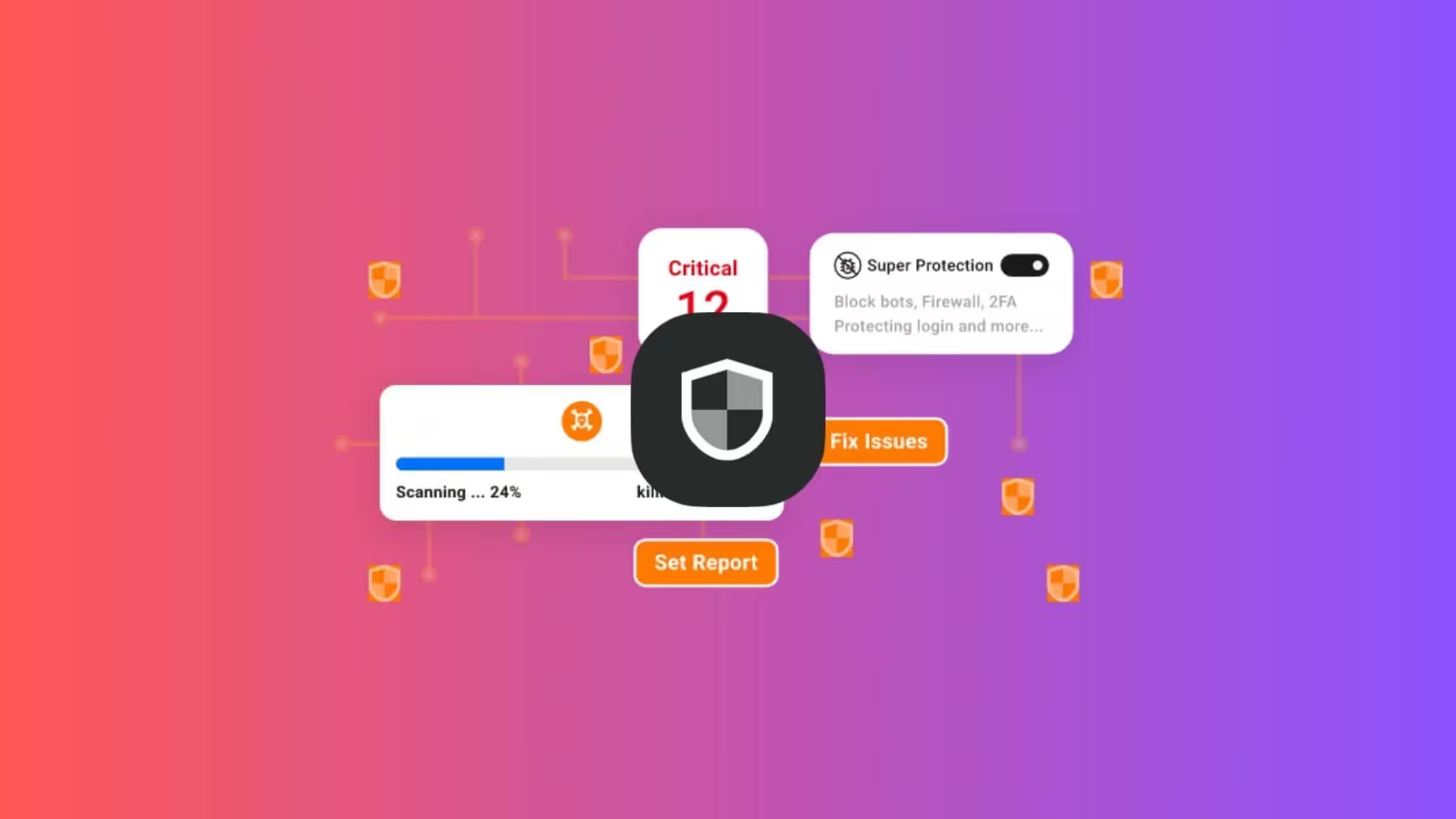
Defender by WPMU DEV is a comprehensive WordPress security plugin offering malware scanning, firewall protection, two-factor authentication, and security hardening. The Pro version includes cloud backups and real-time monitoring.
Price: USD 60 /year
Try Defender ProDefender by WPMU DEV is a solid security plugin that covers firewalls, malware scanning, 2FA, and hardening in one package. It comes in free and premium versions (Defender Pro), and if you’re already paying for a WPMU DEV membership, you get Pro included.
Here are the free features that Defender offers:
- Security Hardening: Disables PHP execution in unknown directories, prevents information disclosure, and locks down wp-config.php and .htaccess files.
- Login Protection: Limits login attempts, enforces strong passwords, and locks out IPs after failed attempts.
- Two-Factor Authentication (2FA): Adds 2FA to your WordPress login so only verified users can access the admin area.
- Security Headers: Adds Content Security Policy, X-Content-Type-Options, and other headers that reduce cross-site scripting risks.
- Audit Logging: Tracks user activity and every change on your site so you can spot suspicious behavior fast.
- Regular Security Scans: Automatic scans check for malware, vulnerabilities, and file changes on a schedule you set.
If you’re looking for more advanced protection, you can upgrade to Defender’s premium version, Defender Pro, starting at $60 per year. The premium version offers additional features such as:
- Cloud Backups: Automatic backups to secure cloud storage. If something breaks, you can restore in minutes.
- Real-Time Monitoring: Get instant alerts when something suspicious happens so you can act before damage spreads.
- Advanced Firewall: A Web Application Firewall (WAF) that filters and blocks malicious traffic before it hits your site.
- IP Blacklist: Blocks IPs with a history of malicious activity before they can touch your site.
- Geo-Blocking: Block traffic from specific countries where most of your attacks originate.
If you’re already on WPMU DEV for hosting or site management, Defender Pro is a no-brainer add-on. As a standalone purchase at $60/year, it holds up well against Wordfence and Sucuri, though the real value comes from the full WPMU DEV membership.
Wordfence Security
Best for: Site owners who want the strongest free security plugin available.

Pros
- Extremely generous free version
- Real-time firewall rule updates (Premium)
- Excellent malware detection
- Two-factor authentication included
Cons
- Can be resource-intensive on shared hosting
- Free version has 30-day delayed firewall rules
Summary
Wordfence is the most popular WordPress security plugin with 4+ million installations. It offers a powerful firewall, malware scanner, and login security features. The free version is incredibly capable.
I call Wordfence the King of Free WordPress Security. Used by 4 million websites all around the world, Wordfence offers so many things for free and is one of the top security plugins for WordPress that you can rely on.
Here are the free features that Wordfence offers:
- Web Application Firewall: This identifies and blocks malicious traffic.
- Wordfence protects your website by securing the endpoint and allowing an extensive Integration with WordPress.
- Integrated malware scanner blocks bad requests that try to inject malicious code or content.
- Protects from brute force attacks by limiting login attempts.
- Malware scanner checks core files, themes and plugins for malware etc. and compares your core files, themes and plugins with what is in the WordPress.org repository. It also tries to restore the files that might have been changed by hackers with original files.
- Wordfence also checks your site for known security vulnerabilities, content insertions and more, and alerts you to any issues.
- Improves login security by enabling various security measures like:
- Two-factor authentication (2FA)
- Login Page CAPTCHA
- Disabling XML-RPC
- Blocks logins for administrators using known compromised passwords.
You can upgrade to premium at just $99 per year if you need extreme protection. Premium version offers real-time firewall, real-time IP Blocklist, real-time malware signature updates, IP blocklist checker and country blocking.
Jetpack Security
Best for: Bloggers and small sites already using the WordPress.com/Jetpack ecosystem.
Pros
- Real-time cloud backups
- Integrated with WordPress.com
- Activity log tracks all changes
- Free brute force protection
Cons
- Premium features can be expensive
- Requires WordPress.com account
Summary
Jetpack Security is part of the popular Jetpack plugin by Automattic. It offers real-time backups, malware scanning, and spam protection. Best for sites already using WordPress.com ecosystem.
Jetpack security is a freemium upgrade in the popular Jetpack plugin. It offers backups, malware scanning, and realtime spam protection to WordPress websites. If you have a blog or a general website with basic protection in need, Jetpack offers a free protect module. This, when activated, this can protect your website from brute force attacks for free.
Premium versions come with a lot more.
- Back up and restore your website automatically in real time.
- See every site change and who made it with the activity log
- Automatically perform malware scans and security scans
- Block spam comments and form responses (with Akismet)
- Secured WordPress.com login with 2FA
All-in-One WP Security and Firewall
Best for: Budget-conscious site owners who want solid security without paying a cent.

Pros
- 100% free with no premium version
- Easy security grading system
- Comprehensive feature set
- Database prefix change feature
Cons
- No malware scanning
- Interface feels dated
Summary
All-in-One WP Security is a completely free security plugin with no premium upsells. It offers comprehensive protection including firewall, login security, and database protection.
All-in-One WP Security and Firewall comes with comparably similar features as the above two. But there’s one thing that stands out. This plugin is totally free. No upgrades whatsoever are required.
All-in-One WP Security and Firewall comes with the following free features:
- User accounts security like username & password strength check.
- User login security with brute force login attack protection with Login Lockdown.
- IP Blocking
- Force logout after a configured time
- Monitoring of failed login attempts
- Captcha and honeypot integration to forms
- Manual approval of WordPress user accounts
- Database security
- File system security and permission strengthening
- .htaccess and wp-config.php file backup and restore.
- Banning of users by IP address, user agents.
- Firewall
- Security scanner
- Comment spam security
- Disabling right-click
- And more.
Sucuri Security
Best for: High-traffic and eCommerce sites that need cloud-based WAF and professional malware cleanup.
Pros
- Industry-leading malware removal
- Powerful cloud-based WAF
- DDoS protection included
- Free security hardening plugin
Cons
- Premium plans are expensive
- Free plugin has limited features
Summary
Sucuri is an industry leader in website security, now owned by GoDaddy. The free plugin offers security hardening and monitoring, while premium plans include a powerful WAF and malware removal.
Price: USD 229 /year
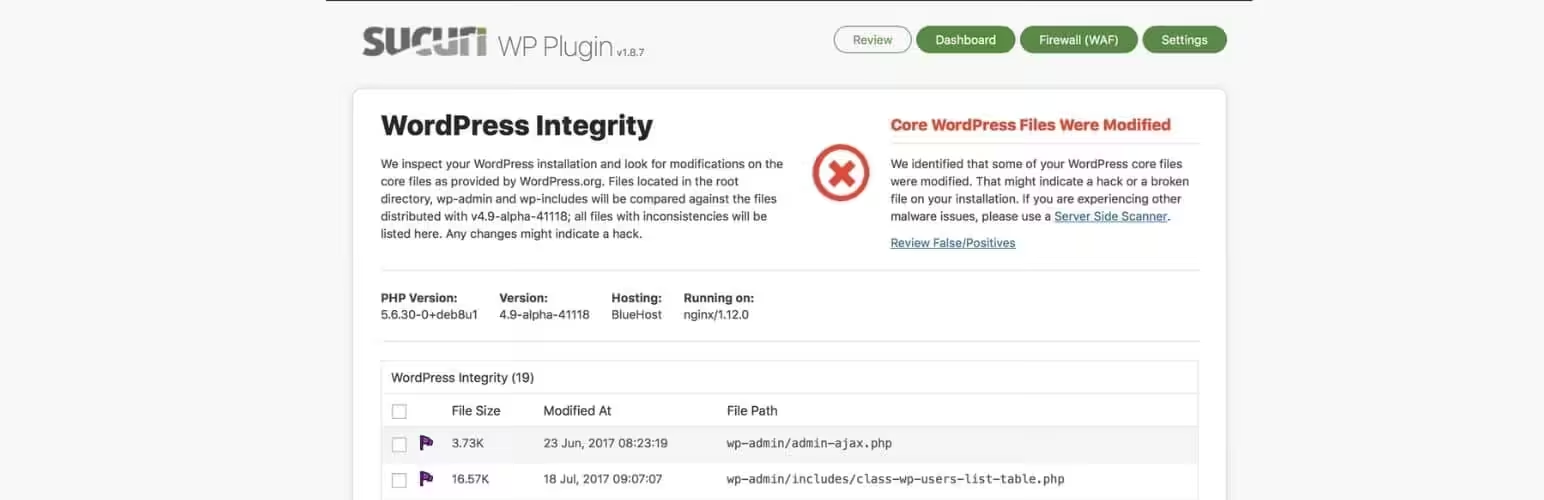
Try SucuriSucuri is now owned and maintained by GoDaddy. The free plugin handles monitoring and hardening, while the paid plans are where the real protection lives. Here’s what the free version gives you:
- Security Activity Auditing
- File Integrity Monitoring
- Remote Malware Scanning
- Blocklist Monitoring
- Security Hardening
- Post-Hack Security Actions
- Security Notifications
All of that is free with the Sucuri plugin. The premium plans ($229/year and up) add a cloud-based WAF, DDoS protection, CDN, and priority malware removal. It’s pricey, but for eCommerce sites where downtime costs real money, the investment pays for itself fast.
Solid Security (formerly iThemes Security)
Best for: Site owners who want strong login protection and brute force blocking with a clean dashboard.
Pros
- Established plugin with long track record
- Excellent brute force protection
- Strong password enforcement
- Good free version available
Cons
- Recent rebrand may cause confusion
- Some advanced features require Pro
Summary
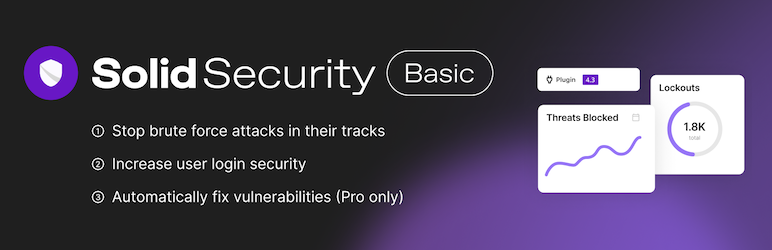
Solid Security (formerly iThemes Security) is a veteran WordPress security plugin with 1M+ installations. It offers comprehensive protection including brute force protection, file change detection, and two-factor authentication.
Price: USD 99 /year
Try Solid SecuritySolid Security (rebranded from iThemes Security in 2024) has been around for years and runs on over 1 million WordPress sites. It does free and pro versions, with the free tier covering the basics well.
What you get:
- Brute Force Protection: Limits login attempts and bans repeat offenders automatically.
- Two-Factor Authentication: Adds an extra layer of security to your login process.
- File Change Detection: Monitors your WordPress files for unexpected changes that could indicate a hack.
- Security Dashboard: Provides a clear overview of your site’s security status and recommended actions.
- Password Requirements: Enforces strong passwords for all users on your site.
Solid Security Pro starts at $99/year for one site and includes features like malware scanning, version management, and privilege escalation protection.
Patchstack
Best for: Agencies and developers managing multiple sites who need proactive vulnerability protection.
Pros
- Proactive virtual patching
- Largest WP vulnerability database
- Extremely lightweight
- Great for agencies
Cons
- No malware scanning
- Focused on vulnerabilities only
Summary
Patchstack takes a unique approach with virtual patching – protecting against vulnerabilities before developers release fixes. It maintains the largest WordPress vulnerability database.
Price: USD 99 /year
Try PatchstackPatchstack takes a unique approach to WordPress security by focusing on virtual patching. Instead of just detecting threats, it provides real-time protection against known vulnerabilities in WordPress core, plugins, and themes.
What makes Patchstack stand out:
- Virtual Patching: Automatically protects against vulnerabilities even before plugin developers release fixes.
- Vulnerability Database: Maintains the largest WordPress vulnerability database with real-time updates.
- Lightweight: Minimal performance impact compared to traditional security plugins.
- Developer Friendly: Works alongside your existing security setup without conflicts.
- Compliance Reports: Generates security reports useful for client communication and compliance.
Patchstack offers a free Community plan and paid plans starting at $99/year per site with advanced protection features.
MalCare
Best for: Sites on shared hosting that can’t afford the performance hit of server-side scanning.
Pros
- Cloud-based scanning (no server load)
- One-click malware removal
- Deep malware detection
- Real-time threat intelligence
Cons
- Free version is scanner only
- Removal requires paid plan
Summary
MalCare specializes in cloud-based malware detection and one-click removal. Scans happen on their servers, meaning zero performance impact on your site.
Price: USD 99 /year
Try MalCareMalCare is a cloud-based WordPress security plugin that specializes in malware detection and removal. Its unique approach scans your site on MalCare’s servers, which means zero load on your website.
MalCare’s standout features:
- Deep Malware Scanning: Detects complex malware that other scanners miss, including zero-day threats.
- One-Click Malware Removal: Clean your hacked site instantly without waiting for support tickets.
- Cloud-Based Scanning: No server load means your site stays fast during scans.
- Intelligent Firewall: Blocks bad traffic based on real-time threat intelligence from 400,000+ sites.
- Login Protection: CAPTCHA-based login protection and bot blocking.
MalCare offers a free scanner and paid plans starting at $99/year that include automatic malware removal, firewall, and daily scans.
WP fail2ban
Best for: Technical users on VPS/dedicated servers who want server-level brute force blocking.

Pros
- Server-level protection
- Extremely lightweight
- Works with existing fail2ban
- Free and open source
Cons
- Requires server access to configure
- Focused only on brute force
Summary
WP fail2ban is a focused security plugin that integrates WordPress with the server-level fail2ban service. Excellent for brute force protection at the server level.
WP fail2ban does one thing and does it well: it connects WordPress to your server’s fail2ban service for brute force blocking at the server level, not the application level. The plugin itself is free, with a few optional paid add-ons. If you have root server access and know your way around fail2ban config, this is the most lightweight approach to login protection you’ll find.
Hide My WP Ghost
Best for: Sites that want to hide WordPress fingerprints and reduce automated attack surface.

Pros
- Hides WordPress completely from scanners
- Changes wp-admin, wp-content paths
- Removes WordPress version info
- Compatible with most themes/plugins
Cons
- Can break some plugins if not configured properly
- Security through obscurity is debated
Summary
Hide My WP Ghost takes a security-through-obscurity approach by hiding WordPress fingerprints, changing common paths, and protecting against hackers scanning for WordPress vulnerabilities.
Hide My WP Ghost takes a unique security-through-obscurity approach. Instead of just blocking attacks, it hides the fact that you’re running WordPress entirely.
What it does:
- Hide WordPress Paths: Changes wp-admin, wp-content, wp-includes to custom paths.
- Remove Fingerprints: Hides WordPress version, meta tags, and common identifiers.
- Brute Force Protection: Limits login attempts and blocks suspicious IPs.
- Security Headers: Adds important security headers automatically.
The free version offers basic path changes, while the premium version includes advanced features like custom login URLs and theme/plugin hiding.
WordPress Security Hardening Checklist
Which Security Plugin Should You Pick?
What is the best free WordPress security plugin?
Wordfence is widely considered the best free WordPress security plugin. It offers a robust Web Application Firewall (WAF), malware scanner, login security features, and two-factor authentication — all completely free. Other excellent free options include All-in-One WP Security (100% free with no premium upsells) and the free tiers of Sucuri and MalCare.
Do I really need a security plugin for WordPress?
Yes, WordPress powers over 43% of the web, making it a prime target for hackers. A security plugin adds essential protections like firewalls, malware scanning, brute force protection, and login security that WordPress doesn’t provide out of the box. Even with a secure host, a security plugin provides an additional layer of defense against attacks.
What’s the difference between Wordfence and Sucuri?
Wordfence runs on your server and offers an endpoint firewall with deep WordPress integration, while Sucuri uses a cloud-based WAF that filters traffic before it reaches your server. Wordfence has a more generous free version, but Sucuri’s premium plans include CDN features and DDoS protection. Choose Wordfence for comprehensive free protection, Sucuri for enterprise-level cloud security.
Can security plugins slow down my WordPress site?
Some security plugins can impact performance, especially on shared hosting. Plugins like Wordfence that run scans on your server use more resources. Lighter alternatives include Patchstack (focuses on virtual patching with minimal overhead) and MalCare (scans happen on their cloud servers, not yours). Always test performance after installing any security plugin.
What is two-factor authentication and which plugins offer it?
Two-factor authentication (2FA) adds an extra security layer by requiring a second verification step (usually a code from an app like Google Authenticator) when logging in. Plugins offering built-in 2FA include Wordfence, Defender, Solid Security, and Jetpack. This feature alone can prevent most unauthorized login attempts.
How do I protect my WordPress site from brute force attacks?
Brute force attacks try thousands of password combinations to break into your site. Protect against them by: limiting login attempts (all major security plugins offer this), enabling two-factor authentication, using strong passwords, changing the default wp-admin URL, and using plugins like WP fail2ban for server-level blocking. Solid Security and Wordfence are particularly strong in this area.
What is a Web Application Firewall (WAF) and do I need one?
A WAF filters and blocks malicious traffic before it can harm your site. It protects against SQL injection, cross-site scripting (XSS), and other common attacks. While not strictly required, a WAF significantly improves security. Wordfence includes a free WAF, while Sucuri and Cloudflare offer premium cloud-based WAFs with additional DDoS protection.
Can I use multiple security plugins together?
Generally, you should avoid running multiple full-featured security plugins as they can conflict and cause performance issues. However, you can pair a main security plugin with complementary tools — for example, Wordfence for firewall/scanning plus WP fail2ban for server-level protection, or any security plugin with Patchstack for virtual patching since it’s designed to work alongside other solutions.
What should I do if my WordPress site gets hacked?
If your site is hacked: 1) Don’t panic — take the site offline if needed. 2) Scan with a security plugin like MalCare or Wordfence to identify malware. 3) Use one-click malware removal if available (MalCare offers this). 4) Change all passwords (WordPress, hosting, FTP, database). 5) Update all plugins, themes, and WordPress core. 6) Check for unauthorized admin users. 7) Consider professional cleanup services from Sucuri if the infection is severe.
How often should security plugins scan my WordPress site?
Daily scans are recommended for most sites. High-traffic or e-commerce sites should consider more frequent scanning. Most security plugins like Wordfence, Defender, and MalCare offer scheduled automatic scans. MalCare scans daily on paid plans without impacting your server since scans run on their cloud infrastructure. Always enable email notifications so you’re alerted immediately if malware is detected.
If you want my honest take after 16+ years of managing WordPress sites: start with Wordfence (free). It covers 90% of what most sites need. If you’re on shared hosting and worried about performance, go with MalCare since scans run off-server. For agencies managing 10+ client sites, Patchstack‘s virtual patching saves you from zero-day panic.
One thing I tell every client: no plugin replaces the basics. Keep WordPress core, themes, and plugins updated. Use strong, unique passwords. Set up 2FA. And pair your security plugin with Cloudflare (free tier works fine) for DNS-level protection. That combination stops 99% of attacks before they get anywhere near your site.
Disclaimer: This site is reader-supported. If you buy through some links, I may earn a small commission at no extra cost to you. I only recommend tools I trust and would use myself. Your support helps keep gauravtiwari.org free and focused on real-world advice. Thanks. - Gaurav Tiwari