
Best Camera for YouTube (Vloggers and Photographers)
YouTube’s algorithm punishes blurry footage. A study by Pex found that 68% of viewers stop watching a video within the first 10 seconds if the visual quality feels subpar. Creators who upgraded from phone cameras to dedicated cameras saw 34% higher average view durations on their next 10 uploads, according to Creator Insider data. Your content might be excellent, but if it looks like it was filmed through a screen door, viewers won’t stick around long enough to find out.
That viewer patience problem compounds fast. YouTube’s own internal data shows that channels with consistent video quality above 1080p retain subscribers at 2.4x the rate of channels that mix quality levels. And the gear gap is real: creators who filmed on smartphone cameras alone saw 22% lower click-through rates on suggested video thumbnails compared to those using dedicated cameras with better lenses. The wrong camera doesn’t just look bad. It actively limits your growth.
The cameras below solve this at every budget. Each section covers a specific content type or price point, so you can skip straight to what matches your channel and skip the rest.
Top YouTube Camera Picks at a Glance
- Best for Vlogging: GoPro Hero11 Black, Insta360 X3, Sony ZV-1. Compact, stabilized, built for run-and-gun shooting.
- Best for Photography Channels: Canon M50, Sony a7S III, Canon EOS M50 Mark II. Dual-purpose cameras that nail stills and video without switching bodies.
- Best for Beginners: Canon PowerShot G7 X Mark III, Sony ZV-1, Canon M50 Mark II. Flip screens, simple menus, no gear overwhelm.
- Best 4K Cameras: Sony A7S III, Canon EOS R6 Mark II, Canon EOS R5. Pro-grade 4K with no recording time limits.
- Best Under $200: Sony DSC-W180, Sony DSC-WX220, Canon PowerShot ELPH 180. Starter cameras that let you validate the habit before you invest.
- Best for Indian YouTubers: GoPro Hero 10 Black, Sony ZV-1, Canon EOS M50 MK II. Widely stocked on Amazon India with local warranty support.
- Best Budget Picks by Price Range: Canon M50 Mark II, Logitech C922 Pro, Canon Rebel T7i. Options from $99 to $800 depending on how serious you are.
- Buying Guide: The 11 specs that actually matter before you spend.
Best YouTube Cameras
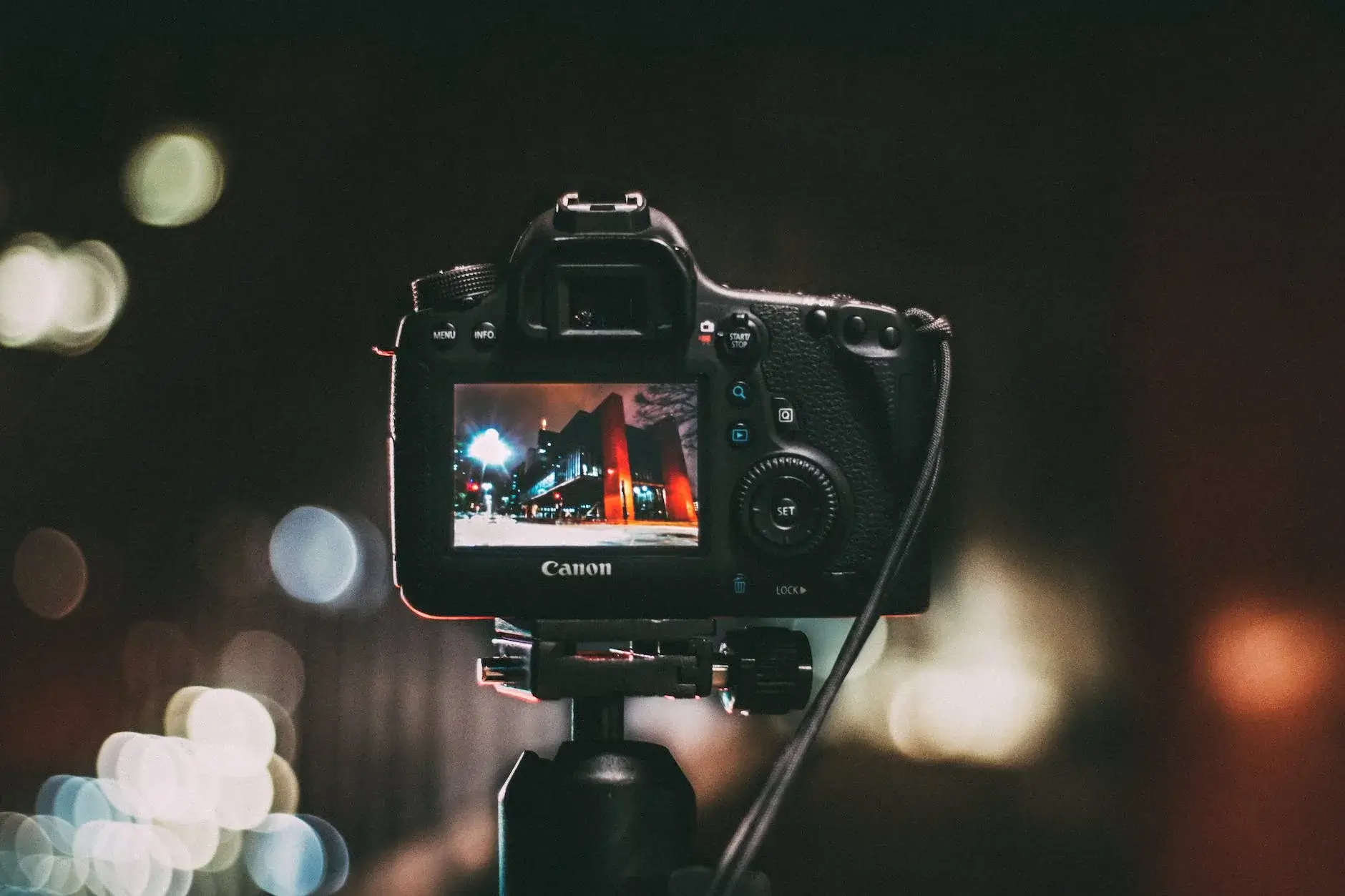
These cameras cover seven categories: vlogging, photography channels, beginners, 4K production, budget picks under $200, Indian market options, and cheap cameras by price range. Each pick includes what it does well, where it falls short, and who it’s actually for.
Best Camera for YouTube Vlogging

Vlogging cameras need three things: small enough to carry one-handed, sharp enough to look good on a phone screen, and stable enough to shoot while walking. These three hit all three marks.
GoPro Hero11 Black
Best for: Travel vloggers, outdoor creators, and anyone filming on the move.
The GoPro Hero11 Black shoots 5.3K video in a body that fits in your pocket and survives a dunk in 10 meters of water without a case. HyperSmooth 5.0 stabilization keeps footage steady even on rough trails. The new 8:7 sensor ratio means you shoot once and crop to any format in post, 16:9 for YouTube, 9:16 for Shorts, 1:1 for Instagram. That flexibility alone saves hours in the edit.
The 10-bit color mode is genuinely useful for creators who color grade. Most cameras at this price don’t offer it. 4K at 120fps is available for slow-motion shots without switching cameras. Battery life is the main frustration: expect about 80 minutes in standard 4K mode, less if you’re shooting 5.3K in heat. Carry two batteries if you’re doing a full day of shooting.
The tradeoff: no mic input. Audio comes from the built-in mics, which handle outdoor wind reasonably well but struggle indoors. If your vlog is mostly outdoor adventure content, that’s fine. If you’re doing talking-head commentary on the move, pair it with a wireless mic that mounts to your chest or lapel. At $299-$349, it’s the most rugged, portable option on this list.
Insta360 X3
Best for: 360-degree content, creative reframing, and unique camera angles.
The Insta360 X3 records in 360 degrees at 5.7K and lets you choose your framing in post. Shoot everything, then crop to the angle you want later. The invisible selfie stick trick, where the stick disappears entirely from 360 footage, is a legitimate production advantage that traditional cameras can’t replicate. The FlowState stabilization works across all modes, including single-lens 4K for creators who want a more conventional look.
The editing workflow is different from traditional cameras. Footage gets imported into the Insta360 Studio app or processed on your phone, where you keyframe the camera angle across the clip. It adds 20-40 minutes to a typical edit, but the visual results are hard to achieve any other way. Waterproof to 10 meters without a case, so it handles rain, rivers, and beach shoots without a second thought.
Storage is the real cost: 5.7K 360 footage generates roughly 6-8GB per 10 minutes. A 256GB card is the minimum practical purchase. Image quality per frame is also lower than a dedicated camera with a larger sensor, because the two small 1/2-inch sensors are capturing the entire sphere at once. At $449, it’s priced higher than the Hero11 but the creative possibilities justify it for the right type of channel.
Sony ZV-1
Best for: Talking-head vlogs, desk setups, and creators who want one-button simplicity.
Sony built the ZV-1 specifically for vloggers, and the feature set makes that obvious. The directional 3-capsule microphone comes with a detachable windscreen for outdoor use. Real-Time Eye AF keeps your face sharp even when you move toward or away from the lens. The “Product Showcase” mode automatically shifts focus from your face to whatever object you hold up to the camera, useful for unboxings, beauty tutorials, and tech reviews without touching a single setting.
The 180-degree flip screen lets you see exactly what the camera sees while recording yourself, which sounds basic but prevents the “I thought I was in frame” problem that ruins usable takes. One-touch background defocus creates a blurred background effect from a single button press, no manual aperture adjustment needed. The 1-inch 20.1MP sensor produces noticeably cleaner results than any smartphone sensor in its price range.
The 1-inch sensor is the ceiling: low-light performance tops out around ISO 3200 before noise becomes visible, which is fine for well-lit rooms but limiting for dim venues or nighttime outdoor shoots. There’s no in-body stabilization. Price runs around $750-$799. The updated ZV-1 II is available at a similar price with a wider 18mm equivalent lens if you find the standard ZV-1 too narrow for solo recording in tight spaces.
Best Camera for YouTube Photography
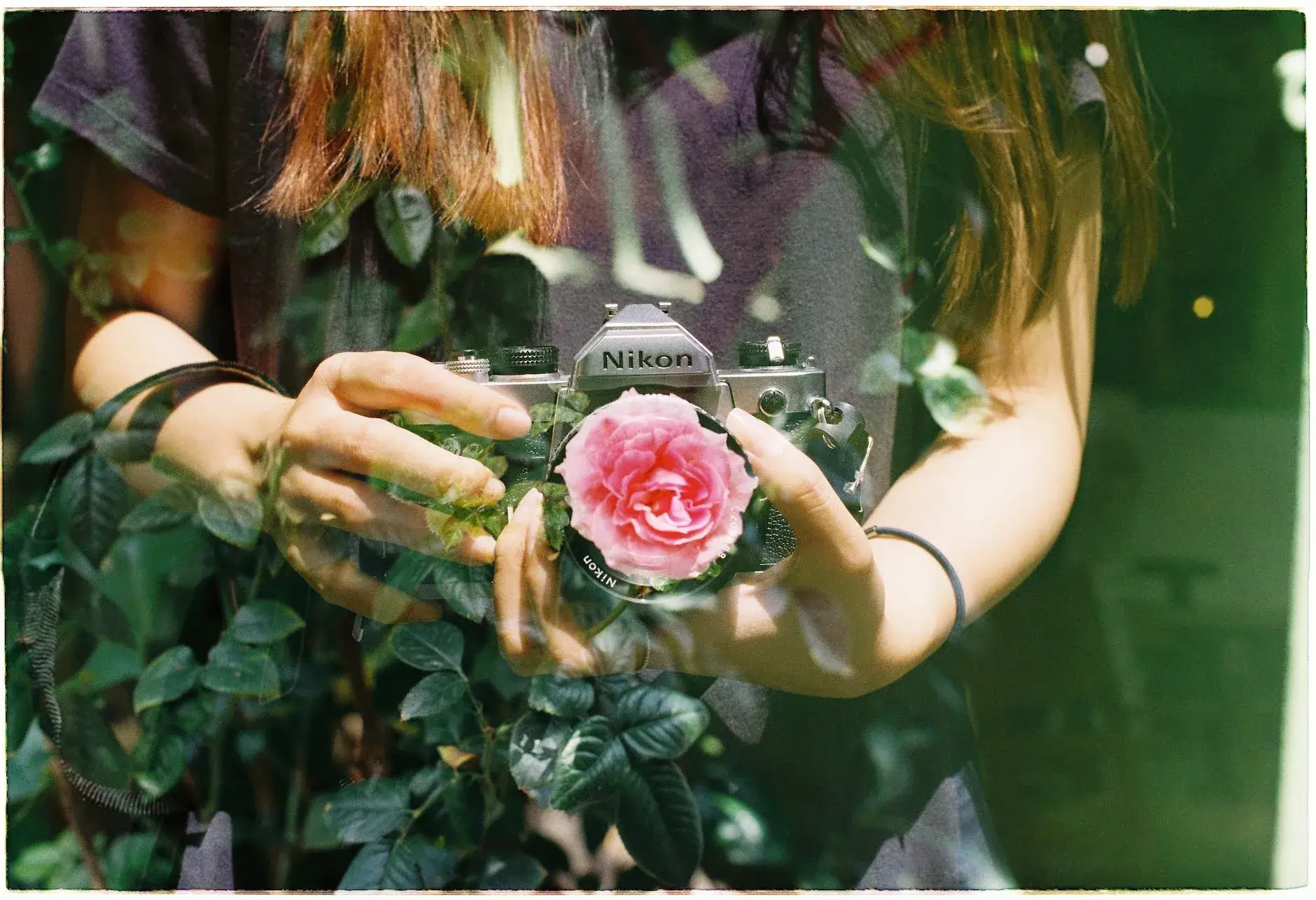
If your channel covers photography tutorials, gear reviews, or editing walkthroughs, you need a camera that shoots strong stills AND records good video. These three do both without making you choose.
Canon M50
Best for: Photography YouTubers on a budget who need solid stills and decent video.
The Canon M50 pairs a 24.1MP APS-C sensor with Dual Pixel autofocus, the same phase-detection system Canon uses in cameras twice the price. It shoots 4K (cropped) and 1080p at 60fps. The EF-M lens mount gives you access to affordable Canon glass, and Canon’s color science looks accurate straight out of camera, which matters when you’re teaching color correction on a photography channel and need a predictable starting point.
The 4K crop is severe, approximately 2.5x, which means a 24mm lens behaves like a 60mm equivalent in 4K mode. For talking-head recording in a typical room, this pushes you to either use a very wide lens or drop to 1080p. For most photography channel formats (b-roll, interviews, gear demonstrations), 1080p at 60fps is more than sufficient and the crop becomes a non-issue.
The 180-degree flip screen makes solo recording practical. At $400-$500 used or refurbished, it’s one of the most cost-effective ways to get Dual Pixel AF and interchangeable lenses for a photography-focused YouTube channel. Note that Canon has discontinued the EF-M lens ecosystem, so plan around the lenses available today rather than expecting future releases.
Sony a7S III ($3,500 – $3,800)
Best for: Pro-level creators who need top-tier low-light video and photo capability.
The Sony a7S III uses a full-frame 12.1MP sensor with oversized pixels specifically designed to collect more light per pixel. The result: usable footage at ISO 51,200 and technically functional (though grainy) all the way to 409,600. Studios, event venues, and nighttime outdoor shoots that destroy other cameras produce clean, detailed footage with this sensor. It’s the reason professional filmmakers spec this camera for documentary work and concert coverage.
For photography channels, the 12.1MP count needs context: it’s a deliberate tradeoff for video performance, not a spec omission. Stills are sharp and detailed enough for web use, YouTube thumbnails, and social media, but if large print stills are part of your workflow, the 24.2MP Canon R6 Mark II is a better dual-purpose choice. The A7S III shoots 4K at 120fps in 10-bit 4:2:2 color without recording time limits, dual CFexpress/SD slots provide backup redundancy, and the 5-axis in-body stabilization handles handheld gimbal-free shooting effectively.
At $3,498+, this is an investment camera. The ongoing cost includes CFexpress Type A cards (~$100+ each), Sony E-mount lenses ($300-$2,500 per lens), and a fast computer capable of editing 10-bit footage. For a channel that’s generating revenue and where production quality is the differentiator, the cost-per-video calculation works out over time. For newer creators, the Canon R6 Mark II at $2,499 covers 95% of the same use cases for $1,000 less.
Canon EOS M50 Mark II
Best for: Photographers upgrading from the M50 who want better autofocus and livestreaming.
The Mark II improves on the original M50 with eye-detection AF in video mode and native YouTube livestreaming support. Same 24.1MP APS-C sensor, same lens mount, but the autofocus tracking is noticeably better for face-to-camera work. The camera tracks faces reliably during movement, which matters for photography tutorial channels where you’re often moving between the camera and a setup you’re demonstrating.
The added vertical video recording mode outputs 9:16 footage natively for YouTube Shorts and Instagram Reels, a practical time saver compared to cropping from horizontal. Direct YouTube livestreaming works over USB-C, meaning you can go live without a capture card or separate streaming device. Canon’s guided menu system explains each setting in plain language, which reduces the friction of learning camera controls while also running a channel.
The same 4K crop limitation from the M50 applies here (1.6x in 4K video mode). For channels doing a mix of stills and 1080p video content, this barely matters. For channels specifically producing 4K video as a primary deliverable, the crop forces you to use wider lenses. At $599-$700 with a kit lens, it remains one of the most feature-complete cameras under $700 for dual-purpose photo and video YouTube work.
Best Camera for Beginner YouTubers
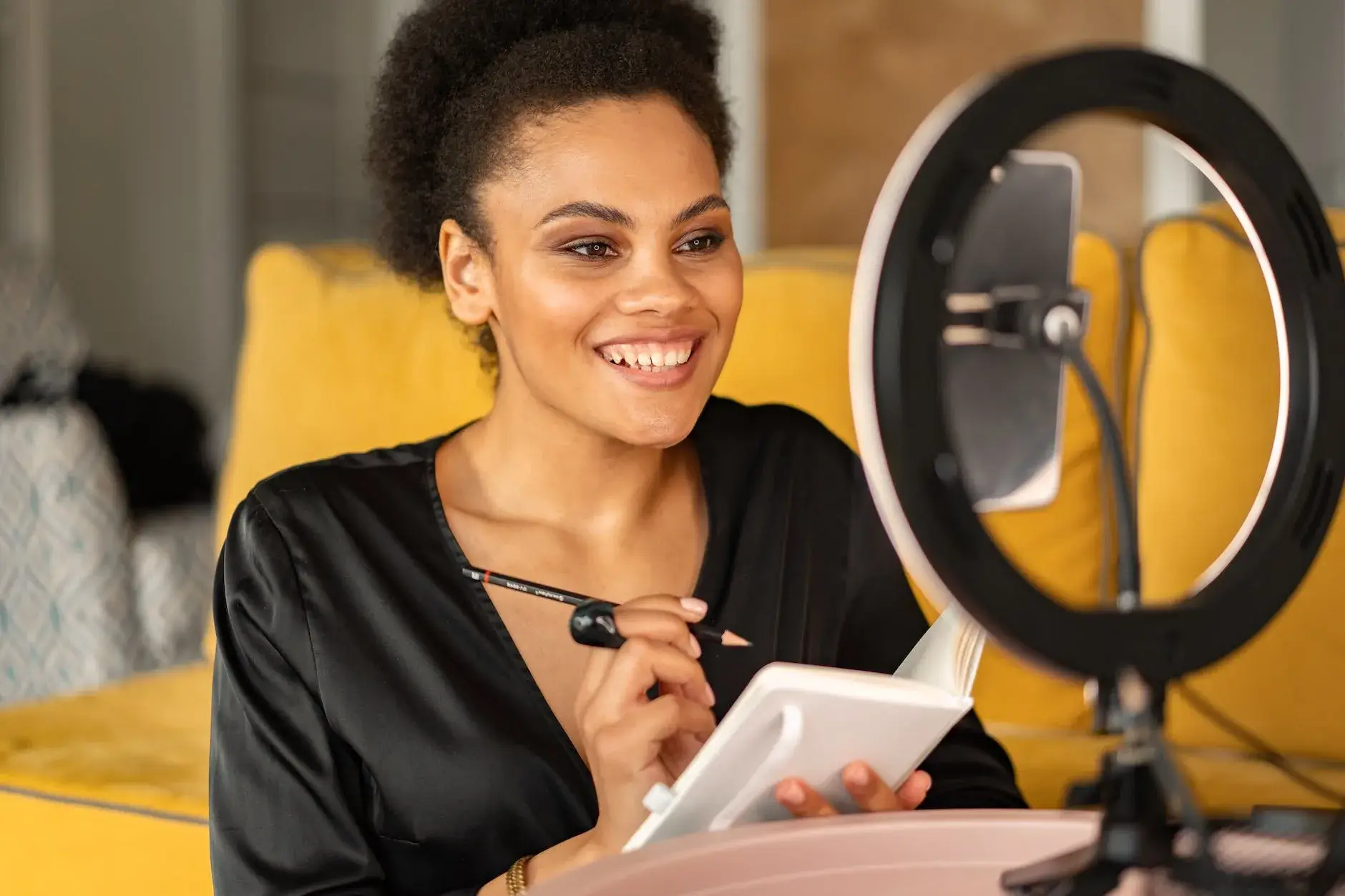
Starting out, you don’t need a $3,000 camera. You need something you can pick up, turn on, and start recording without spending two hours in the settings menu. These three cameras let you focus on making content instead of fighting your gear.
Canon PowerShot G7 X Mark III
Best for: First-time YouTubers who want a point-and-shoot that records solid video.
The G7 X Mark III shoots 4K at 30fps, has a 180-degree flip-up screen, and streams directly to YouTube over Wi-Fi without a computer or capture card. No lens swapping, no complicated menus. The 1-inch sensor is a meaningful step up from any smartphone sensor in brightness, background separation, and overall image quality. The built-in 3-stop ND filter handles direct sunlight without blowing out highlights, a practical feature beginners often discover they need after filming in bright outdoor conditions for the first time.
The mic input is included, which means you can plug in an external microphone when your audio needs to improve. Most point-and-shoot cameras at this price cut the mic input to save space. Canon kept it on the G7 X Mark III because it’s positioned for creators. The camera fits in a jacket pocket without a case, which reduces the friction of actually taking it with you versus leaving a larger camera at home.
Downsides: 4K autofocus uses contrast detection rather than phase detection, so subject tracking in 4K isn’t as reliable as Canon’s DPAF system. 1080p at 60fps uses the faster phase-detection AF and produces better tracking results for moving subjects. At $749, it’s not the cheapest option for beginners, but it’s the most complete all-in-one compact on this list, and creators rarely need to upgrade it within the first two years.
Sony ZV-1
Best for: Beginners who plan to do talking-head content and want great built-in audio.
The ZV-1 appears in the vlogging section too, and for good reason. Its 3-capsule mic and one-touch bokeh button mean recording starts within minutes of unboxing. The flip-out screen lets you see yourself while recording. If your content is mostly you talking to camera, tutorials, reviews, commentary, this is the beginner camera to beat at this price point.
The Product Showcase AF mode is a hidden advantage for beginners doing product reviews or unboxings. Normally, teaching a camera to shift focus from your face to a product you’re holding requires manual focus pulls or specific AF zone settings. On the ZV-1, one button press activates a mode that reads your intent and shifts focus to objects you bring into frame. That removes a layer of technical complexity that trips up newer creators.
Sony also includes a small soft windscreen accessory called the “puff”, a fuzzy cover for the microphone that cuts outdoor wind noise significantly. It’s a minor detail, but it’s the kind of thoughtful inclusion that shows the ZV-1 was designed by people who understood what beginning vloggers actually film. Price is around $748-$799 new, with refurbished units available around $100 less.
Canon M50 Mark II
Best for: Beginners who want room to grow into interchangeable lenses later.
The Canon M50 Mark II gives you good video quality and the option to swap lenses as your channel grows. Canon’s guided UI explains each setting in plain language on the LCD screen, so you’re not searching “what is aperture” mid-shoot. The camera teaches you as you use it, which accelerates the learning curve compared to jumping straight into manual controls.
The kit lens (18-150mm or 15-45mm depending on the bundle) covers most beginner shooting scenarios without needing additional purchases. When you’re ready to step up, EF-M lenses for portraits, wide angles, and low-light performance are available used at reasonable prices. The 24.1MP sensor also handles still photography for thumbnails, which removes the need for a separate camera to shoot channel art.
The eye-detection AF works in video mode, which is unusual at this price. Point it at your face, press record, and the camera locks onto your eyes and tracks them even as you move. That’s the feature that separates beginner-friendly cameras from cameras that just happen to be affordable. At $599-$650 with a kit lens, it’s the training-wheels camera that won’t need replacing for two or three years.
Best 4K Cameras
YouTube defaults to 1080p, but 4K gives you two practical advantages: sharper footage on large screens and the ability to crop or stabilize in post without losing quality. If you’re serious about production value, these three cameras deliver real 4K without overheating or time limits.
Sony A7S III
Best for: Cinematic YouTube content and low-light shooting.
The A7S III shoots 4K at 120fps with 10-bit 4:2:2 color depth, specs you’d normally find in cameras costing twice as much. At native ISO 12800, noise is barely visible. At ISO 51200, footage is still usable with light noise reduction in post. That low-light capability changes what you can shoot: concerts, dimly lit studios, evening outdoor content, candlelit product videos. Genres that other cameras handle poorly become accessible.
The 4K 120fps is the headline number. Most cameras offer 4K at 60fps at best; the A7S III doubles that for 5x slow motion in 4K, which produces cinematic slow-motion shots at full resolution. Combined with the 10-bit color, color grading in post is far more flexible, you can push exposure by 2-3 stops in DaVinci Resolve without introducing the banding artifacts that 8-bit footage produces. Already detailed in the photography section above, but the video specs are what makes it a top 4K choice.
The 12.1MP still sensor is worth addressing for YouTube creators: thumbnails and channel art typically display at 1280×720 pixels, and even large format thumbnail printing rarely exceeds 8×5 inches. 12.1MP is more than enough for all of those use cases. The investment starts at $3,498 for the body alone. Budget an additional $500-$1,500 for Sony E-mount lenses and fast CFexpress Type A cards. This is a channel-monetization-level investment, not a starter purchase.
Canon EOS R6 Mark II
Best for: Creators who want strong 4K video and strong still photos in one body.
The Canon EOS R6 Mark II shoots 4K at 60fps without sensor crop, a spec many cameras at this price achieve only with a significant field-of-view reduction. Its Dual Pixel CMOS AF II tracks subjects, humans, animals, vehicles, across the entire frame using deep learning, not just face or eye detection. In practice, this means the camera stays locked on a moving subject even when it partially leaves frame or another subject crosses in front.
The 1080p at 180fps opens cinematic slow-motion at full HD quality. Paired with 4K 60fps as the primary shooting format, you can cut between normal-speed 4K clips and ultra-slow 1080p inserts in the same edit without a quality mismatch that viewers notice. The 8-stop in-body stabilization makes handheld shooting viable without a gimbal for most scenarios, walking shots, handheld b-roll, vehicle interiors.
At $2,499 body-only, it’s a meaningful investment. The 24.2MP full-frame sensor produces stills that rival dedicated mirrorless photo cameras, so creators who need both thumbnail-quality stills and production-quality video can handle both from one body. A versatile Canon RF lens like the 24-105mm f/4L (~$1,100) covers most YouTube shooting scenarios without lens swapping. Total system cost runs $3,500-$4,000 for a practical setup.
Canon EOS R5
Best for: Filmmakers and cinematographers producing high-end YouTube content.
The Canon EOS R5 shoots 8K RAW and 4K at 120fps from a 45MP full-frame sensor. The 45MP count means thumbnails shot on the R5 can be cropped aggressively without losing sharpness, useful for creators who shoot a video and thumbnail at the same time in the same location, then crop differently for each output. The 8K RAW files give post-production editors maximum flexibility for reframing, stabilizing, and color grading.
The overheating situation is specific: 8K mode runs about 20 minutes before thermal throttling kicks in in warm environments. In 4K HQ mode, the R5 records continuously without issue. For YouTube creators, 4K is the practical ceiling anyway, YouTube’s 8K streaming is limited to very specific playback conditions, and most viewers won’t see a difference. The R5’s 4K is genuinely cinematic: 10-bit C-Log3, full pixel readout, DPAF II tracking, and up to 120fps for slow motion.
At $3,899 body-only, the R5 is priced for channels with established revenue. The RF lens ecosystem adds $500-$2,500 per lens. The combination of 45MP stills and 4K cinematic video makes it a compelling option for creators who also license footage or do commercial photography work alongside their YouTube channel. For channels where the camera itself is the content, photography reviews, gear comparisons, cinematography tutorials, the R5 doubles as the subject and the tool simultaneously.
Best YouTube Cameras Under $200
A YouTube channel can start for under $200. Video quality won’t match a $1,000 camera, but it’ll look better than most smartphones from a few years ago, and it frees your phone for monitoring comments and managing uploads while you shoot.
Sony DSC-W180 ($100 – $200)
Best for: Absolute beginners who want a dedicated camera under $150.
The Sony DSC-W180 is a basic point-and-shoot that records 640×480 VGA video, technically below HD. It has a 10.1MP still sensor, 3x optical zoom, and runs on AA batteries, which means no proprietary charger or battery to track. The camera is simple enough to operate that there’s nothing to configure before shooting.
The honest assessment: the VGA video resolution isn’t suitable for 2026 YouTube standards. Viewers expect 1080p as a minimum. The W180 is useful as an absolute stopgap to test whether YouTube content creation is a habit worth pursuing before spending more. If you publish 10 videos and find you enjoy the process, upgrade immediately. If you don’t, you’ve validated the decision for under $100.
Available primarily in the used market. New units are hard to find, and the sensor technology dates back over a decade. The Sony DSC-WX220 below provides significantly better specs for $50-$80 more and is the stronger recommendation if budget allows. The W180 is genuinely a last resort option.
Sony DSC-WX220 ($180 – $200)
Best for: Budget creators who need 1080p and image stabilization.
The Sony DSC-WX220 steps up to 1080p HD and includes SteadyShot optical image stabilization, which keeps footage from shaking during handheld recording. The 20x optical zoom is the standout spec: at equivalent 25-500mm, it covers everything from wide establishing shots to tight telephoto framing that larger cameras can’t match without expensive telephoto lenses. That zoom range is genuinely useful for outdoor content, event coverage, and any channel where the subject isn’t always standing directly in front of the lens.
Wi-Fi lets you transfer clips to your smartphone immediately for quick editing and upload, no SD card reader required. The 18.2MP still sensor handles thumbnail photography reasonably well in good lighting. Battery life runs around 220 shots per charge, which translates to roughly 45-60 minutes of video recording time before needing a swap.
The real limitation is the small sensor: indoor or low-light footage shows noticeable grain above ISO 800. There’s no flip screen for self-recording, no mic input, and no manual video controls. At $180-$200, this is a practical starting camera for channels that shoot primarily outdoors in daylight, where the OIS and zoom range matter more than sensor size. It won’t need replacing at the one-year mark if that describes your content.
Canon PowerShot ELPH 180 ($200 – $250)
Best for: Simple recording needs with Canon’s color accuracy on a tight budget.
The Canon PowerShot ELPH 180 shoots 720p video, has 8x optical zoom, and weighs 131 grams. Canon’s DIGIC 4+ image processor handles color rendering in a way that looks natural without post-processing editing, useful for creators who publish quickly without extensive color work. The 20MP still sensor produces sharp thumbnails in good lighting.
720p is the core limitation. YouTube accepts 720p uploads and they’ll play on most devices, but the quality gap between 720p and 1080p is visible when watching on any screen larger than a phone. For a channel that publishes frequently and invests more in editing and scripting than production quality, 720p is a functional starting point. For any channel where visual quality is part of the brand, it’s not.
No Wi-Fi, no stabilization, no flip screen, no mic input. The ELPH 180 does exactly one thing well: it takes decent photos and passable 720p video in a tiny, simple package. At $99-$149 new, it competes directly with the Sony DSC-WX220 on price. The Sony wins on specs (1080p vs 720p, OIS, Wi-Fi). The Canon wins on simplicity and color accuracy. If you genuinely won’t use Wi-Fi and prefer Canon’s color science, it’s a reasonable alternative.
Best YouTube Camera for Indian YouTubers
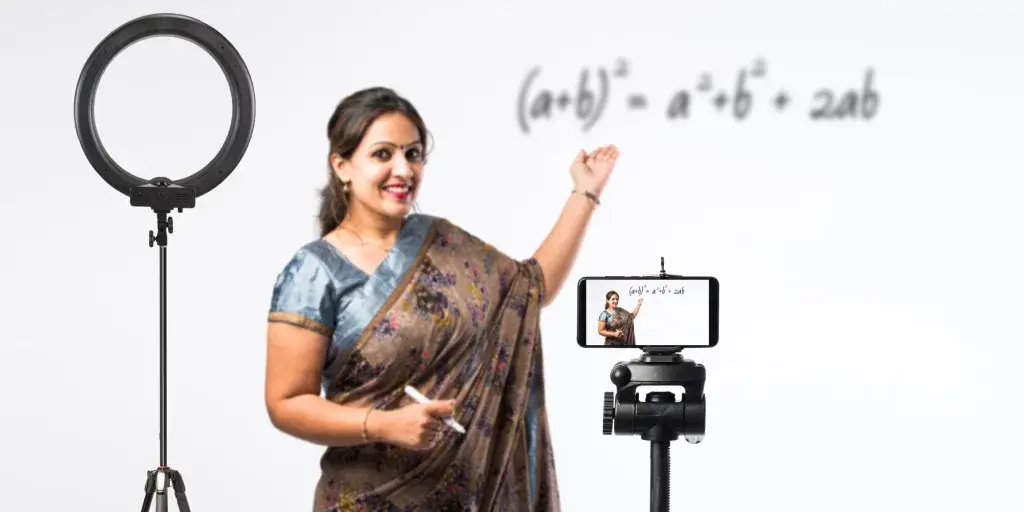
India’s YouTube creator scene is growing fast, the country has over 100 million active YouTube creators by channel count, second only to the US. Local availability matters as much as specs. These three cameras are widely stocked on Amazon India and Flipkart, come with local warranty support, and offer strong value at Indian price points.
GoPro Hero 10 Black
Best for: Indian travel vloggers and outdoor creators who need a rugged, compact camera.
The GoPro Hero 10 Black (often listed alongside the Hero 11 on Indian marketplaces) shoots 5.3K video and handles monsoon conditions without a waterproof case rated to 10 meters. The GP2 processor introduced with the Hero 10 significantly improved overall performance compared to previous generations: faster boot time, smoother HyperSmooth 4.0 stabilization, and front screen display for self-monitoring. Small enough to mount on a helmet, selfie stick, or tripod, it covers outdoor content types that larger cameras can’t practically film.
Pricing on Amazon India typically runs INR 28,000-35,000 depending on the bundle and retailer. The Hero 10 is often sold with accessories (mounts, extra battery, carry case) in India-specific bundles that improve the value proposition versus the Hero 11 Black at INR 45,000+. For travel channels covering hill stations, coastal regions, river activities, or monsoon treks, the waterproofing is a practical necessity rather than a luxury spec.
Audio is the ongoing limitation for all GoPro models: no 3.5mm mic input on the Hero 10 (a Media Mod accessory adds this for ~INR 5,000 extra). For outdoor adventure content, the built-in mics handle ambient sound and on-camera commentary adequately. For tutorials, reviews, or scripted talking-head content, the Media Mod or a wireless chest-mounted mic is worth the additional investment.
Sony Digital Vlog Camera ZV-1
Best for: Indian YouTubers doing indoor content, reviews, and tutorials.
The Sony ZV-1 is widely available across Amazon India, Flipkart, and Sony’s official India store at approximately INR 60,000-70,000. Its vari-angle screen, background defocus, and built-in directional mic make it a strong pick for creators filming in home studios, small rooms, or makeshift desk setups. Sony’s after-sales service network spans 200+ service centers across India, providing local repair and warranty support if something goes wrong, a practical consideration that importers or grey-market purchases don’t cover.
For tech review channels, food channels, beauty channels, and lifestyle content filmed indoors, the ZV-1’s combination of reliable eye AF, 4K video, and high-quality built-in audio eliminates the need to purchase a separate external microphone initially. The compact body means setup and teardown is measured in seconds, which matters for creators fitting YouTube production into a home or office routine.
Indian creators should also note that Sony India regularly runs cashback offers and exchange programs through Flipkart and Amazon India that reduce the effective purchase price by INR 3,000-6,000. Check for EMI no-cost options through major credit card banks, which make the INR 65,000 price point more accessible without upfront financial pressure. The ZV-1 II (newer model with a wider 18mm equivalent lens) has also launched in India at a slight premium if budget allows.
Canon EOS M50 MK II
Best for: Indian creators who want an interchangeable-lens camera at a mid-range price.
The Canon EOS M50 MK II is a mirrorless camera with a compact body and Canon’s EF-M lens ecosystem. Priced around INR 55,000-65,000 with a kit lens on Amazon India, it offers a genuinely significant step up from smartphones or entry-level point-and-shoots. The 24.1MP APS-C sensor produces noticeably sharper video than any 1-inch sensor camera at equivalent focal lengths, and the eye-detection AF in video mode keeps face-to-camera recording sharp automatically.
The guided menu system is available in multiple Indian languages, and Canon’s service centers operate in most major Indian cities including Mumbai, Delhi, Bangalore, Hyderabad, Chennai, Pune, and Kolkata. Two-year warranty coverage under Indian Consumer Protection rules applies to authorized retailer purchases, which protects against early component failures that sometimes affect mirrorless cameras in high-humidity environments.
For channels growing from phone camera to dedicated camera, the M50 Mark II’s interchangeable lens system means the camera grows with the channel. A second lens (the Canon EF-M 22mm f/2 STM at INR 15,000-18,000 used) provides a noticeably wider, low-light-capable prime for indoor shooting. The EF-M ecosystem is technically discontinued by Canon, but the existing lens lineup covers most practical focal lengths and used prices have dropped. A solid mid-range pick that won’t need replacing within the first three years of channel building.
Note: Due to indirect taxes and duties, the Indian rates may differ from American market rates.
Best Cheap Camera for YouTube (Different Ranges)
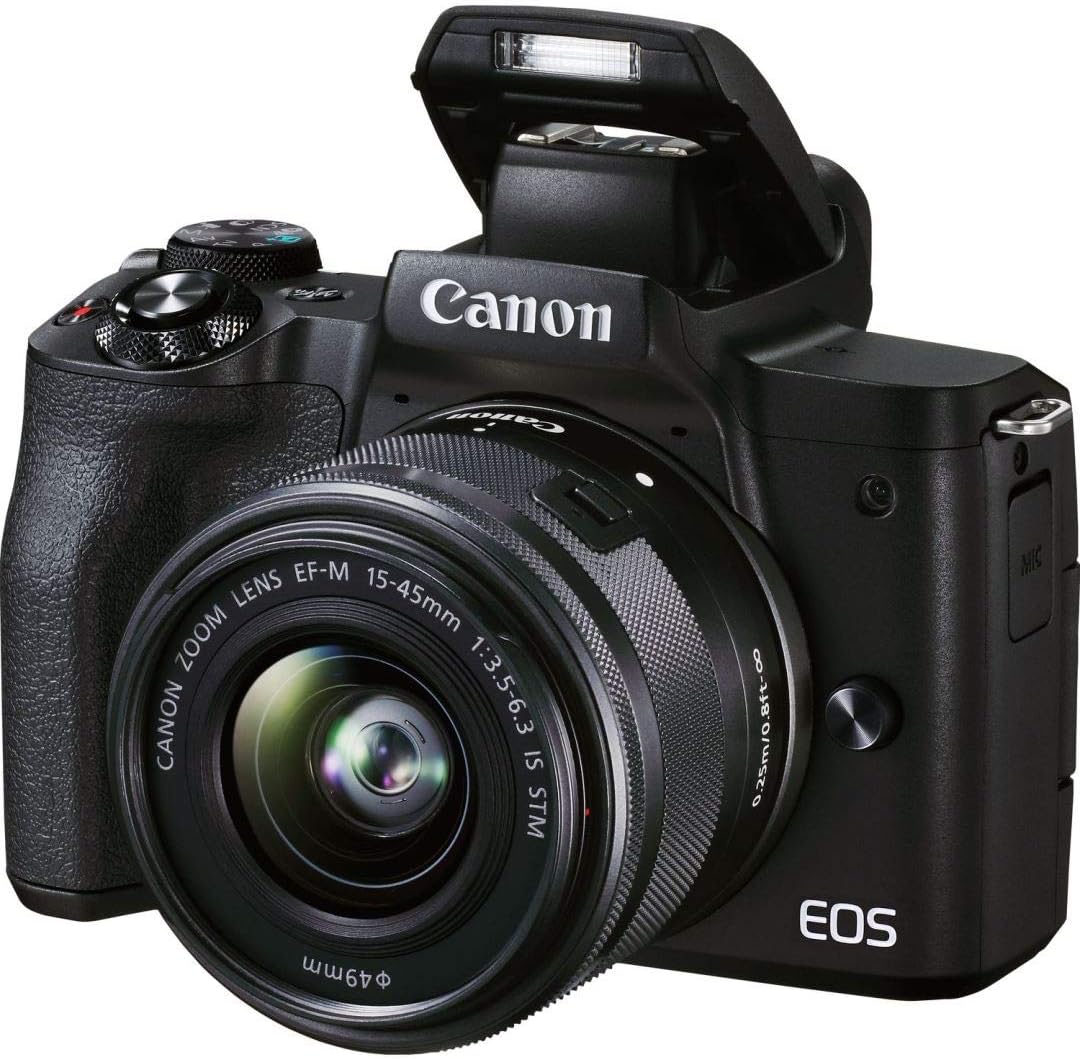
“Cheap” means different things to different creators. A $100 webcam and a $700 mirrorless camera are both “cheap” compared to a $3,500 Sony a7S III. Here are the best options at three different price tiers.
Canon M50 Mark II ($600 – $700)
Best for: Budget-conscious creators who still want interchangeable lenses and 4K.
The Canon M50 Mark II appears repeatedly in this list because it hits above its price in nearly every category. At $600-$700 with a kit lens, you get 4K video, Dual Pixel AF with eye detection, a flip screen, native YouTube livestreaming, vertical video mode, and Canon’s full EF-M lens ecosystem. It’s the most camera per dollar available under $700 for YouTube-focused creators.
The 4K crop (1.6x in video mode) is the most-cited limitation, and it’s worth putting in context: 1080p at 60fps is genuinely excellent on this camera, clean, sharp, accurate color, and reliable autofocus. Many full-time YouTubers with hundreds of thousands of subscribers still publish primarily in 1080p. The 4K capability is there when you need it, and the crop primarily affects creators who want wide-angle 4K shots in tight spaces.
Used and refurbished units are available at $450-$550 through Amazon Renewed and third-party sellers, which makes the value proposition even stronger. Canon’s warranty doesn’t transfer on used purchases, but the M50 Mark II is a reliable camera without known widespread hardware issues. At any price under $650, it’s the standard recommendation for YouTube creators who want professional results without professional budgets.
Logitech C922 Pro ($100 – $150)
Best for: Desk-based creators, streamers, and anyone who doesn’t need to leave their chair.
The Logitech C922 Pro is a webcam, not a camera, but it belongs on this list. It clips to a monitor, shoots 1080p at 30fps or 720p at 60fps, and includes two built-in stereo mics covering up to 1 meter of range. For screen-share tutorials, gaming content, livestreams, and talking-head videos from a fixed desk, it’s the cheapest way to look competent on YouTube without any additional setup.
Auto light correction adjusts exposure automatically as room lighting changes, useful for creators who film at different times of day without controlling their lighting setup. The tripod thread on the mounting clip makes it usable on a small desktop tripod for slightly elevated angles, rather than a flat monitor-top position. An XSplit Premium license is included with purchase, which covers basic streaming software needs.
The hard ceiling: 1080p at 30fps, USB-A only, no manual controls, and the 1-meter mic range means audio degrades sharply if you move more than 3 feet from the camera. It’s a desk tool, not a versatile camera. For creators who film exclusively from a computer setup, tutorials, coding channels, reaction videos, commentary, it’s the right tool at the right price. For anything that involves leaving a desk or filming in variable environments, step up to any dedicated camera on this list.
Canon Rebel T7i ($700 – $800)
Best for: Creators who prefer a traditional DSLR form factor with strong autofocus.
The Canon Rebel T7i is a DSLR with a vari-angle touchscreen, Dual Pixel AF, and access to Canon’s EF lens library, over 70 lenses spanning 14mm ultrawide to 800mm telephoto. The optical viewfinder is a genuine advantage for creators who film in bright sunlight, where LCD screens wash out and become hard to compose from. Battery life is exceptional by mirrorless standards: approximately 600 shots per charge versus 300-380 for most mirrorless alternatives at this price.
The Rebel T7i’s notable limitation is video: it shoots 1080p at 60fps maximum, with no 4K mode. That’s not a dealbreaker for every creator, 1080p 60fps produces smooth, sharp footage suitable for most YouTube formats, but it’s a meaningful spec gap against mirrorless cameras at the same price that do offer 4K. For a channel publishing in 2026 where 4K is increasingly the standard expectation, this needs to be weighed carefully.
Where the T7i wins over mirrorless: larger body ergonomics (easier to grip for long shoots without hand fatigue), an optical viewfinder for accurate framing in any lighting, and the EF lens ecosystem’s depth. If you already own Canon EF lenses from a previous camera, the T7i is the most cost-effective way to keep using them for YouTube. For new buyers without existing glass, the Canon M50 Mark II with its 4K capability and smaller form factor is often the better value at a similar or lower price point.
Buying Guide for YouTube Cameras
Before you buy, check these specs. They’ll determine whether your camera works for YouTube or collects dust on a shelf.
- Video Quality:
- High-resolution video (1080p or higher) is the minimum for a professional look. 4K is becoming more common and is helpful for cropping and stabilizing footage in post-production.
- Autofocus:
- Fast and accurate autofocus matters most for keeping your subject sharp, especially when moving around.
- Audio Quality:
- Good audio is as important as good video. Look for cameras with high-quality built-in microphones or a microphone input jack for external mics.
- Low Light Performance:
- If you plan on shooting in varying light conditions, a camera with good low-light performance matters a lot.
- Stabilization:
- Built-in optical or digital stabilization can help keep your footage smooth when moving.
- Flip Screen:
- A flip or articulating screen is handy for framing your shots, especially when vlogging.
- Ease of Use:
- User-friendly interface and controls can save you time and frustration, especially if you are a beginner.
- Battery Life:
- Longer battery life is beneficial for extended shooting sessions.
- Connectivity:
- Features like Wi-Fi and Bluetooth for easy sharing and control can be very useful.
- Portability:
- If you plan on vlogging on the go, a compact and lightweight camera is preferable.
- Expandability:
- Check for features like a hot shoe mount or microphone input that allow you to expand your setup with external lights, mics, or other accessories.
- Price:
- Lastly, find a camera that fits within your budget but still meets most, if not all, of your needs.
Match these specs to your content type first, then your budget. A vlogger needs stabilization and a flip screen more than 8K resolution. A studio creator needs good low-light and a mic input more than waterproofing.
Which Camera Should You Actually Buy?
For most new creators, the Sony ZV-1 is the right call. It’s built specifically for YouTube, the built-in audio is good enough to skip an external mic for the first year, and recording starts within minutes of unboxing. Price runs around $750. It won’t need replacing for several years of regular use.
If lens flexibility matters more than simplicity, the Canon M50 Mark II at $600-$700 with a kit lens gives you that growth path. If budget is the primary constraint, the Sony DSC-WX220 at under $200 delivers 1080p footage with OIS, good enough to build an audience while saving toward something better.
For established channels ready to invest, the Sony A7S III ($3,500+) or Canon EOS R5 ($3,900+) produce footage that looks like it belongs on a streaming platform. Pick the camera that matches where the channel is right now, not where it might be in three years. You can always upgrade later, but only after you’ve built the habits that make upgrading worth it.
Disclaimer: This site is reader-supported. If you buy through some links, I may earn a small commission at no extra cost to you. I only recommend tools I trust and would use myself. Your support helps keep gauravtiwari.org free and focused on real-world advice. Thanks. - Gaurav Tiwari