
8 Best Apps to Track a Lost or Stolen Android Phone in 2026
Your phone has your bank accounts, your photos, your passwords, your two-factor codes. Losing it isn’t just inconvenient. It’s a security emergency.
I’ve helped clients recover stolen devices, and the ones who had tracking apps installed before the theft happened were the ones who got their phones back. The ones who didn’t? They were locked out of their own digital lives for days.
The good news: Android’s tracking ecosystem has improved dramatically. Google rebranded its entire Find My Device system into Find Hub in 2025, added offline tracking through a crowdsourced network of over a billion devices, and third-party apps like Cerberus still offer features Google won’t touch (like fake shutdown screens and remote camera access).
Here are the 8 best apps to track a lost or stolen Android phone right now, what each one does well, and which one you should install today.
The best apps to track a lost or stolen Android phone
- Google Find Hub for free, built-in tracking with offline crowdsourced network
- Samsung Find for Galaxy device owners who want a second tracking network
- Cerberus Anti-Theft for power users who want fake shutdown screens and intruder selfies
- Prey Anti-Theft for cross-platform tracking across Android, Mac, Windows, and Linux
- Bitdefender Mobile Security for anti-theft bundled with a full security suite
- Where’s My Droid for a lightweight phone finder with one-time pricing
- TrackView for remote surveillance and dual-purpose home security monitoring
- Life360 for family location sharing and safety alerts
Google Find Hub (Formerly Find My Device)
Best for: Everyone. This should be your first line of defense.
Google renamed Find My Device to Find Hub in May 2025, and it’s not just a rebrand. The entire system got a serious upgrade.
The biggest change is the Find My Device Network. Over a billion Android devices now form a crowdsourced Bluetooth mesh network. If your phone is offline (no Wi-Fi, no cellular), nearby Android devices can detect its Bluetooth signal and relay the location back to you. Pixel 8 and newer phones can even be tracked when they’re completely powered off.
Find Hub also added UWB (ultra-wideband) support for precise directional tracking with compatible Bluetooth trackers like Motorola Moto Tags, Pebblebee, and Chipolo. You get a directional arrow that guides you to the exact spot, similar to Apple’s AirTags.
Key features:
- Real-time GPS tracking on a map with satellite, terrain, and traffic views
- Offline crowdsourced tracking through the Find My Device Network
- Ring at full volume (even if the phone is on silent)
- Remote lock with a custom message on the lock screen
- Remote factory reset (erase all data)
- Track phones, tablets, and Wear OS watches
- Third-party Bluetooth tracker support (Pebblebee, Chipolo, Motorola)
Price: Free. No subscription. Just needs a Google account.
If you only install one app from this list, make it this one. It’s pre-installed on most Android phones, and the offline network gives it capabilities that most third-party apps can’t match.
Go to Settings > Security & Privacy > Device Finders > Find Hub and make sure it’s turned on. Also enable “Store recent location” so your phone saves its last known position before the battery dies. You don’t want to be setting this up after your phone is already gone.
Samsung Find
Best for: Samsung Galaxy device owners.
If you own a Samsung phone, you have two tracking networks working for you: Google Find Hub and Samsung Find. Samsung rebranded SmartThings Find into a standalone app in 2024, and it’s become a proper competitor to Google’s system.
Samsung Find uses BLE (Bluetooth Low Energy), UWB, and GPS together for tracking. The Galaxy network is massive since it includes every Samsung phone, tablet, watch, and earbuds pair. If your phone is offline, nearby Galaxy devices pick up its signal.
Key features:
- Track all Galaxy devices: phones, tablets, watches, earbuds, laptops
- SmartTag and SmartTag2 tracking with UWB precision finding
- Offline finding through the Galaxy crowdsourced network
- Remote ring, lock, and wipe
- Location sharing with family members
- Directional guidance on UWB-compatible devices
Price: Free. Requires a Samsung account. Available in the Galaxy Store (not Play Store).
The only downside: it only works within the Samsung ecosystem. Non-Samsung Android phones can’t use it. But if you’re a Galaxy user, run both this and Google Find Hub. Two tracking networks are better than one.
Cerberus Anti-Theft
Best for: Power users who want maximum control over a stolen device.
Cerberus has been the gold standard for dedicated anti-theft apps for years, and it still offers features that Google and Samsung won’t touch.
The standout feature is the fake shutdown screen. When a thief tries to power off your phone, Cerberus displays a convincing shutdown animation while keeping the device secretly running and trackable. Most thieves think the phone is off, but you’re still getting location data.
Other features go deep into remote surveillance territory:
- GPS tracking with geofencing and speed alerts
- Remote camera and microphone activation
- Intruder selfie (“Theftie”) that captures a photo when someone enters the wrong password
- Remote screen capture
- SIM change detection and alerts
- Call and SMS log retrieval
- Remote lock and wipe
- Fake shutdown screen
Price: 6-day free trial. Then about $5-6/year for one device, $14/year for three devices. Some of the best value in the anti-theft space.
Cerberus is what I’d recommend alongside Google Find Hub if you’re serious about device recovery. The fake shutdown and intruder selfie features have actually helped people get their phones back by identifying the thief.
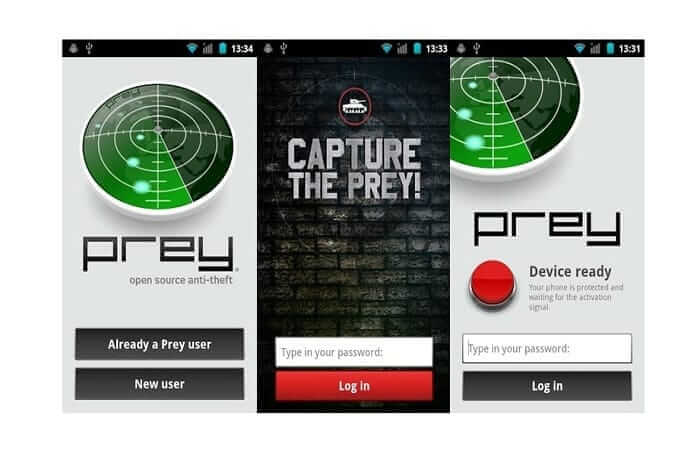
Prey Anti-Theft
Best for: Cross-platform tracking across Android, iOS, Windows, Mac, and Linux.
Prey is one of the oldest anti-theft apps still around, and its free tier is genuinely useful. You get up to 3 devices tracked for free, which covers most people’s phone, tablet, and laptop.
What makes Prey different is cross-platform support. It works on Android, iOS, Windows, macOS, Linux, and Chromebooks. If you have a mixed ecosystem (say, an Android phone and a MacBook), Prey gives you one dashboard for everything.
Key features:
- GPS geolocation tracking across all major platforms
- Remote lock, wipe, and alarm
- Missing device reports with hardware and network info
- Control zones (geofencing) on paid plans
- Location history and file retrieval on paid plans
- 24-hour activity log on free plan
Price: Free for up to 3 devices. Paid plans (Basic, Professional, Enterprise) add geofencing, location history, file retrieval, and longer activity logs.
The free tier is generous enough for personal use. If you don’t want to pay anything and need more than what Google Find Hub offers (especially on non-Android devices), Prey is the move.
Thieves know about Find My Device. The first thing many of them do is factory reset the phone or remove the SIM. Having a second tracking app like Cerberus or Prey gives you a backup if the primary tracking method fails. Cerberus’s fake shutdown is especially useful here because it tricks the thief into thinking the phone is off.
Bitdefender Mobile Security

Best for: People who want anti-theft bundled with a full security suite.
Bitdefender Mobile Security isn’t a dedicated tracking app. It’s a complete security package that includes anti-theft as one of several features. If you already want malware protection, VPN, and web protection on your phone, Bitdefender gives you tracking on top of that.
The anti-theft features are solid:
- Remote locate, lock, and wipe through Bitdefender Central
- “Scream” command that triggers a loud audio alert
- Intruder selfie after 3 failed unlock attempts
- Send a custom message to the device
Price: $14.99-$24.99/year for one device. Anti-theft is not included in the free version.
If you’re already paying for mobile security, Bitdefender is a solid choice that bundles tracking in. But if anti-theft is your primary concern, Google Find Hub (free) plus Cerberus ($5/year) gives you better tracking features for less money.
Where’s My Droid

Best for: A lightweight, no-frills phone finder.
Where’s My Droid has been around for over a decade, and it still does one thing well: help you find your phone. It doesn’t try to be a security suite or a family tracker. It just finds your phone.
Key features:
- Ring or vibrate to locate the phone nearby
- GPS location on a map
- GPS Flare (sends location when battery hits critical level)
- Remote lock and wipe (Pro/Elite)
- SIM card change detection
- Camera snapshot on Pro/Elite
- Stealth mode
Price: Free for basic features. Pro (~$3.99 one-time) and Elite (~$8.99 one-time) unlock remote lock, wipe, and camera features.
The GPS Flare feature is genuinely clever. It automatically sends you the phone’s location when the battery drops below a set threshold. So even if the battery dies, you’ll have the last known location. The one-time pricing is also refreshing in a world of subscriptions.
TrackView
Best for: Remote surveillance and home security monitoring.
TrackView blurs the line between phone tracking and home security. It turns your devices into a network of connected cameras with GPS tracking, audio monitoring, and event detection.
This isn’t just a “find my phone” app. If your phone is stolen and you have TrackView running, you can remotely view through the camera, listen through the microphone, and record video. That’s potentially useful for identifying a thief, though you should obviously work with law enforcement rather than confronting anyone yourself.
Key features:
- GPS location tracking
- Remote camera viewing (turns phone into an IP camera)
- Two-way audio
- Motion and sound detection with instant alerts
- Route recording for location history
- Remote buzz that rings even in silent mode
- Night vision mode
- Cloud recording
Price: Free with ads. Premium subscription removes ads and adds cloud storage.
TrackView is overkill if you just want to find a lost phone. But if you want a dual-purpose app that handles device tracking and home monitoring, it’s worth considering.
Life360
Best for: Family location sharing and safety.
Life360 is a different kind of tracking app. It’s not built for stolen phone recovery. It’s built for keeping track of family members’ locations in real time. I’m including it because many people use it as a “find my phone” solution, and it does work for that.
With over 70 million monthly active users, Life360 is the most popular family tracking app. You create a “Circle” of family members and see everyone’s real-time location on a map. It also sends automatic alerts when someone arrives at or leaves a designated place (home, school, work).
Key features:
- Real-time GPS location sharing for all family members
- Place alerts (arrive/leave notifications)
- Location history (2-30 days depending on plan)
- Crash detection and SOS button
- Driving behavior reports
- Stolen phone protection (Gold plan and above)
Price: Free for basic location sharing. Silver adds crash detection and 2-day history. Gold ($14.99/month or $99.99/year) adds 30-day history, roadside assistance, stolen phone protection, and ID theft coverage.
Life360 doesn’t have remote lock, remote wipe, or intruder selfie features. It won’t help you recover a stolen phone the way Cerberus or Find Hub will. But for keeping tabs on family members’ locations and knowing where your phone was last, it works.
Which App Should You Install?
Here’s my honest recommendation:
Everyone: Make sure Google Find Hub is enabled. It’s free, it’s pre-installed, and the offline network is a game-changer. This alone covers most scenarios.
Samsung users: Enable Samsung Find alongside Google Find Hub. Two tracking networks, zero extra cost.
Want extra protection: Add Cerberus ($5/year). The fake shutdown screen and intruder selfie give you tools that no built-in service offers. Paired with Find Hub, you’re covered from every angle.
Mixed devices (Android + Mac + Windows): Use Prey’s free tier for cross-platform tracking of up to 3 devices.
Families: Life360 for location sharing between family members. Pair it with Find Hub for actual device recovery.
What to Do Right After Your Phone is Stolen
Having tracking apps installed is step one. Knowing what to do when it happens is step two. Here’s the sequence:
- Lock the device remotely using Find Hub or your tracking app. Set a lock screen message with an alternate phone number.
- Track the location and take screenshots. Don’t go confront anyone. Save the evidence.
- File a police report with the location data and any intruder selfies. In many areas, police will act on this.
- Change your passwords immediately. Start with your Google account, then email, banking apps, and social media. Use a password manager to speed this up.
- Contact your carrier to suspend or blacklist the IMEI number. This prevents the thief from using your cellular service.
- Remote wipe as a last resort. If you can’t recover the device and it contains sensitive data, erase it. Your photos should be backed up to Google Photos anyway.
The window matters. Most phone thieves will try to factory reset the device within the first hour. The faster you act, the better your chances.
Prevention Tips That Actually Help
No app can guarantee you’ll get your phone back. But these habits dramatically improve your odds:
- Enable biometric lock (fingerprint or face unlock). A phone that can’t be unlocked is less valuable to a thief.
- Turn on automatic cloud backups. Google Photos for images, Google One for device backup. If you lose the phone forever, at least you keep your data.
- Note your IMEI number. Dial
*#06#and save the number somewhere safe. You’ll need it to file a police report or blacklist the device. - Use a strong screen lock. A 6-digit PIN minimum. Patterns are too easy to shoulder-surf.
- Enable Google’s Theft Detection Lock. Android 15+ includes AI-powered theft detection that automatically locks the phone if it detects a snatch-and-grab motion.
- Set up a SIM PIN. This prevents thieves from removing your SIM and using it in another phone.
Frequently Asked Questions
Can I track my Android phone if it’s turned off?
Yes, if you have a Pixel 8 or newer. Google Find Hub can track these phones even when they’re completely powered off using Bluetooth signals. For older phones, you’ll only see the last known location before the battery died. That’s why you should enable “Store recent location” in your Find Hub settings right now.
Is Google Find Hub free?
Completely free. It comes pre-installed on most Android phones and just needs a Google account. No subscriptions, no premium tiers. It’s the first tracking app you should set up on any Android device.
What’s the best phone tracking app for Android?
Google Find Hub is the best option for most people because it’s free, built-in, and uses a crowdsourced network of over a billion devices for offline tracking. If you want advanced features like intruder selfies and fake shutdown screens, Cerberus is worth the subscription.
Can someone track my phone without me knowing?
Google has built-in protections against unwanted tracking. Android will alert you if an unknown Bluetooth tracker is moving with you. You can also check which apps have location permissions in Settings > Privacy > Permission Manager.
Do I need to install a tracking app before my phone is stolen?
Yes. Most tracking apps need to be set up while you still have access to your phone. Google Find Hub is pre-installed, but you need to make sure it’s enabled. Go to Settings > Security & Privacy > Device Finders > Find Hub and turn everything on before you need it.
What should I do immediately after my phone is stolen?
First, use another device to log into Google Find Hub or Samsung Find and try to locate it. If you can’t recover it quickly, remotely lock the phone with a custom message. Report the theft to police and your carrier. Only factory reset as a last resort to protect your data.
Does Samsung Find work with non-Samsung phones?
No. Samsung Find only works with Samsung Galaxy devices including phones, tablets, watches, and earbuds. If you have a non-Samsung Android phone, stick with Google Find Hub or a third-party app like Cerberus or Prey.
Your phone is the most personal device you own. It knows more about you than most people in your life. Protecting it isn’t optional anymore.
At minimum, enable Google Find Hub right now. It takes 30 seconds and could save you hours of stress later. If you want extra peace of mind, add Cerberus for about $5 a year. That combination covers virtually every scenario, from a phone left in a restaurant to a device snatched out of your hand.
The best time to set up phone tracking was before you needed it. The second best time is right now.
Disclaimer: This site is reader-supported. If you buy through some links, I may earn a small commission at no extra cost to you. I only recommend tools I trust and would use myself. Your support helps keep gauravtiwari.org free and focused on real-world advice. Thanks. - Gaurav Tiwari