
Write in HTML or build visually
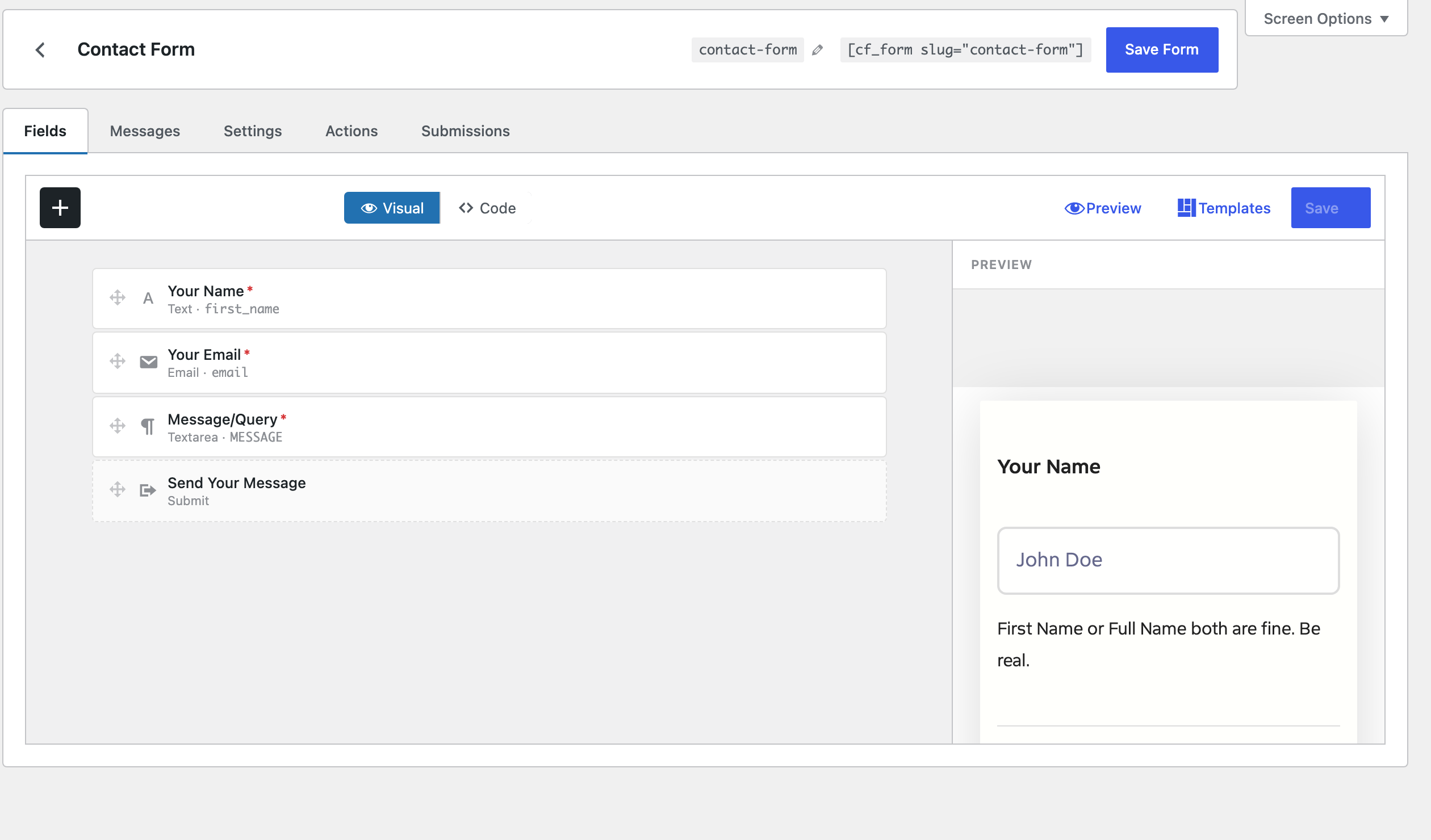
Use the drag-and-drop field builder or drop in your own HTML — the markup you ship is exactly the markup you get.
File uploads, webhooks, Mailchimp, MailerPress, submissions, reCAPTCHA, Turnstile — bundled in one plugin, one price, one license for every site you’ll ever build. Most forms plugins hide the good parts behind a $199/year pricing ladder. Core Forms doesn’t.
Built by an experienced WordPress developer
Most WordPress forms plugins hide the good parts behind a pricing ladder. Core Forms ships every feature in one plugin, one license, one payment.
Use the drag-and-drop field builder or drop in your own HTML — the markup you ship is exactly the markup you get.
No page reloads, no bloat. A single small JS file handles validation, submission and success states.
Insert forms with the native Gutenberg block, or anywhere with .
Let users attach files out of the box. Per-field limits, allowed types and storage controls — no add-on required.
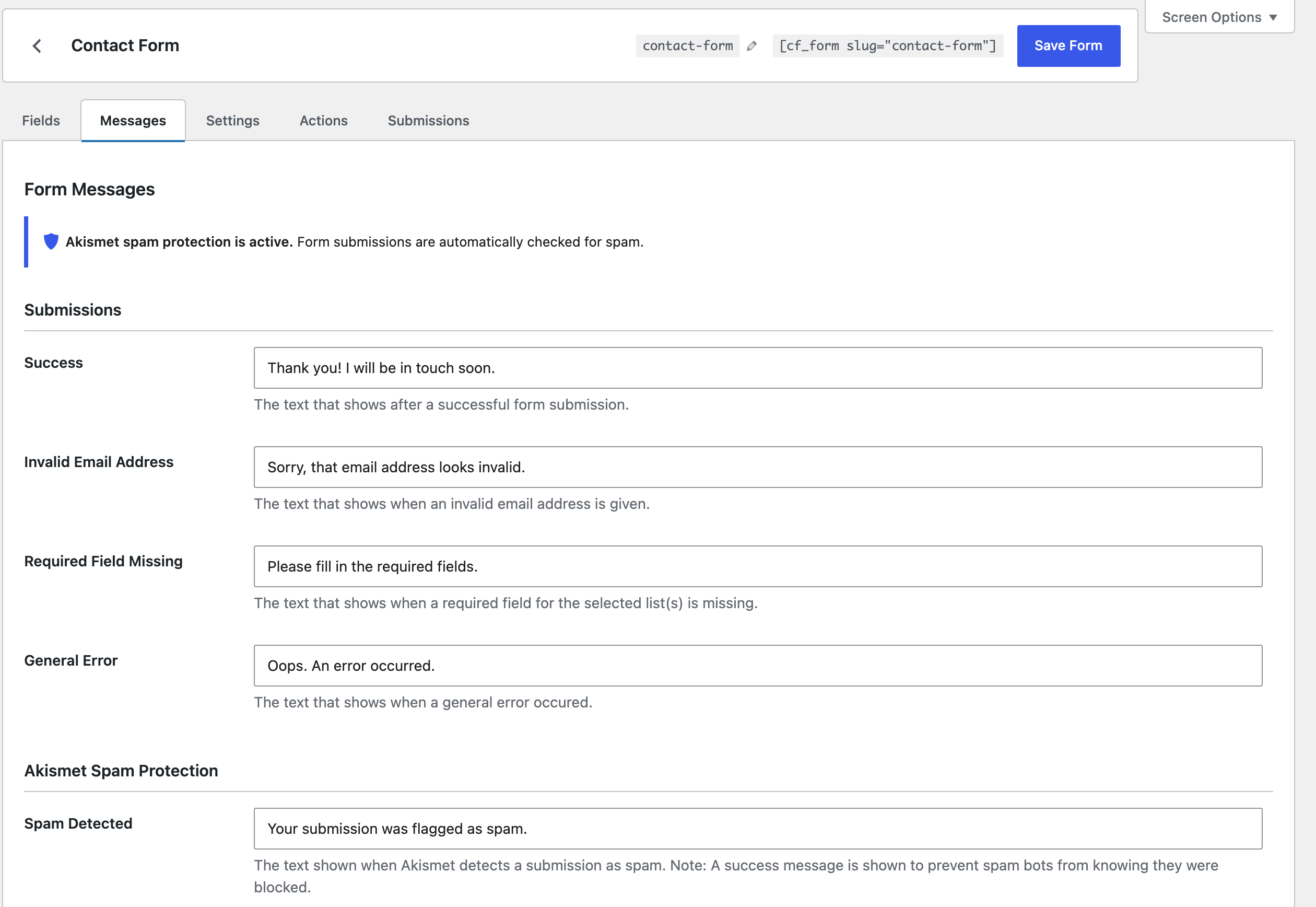
reCAPTCHA v3, hCaptcha, Cloudflare Turnstile, Akismet, honeypot, and math captcha. Mix and match per form.
Read, reply, archive and search submissions in WordPress. Status workflow: new, read, replied, archived.
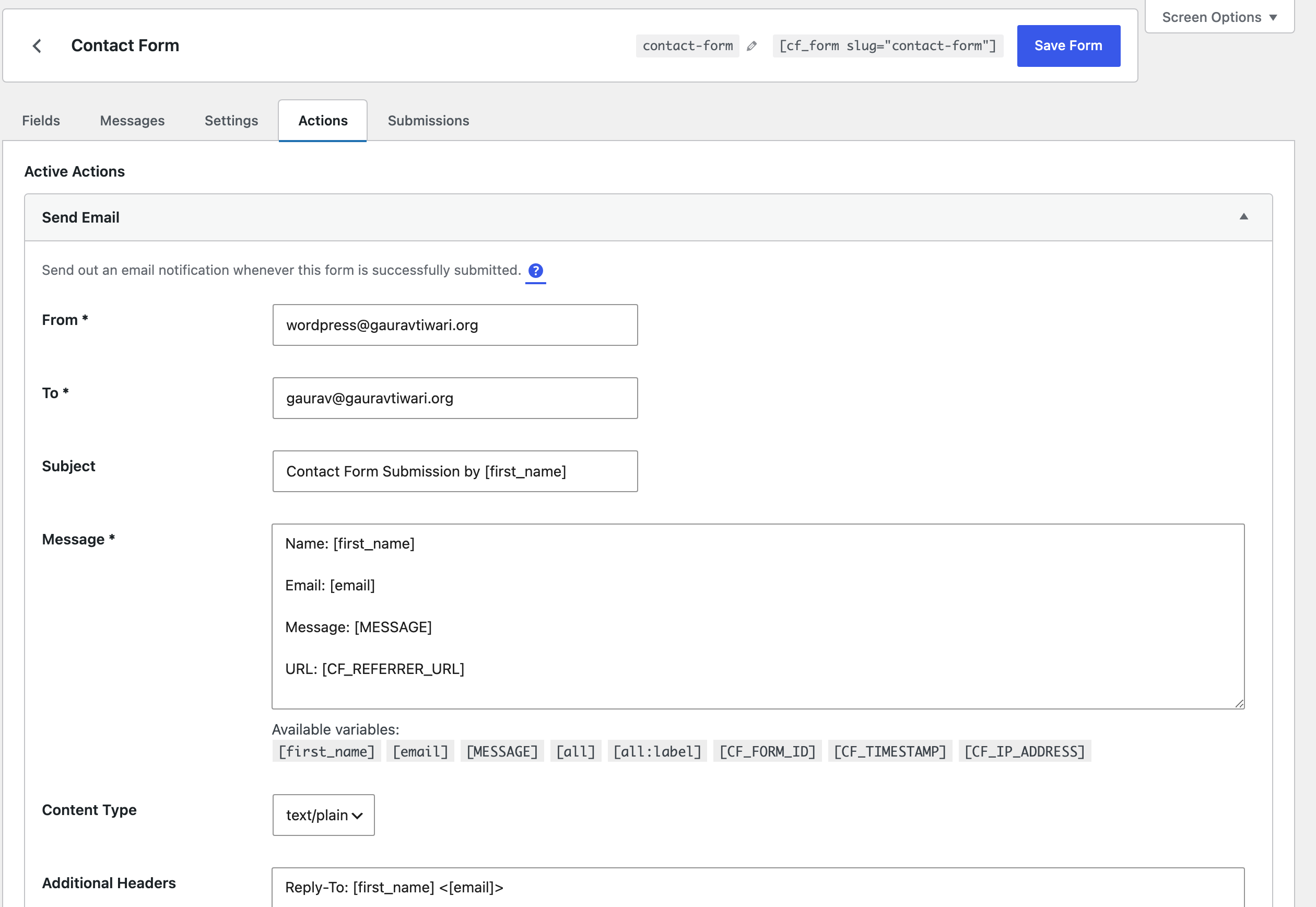
Send rich HTML notifications and automated replies with field merges, conditional logic and email logs.
Pipe form data to any external service. Manage submissions programmatically via the REST API.
Subscribe form users to lists with field mapping, tag assignment and double opt-in support.
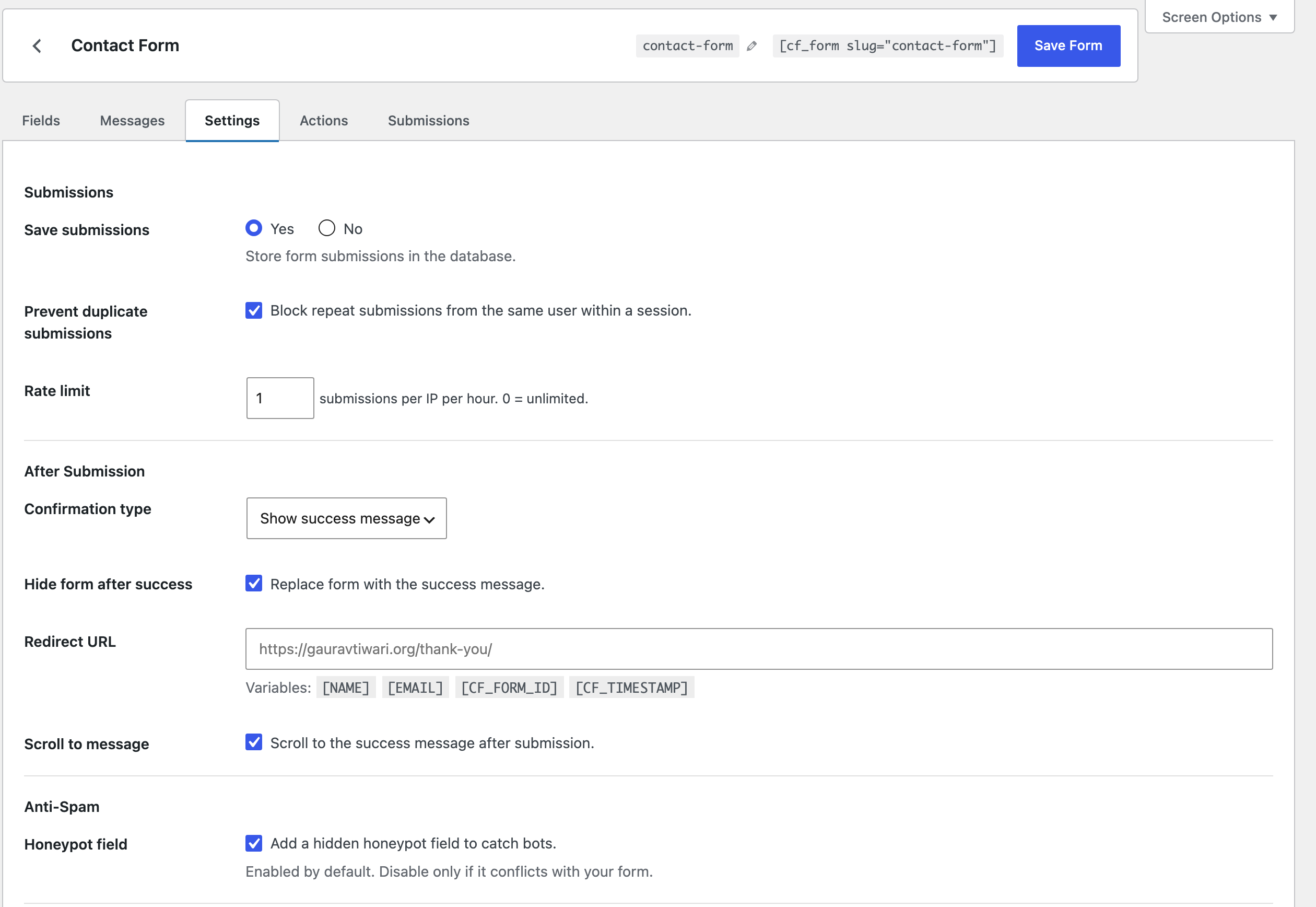
Show, hide and skip fields or actions based on values with simple data-show-if attributes.
Use {{user.email}}, [field_name], {{post.ID}} and URL params in forms, emails, redirects and webhooks.
Export any submissions table to CSV. Track email delivery with a built-in email log.
Core Forms ships with first-class support for the services WordPress site owners actually use. No Zapier workarounds, no premium add-ons — wire up email, CRM and spam protection in minutes.
Subscribe form users to any Mailchimp audience with field mapping and double opt-in.
Native MailerPress list subscription with tag assignment and field mapping.
Reliable transactional email delivery for notifications, auto-responders and replies.
Google reCAPTCHA v3 with per-form score thresholds and invisible challenges.
Privacy-friendly, GDPR-aware spam protection as a reCAPTCHA alternative.
Modern, invisible-first CAPTCHA from Cloudflare — no tracking, no puzzles.
Automattic Akismet spam filtering with configurable whitelist keywords.
Sync paid Fluent Cart customers straight into your MailerPress lists.
Native core-forms/form block — drop a form into any post, page or template.
Use anywhere WordPress accepts a shortcode.
GET, PATCH and DELETE submissions programmatically via the WordPress REST API.
Send submission payloads to Zapier, Make, n8n, Slack, or any custom endpoint.
Export any submissions table as a CSV — with filters and selected columns.
Built-in delivery log for every email Core Forms sends — with status and retry.
Plus anything else via webhooks and the REST API — Zapier, Make, n8n, Slack, Discord, Airtable, Notion, your custom Laravel app. If it speaks HTTP, Core Forms can talk to it.
No unfamiliar dashboards, no second login. Core Forms drops into your WordPress admin and uses the UI patterns you already know.
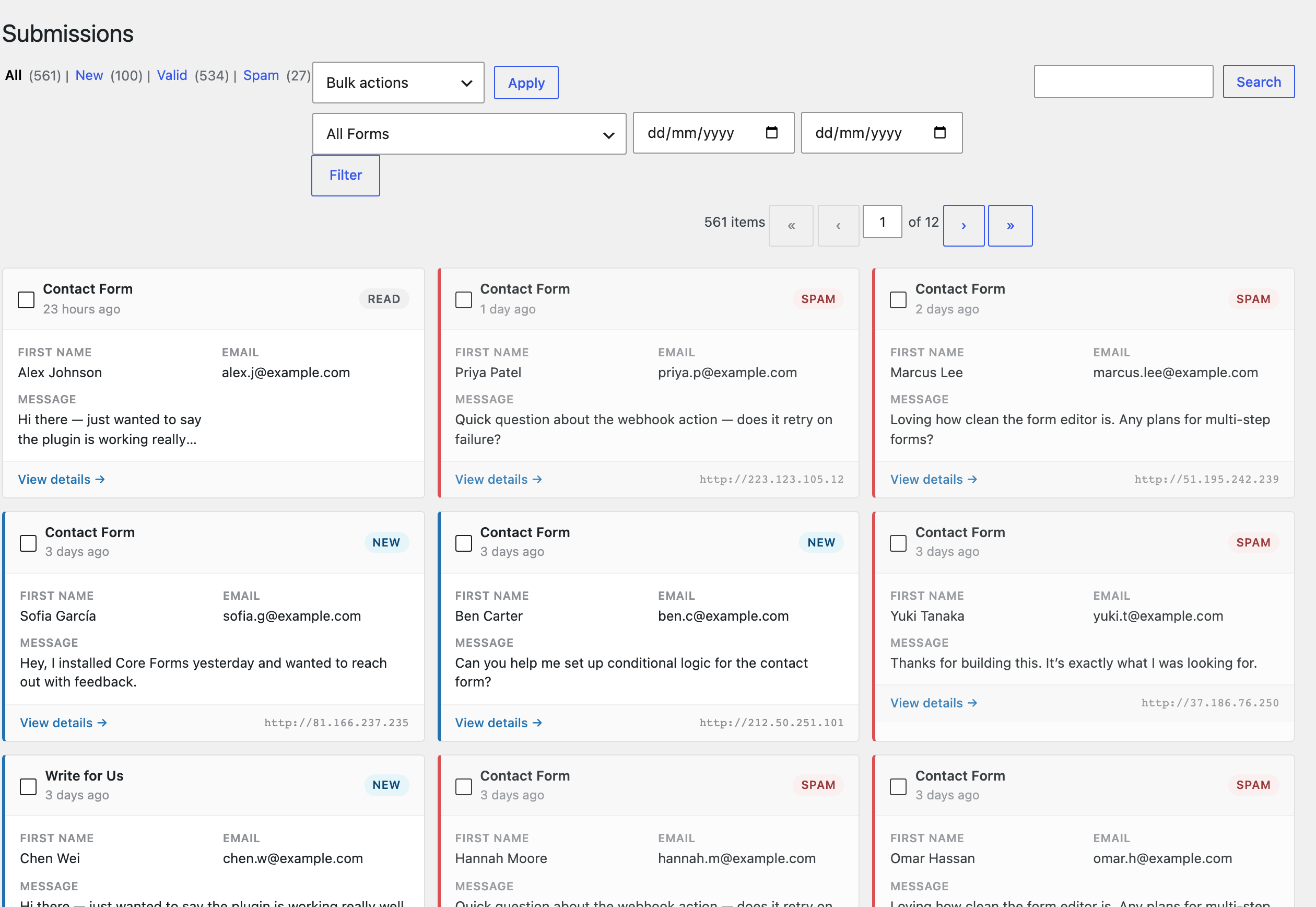
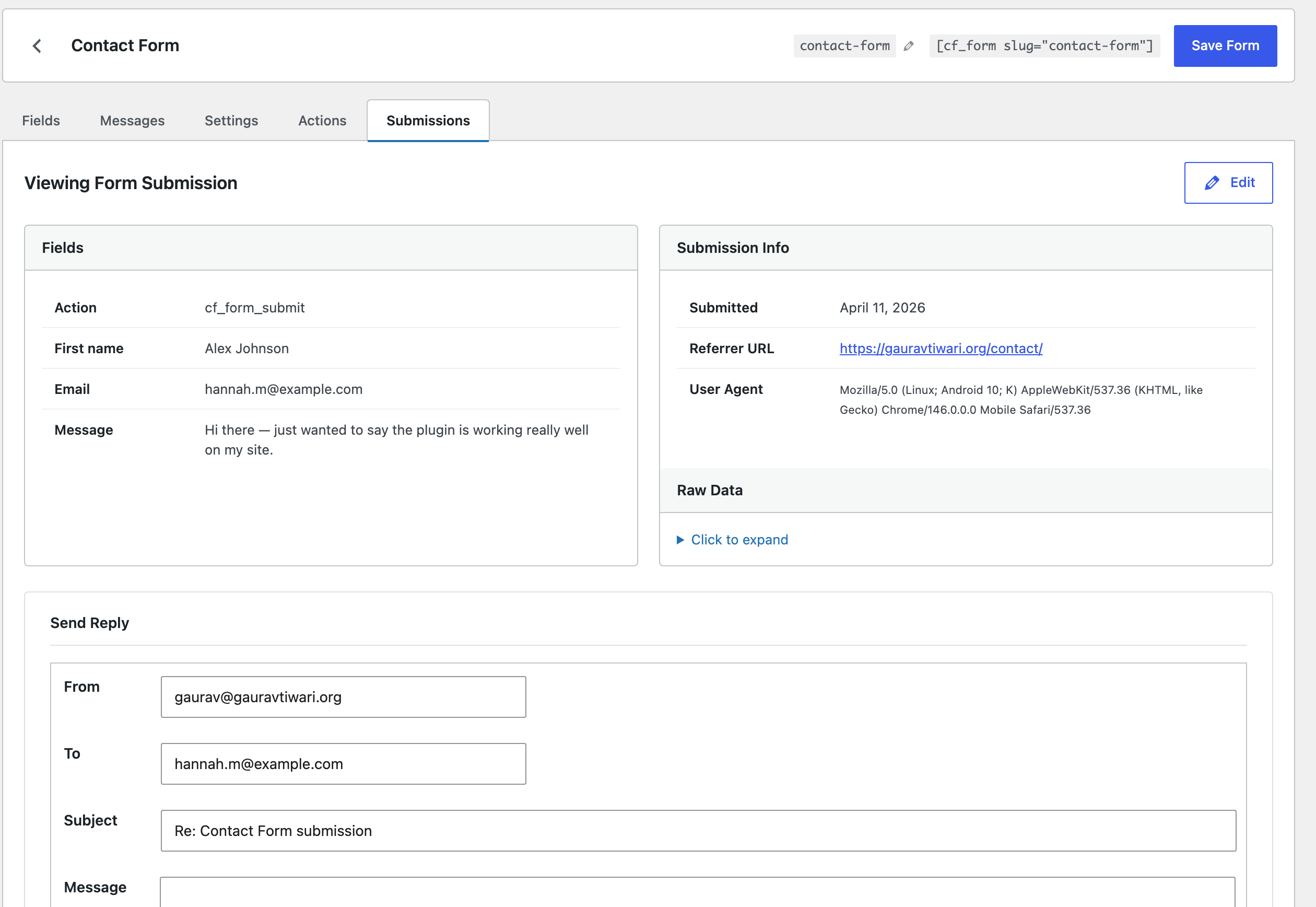
No yearly renewals, no per-site limits, no premium tiers. Pay once, install everywhere, keep every update.
The complete forms plugin for WordPress.
14 days, no questions asked. If it’s not the right fit, email us and we’ll refund you.

I’m Gaurav — I’ve been building with WordPress since 2008, shipping free plugins used on 8,000+ active sites, and obsessing over web performance the whole way. I’ve worked with companies like IBM, Adobe, HubSpot, Monday and Canva on content and developer tooling, but my favourite thing is still sitting down and shipping small, fast, honest software.
Core Forms is a forms plugin I wanted for myself: no add-on upsells, no bloat, a codebase I’d be happy to read, and an admin UI that feels like WordPress. Buy it and you’re supporting indie software — and you’ll always reach me personally for support at gaurav@gauravtiwari.org.
Core Forms gives you every premium feature for a single lifetime payment. Ship better forms this afternoon.