
Best Laptops for Engineering Students (and Engineers)
Engineering students don’t need a laptop. They need a workhorse that won’t choke on AutoCAD, MATLAB, SolidWorks, or whatever processor-hungry software their program throws at them. I’ve been using, reviewing, and recommending laptops for over 20 years, and I can tell you this: the wrong laptop will cost you more in frustration than the money you saved buying it.
Here’s the good news. Laptop hardware in 2026 is genuinely impressive. Apple’s M4 chips have made their already-excellent MacBooks even faster. NVIDIA’s RTX 50-series mobile GPUs bring desktop-class performance to laptops you can actually carry to class. And prices? They’re more reasonable than they’ve been in years, especially if you know where to look.
I’ve talked to dozens of engineering students and professionals, tested these machines with real workloads, and narrowed it down to the best options across every budget. Whether you’re running CAD software, compiling code, training machine learning models, or just need something that won’t die mid-lecture, this list has you covered.

I’ve recommended laptops to engineering students for over a decade now. The single biggest mistake I see? Buying a “thin and light” ultrabook with integrated graphics, then realizing mid-semester that SolidWorks runs like a slideshow. If your program uses any 3D CAD or simulation software, get a dedicated GPU. If you’re mostly coding and doing coursework, the MacBook Air M4 is the smartest money you’ll spend. Don’t overcomplicate this.

Quick Picks: Which Laptop Should You Get?
Don’t want to read 3,000+ words? I get it. Here’s the short version.
Want the best all-around laptop for engineering? Get the Apple MacBook Air M4. It’s lightweight, lasts 18 hours on a charge, handles coding and CAD without breaking a sweat, and starts at a reasonable price. For most engineering students, this is the one.
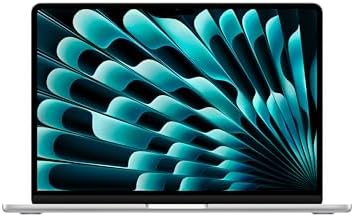
Apple MacBook Air 13-inch (M4, 2025)
- SUPERCHARGED BY M4-The Apple M4 chip brings even more speed and fluidity to everything you do, like working across multiple apps, editing videos, or playing graphically demanding games.
- BUILT FOR APPLE INTELLIGENCE-Apple Intelligence is the personal intelligence system that helps you write, express yourself, and get things done effortlessly. With groundbreaking privacy protections, it gives you peace of mind that no one else can access your data-not even Apple.
- UP TO 18 HOURS OF BATTERY LIFE-MacBook Air delivers the same amazing performance whether it's running on battery or plugged in.
Need serious GPU power for 3D modeling, simulation, or gaming? The ASUS ROG Strix G16 (2025) with an RTX 5070 Ti is a beast. It’ll crush SolidWorks renders, ANSYS simulations, and still run AAA games at ultra settings.
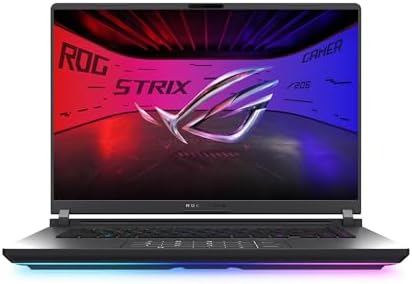
ASUS ROG Strix G16 (2025, RTX 5070 Ti)
- CUTTING-EDGE PERFORMANCE – Experience next-level performance with Windows 11 Home, an Intel Core Ultra 9 275HX Processor, and an NVIDIA GeForce RTX 5070 Ti Laptop GPU powered by the NVIDIA Blackwell architecture and featuring DLSS 4 and Max-Q technologies.
- HIGH-PERFORMANCE MEMORY AND STORAGE – Multitask seamlessly with 32GB of DDR5-5600MHz memory and store your game library on 1TB of PCIe Gen 4 SSD.
- PREMIUM ROG NEBULA DISPLAY – Immerse yourself in stunning visuals with the ultra-fast 240Hz/3ms display ideal for gaming, creation, and entertainment. Featuring a new ACR film that enhances contrast and reduces glare.
Tight on budget? You don’t need to spend $2,000 to get a capable engineering laptop. These three options punch well above their price point:
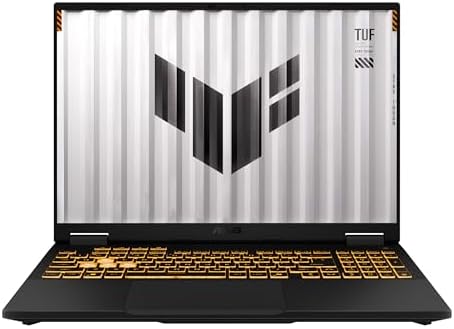
ASUS TUF Gaming F16 (2025, RTX 5050)
- AUDIO EXCELLENCE – Elevate your audio experience with Dolby Atmos and Hi-Res Audio on the TUF Gaming F16.
- PC GAME PASS – Get access to over 100 high-quality games. With games added all the time, there's always something new to play.
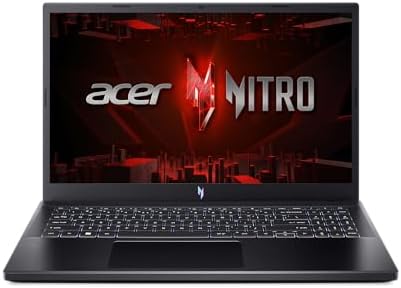
Acer Nitro V 15 Gaming Laptop (RTX 4050)
- Empower your gaming and creativity with the Nitro V 15, combining a 13th Gen Intel Core i5-13420H processor with the NVIDIA GeForce RTX 4050 Laptop GPU.
- More Games. More Fun. Windows is the GOAT of gaming. We have more game titles than any other OS. Windows has more triple-A game titles than any other OS, play popular releases solo or with friends – because you know victory is sweeter when its shared.*.
- Power That Plays Harder. Windows offers more games titles you can't get on a Mac*. Designed for speed, impressive app performance – we have the power, graphics, and memory to keep your head in the game.**.
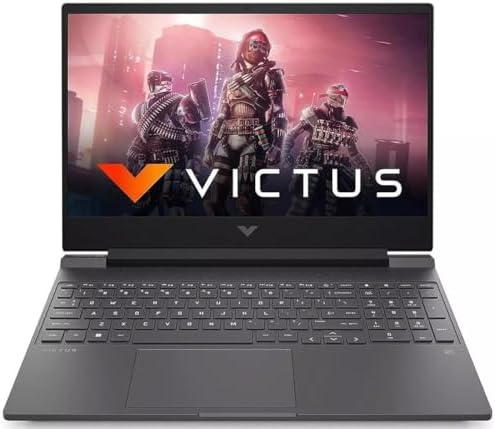
HP Victus 15 Gaming Laptop (i5, RTX 3050)
- Get in the game stylish and powerful; Intel 8-core core i5-13240H processor (12m cache, 3.4ghz up to 4.6 ghz, 8-core); Intel 4k graphics plus Nvidia geforce rtx 3050 with 6 gb of dedicated gddr6 vram; backlit keyboard; Windows 11 home 64 bit.
- 16gb memory (up to 32gb); 512gb solid state drive; precision touchpad; hd webcam; long lasting battery; killer gigabit ethernet; killer wi-fi 6 with bluetooth 5.4; 15.6in full hd (1920 x 1080) ips anti glare display 300 nits 144 hz refresh rate;.
- Breaking the sound barrier invigorate your gaming and enjoy crushing audio with dts x ultra sound; hd camera; built-in microphone; fast battery charging.
Want a discounted MacBook that still holds up? The previous-gen MacBook Air 15-inch (M2) is currently 28% off, making it one of the best value picks if you’re set on macOS.
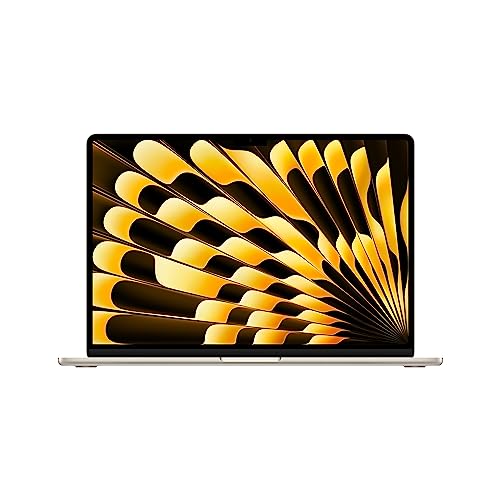
Apple MacBook Air 15-inch (M2, 2023)
- IMPRESSIVELY BIG, IMPOSSIBLY THIN – The 15-inch MacBook Air makes room for more of what you love with a spacious Liquid Retina….
- SUPERCHARGED BY M2 – Get more done faster with a powerful 8-core CPU, 10-core GPU, and up to 24GB of unified memory.
Now let’s break down each pick in detail.
9 Best Laptops for Engineering Students in 2026
1. Apple MacBook Air 13-inch (M4, 2025)
Apple MacBook Air 13-inch (M4, 2025)
- SUPERCHARGED BY M4-The Apple M4 chip brings even more speed and fluidity to everything you do, like working across multiple apps, editing videos, or playing graphically demanding games.
- BUILT FOR APPLE INTELLIGENCE-Apple Intelligence is the personal intelligence system that helps you write, express yourself, and get things done effortlessly. With groundbreaking privacy protections, it gives you peace of mind that no one else can access your data-not even Apple.
- UP TO 18 HOURS OF BATTERY LIFE-MacBook Air delivers the same amazing performance whether it's running on battery or plugged in.
I’ll be honest: for 80% of engineering students, the MacBook Air M4 is all you need. Apple’s M4 chip is a meaningful upgrade over the M2, with faster CPU cores, a more capable GPU, and better power efficiency. You’re looking at up to 18 hours of battery life, which means you can leave your charger at home for most days.
The 13.6-inch Liquid Retina display is sharp and color-accurate, perfect for CAD work, circuit design, or just reading dense documentation. At just 2.7 pounds, you’ll barely notice it in your backpack. The fanless design means zero noise during lectures, something your classmates will appreciate.
Apple Intelligence is baked in, giving you on-device AI features for writing, summarizing, and organizing. It’s genuinely useful for taking lecture notes (pair it with a solid note-taking app) and drafting lab reports. The M4 handles Xcode, MATLAB, Python, and even light AutoCAD work without stuttering. For heavy 3D rendering or GPU-intensive simulation, you’ll want the Pro. But for everything else? This is the one.
If you prefer a bigger screen, the MacBook Air 15-inch (M2) is currently available at a steep 28% discount, making it an incredible deal for students who want more screen real estate without paying full price.
2. Apple MacBook Pro 14-inch (M4 Pro, 2024)
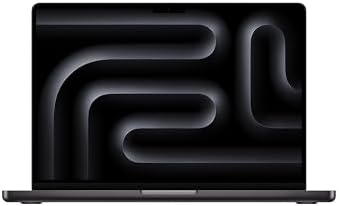
Apple MacBook Pro 14-inch (M4 Pro, 2024)
- SUPERCHARGED BY M4 PRO OR M4 MAX – The 14-inch MacBook Pro with the M4 Pro or M4 Max chip gives you outrageous performance in a powerhouse laptop built for Apple Intelligence.* With all-day battery life and a breathtaking Liquid Retina XDR display with up to 1600 nits peak brightness, it's pro in every way.*.
- CHAMPION CHIPS – The M4 Pro chip blazes through demanding tasks like compiling millions of lines of code. M4 Max can handle the most challenging workflows, like rendering intricate 3D content.
- BUILT FOR APPLE INTELLIGENCE-Apple Intelligence is the personal intelligence system that helps you write, express yourself, and get things done effortlessly. With groundbreaking privacy protections, it gives you peace of mind that no one else can access your data-not even Apple.*.
When the MacBook Air isn’t enough, the Pro steps in. The M4 Pro chip is a different animal altogether. It compiles millions of lines of code faster than most students can write a single function. The M4 Max variant (if your budget allows) can handle rendering intricate 3D content that would make lesser laptops cry.
The Liquid Retina XDR display hits 1,600 nits peak brightness. That’s not just a spec, it means you can actually see your screen outside or in brightly lit labs. Color accuracy is studio-grade, which matters if you’re doing any design or visualization work alongside your engineering coursework.
Battery life is exceptional. You’ll get through a full day of classes, study sessions, and project work without hunting for outlets. The build quality is exactly what you’d expect from Apple: premium, durable, and designed to last through your entire degree and well beyond.
The main consideration? It’s an investment. But if you’re in mechanical, civil, or aerospace engineering where heavy computation is the norm, the M4 Pro pays for itself in time saved. If you’re on a tighter budget, the M2 Pro models from 2023 are now available at 10-28% off and still deliver outstanding performance.
3. ASUS ROG Strix G16 (2025, RTX 5070 Ti)
ASUS ROG Strix G16 (2025, RTX 5070 Ti)
- CUTTING-EDGE PERFORMANCE – Experience next-level performance with Windows 11 Home, an Intel Core Ultra 9 275HX Processor, and an NVIDIA GeForce RTX 5070 Ti Laptop GPU powered by the NVIDIA Blackwell architecture and featuring DLSS 4 and Max-Q technologies.
- HIGH-PERFORMANCE MEMORY AND STORAGE – Multitask seamlessly with 32GB of DDR5-5600MHz memory and store your game library on 1TB of PCIe Gen 4 SSD.
- PREMIUM ROG NEBULA DISPLAY – Immerse yourself in stunning visuals with the ultra-fast 240Hz/3ms display ideal for gaming, creation, and entertainment. Featuring a new ACR film that enhances contrast and reduces glare.
If you need raw GPU power and you’re on Windows, this is the laptop to beat. The NVIDIA RTX 5070 Ti, built on the Blackwell architecture with DLSS 4, is a massive leap forward. Whether you’re running finite element analysis in ANSYS, rendering in Blender, or training ML models with CUDA, this GPU handles it all.
The Intel Core Ultra 9 275HX processor paired with 32GB DDR5-5600MHz RAM means you won’t be waiting around for compilations or simulations. The 1TB PCIe Gen 4 SSD keeps load times snappy. And the 16-inch ROG Nebula Display with 240Hz refresh rate and 3ms response time? It’s stunning for both work and play.
At $2,400, it’s not cheap. But consider this: you’re getting a machine that replaces both a workstation and a gaming rig. That’s two devices in one. The ROG Strix G16 will carry you through your entire engineering degree and then some.
One honest downside: battery life. High-performance Windows laptops like this will give you maybe 4-5 hours of actual work. You’ll want to keep the charger handy. But when you’re plugged in, nothing in this price range comes close to its performance.
4. Lenovo Legion 5i (2025, RTX 5070)
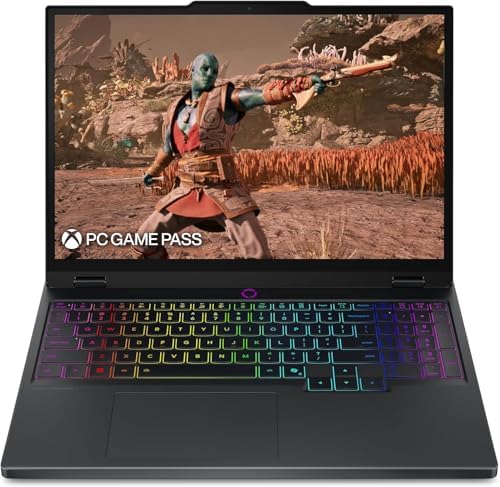
Lenovo Legion 5i (2025, RTX 5070)
- EXPLORE YOUR PASSION, ELEVATE YOUR GAME – The Lenovo Legion 5i empowers university gamers to explore their latest passions. With a thinner, lighter design and a Lenovo PureSight OLED display, it excels in gaming, streaming, and coursework on the go.
- GAME WITHOUT COMPROMISE – The Intel Core i7-14700HX processor features newly optimized hybrid architecture and industry leading technology that enables you to go beyond gaming and creation. With Intel, you can do it all.
- GAME CHANGER – Powered by NVIDIA Blackwell, the GeForce RTX 5070 graphics bring game-changing capabilities to gamers and creators. Equipped with incredible AI horsepower, prepare to unleash your creativity and experience next-level graphics fidelity.
The Lenovo Legion line has always been a favorite among students who want performance without the “gamer” tax, and the 2025 Legion 5i continues that tradition. What sets this model apart is the Lenovo PureSight OLED display. OLED on a gaming/workstation laptop means perfect blacks, incredible contrast, and color accuracy that rivals dedicated creative displays.
The Intel Core i7-14700HX combined with the RTX 5070 (Blackwell architecture) gives you serious horsepower for everything from compiling large codebases to running fluid dynamics simulations. The thinner, lighter design compared to previous Legion models makes it more practical to carry to campus.
I especially like the Legion’s keyboard. Lenovo consistently makes some of the best laptop keyboards in the business, and engineering students who spend hours coding or typing reports will notice the difference. The port selection is generous too: USB-C, USB-A, HDMI, and an ethernet port for when Wi-Fi isn’t cutting it in the lab.
If the ASUS ROG Strix feels like overkill (or overpriced), the Legion 5i delivers 90% of the performance at a more student-friendly price.
5. ASUS ROG Strix G16 (2025, RTX 5060)
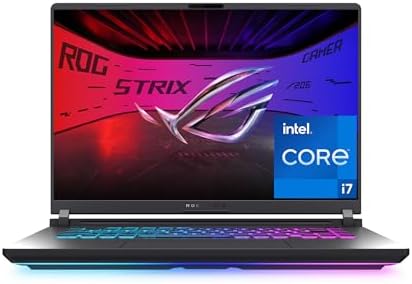
ASUS ROG Strix G16 (2025, RTX 5060)
- HIGH-LEVEL PERFORMANCE – Unleash power with Windows 11 Home, an Intel Core i7 Processor 14650HX, and an NVIDIA GeForce RTX 5060 Laptop GPU powered by the NVIDIA Blackwell architecture and featuring DLSS 4 and Max-Q technologies.
- FAST MEMORY AND STORAGE – Multitask seamlessly with 16GB of DDR5-5600MHz memory and store all your game library on 1TB of PCIe Gen 4 SSD.
- DYNAMIC DISPLAY AND SMOOTH VISUALS – Immerse yourself in stunning visuals with the smooth 165Hz FHD+ display for gaming, creation, and entertainment. Featuring a new ACR film that enhances contrast and reduces glare.
Think of this as the ROG Strix G16’s more affordable sibling. Same excellent build quality, same 2025 design, but with the RTX 5060 instead of the 5070 Ti. For most engineering students, the performance difference won’t matter in day-to-day use. The RTX 5060 still handles CAD, simulation, and even moderate 3D rendering without issues.
The Intel Core i7-14650HX is a proven workhorse, and 16GB DDR5-5600MHz RAM is enough for most engineering workflows (you can always upgrade later). The 165Hz FHD+ display isn’t as fast as the RTX 5070 Ti model’s 240Hz panel, but 165Hz is more than smooth enough for both work and gaming.
What I appreciate about this configuration is the balance. You’re getting Blackwell-generation GPU performance, DLSS 4 support, and the ACR anti-glare film at a significantly lower price point. If you’re a computer science, electrical, or software engineering student who doesn’t need the absolute top-tier GPU, this is the smarter buy.
6. Lenovo Legion 5i (RTX 4070)
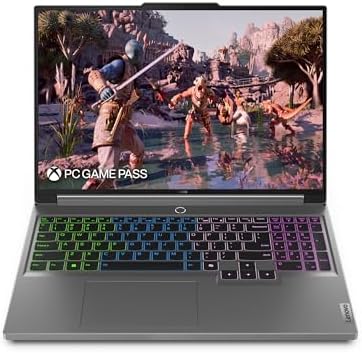
- The Lenovo Legion 5i delivers powerful performance in a sleek, compact chassis that allows you to seamlessly transition between work, gaming, and streaming on the go.
- Dominate your gaming sessions with lightning-fast performance at home or on the move with the powerful Intel Core i7-14650HX processor.
- Immerse yourself in vibrant visuals-a 16" WQXGA 2560×1600 HD display brings your graphics and games to life with stunning detail and precision.
Here’s a smart play: the previous-gen Legion 5i with an RTX 4070 is now priced significantly lower than the 2025 models, and the RTX 4070 is still a seriously capable GPU. For CAD, MATLAB, and even moderate 3D work, it gets the job done without any drama.
The 16-inch WQXGA (2560×1600) display at 16:10 aspect ratio gives you more vertical screen space than traditional 16:9 panels. That’s a real productivity boost when you’re coding or reading documentation. The Intel Core i7-14650HX processor is the same chip found in much pricier laptops.
The compact chassis makes it easier to carry than you’d expect for a 16-inch laptop. Lenovo’s thermal design has always been solid on the Legion line, so sustained performance under load is reliable.
If the 2025 models are stretching your budget, this is the sweet spot. You’re getting last year’s flagship performance at this year’s mid-range price. For most engineering programs, the RTX 4070 is more than enough GPU power.
7. Acer Nitro V 15 Gaming Laptop (RTX 4050)
Acer Nitro V 15 Gaming Laptop (RTX 4050)
- Empower your gaming and creativity with the Nitro V 15, combining a 13th Gen Intel Core i5-13420H processor with the NVIDIA GeForce RTX 4050 Laptop GPU.
- More Games. More Fun. Windows is the GOAT of gaming. We have more game titles than any other OS. Windows has more triple-A game titles than any other OS, play popular releases solo or with friends – because you know victory is sweeter when its shared.*.
- Power That Plays Harder. Windows offers more games titles you can't get on a Mac*. Designed for speed, impressive app performance – we have the power, graphics, and memory to keep your head in the game.**.
The Acer Nitro V 15 is one of the cheapest ways to get an RTX 4050 GPU in a laptop. For budget-conscious engineering students who still need dedicated graphics, it’s hard to beat. The 13th Gen Intel Core i5-13420H paired with the RTX 4050 handles AutoCAD, SolidWorks (for moderate assemblies), and coding IDEs without complaint.
Let me be real: this isn’t a powerhouse. If you’re doing heavy CFD simulations or rendering complex 3D models, look higher on this list. But for the majority of coursework across most engineering disciplines, the Nitro V 15 is genuinely capable. It runs MATLAB smoothly, handles Python data science libraries, and can even do some light 3D modeling.
The build quality is decent for the price. It’s not going to feel as premium as a MacBook or ROG Strix, but it’s sturdy enough for daily campus life. The 15.6-inch screen provides enough workspace, and the keyboard is comfortable for extended coding sessions.
Bottom line: if your budget is tight but you refuse to compromise on having a discrete GPU, the Acer Nitro V 15 is the move.
8. ASUS TUF Gaming F16 (2025, RTX 5050)
ASUS TUF Gaming F16 (2025, RTX 5050)
- AUDIO EXCELLENCE – Elevate your audio experience with Dolby Atmos and Hi-Res Audio on the TUF Gaming F16.
- PC GAME PASS – Get access to over 100 high-quality games. With games added all the time, there's always something new to play.
ASUS built the TUF line for one thing: durability on a budget. The “TUF” name isn’t just marketing. These laptops pass military-grade MIL-STD-810H tests for drop resistance, vibration, humidity, and temperature extremes. For a student tossing a laptop into a backpack every day, that matters.
The RTX 5050, while the entry-level card in NVIDIA’s 2025 lineup, still benefits from the Blackwell architecture improvements. It’s meaningfully faster than the previous-gen RTX 4050, especially with DLSS 4 enabled. For AutoCAD 2D/3D, MATLAB, Python, and general coursework, it’s more than adequate.
The 16-inch screen gives you comfortable working space, and Dolby Atmos audio means your late-night study sessions with background music will sound decent without external speakers. The included PC Game Pass subscription is a nice bonus for when you need to decompress after a brutal exam.
If you want the latest-gen GPU architecture at the lowest possible price, the TUF Gaming F16 is hard to argue against.
9. HP Victus 15 Gaming Laptop (i5, RTX 3050)
HP Victus 15 Gaming Laptop (i5, RTX 3050)
- Get in the game stylish and powerful; Intel 8-core core i5-13240H processor (12m cache, 3.4ghz up to 4.6 ghz, 8-core); Intel 4k graphics plus Nvidia geforce rtx 3050 with 6 gb of dedicated gddr6 vram; backlit keyboard; Windows 11 home 64 bit.
- 16gb memory (up to 32gb); 512gb solid state drive; precision touchpad; hd webcam; long lasting battery; killer gigabit ethernet; killer wi-fi 6 with bluetooth 5.4; 15.6in full hd (1920 x 1080) ips anti glare display 300 nits 144 hz refresh rate;.
- Breaking the sound barrier invigorate your gaming and enjoy crushing audio with dts x ultra sound; hd camera; built-in microphone; fast battery charging.
The HP Victus 15 is for students who need to keep spending to an absolute minimum while still getting a discrete GPU. The Intel Core i5-13240H is an 8-core processor that handles multitasking well, and 16GB RAM is the sweet spot for engineering software. The 512GB SSD is adequate, though you might want an external drive for larger project files.
The RTX 3050 with 6GB GDDR6 VRAM isn’t the latest generation, but it’s still a legitimate GPU that accelerates CAD rendering, enables CUDA-based computing, and can handle light gaming. The 144Hz Full HD display is smooth for both work and play.
Connectivity is solid: Killer Wi-Fi 6, Bluetooth 5.4, Gigabit Ethernet, and a backlit keyboard. The build quality is HP’s standard Victus fare: functional and decent, if not flashy. DTS:X Ultra audio is a nice touch for the price.
I wouldn’t recommend this for mechanical or aerospace engineering students who need heavy 3D modeling. But for computer science, electrical engineering, data science, and general engineering coursework, the HP Victus 15 does the job at a price that won’t empty your bank account.
What to Look for in a Laptop for Engineering Students
Before you buy, understand what actually matters. I’ve seen too many students overspend on features they don’t need or underspend on the ones they do. Here’s what to prioritize:
Processor (CPU)
The CPU is the backbone of your laptop’s performance. For engineering work, you want at least a mid-range modern processor: Intel Core i5 (13th gen or newer) or AMD Ryzen 5 (7000 series or newer). If your budget allows, stepping up to a Core i7/i9 or Ryzen 7/9 will make a noticeable difference when compiling code, running simulations, or working with large datasets. Apple’s M4 chip is in a class of its own for power efficiency and single-threaded performance.
Graphics Card (GPU)
This is where engineering laptops diverge from regular ones. If you’re in mechanical, civil, or aerospace engineering, you’ll likely use CAD software that benefits enormously from a dedicated GPU. Even an entry-level NVIDIA RTX 3050 makes a significant difference compared to integrated graphics. For 3D modeling and simulation, aim for RTX 4060 or above. The new RTX 50-series brings AI-accelerated features through DLSS 4 that genuinely improve performance.
Computer science, software engineering, and data science students can often get by with integrated graphics (especially on Apple Silicon Macs), since most coding and development work is CPU-bound.
RAM
16GB is the minimum I’d recommend in 2026. AutoCAD alone recommends 8GB, and you’ll be running it alongside your browser, IDE, and other tools simultaneously. 32GB is ideal if you can afford it, especially for ANSYS, SolidWorks, or any simulation-heavy workflow. Don’t buy a laptop with only 8GB of RAM for engineering work. You’ll regret it within the first semester.
Storage
Get an SSD. Period. No spinning hard drives in 2026. A 512GB SSD is the bare minimum, but 1TB is strongly recommended since engineering software, project files, and datasets add up fast. NVMe PCIe Gen 4 SSDs are the standard now and noticeably faster than older SATA drives.
Display
You’ll be staring at this screen for thousands of hours. Get at least a Full HD (1920×1080) IPS panel, but I’d strongly recommend QHD (2560×1440 or 2560×1600) if possible. The extra resolution makes a real difference when working with detailed CAD drawings or reading dense code. A 16:10 aspect ratio gives you more vertical space than 16:9, which is a genuine productivity advantage.
Operating System
Windows gives you the broadest software compatibility, which matters for specialized engineering tools. macOS is excellent for computer science, web development, and any workflow that plays well with Unix-based systems. Chrome OS is not suitable for serious engineering work.
Many engineering students buy Windows laptops and dual-boot Linux for the best of both worlds. Linux compatibility with engineering software has improved dramatically, and many programs like MATLAB, ANSYS, and various compilers run natively on Linux.
Battery Life and Portability
You’ll carry this laptop every day. Weight matters more than you think after walking across campus three times a day. MacBooks excel here with 15-18 hours of battery life. High-performance Windows gaming laptops typically last 4-6 hours on battery, so plan accordingly. If all-day battery life is non-negotiable, lean toward Apple Silicon or ultrabook-class Windows laptops.
Conclusion
The right laptop depends on your engineering discipline, budget, and how you work. Here’s my final recommendation:
- Most engineering students: Apple MacBook Air M4. It’s fast, light, lasts all day, and handles 90% of what you’ll throw at it.
- Heavy 3D/simulation work: MacBook Pro M4 Pro (macOS) or ASUS ROG Strix G16 RTX 5070 Ti (Windows). Pick your ecosystem.
- Best Windows all-rounder: Lenovo Legion 5i (2025). Great keyboard, great display, great performance.
- Best budget option: ASUS TUF Gaming F16 or Acer Nitro V 15. Real GPUs at student-friendly prices.
Before making your final decision, check with your department. Some programs require specific software that only runs on Windows, while others are platform-agnostic. And don’t forget to pair your laptop with a decent external monitor and a good mouse, they make a world of difference during long CAD or coding sessions.
What is the best laptop for engineering students in 2026?
The Apple MacBook Air M4 (2025) is the best laptop for most engineering students. It offers excellent performance for coding, CAD, and coursework with up to 18 hours of battery life at a reasonable price. For students who need dedicated GPU power for 3D modeling or simulation, the ASUS ROG Strix G16 (2025) with RTX 5070 Ti or the Lenovo Legion 5i (2025) with RTX 5070 are the top Windows picks.
How much RAM do engineering students need in a laptop?
16GB is the minimum recommended RAM for engineering students. Software like AutoCAD, MATLAB, and SolidWorks all require significant memory, and you’ll typically run multiple applications simultaneously. If your budget allows, 32GB is ideal, especially for simulation-heavy disciplines like mechanical or aerospace engineering.
Do engineering students need a dedicated GPU?
It depends on your discipline. Computer science and software engineering students can often work with integrated graphics (especially Apple Silicon). However, mechanical, civil, and aerospace engineering students who use CAD software, 3D modeling, or simulation tools will benefit significantly from a dedicated NVIDIA GPU. Even an entry-level RTX 3050 makes a noticeable difference for CAD rendering compared to integrated graphics.
Is a MacBook good for engineering students?
Yes, MacBooks are excellent for engineering students, especially with Apple Silicon (M4) chips. They excel in programming, data analysis, and general coursework. The M4 MacBook Air handles most CAD work smoothly, and the MacBook Pro M4 Pro can tackle even demanding 3D rendering. The main caveat is that some specialized Windows-only engineering software may not run on macOS. Check your program’s software requirements before choosing.
Should engineering students get a gaming laptop?
Gaming laptops are actually a great choice for engineering students because they come with powerful processors and dedicated GPUs at competitive prices. The same hardware that runs modern games also handles engineering software like AutoCAD, SolidWorks, ANSYS, and MATLAB. Laptops like the Lenovo Legion 5i and ASUS ROG Strix G16 double as both workstations and gaming machines, giving you the best of both worlds.
What size laptop is best for engineering students?
A 15 to 16-inch laptop is the sweet spot for most engineering students. It provides enough screen space for CAD drawings, code editors, and documentation without being too heavy to carry daily. If portability is your top priority, a 13 to 14-inch laptop like the MacBook Air works well, especially if you can connect to a larger external monitor at your desk.
How much should an engineering student spend on a laptop?
Budget laptops with dedicated GPUs start around $700-900, mid-range options with strong performance run $1,200-1,800, and premium workstation-class laptops range from $2,000-2,500. For most engineering students, spending $1,000-1,500 gets you a capable machine that will last through your entire degree. Investing more upfront often saves money long-term since you won’t need to upgrade mid-program.
Can I use a Chromebook for engineering school?
No, Chromebooks are not suitable for engineering coursework. Chrome OS cannot run essential engineering software like AutoCAD, MATLAB, SolidWorks, or most IDEs natively. While some web-based alternatives exist, they lack the full functionality of desktop applications. Even if you install Linux on a Chromebook, the limited hardware (RAM, CPU, no dedicated GPU) in most models makes them a poor choice for engineering students.
Disclaimer: This site is reader-supported. If you buy through some links, I may earn a small commission at no extra cost to you. I only recommend tools I trust and would use myself. Your support helps keep gauravtiwari.org free and focused on real-world advice. Thanks. - Gaurav Tiwari