
What Is a Website Title? (And How to Write One That Ranks)
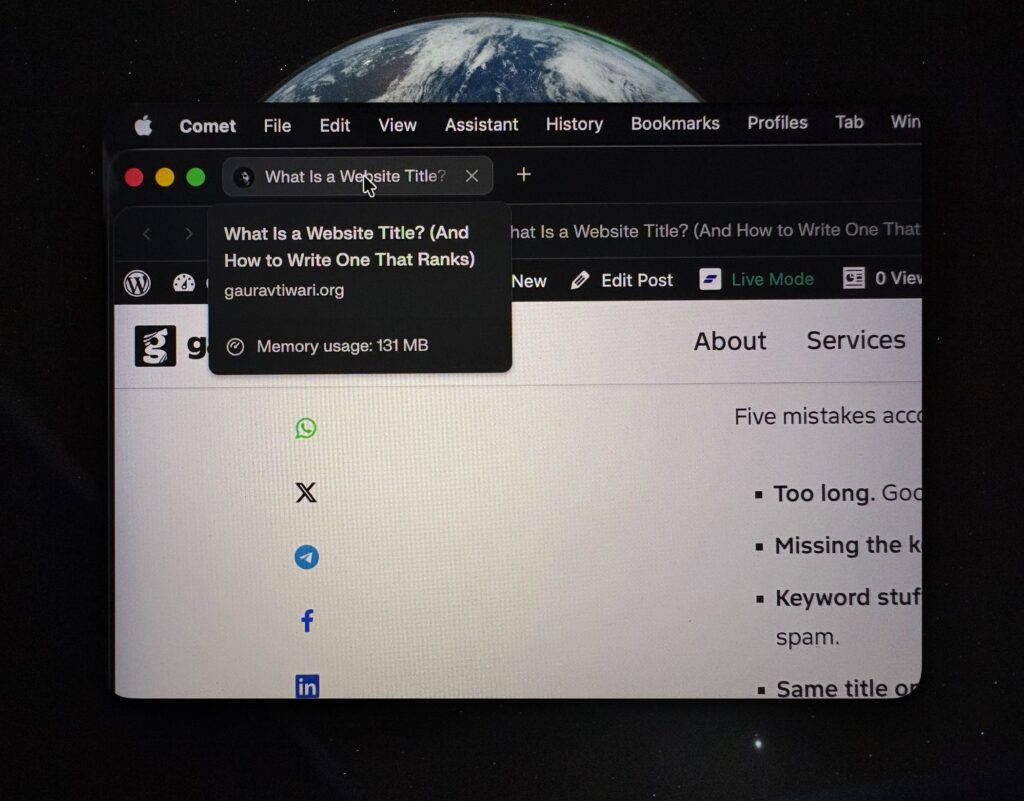
A website title is the text that appears in the browser tab, search engine results, and social media previews when someone shares your page. It is the single most important on-page SEO element and the first thing both Google and users see about your content.
Getting it wrong means fewer clicks, lower rankings, and missed traffic. Getting it right takes 60 seconds and makes every other SEO effort more effective.
What Is a Website Title?
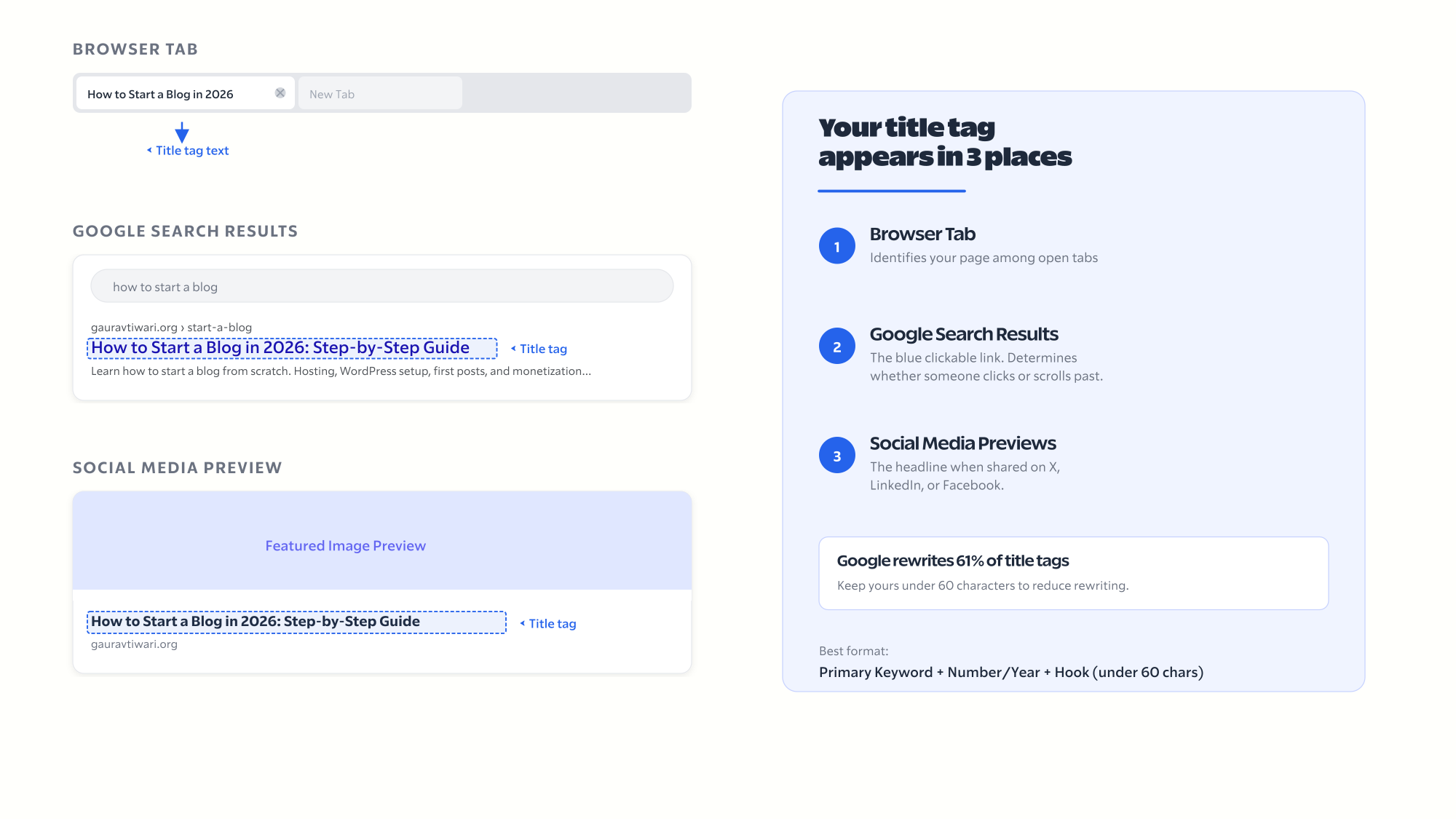
A website title (also called a title tag or page title) is defined in the HTML <title> element. It serves three functions:
- Browser tab. The text shown in the browser tab so users can identify your page among multiple open tabs.
- Search engine results. The blue clickable link in Google search results. This is the primary factor that determines whether someone clicks your result or scrolls past it.
- Social media previews. When someone shares your page on X, LinkedIn, or Facebook, the title appears as the headline in the preview card.
The title tag is NOT the same as the H1 heading on your page. The H1 is visible on the page itself. The title tag lives in the HTML <head> section and appears in browser tabs and search results. They can be identical, but many SEO-savvy publishers make them slightly different to target additional keywords.
Website Title vs H1 Heading: What Is the Difference?
The title tag appears in browser tabs and Google search results. The H1 heading appears on the page itself. They live in different parts of the HTML and serve different purposes, though they can contain the same text.
| Feature | Title Tag | H1 Heading |
|---|---|---|
| Where it appears | Browser tab, search results, social shares | On the page itself |
| HTML location | <head> section | <body> section |
| Length limit | 50-60 characters (Google truncates after ~60) | No hard limit |
| SEO impact | Highest on-page ranking factor | Second highest heading signal |
In WordPress, SEO plugins like Rank Math and Yoast let you set the title tag separately from the post title. The post title becomes the H1 by default. The SEO title field becomes the title tag.
How to Write a Website Title That Ranks and Gets Clicks
A high-performing title tag puts the primary keyword near the front, stays under 60 characters, and gives the searcher a reason to click over every other result. Five rules cover 90% of website title copywriting of what you need.
1. Put the primary keyword first. Google gives more weight to words at the beginning. “Best WordPress Hosting: 8 Tested” beats “I Tested 8 Providers to Find the Best WordPress Hosting.”
2. Keep it under 60 characters. Google truncates titles longer than ~60 characters. Check length in Rank Math before publishing.
Even with a perfect title, Google rewrites roughly 61% of them according to a Zyppy study of 80,959 title tags. Titles under 60 characters that closely match the page H1 have the highest chance of being kept as-is.
3. Include a number or year when relevant. “12 Best Chrome Extensions for Bloggers in 2026” gets more clicks than “Best Chrome Extensions for Bloggers.”
4. Add a power word. Words like “tested,” “honest,” “real,” “proven,” “free,” and “complete” increase click-through rates.
5. Make it unique on your site. Every page needs a different title tag. Duplicate titles confuse Google. Check for duplicates in Google Search Console.
Website Title Examples That Work
The best titles follow a pattern: keyword up front, specific number or year, and a hook that promises value. Here are examples by page type.
- Blog posts: “How to Start a Blog in 2026: Step-by-Step Guide” | “FlyingPress Review: I Ditched WP Rocket After 10 Years” | “18 Best SEO Tools That Experts Use“
- Homepage: “Gaurav Tiwari – WordPress Developer, Educator, Entrepreneur” | “Acme Design Studio | Web Design for Small Businesses”
- Service pages: “WordPress Speed Optimization Services | Gaurav Tiwari” | “GeneratePress Premium: Fastest WordPress Theme ($59/yr)”
Common Website Title Mistakes
Five mistakes account for most title tag problems. Every one costs you clicks.
- Too long. Google truncates after ~60 characters. Check character count before publishing.
- Missing the keyword. If targeting “best wordpress hosting,” those words need to be in the title.
- Keyword stuffing. “Best WordPress Hosting | Top WordPress Host | WordPress Hosting 2026” is spam.
- Same title on every page. Every page needs a unique title.
- No reason to click. “WordPress Hosting” is a keyword, not a title. Add context.
- Not proper research. Better titles get more visitors – and you cannot afford to just casually write those. You need have proper research and must use the right keywords.
How to Change Your Website Title in WordPress
WordPress gives you three places to set your title: the post editor (sets H1 and default title tag), an SEO plugin like Rank Math (overrides just the title tag), and Settings > General (homepage title).
- Post/page editor: The post title becomes H1 and default title tag.
- SEO plugin (recommended): Rank Math/Yoast add an “SEO Title” field that overrides the default title tag without changing the H1.
- Site-wide title: Settings > General controls the homepage title and tagline.
I change title tags on client sites weekly. The most common mistake I see is titles over 70 characters that get truncated in search results, losing the keyword entirely. After changing a title, use URL Inspection in Google Search Console to request re-indexing.
Frequently Asked Questions
What is a website title?
A website title (title tag) is the text in the browser tab, Google search results, and social media previews. Defined in the HTML <title> element, it is the most important on-page SEO factor.
How long should a website title be?
50-60 characters. Google truncates after ~60 characters. Front-load the keyword in the first 50 characters.
What is the difference between a title tag and H1?
Title tag appears in browser tabs and search results (HTML <head>). H1 appears on the page (HTML <body>). They can differ. SEO plugins let you set both independently.
Does Google always use my title tag?
No. Google rewrites about 60% of title tags. Writing an accurate, keyword-rich title under 60 characters reduces the chance of rewriting.
How do I change my website title in WordPress?
Use your SEO plugin (Rank Math or Yoast) to set the SEO Title field. For the homepage, edit in the plugin’s global settings or Settings > General.
Can title tag and H1 be different?
Yes. Use a shorter keyword-focused title tag for search results and a longer descriptive H1 on the page.
What makes a good website title for SEO?
Primary keyword near the beginning, under 60 characters, unique across your site, and a reason to click (number, year, power word).