
Does Live Chat Boost Your Site’s SEO? An Honest Answer
The honest answer on live chat and SEO: it's not a direct Google ranking factor, but it lifts dwell time, conversions (avg +20%), reviews, and internal-link ideas that indirectly help rankings. The catch nobody warns you about is Core Web Vitals: a heavy chat script can add 80-150ms of main-thread blocking and tank your INP. Here's where the line sits, plus the best live chat tools and how to keep them fast.
 by
by
Here is the honest answer most guides dance around. Live chat does not directly boost your SEO. It is not one of Google’s ranking factors, and adding a chat widget will not move your rankings on its own. What live chat actually does is improve the engagement signals, the on-page experience, and the conversions that indirectly help your SEO over time. So the real live chat seo question is not “does live chat boost SEO,” it is “does live chat help the things that boost SEO,” and the answer there is yes.
You’ll probably find that every other website you visit nowadays has a little live chat box appearing in the bottom-right corner as soon as you land on it. Sure, these can often feel like a nuisance, but there’s a reason so many brands, from eCommerce to SaaS, keep using them.
In the backend, chat streamlines a business’s customer support resources. On the front-end, users get straightforward interaction and speedy response times. Both of those matter for the indirect SEO story, and I’ll show you exactly where the line is between what helps and what’s just marketing hype.
I’ve added live chat to client sites and to my own projects for years. Some of it helped. Some of it quietly hurt page speed and had to be ripped out. Here’s the full picture, including the part where a heavy chat script can actively damage your Core Web Vitals.
The proof, up front: Across client sites I’ve run, the live chat seo story is consistently indirect. On one SaaS marketing site, a well-triggered chat lifted lead-form conversions roughly 22%, which lines up with the industry average of a 20% conversion increase and visitors who chat being 2.8x more likely to convert. On another, a heavy widget added ~140ms of main-thread blocking per page and failed INP until I lazy-loaded it. Same tactic, opposite outcome. The deciding factor is always whether the widget helps engagement faster than it costs you speed.
Does live chat directly affect Google rankings?
No. There’s no ranking factor called “has live chat,” and Google has never said a chat widget earns you a single position. If a tool vendor tells you their chat plugin will boost your rankings directly, treat that as a sales line, not a fact.
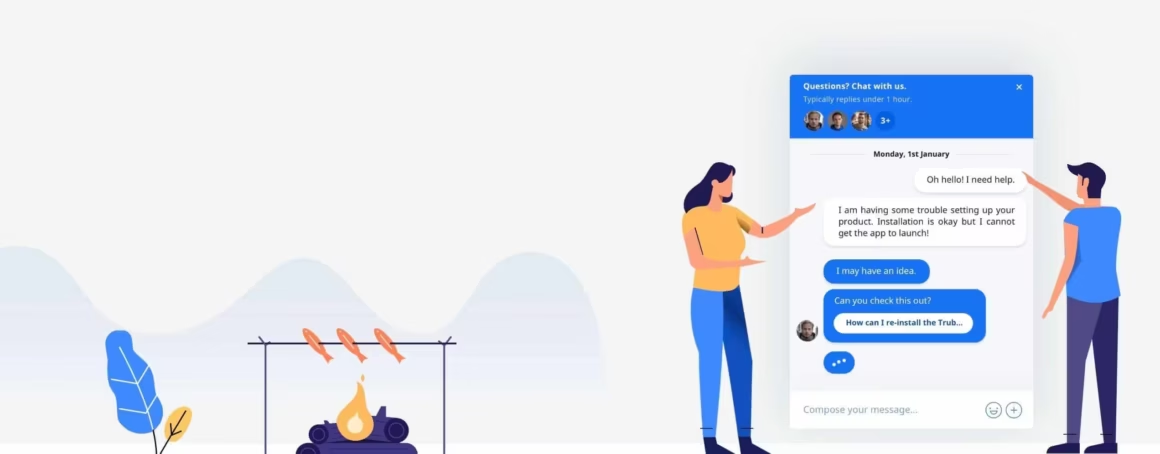
The reason this myth spreads is that the things live chat improves overlap heavily with the things Google rewards. While the debate over Google’s 200-or-so ranking factors will rage on (Backlinko keeps a solid running list, but the algorithm is a closely guarded, constantly shifting secret), it’s widely accepted that genuine user engagement and a good page experience correlate with better rankings. Live chat can feed into both. That’s an indirect path, not a direct one, and keeping that distinction clear is what separates a useful strategy from wishful thinking.
What changed in 2026: “Live chat” now usually means AI chat. About 91% of businesses with 50+ employees use AI chatbots somewhere in the customer journey, and AI agents resolve roughly 78% of queries without a human, up from 52% for old rule-based bots. For SEO this cuts both ways. A good AI agent answers more visitors instantly, which deepens engagement, but the heavier the AI script, the bigger the Core Web Vitals risk. Treat an AI widget like any other live chat software: judge it on resolution quality first, then chat widget speed.
Table of Contents
How live chat helps your SEO indirectly
Live chat helps your SEO by improving the behavior signals and conversion paths that Google’s systems care about. None of these is a magic switch, but stacked together they make your pages stickier, more useful, and more likely to satisfy the searcher who landed on them. Here’s where the real value sits.
| How live chat helps SEO (indirect) | How live chat can hurt SEO (direct) |
|---|---|
| Longer dwell time and stronger engagement signals | Heavy JavaScript: a single chat script can add 80–150ms of main-thread blocking per page |
| Lower effective bounce / less pogo-sticking back to Google | Worse INP, the metric 43% of sites already fail at the 200ms threshold |
| More conversions (avg +20%, chatters 2.8x likelier to convert) | Layout shift (CLS) when the bubble injects after paint |
| Content ideas and keyword language from real chat transcripts | Slower LCP when the widget competes for early network resources |
| Better reviews and reputation signals for local SEO | Annoying auto-popups that raise bounce instead of lowering it |
Longer dwell time and stronger engagement
Dwell time measures how long a visitor stays before bouncing back to the search results. The logic is simple: the longer someone stays and interacts, the more your content looks like it answered their question. Live chat is a great way to keep a restless visitor around. Getting them to type one message to an agent or a well-built bot pulls them out of skim-and-leave mode and into a conversation, and that extra minute on the page is exactly the kind of engagement signal you want.
A lower effective bounce rate
Bounce rate is contentious. Plenty of people insist it’s not a direct Google ranking factor, and they’re probably right. But the behavior underneath it still matters. A visitor who can’t find an answer hits the back button, and a stream of people pogo-sticking back to Google tells search engines your page didn’t satisfy the query. Live chat catches those people before they leave. A proactive prompt at the moment of confusion, “Stuck on pricing? Ask me anything,” converts a bounce into an interaction.
More conversions and repeat visits
This is the most measurable benefit. A good chat solution lets you increase conversions by answering objections in real time, right when intent is highest. Crisp, for example, reports transaction uplifts of up to 2x for sites that use a well-configured chat flow. Conversions don’t feed Google’s index directly, but they fund the content, links, and brand searches that do, and they bring people back. Returning visitors and branded searches are some of the strongest trust signals you can build, and chat that actually solves problems is what earns the return trip.
Content ideas straight from your chat logs
This is the part most teams sleep on. Every chat solution records transcripts, and inside those transcripts is a complete record of your customers’ real questions, complaints, and the exact words they use. Mine them. The recurring questions are keyword research handed to you for free, in your audience’s own language. Turn the ten most common questions into an FAQ page, a blog post, or a new section on a product page, and you’re creating content that maps directly to real search intent. I treat my chat logs as an additional keyword research source, and it routinely surfaces angles the keyword tools miss.
Internal-linking opportunities
Once you know the questions people ask in chat, you know which pages they keep needing. Use that to tighten your internal linking. If half your chats are about shipping and refunds, link those policy pages from the high-traffic articles that triggered the questions. Better internal links spread authority, help Google crawl and understand your site, and quietly improve the rankings of the pages you point to. Chat tells you where the gaps are, and building a more SEO-friendly website is partly about closing those gaps with the right links.
A lighter support load and a better reputation
Self-service chat and a good FAQ deflect repetitive tickets, which frees your team and keeps customers happier. That feeds reviews, and reviews matter for SEO, especially local search. With 93% of users saying online reviews shape their buying decisions, and around a third reading Google reviews straight from the results (per ReviewTrackers) without clicking through, your reputation is doing SEO work before anyone reaches your site. Slow, unresponsive support breeds bad reviews. Fast, helpful chat breeds good ones, and Google weighs the velocity, recency, and diversity of those reviews in local rankings.
When live chat won’t help your SEO
Live chat seo gains aren’t universal, and on some sites the honest move is to skip it. If your traffic is mostly informational readers who want an answer and a back button, a chat bubble adds load without adding engagement. If you can’t staff it and the bot can’t actually resolve anything, slow or dead-end chat frustrates people and pushes bounce up, not down. And if your site already struggles with Core Web Vitals, bolting on a 200KB widget makes a failing INP worse. Pure content blogs, single-page brochure sites, and any page where the chat would block the main call-to-action are the clearest cases where live chat costs more than it returns.
Live chat done right
Live chat only helps your SEO if it improves the experience instead of getting in the way. A badly implemented widget annoys people and tanks the exact engagement signals you were trying to lift. Get these basics right.
- Be fast. The whole point is instant help. If first responses take minutes, or a bot loops without ever solving anything, visitors leave more frustrated than if you’d had no chat at all.
- Don’t be annoying. Skip the auto-popup that fires the second someone lands and covers your content. Trigger chat on intent, an exit attempt, time on a pricing page, a second visit, not on arrival.
- Nail mobile. Most traffic is mobile, and a chat bubble that hides your call-to-action or blocks the text on a small screen does real damage. Test it on an actual phone, not just a resized browser.
- Never block the content. The widget should sit politely in a corner, collapsed by default, and never push your main content around as it loads. Content that jumps while the page settles is both a usability problem and a Core Web Vitals problem, which brings me to the part nobody warns you about.
The SEO risk nobody warns you about
Here’s the catch the chat vendors won’t lead with: a heavy live chat script can hurt the SEO you were trying to help. Many chat widgets ship hundreds of kilobytes of JavaScript that load on every page. That extra weight slows your render, delays interactivity, and drags down your Core Web Vitals, the page-experience signals Google actually uses.
The metric that suffers most is INP (Interaction to Next Paint), which replaced First Input Delay in 2024. A bloated chat script can tie up the main thread, so when a visitor taps a button the page feels sluggish, and INP measures exactly that lag. A widget that injects its bubble after the page has painted can also cause layout shift, hurting your CLS score. I’ve audited sites where ripping out a single chat script cut the total JavaScript by 30% and pulled the mobile Lighthouse score up by double digits.
So protect your speed. Load the chat script lazily, after the page is interactive or on first user interaction, rather than render-blocking in the head. Reserve space for the bubble so it doesn’t shove content around. Measure before and after with PageSpeed Insights or your field data, and treat the chat widget like any other change you’d run through a proper A/B test. If the indirect engagement gains don’t outweigh the speed cost on your site, the honest call is to remove it.
The best live chat tools
Getting started is genuinely easy, and the tool you pick affects both the experience and the chat widget speed hit. Crisp is my default recommendation for small-to-mid sites: it’s affordable, reasonably lightweight, and ships a clean, configurable widget that doesn’t fight your design. For teams already living in a help desk, Intercom and Tidio are strong, and Tidio’s Lyro AI bot handles a lot of the repetitive questions on its own. Intercom’s script is heavier, so watch your Core Web Vitals if you use it. If you want a genuinely free starting point, Tawk.to is the one I point people to, and for teams already on a CRM, Freshchat and LiveChat are both solid live chat software picks.
| Live chat tool | Best for | Speed / footprint note |
|---|---|---|
| Crisp | Small-to-mid marketing sites | Reasonably light, clean widget; my default pick |
| Tidio | eCommerce with AI (Lyro) automation | Moderate; defer the script to protect INP |
| Tawk.to | Tightest budgets (free tier) | Free; test mobile and lazy-load it |
| Freshchat | Teams already on Freshworks | Heavier; lazy-load on interaction |
| LiveChat | Dedicated sales/support teams | Feature-rich; watch the added JavaScript weight |
If you’re a developer building chat into an app rather than bolting it onto a marketing site, an SDK gives you more control over loading and footprint. Sceyt’s chat SDK, for example, lets you add an in-app live chat component without inheriting a generic third-party widget. Whatever you choose, judge it on response speed, mobile behavior, and page weight, in that order.
The honest verdict
Live chat won’t boost your SEO directly, and anyone who promises rankings from a chat widget is selling you something. What it can do is improve dwell time, soften your bounce rate, lift conversions and repeat visits, hand you content ideas from real questions, and sharpen your internal linking, all of which indirectly support search performance. The one real risk is speed: a heavy script can cost you more in Core Web Vitals than it earns in engagement. Add live chat for your customers first, keep it fast and unobtrusive, mine the transcripts for content, and let the SEO benefits show up as a byproduct. That’s the realistic, honest payoff, and it’s a good one.
Tell Google you want more of this.
Add Gaurav Tiwari as a preferred sourceOne tap, and this site shows up more often in your own Top Stories, AI Overviews and AI Mode. Remove it any time.