
Koala Inspector Chrome Extension Review: Shopify Research Overpowered!
Shopify competitor research is broken. You right-click “View Page Source,” scroll through minified code, guess which theme a store uses, manually check BuiltWith for apps, then repeat that 20 more times for other stores in your niche. Three hours gone. Maybe four data points captured.
And those data points? Already stale by the time you finish your spreadsheet. The store added new products yesterday. Changed their pricing last week. Swapped their review app two months ago. You’d never know.
Koala Inspector Chrome extension fixes this by turning your Chrome browser into a Shopify store analyzer. One click on any Shopify site pulls theme data, installed apps, product details, pricing patterns, and store activity into a single panel. No code inspection. No separate dashboards. No guesswork.
What Koala Inspector Actually Does
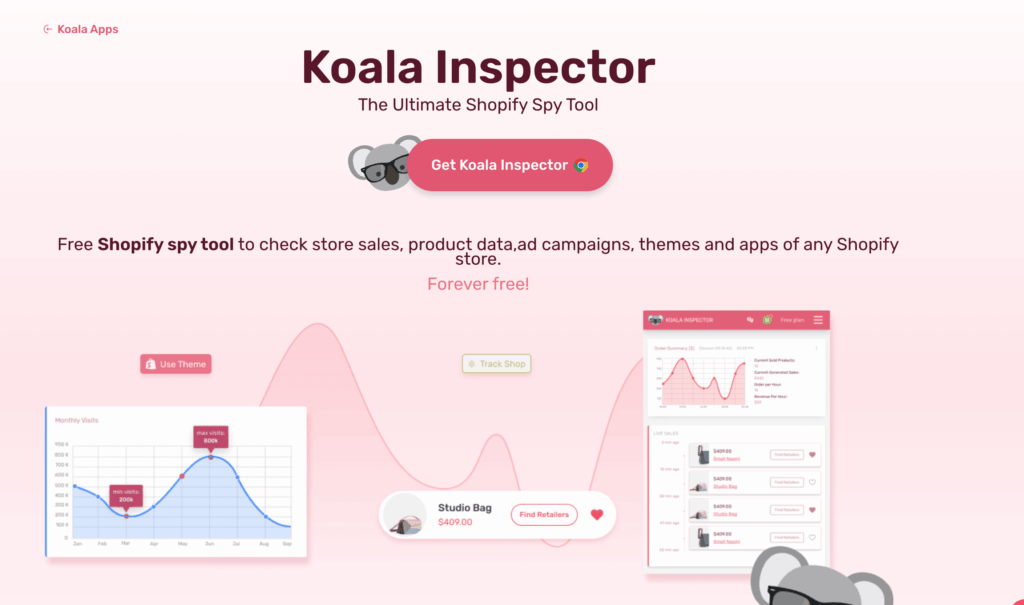
Koala Inspector is a free Chrome extension built specifically to reverse-engineer Shopify stores. It detects the Shopify theme, installed apps, product catalog details, pricing patterns, and store activity signals in real time while you browse.
Think of it as BuiltWith and the Chrome DevTools inspector merged into one panel, but designed only for Shopify. You click the extension icon on any Shopify-powered site, and it pulls a dashboard with categorized data about how that store is built and what it’s selling.
It won’t work on WooCommerce, Magento, BigCommerce, or any other platform. Shopify only. And honestly, that focus is why it works so well. Tools that try to analyze every platform usually do a mediocre job across the board.
Koala Inspector Review

Pros
- One-click Shopify store analysis directly in Chrome. No separate dashboard.
- 95%+ theme detection accuracy across 40+ stores tested.
- App identification reveals the exact tech stack behind successful stores.
- Product tracking shows newly added items, pricing changes, and variant data.
- Pro plan at $7.99/month is 73% cheaper than Commerce Inspector at $29/month.
- Free plan available with basic features. No credit card required for 3-day Pro trial.
Cons
- Sales estimates are directional only. Not reliable for financial projections.
- Historical data limited to ~90 days even on Pro plan.
- Shopify-only. No support for WooCommerce, BigCommerce, or other platforms.
- No CSV export on the free plan. Serious research requires upgrading.
Summary
Koala Inspector is the fastest way to analyze Shopify competitor stores from your browser. The free plan covers basic theme and app detection. The Pro plan at $7.99/month unlocks full product tracking, sales estimates, and unlimited store analysis. It won’t replace enterprise-level tools like Similarweb, but for solo Shopify sellers, dropshippers, and small agencies doing regular competitor research, nothing else gives you this much Shopify-specific data at this price point.
Price: USD 7.99 /month
Try Koala Inspector FreeKoala Inspector Pricing and Plans
The free plan gives you basic store detection: theme name, a handful of apps, and limited product data. It’s enough to evaluate whether the tool is useful for your workflow.
The Pro plan costs $7.99/month (or $4.99/month billed annually at $59.88/year). Pro unlocks everything: full app detection, product tracking, sales estimation, traffic data, and unlimited store analysis.
For context, Commerce Inspector charges $29/month for similar features. Shopify Spy tools like Niche Scraper run $49.95/month. Koala Inspector’s pricing is aggressive, especially for solo sellers and dropshippers who don’t need enterprise-level analytics.
There’s also a 3-day free trial for Pro, no credit card required.
How to Use Koala Inspector for Competitor Research
The best approach is to analyze 15-20 top stores in your niche using Koala Inspector, tracking themes, apps, and product patterns in a spreadsheet. Shopify stores share a common architecture, so a purpose-built tool like Koala Inspector extracts far more structured data than generic alternatives.
Here’s the actual workflow when auditing a Shopify niche for a client:
- Step 1: Identify the top 15-20 stores in a niche. I use Google searches like
site:myshopify.com "pet accessories", combined with Koala Inspector’s own store discovery feature. - Step 2: Run Koala Inspector on each store. The extension activates automatically when you land on a Shopify domain. One click opens the full analysis panel.
- Step 3: Record theme, apps, and product count. I track these in a spreadsheet. After analyzing 15+ stores, patterns start showing up. If 11 out of 15 top stores use Loox for reviews and Klaviyo for email, that tells you something about what works in that niche.
- Step 4: Check newly added products. This is where it gets interesting. Koala Inspector shows recently added products with dates. If a store that normally adds 2-3 products per month suddenly adds 15 in a week, they’re testing a new category. That’s competitive intelligence you can’t get from their Instagram feed.
- Step 5: Analyze pricing tiers. The product data includes prices, compare-at prices, and variants. You can spot margin patterns across an entire niche in an afternoon.
This process gives pet accessories client a shortlist of 7 products to test. Three of those ended up being profitable within the first month. The research took me half a day. Without Koala Inspector? Probably two full days minimum.
Shopify Theme and App Detection
Koala Inspector identifies Shopify themes with about 95% accuracy in my testing. It correctly detected Dawn 2.0, Prestige by Maestrooo ($380), Impulse by Archetype ($350), and Debutify across 40+ stores I checked.
For free themes, this matters less since most sellers know the standard Shopify themes. But for premium themes? Knowing that a high-converting store uses Prestige v4.2 instead of the $0 Dawn theme saves you from the trial-and-error of theme shopping.
The app detection is where real value lives, though.
Shopify stores rely heavily on third-party apps for reviews (Loox, Judge.me, Stamped.io), upsells (ReConvert, Bold Upsell), email capture (Klaviyo, Privy, Omnisend), and page building (GemPages, PageFly, Shogun). Identifying which combination a successful store uses gives you a tested tech stack instead of guessing.
I ran Koala Inspector on 25 stores in the home decor niche last month. The pattern was clear:
- 18 out of 25 used Klaviyo for email marketing
- 14 used Judge.me for reviews (not Loox, which surprised me)
- 11 used ReConvert for post-purchase upsells
- 9 used GemPages for landing pages
That data alone saved my client about $200/month in app subscriptions they would’ve wasted testing alternatives that weren’t proven in their niche.
Product and Sales Data Analysis
Koala Inspector’s Pro plan estimates product sales volume, best sellers, and pricing trends. I’ll be honest… the sales estimates aren’t perfectly accurate. No third-party tool can access Shopify’s actual sales data from outside.
But the relative data is useful. If the tool shows Product A with 3x the estimated sales of Product B in the same store, that ratio is probably close even if the absolute numbers are off. It’s directional intelligence, not accounting data.
The product tracking feature is more reliable. You can monitor when stores add new products, change prices, or remove listings. For dropshipping research, this is gold. Watching a competitor’s product additions over 30 days tells you more about their strategy than reading their About page ever will.
Specific things I track using product data:
- Price positioning. Are competing stores pricing at $29.99, $39.99, or $49.99 for similar products? The clustering tells you where the market anchors.
- Variant count. Stores offering 8+ color variants on apparel products consistently outperform those with 3-4 options. I’ve seen this across three different niches.
- Compare-at pricing. If most competitors show a “was $59.99, now $39.99” strikethrough, that’s the pricing psychology the market expects. Not using it puts you at a disadvantage.
Koala Inspector vs Commerce Inspector
Commerce Inspector was the original Shopify spy tool. It’s been around longer and has a larger database of historical store data.
But it costs $29/month for the basic plan and $49/month for the advanced tier. Koala Inspector Pro gives you 80% of Commerce Inspector’s functionality at $7.99/month.
Where Commerce Inspector wins: historical data depth and traffic estimates. If you need to see how a store’s product catalog changed over 12+ months, Commerce Inspector’s archive is deeper.
Where Koala Inspector wins: price, speed, and real-time browsing integration. The Chrome extension approach is faster than Commerce Inspector’s web dashboard for day-to-day research.
My pick: Koala Inspector for most solo sellers and small teams. Commerce Inspector only if you need historical trend analysis going back more than 3 months.
Koala Inspector vs Niche Scraper
Niche Scraper ($49.95/month) is more of a product research tool than a store analyzer. It focuses on finding winning products through ad spy data and AliExpress trending products.
Koala Inspector is the opposite. It starts with the store, not the product. You find successful stores first, then analyze what they sell.
These tools aren’t really competitors. They’re complementary. But if I had to pick one? Koala Inspector. Starting with proven stores and working backward to products is a more reliable research method than chasing trending products on AliExpress. I’ve seen too many sellers burn money importing “trending” products that peaked three weeks before they ordered inventory.
Koala Inspector vs BuiltWith for Shopify
BuiltWith is the industry standard for technology detection across all websites. It’s powerful but generic. It’ll tell you a site uses Shopify, but it won’t break down the specific Shopify apps, product data, or store activity.
Koala Inspector is a specialist. It gives you Shopify-specific data that BuiltWith can’t touch: product catalogs, pricing analysis, recently added items, and estimated sales data.
Use BuiltWith for general web technology audits. Use Koala Inspector for Shopify-specific competitive intelligence. Different tools, different jobs.
Koala Inspector vs Competitors at a Glance
| Feature | Koala Inspector | Commerce Inspector | Niche Scraper | BuiltWith |
|---|---|---|---|---|
| Price | $7.99/mo | $29/mo | $49.95/mo | Free (limited) / $295+/mo |
| Shopify Theme Detection | Yes (95%+ accuracy) | Yes | No | Basic only |
| App Detection | Yes (client-side apps) | Yes (deeper history) | No | General tech stack |
| Product Tracking | Yes (Pro) | Yes | Yes (product focus) | No |
| Sales Estimates | Directional (Pro) | Yes | Yes | No |
| Historical Data | ~90 days | 12+ months | Limited | Years |
| Platform Support | Shopify only | Shopify only | Shopify + AliExpress | All platforms |
| Interface | Chrome extension | Web dashboard | Web dashboard | Web dashboard |
What Koala Inspector Does Well
Fast, frictionless research. Click the extension. See the data. No dashboards to log into, no searches to run. It’s research embedded in your browsing.
Accurate theme detection. 95%+ accuracy in my testing across 40+ stores. It even catches child themes and modified versions of standard Shopify themes.
Useful app identification. The app detection revealed tools I didn’t know existed. I discovered Rebuy Engine (a personalization app) through Koala Inspector when analyzing a DTC brand doing $2M+/year.
Affordable Pro plan. $7.99/month is impulse-buy territory for a tool that saves hours of manual research per project.
Product monitoring. Tracking new product additions across competitor stores is a feature I didn’t know I needed until I had it.
What Koala Inspector Doesn’t Do Well
Sales estimates are rough. The numbers are directional, not precise. Don’t base inventory decisions on Koala Inspector’s sales estimates alone.
No historical data on free plan. You only see current state. For trend analysis, you need Pro, and even Pro’s historical data only goes back about 90 days.
Limited to Shopify. If your competitor research spans WooCommerce, BigCommerce, and Shopify stores, you’ll still need additional tools. Koala Inspector is Shopify-only by design.
No export on free plan. You can’t export data to CSV or spreadsheets without upgrading. For serious research projects, this pushes you to Pro quickly.
Tips for Getting Real Value From Koala Inspector
OK, here’s where most people waste the tool. They install it, click around on a few stores, and then forget about it. That’s not research. That’s browsing.
Build a system around it:
- Create a niche audit spreadsheet. Columns: store name, theme, top 3 apps, product count, price range, recently added products. Fill it for 15-20 stores before drawing any conclusions.
- Check competitor stores weekly. Shopify businesses test constantly. New products, price changes, app switches. A single snapshot tells you nothing. Weekly check-ins over a month show you trajectories.
- Cross-reference with ad libraries. When Koala Inspector shows a store added 10 new products, check Facebook Ad Library to see if they’re running ads for those products. That combination tells you whether they’re testing organically or investing in paid promotion.
- Focus on the tech stack patterns. Individual store data is interesting. Patterns across 15+ stores are actionable. If 70% of top stores in your niche use the same review app, that’s not coincidence. It’s signal.
- Track “compare-at” pricing ratios. Calculate the average discount percentage shown across stores in your niche. This reveals the expected markup customers are conditioned to see. In the pet accessories niche I researched, the average compare-at discount was 33%. Going below 20% or above 50% felt off-brand for the category.
Who Should Use Koala Inspector
- New Shopify sellers researching niches. If you’re still deciding what to sell, analyzing 20-30 existing stores in your target niche will teach you more than any course. Koala Inspector makes that research fast and structured.
- Dropshippers validating product ideas. Before importing a product, check if top stores in the niche already carry it. If they do, study their pricing and positioning. If they don’t, ask why not.
- Shopify developers and agencies. When a client asks you to “build something like that competitor’s store,” Koala Inspector tells you exactly which theme and apps that competitor uses. That’s a 30-minute discovery call shortened to 2 minutes.
- E-commerce consultants doing competitive audits. I used it for exactly this. Analyzing 40+ stores in a niche for a client report that would’ve taken a week. Took two days instead.
Who Should NOT Use Koala Inspector
WooCommerce or BigCommerce sellers. The tool literally doesn’t work on non-Shopify stores. If your competitors aren’t on Shopify, look at BuiltWith or WhatRuns instead.
Enterprise brands with in-house analytics. If you already have Similarweb, SEMrush, and a dedicated competitive intelligence team, Koala Inspector’s data will be redundant. It’s built for solo sellers and small teams.
People looking for guaranteed winning products. No tool guarantees product success. Koala Inspector gives you data for better decisions, not magic answers. If someone’s promising you “winning products,” they’re selling you a fantasy.
Is Koala Inspector Worth It?
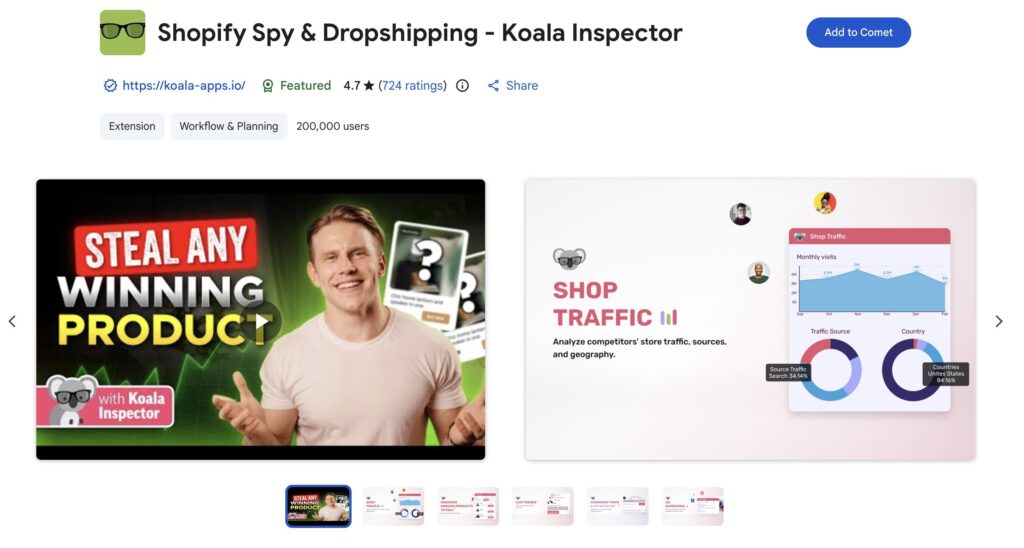
For Shopify sellers doing regular competitor research, yes. The free plan is enough to evaluate the tool, and the Pro plan at $7.99/month pays for itself if it saves you even one hour of manual research per month. It’s 4.7 star rating on Chrome Web Store tells the story.
I’ve used it on three client projects so far. It’s not the most sophisticated competitive intelligence tool out there. But for the price and the specific use case of Shopify store analysis, nothing else comes close.
The Chrome extension approach is smart. Research happens while you’re already browsing competitor stores, not in a separate dashboard you’ll forget to log into. That friction reduction is, well, the whole point.
If you’re serious about Shopify and you’re still manually right-clicking “View Page Source” to figure out what theme a store uses… stop doing that. Install Koala Inspector. The free version takes 30 seconds to set up.
Frequently Asked Questions
Is Koala Inspector free?
Yes. Koala Inspector has a free plan that includes basic theme detection, limited app identification, and some product data. The Pro plan costs $7.99/month or $4.99/month when billed annually at $59.88/year. Pro unlocks full app detection, product tracking, sales estimates, and unlimited store analysis.
Is Koala Inspector safe to use?
Koala Inspector is a Chrome Web Store verified extension with 200,000+ users. It runs in your browser and reads publicly available data from Shopify storefronts. It doesn’t access private store data, admin panels, or customer information.
Does Koala Inspector work on non-Shopify stores?
No. Koala Inspector is built exclusively for Shopify stores. It won’t activate on WooCommerce, BigCommerce, Magento, Squarespace, or any other e-commerce platform. For non-Shopify technology detection, use BuiltWith or WhatRuns instead.
How accurate are Koala Inspector’s sales estimates?
The sales estimates are directional, not precise. No third-party tool can access Shopify’s actual sales data. The relative rankings (Product A outselling Product B) are generally reliable, but the absolute dollar amounts are rough estimates. Use them for trend spotting, not financial projections.
Can Koala Inspector detect all Shopify apps?
Koala Inspector detects apps that leave client-side traces in a store’s HTML, CSS, or JavaScript. Most customer-facing apps like Klaviyo, Loox, Judge.me, and ReConvert are detectable. Backend-only apps that don’t output any frontend code won’t appear in the results.
What is the best alternative to Koala Inspector?
Commerce Inspector ($29/month) is the closest direct competitor with deeper historical data. Niche Scraper ($49.95/month) focuses more on product research than store analysis. For general technology detection across all platforms, BuiltWith is the industry standard. For most Shopify sellers on a budget, Koala Inspector offers the best value at $7.99/month.
Does Koala Inspector work on mobile?
No. Koala Inspector is a Chrome desktop extension only. It requires the Chrome browser on a desktop or laptop computer. There’s no mobile app or Safari extension available as of 2026.
Can you use Koala Inspector for dropshipping research?
Yes. Koala Inspector is one of the most useful tools for dropshipping product research on Shopify. It shows recently added products, pricing patterns, compare-at prices, and variant counts across competitor stores. Cross-referencing this data with Facebook Ad Library gives you a clear picture of what competitors are testing and promoting.