
How Secure Large File Transfer Protects Your Business from Data Breaches
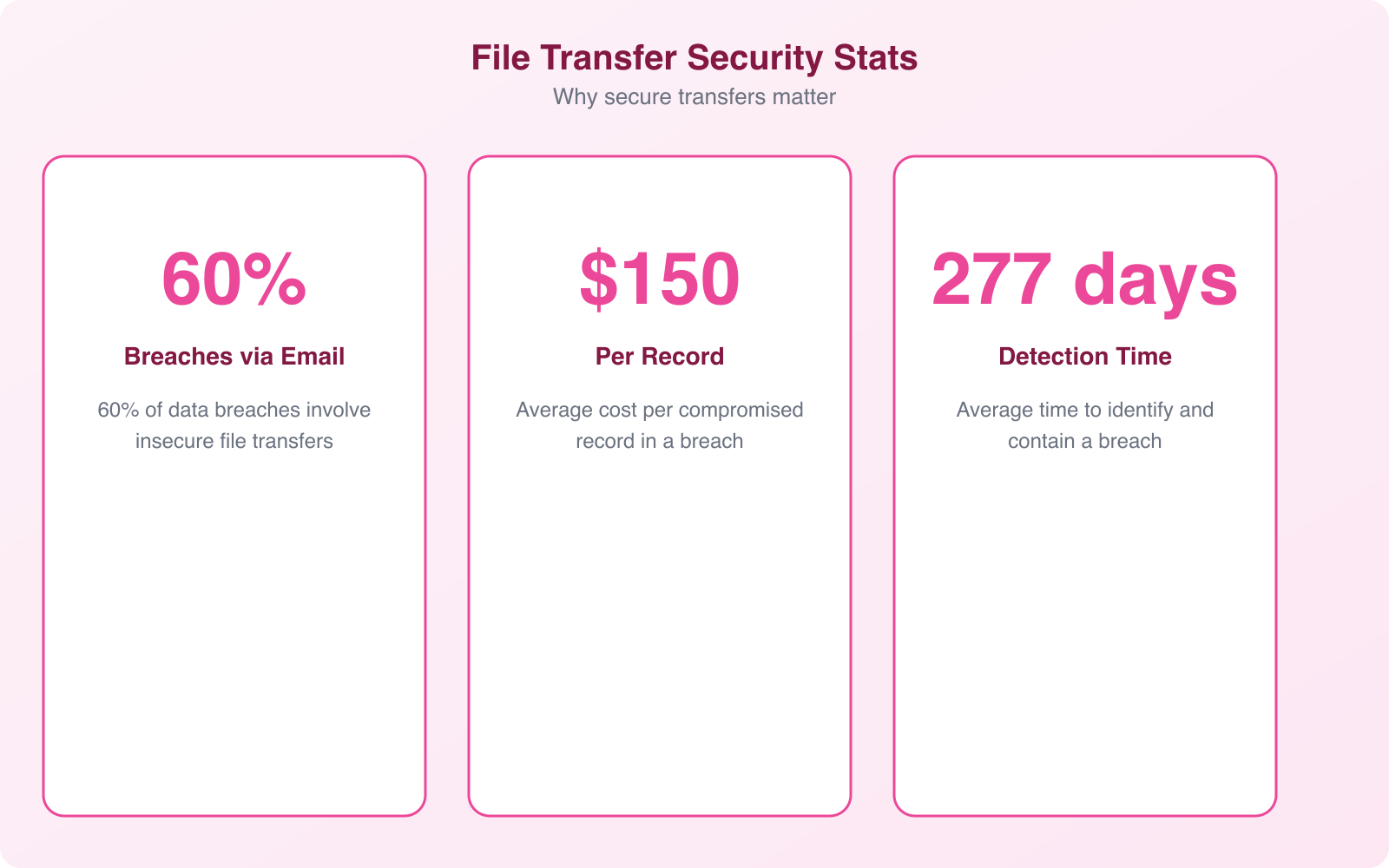
I’ve watched businesses lose six figures because someone emailed an unencrypted spreadsheet with customer payment data. It happens more often than you’d think. The average cost of a data breach hit $4.88 million in 2026, and a surprising number of those breaches trace back to one thing: insecure file transfers.
If your team still shares large files through email attachments, basic FTP, or consumer-grade cloud links, you’re running a risk you don’t need to take. Secure large file transfer isn’t just an IT upgrade. It’s a business decision that protects your revenue, your reputation, and your customers’ trust.
Why Traditional File Sharing Methods Fail
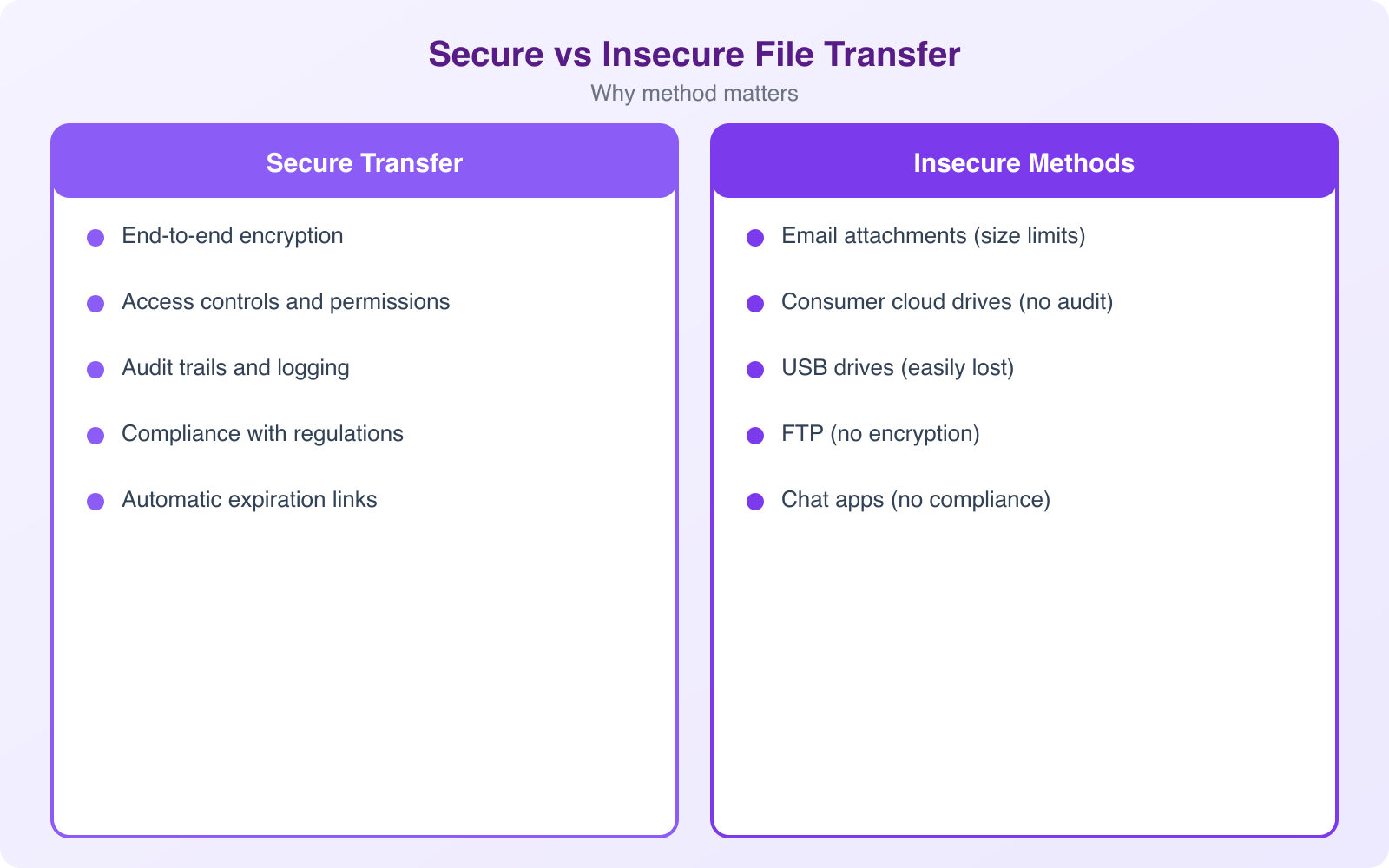
Let’s start with what most businesses actually do. They email files. They use FTP servers set up years ago. They share Dropbox or Google Drive links with “anyone with the link” permissions. Each of these methods has a fundamental flaw: they weren’t built to protect sensitive data at scale.
Email attachments cap out at 25 MB for most providers. But the bigger problem isn’t size. It’s that standard email transmits data in plaintext. Your financial reports, contracts, and customer records travel across the internet without encryption unless you’ve specifically configured it. That’s like mailing a check in a clear envelope.
FTP (File Transfer Protocol) dates back to 1971. The protocol transmits credentials and data unencrypted by default. Even FTPS (FTP over SSL) has known vulnerabilities with firewall traversal and certificate management. I’ve audited businesses still running FTP servers with default credentials. It’s more common than anyone wants to admit.
Consumer cloud storage fills the gap for convenience, but it introduces shadow IT problems. When employees share files through personal accounts, your IT team loses visibility. You can’t audit who accessed what, when, or from where. If an employee leaves the company, those shared links stay active unless someone remembers to revoke them.
The Real Cost of Data Breaches from Insecure Transfers
Data breaches aren’t abstract risks. They’re specific, measurable disasters. IBM’s Cost of a Data Breach Report puts the global average at $4.88 million per incident. But that number hides the full picture. Here’s what a breach actually costs:
- Direct financial loss. Investigation, forensics, notification costs, legal fees, and regulatory fines. GDPR fines alone can reach 4% of annual global revenue.
- Customer churn. Studies show 65% of consumers lose trust in a company after a breach. Winning them back costs 5x more than retaining them.
- Operational downtime. The average breach takes 277 days to identify and contain. That’s 9 months of compromised operations.
- Reputation damage. Negative press coverage, social media backlash, and long-term brand erosion don’t show up on the balance sheet but destroy future revenue.
- Competitive disadvantage. Customers and partners switch to competitors they perceive as more secure. Once lost, that trust rarely comes back.
- Employee impact. Morale drops, turnover increases, and recruiting becomes harder when your company is known for a security failure.
- Long-term sustainability. For small businesses, a single breach can mean permanent closure. 60% of small companies that suffer a cyberattack go out of business within 6 months.
The file transfer vector is particularly dangerous because it often involves your most sensitive data. Financial records, legal contracts, customer databases, intellectual property. These are the files that need the most protection, and they’re often the ones being shared through the least secure channels.
What Secure Large File Transfer Actually Means
Secure large file transfer isn’t a single product. It’s a category of solutions designed specifically to move sensitive data safely and efficiently. Unlike slapping an attachment onto an email, these platforms address the full lifecycle of file movement: encryption, authentication, transmission, storage, and audit.
The core difference is intent. Email was built for communication. FTP was built for basic file movement in trusted networks. Secure file transfer solutions were built from the ground up to protect data in hostile environments, which is exactly what the modern internet is.
End-to-End Encryption
The foundation of any secure file transfer is encryption, both in transit and at rest. In-transit encryption (using protocols like HTTPS, SFTP, or FTPS) protects files as they move between sender and receiver. At-rest encryption (typically AES-256) protects files stored on servers. Without both, you have gaps. A file encrypted during transfer but stored unencrypted on the server is still vulnerable. The best solutions handle both automatically, so your team doesn’t need to think about it.
Granular Access Controls
Not everyone in your organization needs access to every file. Secure transfer solutions let you set permissions by user, role, department, or even individual file. Combined with multi-factor authentication (MFA), this creates a system where even if someone’s password is compromised, they still can’t access protected files without the second verification step.
Complete Audit Trails
Every file transfer, download, view, and permission change gets logged. This isn’t just useful for security investigations after an incident. It’s essential for compliance with regulations like HIPAA, GDPR, SOX, and PCI DSS. When auditors ask “who accessed this file and when?”, you need a definitive answer.
Pro Tip: When evaluating secure file transfer solutions, ask specifically about their audit log retention policy. Some vendors only keep logs for 30 days by default. For compliance with HIPAA or GDPR, you’ll want at least 6 years of retention. Configure this before you start transferring sensitive files, not after an auditor asks for records you don’t have.
How Secure File Transfer Prevents Breaches
Understanding the features is one thing. Understanding how they actually stop breaches is what matters. Here’s the practical defense chain:
It blocks interception attacks. When files travel encrypted via SFTP or HTTPS, a man-in-the-middle attacker who intercepts the data stream sees nothing but random noise. Without the decryption key, the intercepted files are useless. This is the single biggest protection against network-level attacks, and it’s something basic email simply doesn’t provide.
It stops unauthorized access. MFA combined with role-based permissions creates defense in depth. An attacker needs to compromise both the password and the second factor, then also have the correct role assignment for the specific files they want. The probability of all three being breached simultaneously is orders of magnitude lower than password-only access.
It maintains data integrity. Checksum verification ensures that files haven’t been tampered with during transfer. If even a single bit changes between sending and receiving, the system flags it. This catches both malicious tampering and transmission errors that could corrupt critical documents.
It enables fast incident response. Detailed audit logs mean that if a breach does occur, your security team can immediately identify what was accessed, by whom, and when. This turns a potential months-long investigation into a days-long process. The faster you respond, the less damage spreads.
Compliance Requirements You Can’t Ignore
Secure file transfer isn’t optional for many industries. It’s a legal requirement. And the penalties for non-compliance are steep enough to close a business.
GDPR (General Data Protection Regulation) requires organizations handling EU citizen data to implement “appropriate technical measures” for data protection. Unencrypted file transfers violate this by default. Fines reach up to 20 million euros or 4% of annual global turnover, whichever is higher.
HIPAA (Health Insurance Portability and Accountability Act) mandates encryption for protected health information (PHI) in transit and at rest. Healthcare organizations, insurers, and their business associates all need compliant file transfer. Violations range from $100 to $50,000 per record, with annual maximums of $1.5 million per violation category.
PCI DSS (Payment Card Industry Data Security Standard) requires encryption of cardholder data across public networks. Any business that processes credit card payments needs compliant file transfer for handling transaction records, dispute documentation, and financial reporting.
SOX (Sarbanes-Oxley Act) requires publicly traded companies to maintain internal controls over financial reporting. Audit trails and access controls for financial document transfers are essential for SOX compliance.
The common thread across all these regulations is simple: if you’re transferring sensitive data, you need encryption, access controls, and audit logs. A proper secure file transfer solution delivers all three out of the box.
Key Features to Look For in a Secure Transfer Solution
Not all secure file transfer platforms are equal. After evaluating dozens of solutions for client projects, here’s what actually matters versus what’s marketing fluff:
Non-Negotiable Features
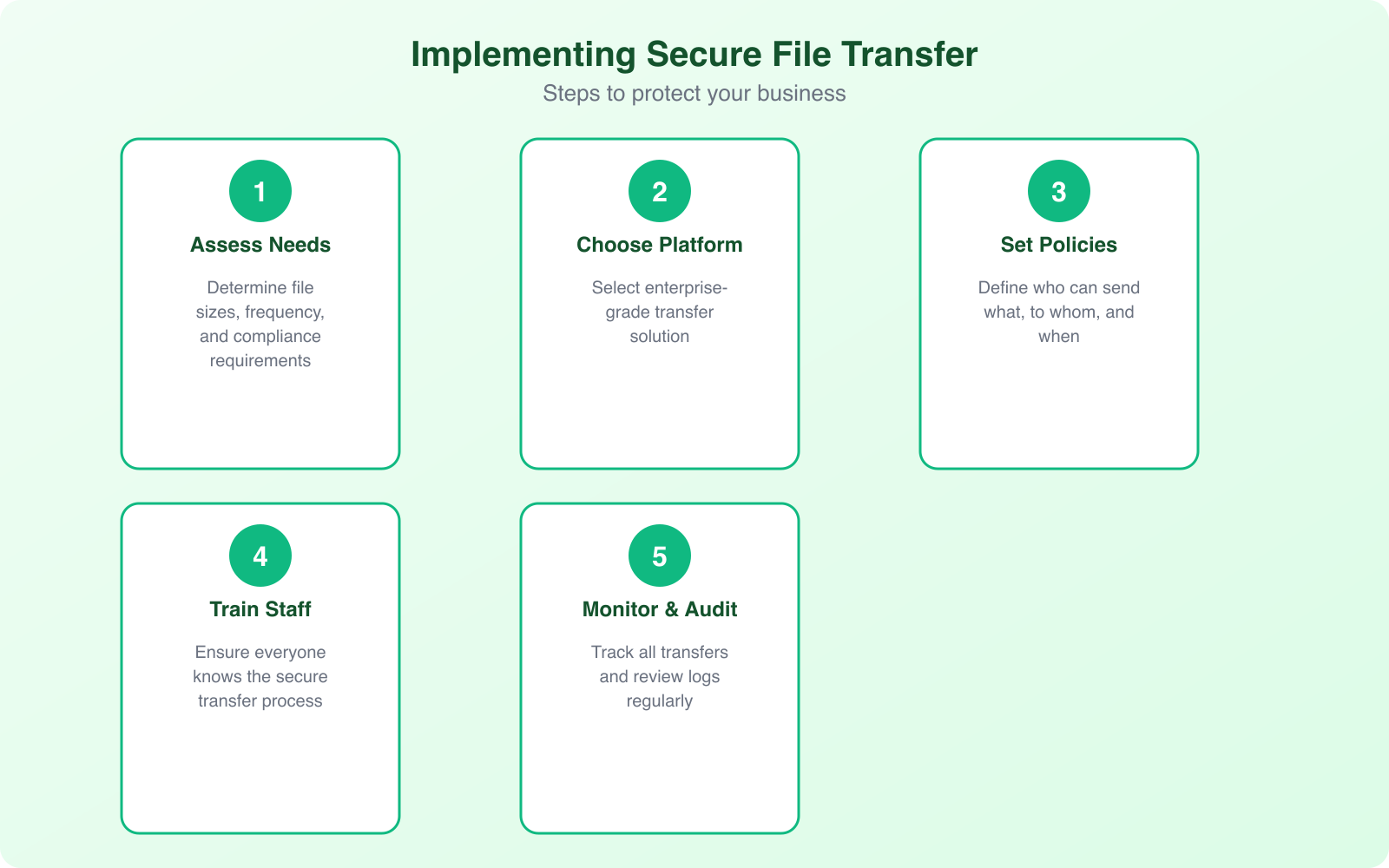
- AES-256 encryption at rest and TLS 1.3 in transit. Anything less is outdated. Don’t accept TLS 1.0 or 1.1, as they have known vulnerabilities.
- Multi-factor authentication. Password-only access is a liability. MFA should support TOTP apps (like Google Authenticator), hardware security keys, and ideally biometric verification.
- Granular permission controls. You need the ability to set read-only, upload-only, or full-access permissions per user and per folder. Time-limited access is a bonus that prevents forgotten permissions from becoming vulnerabilities.
- Comprehensive audit logging. Every login attempt, file transfer, download, and permission change should be logged with timestamps, user IDs, and IP addresses.
- Automated expiry for shared links. Links that never expire are links that eventually get exploited. Set default expiry periods and maximum download counts.
Important but Often Overlooked Features
- Integration with existing systems. The solution should connect to your existing business tools: CRM, document management, project management platforms. Siloed tools create workarounds, and workarounds create security gaps.
- Data loss prevention (DLP) scanning. Advanced solutions can scan file contents before transfer and flag files containing SSNs, credit card numbers, or other sensitive patterns. This catches accidental data exposure before it happens.
- Large file support without degradation. “Large” means different things to different businesses. Video production companies transfer 100+ GB files regularly. Make sure the solution handles your actual file sizes without timeouts or performance drops.
- Scalability. Your transfer volumes will grow. Choose a solution that scales with your business without requiring re-architecture or dramatic cost increases.
Note: Before choosing a secure file transfer solution, document your actual transfer patterns first. Track file sizes, frequency, number of external recipients, and compliance requirements for 30 days. This data prevents two common mistakes: over-buying features you’ll never use, and under-buying capacity that forces your team back to insecure workarounds within months.
Implementation: Getting Your Team on Board
The biggest challenge with secure file transfer isn’t the technology. It’s adoption. I’ve seen companies invest in enterprise-grade solutions that nobody uses because the rollout was handled poorly.
Start by identifying your highest-risk transfers. These are usually files containing customer financial data, employee records, intellectual property, and legal documents. Migrate these first. Don’t try to change everything overnight.
Train your team on the why, not just the how. People follow security policies when they understand the consequences of not following them. Share real breach stories from your industry. Make it personal: “If our customer database leaks, here’s exactly what happens to our business.” Abstract threats don’t motivate behavior change. Concrete consequences do.
Create clear policies about what can and can’t be shared through different channels. A simple rule like “no customer data via email, ever” is easier to follow than a 40-page security handbook. Write the policy in plain language. If your security policy reads like a legal document, nobody will read it.
Build security into workflows rather than adding it as an extra step. If your team uses project management tools, integrate file transfer directly. If they work in a CRM, enable secure sharing from within that interface. Every additional click or login is a reason for someone to take a shortcut.
Cloud Storage vs. Managed File Transfer: Know the Difference
This is where businesses often get confused. Dropbox, Google Drive, and OneDrive are cloud storage platforms. They’re great for collaboration and general file sharing. But they’re not managed file transfer (MFT) solutions, and the difference matters for security.
Cloud storage platforms are designed for everyday collaboration. They offer encryption in transit and at rest, which is good. But they typically provide limited audit capabilities, broad sharing defaults (like “anyone with the link”), and minimal DLP features. They also don’t natively support secure protocols like SFTP or AS2 that many B2B integrations require.
Managed file transfer solutions are purpose-built for secure, compliant data movement. They provide centralized control over all file transfers, detailed compliance reporting, automated workflows, and support for the full range of secure transfer protocols. They’re designed for scenarios where security and accountability are requirements, not nice-to-haves.
For most businesses, the answer isn’t one or the other. Use cloud storage for general team collaboration on non-sensitive files. Use an MFT solution for anything involving customer data, financial records, healthcare information, or intellectual property. The key is having a clear policy about which tool handles which type of data.
Building a Secure Transfer Policy from Scratch
If you don’t have a file transfer security policy, here’s a practical framework to build one. I’ve helped clients implement this, and it consistently reduces risk without creating the kind of friction that makes people ignore the rules.
Step 1: Classify your data. Not all files need the same protection level. Create three tiers: Public (marketing materials, press releases), Internal (project plans, meeting notes), and Confidential (customer data, financial records, IP). Each tier gets different transfer requirements.
Step 2: Map your current transfer patterns. Who sends what to whom, and through which channels? You’ll almost certainly find sensitive data flowing through insecure channels you didn’t know about. Shadow IT is real, and it’s usually well-intentioned people trying to get work done efficiently.
Step 3: Choose appropriate tools for each classification. Public files can go through standard channels. Internal files should use encrypted platforms with access controls. Confidential files require MFT solutions with full audit trails, MFA, and DLP scanning.
Step 4: Set expiry defaults. Shared links should expire automatically. 7 days for external shares, 30 days for internal. Override periods should require manager approval. This single policy eliminates the “forgotten link” vulnerability that plagues most organizations.
Step 5: Automate compliance. Use your MFT solution’s built-in reporting to generate compliance reports automatically. Monthly summaries of transfer activity, flagged anomalies, and access pattern changes should go to your security team without manual effort.
Common Mistakes That Undermine File Transfer Security
Even with the right tools in place, I see these mistakes repeatedly. Each one creates a gap that attackers can exploit.
Using personal accounts for business transfers. When employees share files through personal Dropbox, Gmail, or WeTransfer accounts, your organization loses all visibility and control. If that employee leaves, the files remain accessible through their personal account. Establish a clear policy: business files go through business tools. No exceptions.
Sharing passwords alongside file links. I’ve seen people email a secure file link and then send the password in the next email. That defeats the entire purpose. Use out-of-band communication for access credentials: send the link via email and the password via SMS or a separate secure channel.
Ignoring mobile devices. Your team accesses files from phones and tablets. If your secure transfer solution doesn’t have a mobile-optimized experience, people will revert to email or consumer apps for convenience. Mobile security includes remote wipe capability for lost devices and enforced MFA on mobile logins.
Setting permissions too broadly. The principle of least privilege applies to file transfers too. Give users access to exactly what they need, nothing more. Review permissions quarterly and revoke access for completed projects. Most cybersecurity incidents involve over-privileged accounts.
Skipping employee training. Your secure transfer solution is only as strong as its weakest user. Regular training (quarterly, not just onboarding) keeps security practices fresh and addresses new threat patterns as they emerge.
The ROI of Investing in Secure File Transfer
Security spending is often framed as a cost center. But secure file transfer delivers measurable returns that go beyond breach prevention.
Reduced breach risk saves millions. If the average breach costs $4.88 million, and a secure transfer solution costs $5,000 to $50,000 annually depending on scale, the math is straightforward. Even a small reduction in breach probability justifies the investment many times over.
Compliance efficiency saves time. Automated audit logs and compliance reporting eliminate hundreds of hours of manual documentation. When audit season arrives, your reports are already generated instead of scrambling to reconstruct transfer histories.
Customer trust drives revenue. In industries where data security is a purchasing criterion (healthcare, finance, legal, government contracting), demonstrating robust file transfer security wins deals. I’ve seen proposals won specifically because the vendor could demonstrate SOC 2 compliant file transfer practices.
Operational efficiency improves. Proper MFT solutions include automation features that reduce manual transfer tasks. Scheduled transfers, workflow triggers, and automated notifications save your team time while improving reliability. Files arrive where they need to be, when they need to be there, without someone remembering to send them.
The businesses that treat cybersecurity as a strategic investment rather than an operational expense consistently outperform those that view it as a checkbox exercise. Secure file transfer is one of the highest-ROI security investments you can make because it protects the data that matters most while improving daily operations.
Frequently Asked Questions
What’s the difference between SFTP and FTPS for secure file transfers?
SFTP (SSH File Transfer Protocol) runs over SSH and uses a single encrypted connection on port 22. FTPS (FTP over SSL/TLS) adds encryption to the traditional FTP protocol but requires multiple ports, which complicates firewall configuration. For most businesses, SFTP is the better choice because it’s simpler to manage, works better with firewalls, and provides equivalent security. FTPS is mainly useful when you need backward compatibility with existing FTP infrastructure.
Can I use consumer cloud storage like Google Drive for business file transfers?
Consumer cloud storage works fine for non-sensitive business files like marketing materials or public documents. But for anything involving customer data, financial records, healthcare information, or intellectual property, you need a managed file transfer solution. Consumer platforms lack the granular audit trails, DLP scanning, and compliance reporting that regulations like GDPR, HIPAA, and PCI DSS require. Use cloud storage for collaboration on general files and MFT solutions for sensitive data transfers.
How much does a secure file transfer solution cost for a small business?
Costs vary widely based on features and scale. Cloud-based MFT solutions start around $100 to $500 per month for small teams (5 to 25 users). Enterprise on-premises solutions range from $10,000 to $100,000+ annually. For small businesses, cloud-based options offer the best value because they include encryption, MFA, audit logging, and compliance features without the infrastructure overhead. Compare this to the average breach cost of $4.88 million, and even premium solutions are a fraction of the risk exposure.
What should I do if my business has already been sharing files insecurely?
Don’t panic. Start by auditing your current transfer methods to identify where sensitive data flows through insecure channels. Revoke any active shared links that shouldn’t be public. Implement a secure transfer solution and migrate your highest-risk transfers first (customer data, financial records). Then create a policy document that clearly defines which tools handle which data types. Finally, train your team on the new tools and policies. Most businesses can complete this transition within 30 to 60 days without disrupting operations.
Is email encryption enough to protect file attachments?
Email encryption (like S/MIME or PGP) protects message content and attachments in transit, but it has significant limitations for file transfers. It doesn’t provide audit trails, access controls after delivery, file expiry, or DLP scanning. The recipient can forward encrypted files to anyone, and you have no visibility into what happens after delivery. For occasional sensitive emails, encryption is fine. For regular business file transfers involving sensitive data, you need a dedicated solution that provides the full security lifecycle: encryption, access control, auditing, and compliance reporting.
Secure file transfer isn’t a luxury feature you add when your company gets big enough. It’s a fundamental business requirement the moment you start handling sensitive data. The tools exist, they’re more affordable than ever, and they’re dramatically easier to implement than cleaning up after a breach. Start with your highest-risk transfers, build a clear policy, and expand from there. Your customers’ data, and your business’s future, depend on it.
Disclaimer: This site is reader-supported. If you buy through some links, I may earn a small commission at no extra cost to you. I only recommend tools I trust and would use myself. Your support helps keep gauravtiwari.org free and focused on real-world advice. Thanks. - Gaurav Tiwari