
10 Best Robotic STEM Toys for Children to Spark Creativity & Curiosity
Robotic STEM toys are one of the smartest gifts you can pick for a child. They don’t just look cool, they build real skills like problem-solving, logical thinking, and basic coding. And the best part? Kids barely notice they’re learning because they’re too busy having fun.
I’ve been recommending STEM toys to parents for years, and the market has changed a lot. Many popular products from a few years ago are discontinued or hard to find. So I’ve updated this list for 2026 with picks that are actually available, well-reviewed, and genuinely educational.
Whether your child is 3 or 13, there’s something here that fits. I’ve organized these from simple gesture-based toys all the way up to Arduino-powered robot car kits.
Top 10 Robotic STEM Toys for 2026
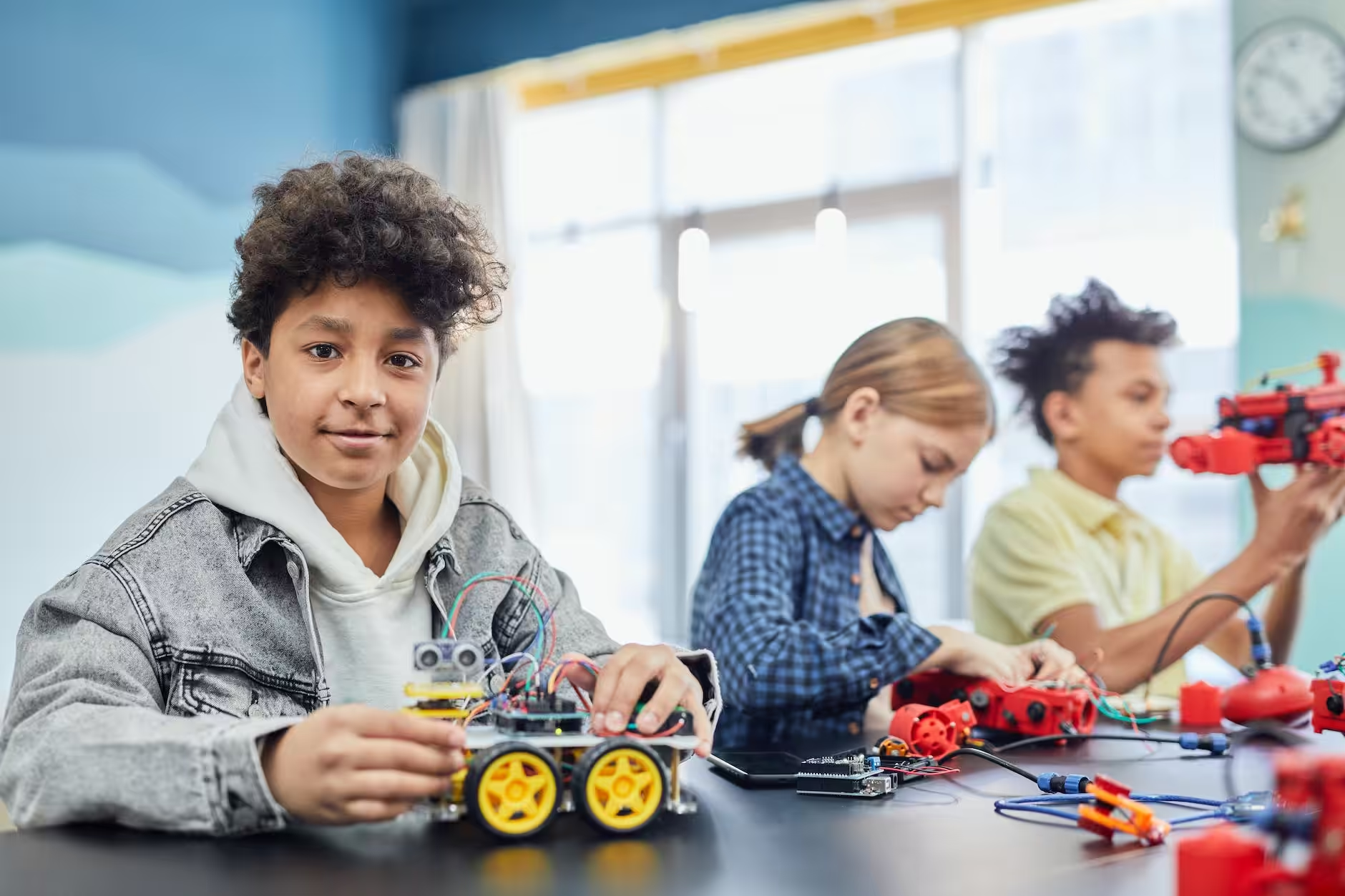
Here are my picks for the best robotic STEM toys you can buy right now.
Novie Interactive Smart Robot
- Hand-tracking gesture controls for intuitive play
- 75+ actions including 360-degree spins
- Three skill levels: beginner, intermediate, advanced
Novie is a small, adorable robot that responds to hand gestures. Wave your hand, and it spins, dances, or performs one of its 75+ programmed actions. Kids love the instant feedback, and the gesture-based controls make it feel almost magical for younger players.
There are three difficulty levels (beginner, intermediate, advanced) indicated by Novie’s eye color. It can learn up to 12 tricks, and it runs on included button batteries. The compact size means kids can toss it in a backpack and bring it anywhere. If you want a fun first robotics toy that doesn’t require screens or coding knowledge, Novie is a solid starting point.
Botley 2.0 Activity Set (78 Pieces)
Botley 2.0 Activity Set (78 Pieces)
- 78-piece activity set for guided coding play
- Screen-free programming with remote coding controls
- Best fit for ages 5+ and early STEM learning
The Botley 2.0 Activity Set is one of the best screen-free coding toys I’ve come across. It comes with 78 pieces including the robot, a remote programmer, obstacle course components, and coding cards. Kids program Botley by pressing directional buttons on the remote, and the robot executes the sequence.
What makes this special is the progressive challenge design. Young kids start with simple forward-backward sequences and work up to loops and if/then logic. No tablet required, which is a big deal for parents who want educational play without more screen time. Best for ages 5 and up.
Also read: Why Coding should be a part of Homeschool Curriculum for Kids?
Holyton 5088 Programmable STEM Robot
Holyton 5088 Programmable STEM Robot
- Programmable actions with app and voice support
- Interactive lights and motion for engagement
- Good beginner robotics toy for ages 4-9
The Holyton 5088 bridges the gap between toy robots and actual programmable devices. Kids can control it through a companion app, voice commands, or a traditional remote. It walks, dances, and performs custom action sequences that kids program themselves.
The interactive lights and responsive movements keep younger kids engaged, while the programmable action chains give older kids something to work toward. It’s a good middle-ground pick for ages 4-9 who want something more interactive than basic remote-control toys but aren’t ready for full coding platforms yet.
Also see: Best Remote Controlled Helicopters to Buy
Botley 2.0 Coding Robot
- No-screen coding designed for young learners
- Works well for sequencing and logic building
- Strong replacement for the retired Botley listing
This is the standalone version of the Botley 2.0 without the full 78-piece activity set. If you already have obstacle course materials at home or just want the core coding robot experience, this is the more affordable way to get it.
Botley 2.0 supports the same screen-free coding approach with the remote programmer. It handles sequences, loops, and basic logic, making it a proper introduction to computational thinking. Works great in classrooms too, where teachers can set up their own challenges. Best for ages 5-7 who need a focused coding entry point.
Educational Insights PYXEL Coding Robot
Educational Insights PYXEL Coding Robot
- Supports Blockly and Python-style learning paths
- Built for beginner-to-intermediate coding practice
- Better current-market alternative to unavailable Sphero BOLT listing
PYXEL stands out because it actually grows with your child’s coding ability. It starts with simple block-based programming (similar to Scratch/Blockly) and progresses to Python-style text commands. That’s a real learning path, not just a toy gimmick.
The robot itself is responsive and well-built, with enough sensors and outputs to make the coding exercises feel meaningful. If your child has outgrown basic remote-control toys and you want something that teaches actual programming concepts, PYXEL delivers. Best for ages 7 and up.
ELEGOO Smart Robot Car Kit V4
- Arduino-compatible robot car platform
- Teaches assembly, wiring, and coding basics
- Strong value pick for ages 8-16
This is where things get serious. The ELEGOO Smart Robot Car Kit V4 is an Arduino-compatible platform that kids build from scratch. They assemble the chassis, wire the motors and sensors, and then program everything through the Arduino IDE. It’s hands-on engineering combined with real coding.
The kit includes ultrasonic sensors, infrared remote control, line-tracking modules, and Bluetooth connectivity. It’s genuinely educational in a way that simpler toys can’t match. Best for ages 8-16, and honestly, adults enjoy this one too. If your child shows serious interest in robotics or electronics, this is the kit to get.
Thames & Kosmos Smart Machines Junior
Thames & Kosmos Smart Machines Junior
- Build robots with motion, lights, and sound actions
- Coding flow is beginner-friendly and structured
- Great bridge from toys to real STEM projects
Thames & Kosmos makes some of the best science kits around, and the Smart Machines Junior set continues that reputation. Kids build multiple robot configurations with motion, lights, and sound capabilities, then program them through a beginner-friendly coding interface.
What I like about this kit is that it bridges the gap between toy robots and real engineering kits. The build quality is solid, the instructions are clear, and the coding progression makes sense. It’s a great step up from screen-free coding toys for kids who are ready to actually build something. Best for ages 6-10.
Code & Go Robot Mouse (Rechargeable)
Code & Go Robot Mouse (Rechargeable)
- Rechargeable version with better long-term use
- Teaches sequencing and path planning
- Ideal for preschool and early elementary ages
The Code & Go Robot Mouse is designed for the youngest coders. Kids press directional buttons on the mouse’s back to create a sequence, hit go, and watch it navigate a maze. The concept is simple, but it teaches sequencing and spatial reasoning effectively.
This rechargeable version solves the biggest complaint about the original: constantly replacing batteries. It charges via USB and holds up well through extended play sessions. If you have a preschooler or early elementary student who needs their first coding toy, this is the one I’d pick. Best for ages 3-6.
Andy: Code & Play Robot
- Pre-built robot with simple coding controls
- Screen-free learning, good for ages 4+
- Practical replacement for unavailable KIBO listing
Andy is another screen-free coding robot from Thames & Kosmos, and it’s built specifically for younger learners. The robot comes pre-assembled, so there’s no building step. Kids use physical buttons on Andy to input commands and watch the robot execute them.
The tactile, button-based interaction works really well for kids who aren’t ready for remote controls or apps. Andy responds with movement and sound, giving clear feedback on whether the code worked. It’s a calm, focused learning toy without the flashy distractions. Best for ages 4-7.
My Robotic Pet Coding Chameleon
My Robotic Pet Coding Chameleon
- Color-sensing robotic pet interactions
- Build-and-code style STEM activity flow
- Good fit for kids who like animals and robotics
This is a build-and-code kit disguised as a pet toy, and that combination works brilliantly. Kids assemble a robotic chameleon, then program its behavior through coding challenges. The chameleon has a color sensor, so it actually responds to colored objects placed near it.
For kids who love animals but also show interest in how things work, this scratches both itches. The build process teaches mechanical concepts, and the coding layer adds logic and sequencing on top. It’s one of the more creative STEM toys I’ve seen, and it avoids the “generic robot” look that some kids find boring. Best for ages 6-10.
Robotic toys are one of the best ways to get kids excited about STEM without it feeling like homework. Whether you go with a simple gesture-controlled robot or a full Arduino car kit, the key is matching the toy to your child’s age and interest level. Start simple, let them succeed early, and they’ll naturally want to level up.
Frequently Asked Questions
What are the best robotic STEM toys for kids in 2026?
Some of the top picks include the Botley 2.0 Activity Set for younger kids, the ELEGOO Smart Robot Car Kit V4 for older learners, and the Educational Insights PYXEL Coding Robot for kids ready to move beyond toy-level coding. Each one targets a different age range and skill level.
What age is appropriate for robotic STEM toys?
Most robotic STEM toys start at ages 3-4 with simple button-based coding (like the Code & Go Robot Mouse), and go up to age 16+ with Arduino-based kits like the ELEGOO Smart Robot Car Kit V4. Always check the manufacturer’s recommended age range before buying.
Do kids need a tablet or phone to use coding robots?
Not all of them. Screen-free options like the Botley 2.0, Andy: Code & Play Robot, and Code & Go Robot Mouse work entirely without apps or screens. Others like the PYXEL Coding Robot and Holyton 5088 use companion apps for expanded functionality.
Are robotic STEM toys actually educational?
Yes. Research shows that robotic toys help children develop problem-solving skills, spatial reasoning, logical thinking, and basic programming concepts. They also build persistence since kids learn to debug and improve their designs through trial and error.
What is the difference between a coding robot and a remote control robot?
A coding robot lets kids program a sequence of actions in advance and then execute them, teaching logic and sequencing. A remote control robot responds to real-time commands from a controller. Some modern robots like the Holyton 5088 combine both approaches.
Which robotic STEM toy is best for beginners?
For very young beginners (ages 3-5), the Code & Go Robot Mouse is a great starting point. For ages 5-7, the Botley 2.0 Activity Set offers screen-free coding with guided challenges. The Novie Interactive Smart Robot also works well as a first robotics toy thanks to its gesture-based controls.
Can robotic STEM toys help with school performance?
They can. STEM toys reinforce skills that transfer directly to math, science, and technology subjects. Kids who practice sequencing, pattern recognition, and logical reasoning through play often find these concepts easier to grasp in a classroom setting.
How much should I spend on a robotic STEM toy?
You can find solid options across every budget. Entry-level toys like the Code & Go Robot Mouse and Novie start under $30-40. Mid-range picks like Botley 2.0 and the Holyton 5088 fall in the $40-70 range. More advanced kits like the ELEGOO Smart Robot Car run around $70-80.