
Find the Closest Grocery Store Open Now: 8 Fast Ways
 by
by
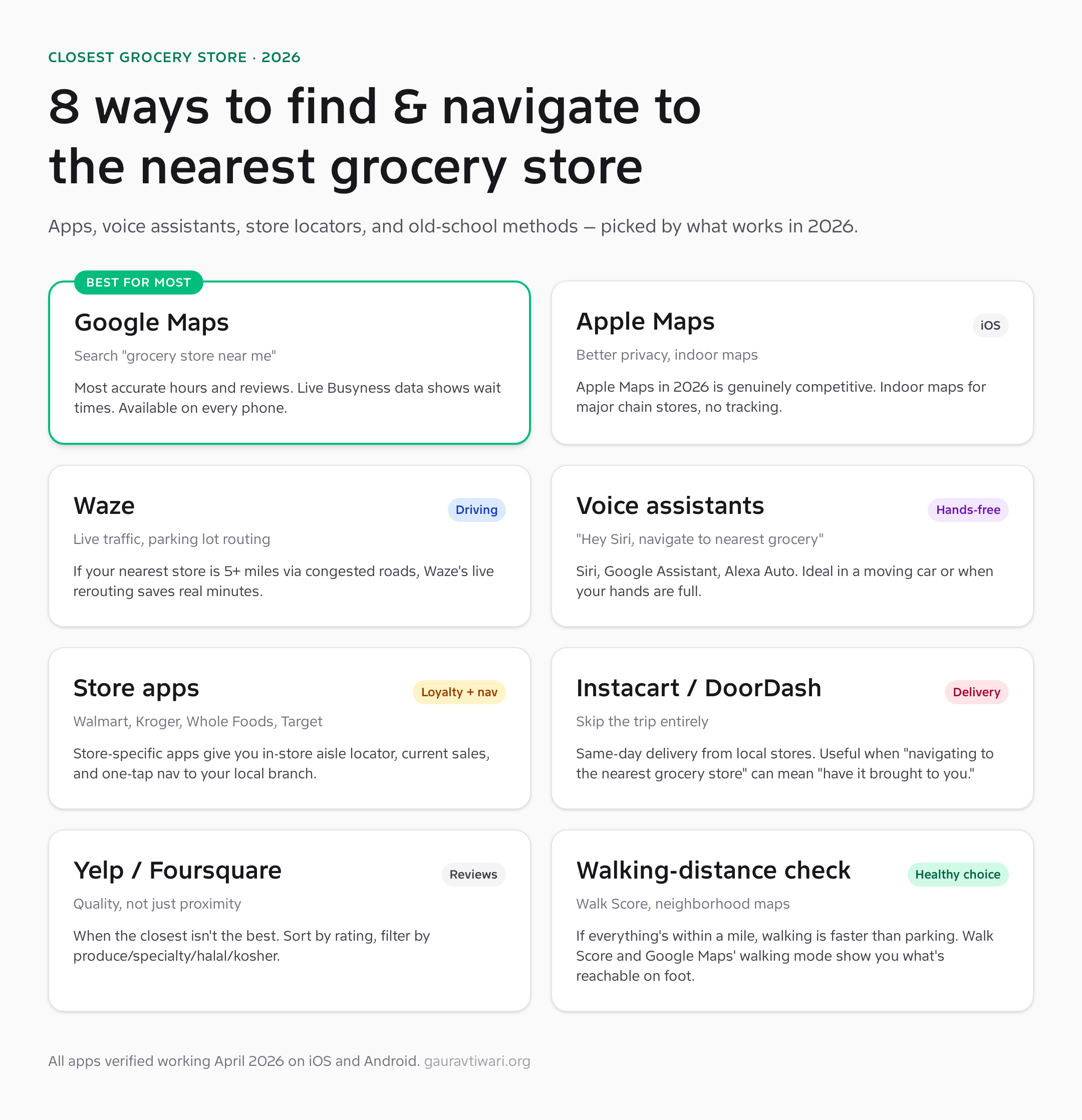
Finding the closest grocery store should be a 10-second task. Open your phone, ask, get directions, drive. The reality is messier. Google Maps shows you the nearest store but not the one with the better produce. Apple Maps now competes seriously but defaults differently when you ask. Voice assistants pick a Walgreens when you wanted a Whole Foods. The store-specific app on your phone routes you to the branch ten miles away because that’s where you registered three years ago. None of these are deal-breakers individually. Together, they’re why a five-minute task turns into a fifteen-minute one twice a week.
I’ve used every navigation method below across multiple cities, multiple delivery drivers, and roughly 800 grocery runs over the last decade. The right tool depends on whether you’re driving, walking, on a tight schedule, or just want quality over proximity. Below is the tested set of options and which one to default to in each scenario.
1. Google Maps: the default that’s actually right most of the time
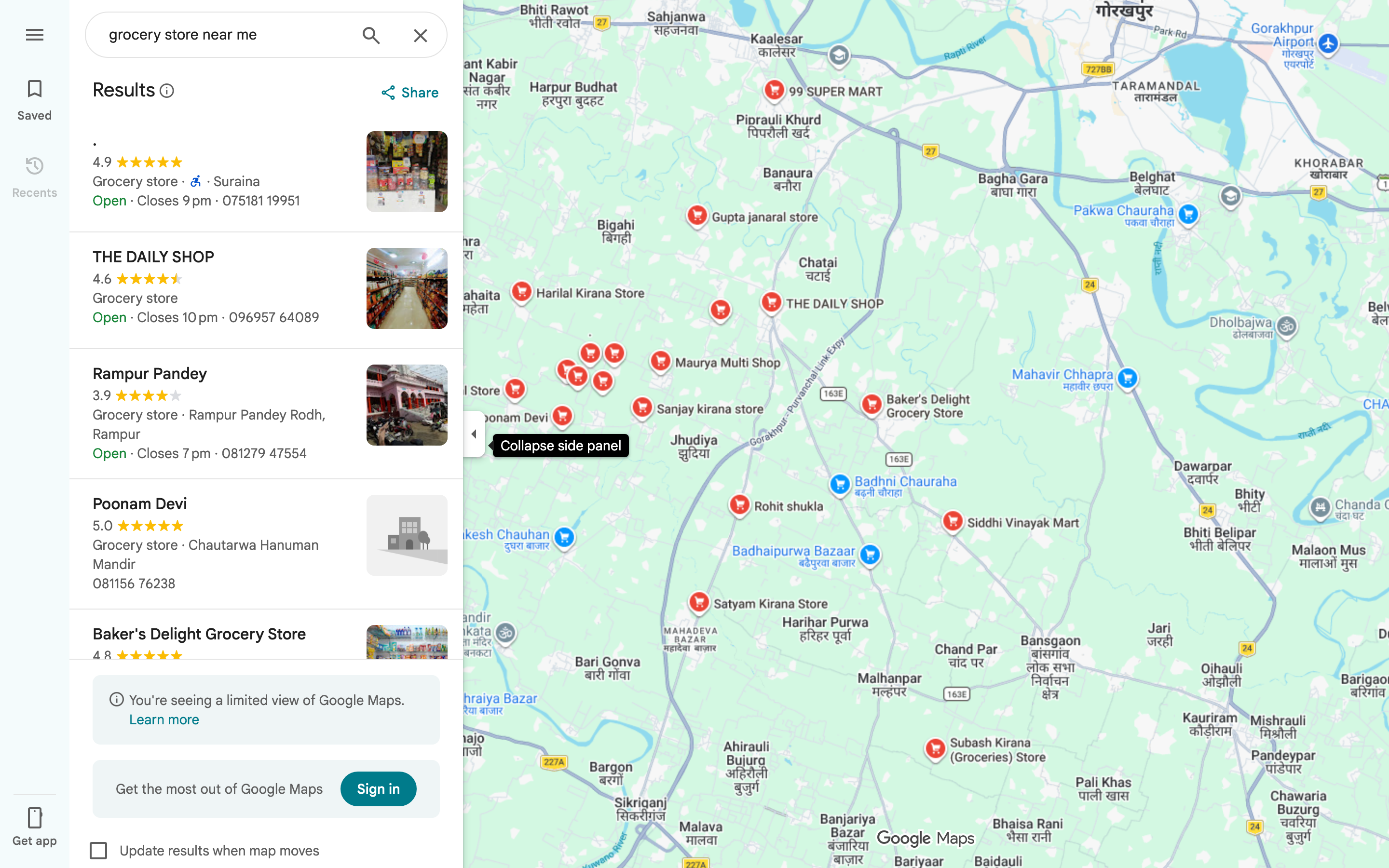
Open Google Maps on your phone, tap the search bar, type “grocery store near me” or just “grocery.” You get a ranked list of stores within walking and driving distance, current open/closed status, hours, photos, reviews, and the “Live Busyness” indicator that tells you whether the store is packed right now or relatively empty. Tap any result, hit Directions, and you’re routed.
What’s good: The most accurate hours data in the category. Google ingests official store hours plus user-submitted updates, so a store that closes early on Sundays will show that. Live Busyness (purple bar showing how busy a store is right now vs typically) is genuinely useful for avoiding peak hours. The “Saved” feature lets you star your three regular stores so they’re one tap away.
What’s broken: The “near me” ranking is influenced by Google’s local SEO factors, not just distance. A store with strong reviews and good Google Business Profile setup will outrank a closer store that hasn’t optimized. Sometimes that’s right (the better-reviewed store is genuinely better) and sometimes it sends you four blocks farther than necessary. The default routing also assumes driving — for walking distance, switch the transport mode before tapping Directions.
Under the hood: Google’s Places API powers the search results, with its 200+ million indexed business locations. Live Busyness uses anonymized location data from devices currently inside the store. The walking time estimate uses pedestrian-friendly routing that accounts for crosswalks and sidewalks, not just road distance.
2. Apple Maps: legitimately competitive in 2026
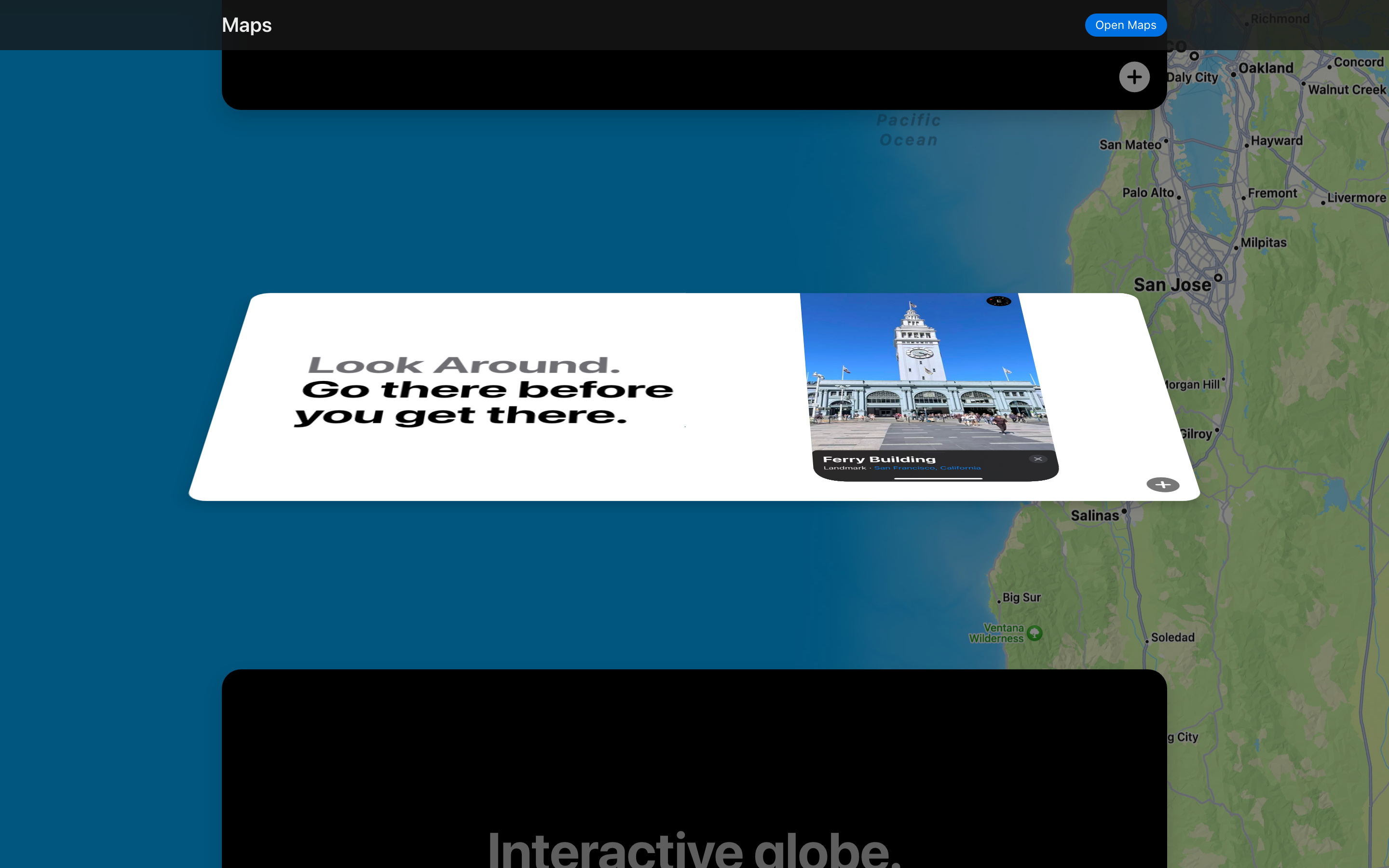
Apple Maps spent a decade as the punchline of mobile mapping. That ended around 2022 when Apple finished a multi-year rebuild with their own first-party map data. In 2026 it’s a genuinely competitive option for navigation, especially on iOS where it integrates deeper with Siri, Apple Watch, and CarPlay than Google Maps can.
What’s good: Privacy. Apple Maps doesn’t tie your search history to a profile sold to advertisers. Indoor maps for major chains (Whole Foods, Target, Walmart in select cities) actually work — tap a store, swipe up, and see the floor plan with department locations. The CarPlay integration auto-mutes navigation prompts during phone calls, which Google Maps still gets wrong half the time.
What’s broken: Coverage is still less complete than Google’s, especially in smaller cities and outside the US. The “near me” ranking tends toward chain stores over independent grocers, because the underlying data sources skew that way. Reviews are pulled from Yelp and TripAdvisor rather than first-party, so the depth feels secondhand.
Under the hood: Apple’s first-party map data is collected via “Apple Maps vehicles” (similar to Google Street View cars) plus pedestrian backpack rigs that capture indoor locations. The 3D building rendering is genuinely impressive for navigation context — you can see whether the store is on the corner or mid-block before you arrive.
3. Waze: when traffic is the problem, not distance
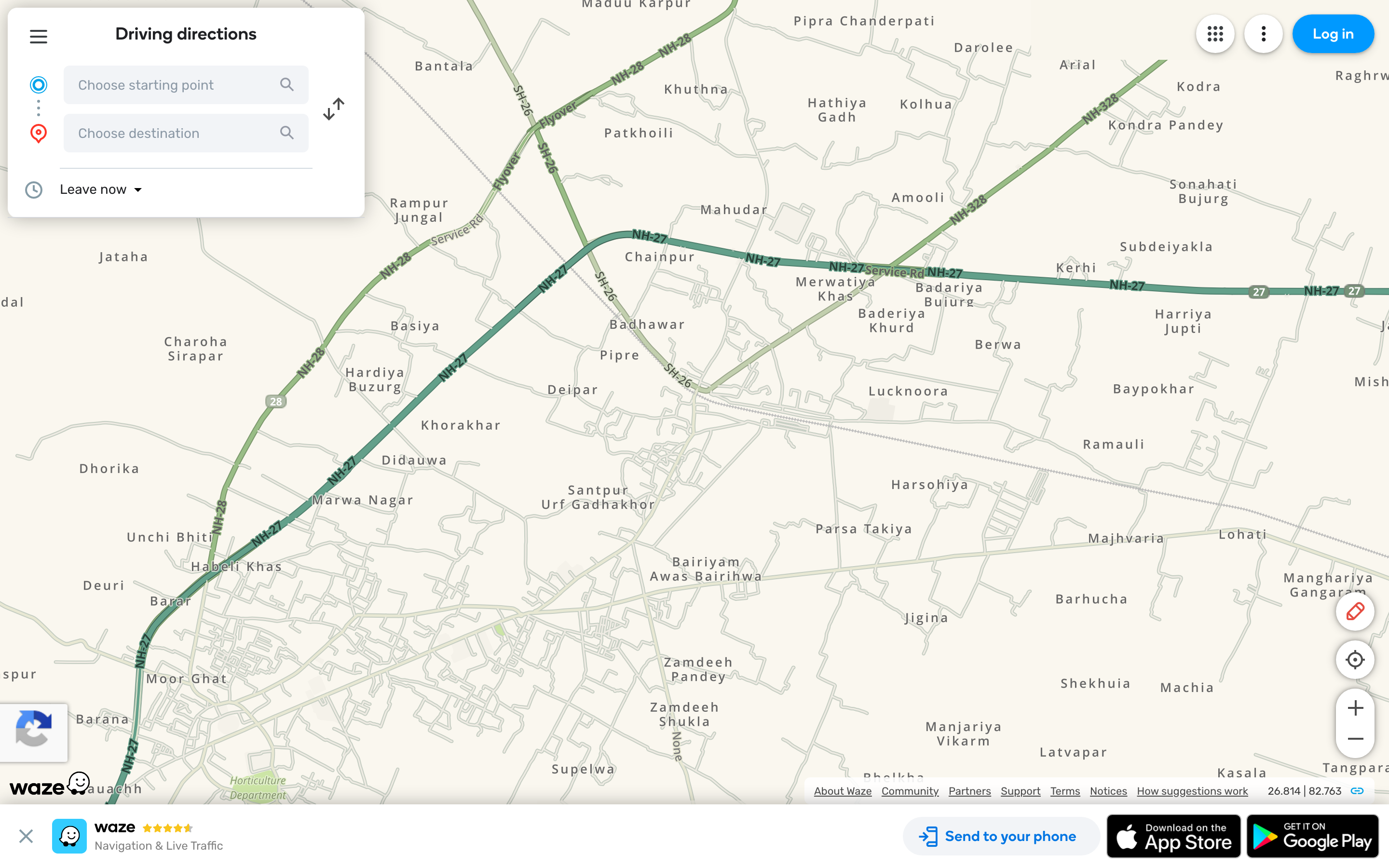
Waze (owned by Google but maintained as a separate product) is what you use when the closest grocery store is five-plus miles via congested roads. The app’s killer feature is real-time community-reported traffic, accidents, police, and road closures, plus aggressive rerouting that dynamically picks the fastest path even if it means three extra turns through a residential neighborhood.
What’s good: Saves real minutes on rush-hour grocery runs. Parking-lot routing is sharper than Google Maps — it actually knows where the entrances are. The community-reported hazards (potholes, debris, construction) are usually accurate within an hour of the report.
What’s broken: Overkill for short trips. If your nearest store is half a mile away, Waze adds friction without benefit. The interface is busy and the constant pop-up reports of “Police reported ahead” are distracting unless you turn off notification types you don’t care about. Battery drain is also noticeably higher than Google Maps because of the constant network sync.
Under the hood: Waze runs on a community-reporting model with light algorithmic verification. A police report needs corroboration from passing users to stay active. The traffic data comes from active driver telemetry, which is why estimates are more accurate at high traffic density and less accurate at off-peak hours when fewer drivers are reporting.
4. Voice assistants: hands-free is the killer use case
“Hey Siri, navigate to the nearest grocery store.” “Hey Google, find me a grocery store nearby.” “Alexa, take me to the closest grocery store.” All three work. The right one depends on which ecosystem you’re already in. The voice path is the right answer when you’re already driving, when you have full hands at home, or when typing on a phone is genuinely slower than just asking.
What’s good: Speed. Voice from cold to navigating takes about four seconds. The 2025 Siri overhaul (Apple Intelligence) made multi-step requests work — “navigate to the nearest grocery store, but only if it’s open past 9pm” actually parses correctly. Google Assistant has been doing this for longer and remains slightly more reliable on conditional requests.
What’s broken: Disambiguation. If there are three grocery stores within half a mile, all assistants pick the highest-rated one rather than asking which you meant. You can specify by name (“navigate to the Trader Joe’s near me”) to bypass this, but the fallback behavior costs occasional minutes when the assistant picks wrong.
Under the hood: Voice navigation requests get routed through the assistant’s natural language layer to a maps backend (Google Maps for Assistant and Alexa Auto, Apple Maps for Siri). Privacy varies — Siri keeps voice data local on Apple Silicon devices; Google Assistant cloud-processes by default; Alexa cloud-processes always.
5. Store-specific apps: nav + loyalty in one
Walmart, Kroger, Whole Foods, Target, Trader Joe’s, Aldi, Costco — every major chain has a dedicated app that handles store locator, loyalty rewards, in-store aisle navigation, current sales, and one-tap directions to your selected branch. If you’re loyal to a specific chain, the store app is meaningfully better than a generic map for that chain’s locations.
What’s good: Aisle locator is genuinely useful — type “almond butter” and the app tells you it’s in aisle 14, shelf 3. Sales are personalized to your loyalty profile, so the offers you see are weighted toward what you actually buy. The “set as my store” preference saves your default branch so you’re not picking it every time.
What’s broken: One app per chain doesn’t scale. If you shop at three different chains regularly, you have three apps competing for notifications and three loyalty programs to track. The Kroger family of chains (King Soopers, Fred Meyer, Dillons, etc.) at least share an app, but most don’t. The “set as my store” preference also gets stuck — if you move, you have to manually update each app.
Under the hood: Each store app is a thin wrapper around the chain’s loyalty platform plus a lightweight map view. The location data is first-party, so accuracy for that specific chain’s locations is better than Google Maps’ indexed data. The aisle locator data comes from store planograms that get updated whenever the chain reorganizes (typically twice a year).
6. Instacart, DoorDash, Amazon Fresh: skip the trip entirely
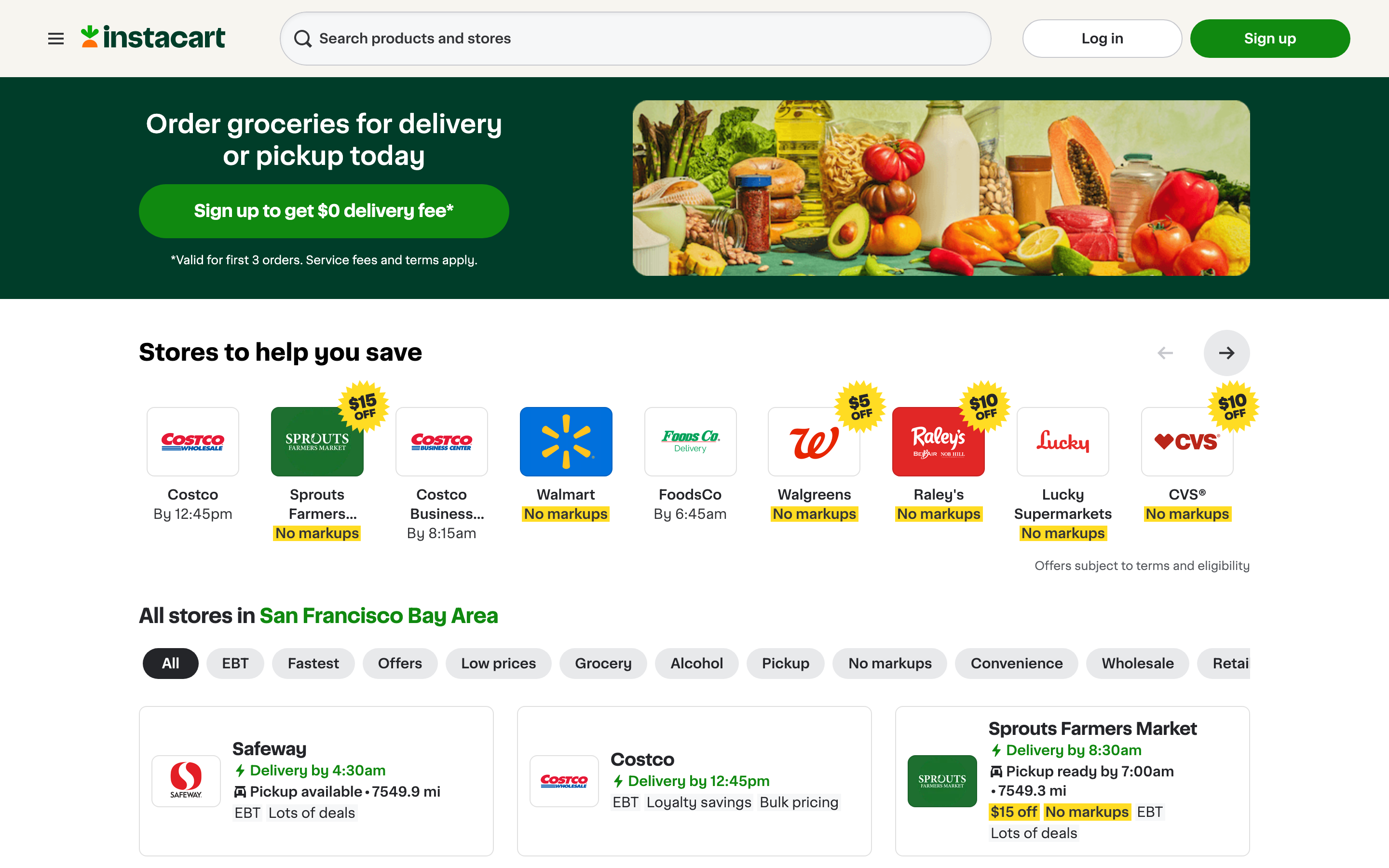
Sometimes “navigate to the closest grocery store” really means “I need groceries, what’s the lowest-effort path.” Same-day delivery from Instacart, DoorDash, Amazon Fresh, or the chain’s own delivery (Walmart+, Kroger Boost, Whole Foods via Amazon) gets the items to you without leaving the house. Costs $5-$10 in fees plus tips.
What’s good: The math works for many people. If grocery navigation + driving + parking + shopping + checkout takes 90 minutes, and delivery costs $10, you’re paying ~$7/hour for your time. Below your hourly rate, delivery is the rational call. Same-day delivery windows are reliable in most metros — order by 2pm, get groceries by 6pm.
What’s broken: Quality control. Substitutions when items are out of stock are hit-or-miss; the shopper picking your produce isn’t picking with your standards. Delivery fees and “service fees” stack up — Instacart’s actual cost is often 15-25% above the in-store price once you add fees, markup, and tip. For weekly bulk runs, the trip still wins on cost; for mid-week top-ups, delivery is the better trade.
Under the hood: Instacart and DoorDash both run gig-worker shopper networks who pick up groceries from local stores using the customer’s order. The “navigation” piece is solved on their end — your job is just to specify the items. Subscription tiers (Instacart+ at $9.99/month, DashPass at $9.99/month) waive delivery fees on orders above $35.
7. Yelp and Foursquare: when quality matters more than proximity
The closest grocery store isn’t always the right grocery store. If you need specialty produce, halal/kosher options, organic-focused stores, or just don’t want to deal with the Walgreens that comes up first in Google Maps, Yelp and Foursquare both let you sort by quality rather than just distance.
What’s good: Reviews skew toward food quality, ambiance, and customer service rather than just hours and address. Yelp’s filter system is precise — you can filter “grocery” + “open now” + “4+ stars” + “vegan-friendly” and get a meaningful list. Foursquare’s “swarm” check-in data shows real foot traffic.
What’s broken: Yelp’s review credibility is dented after years of pay-to-play allegations. Some five-star reviews are clearly incentivized; some one-star reviews are clearly competitor-driven. You learn to read past the extremes. Foursquare’s user base shrank dramatically after the company pivoted to enterprise data, so coverage in smaller markets is thin.
Under the hood: Yelp’s algorithm filters out reviews it considers suspect (the controversial “filtered reviews” page exists for every business). Foursquare’s data is now mostly sold to other companies via their Pilgrim SDK, with the consumer apps as remnant infrastructure. Use Yelp for active discovery; use Foursquare for the long-tail of small businesses Yelp underweights.
8. Walk Score and the walking-distance check
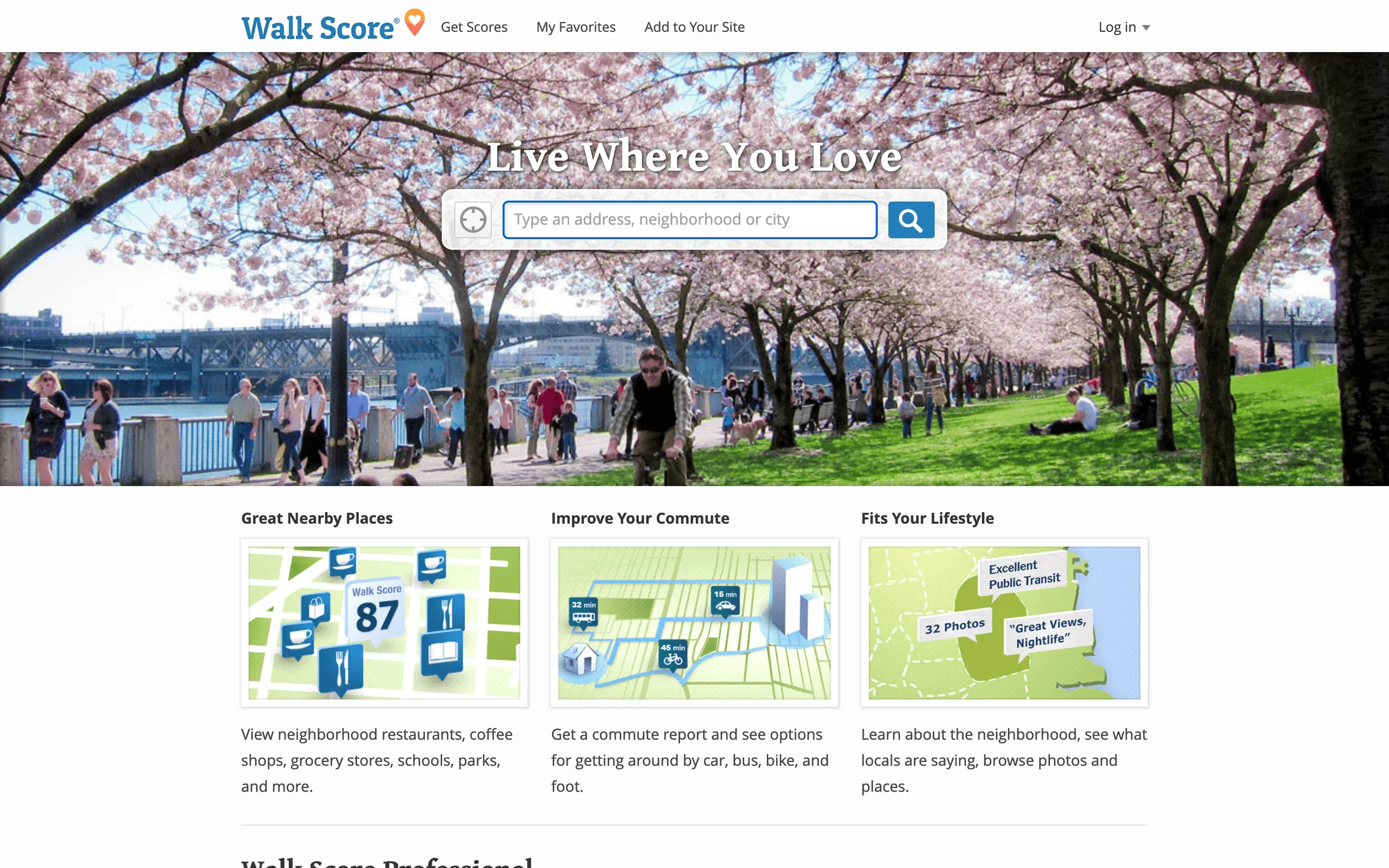
If you live in a walkable neighborhood, the closest grocery store is often closer than you think — and walking is faster than driving once you account for parking, traffic, and getting in/out of the car. Walk Score (walkscore.com) rates your address on a 0-100 scale and lists nearby grocery stores by walking distance specifically.
What’s good: Walk Score is the canonical pedestrian-distance tool. Google Maps walking mode is good for routing once you’ve picked a destination; Walk Score is good for discovering what’s reachable. The 5-minute, 10-minute, and 15-minute walk circles around your address surface stores you may not have noticed.
What’s broken: The 0-100 score doesn’t account for safety, sidewalk quality, or terrain. A “highly walkable” rating in a hilly neighborhood with broken sidewalks isn’t actually walkable for most people. Use the score as a starting point but verify with the satellite view of the actual route.
Under the hood: Walk Score’s algorithm weighs the diversity of nearby amenities (a grocery store + cafe + park + school all within a half-mile beats four grocery stores within the same radius). The data is updated quarterly from public business directories.
Step-by-step: navigate to the closest grocery store using Google Maps
- Open Google Maps on your phone or at maps.google.com.
- Tap the search bar and type “grocery store near me” or just “grocery.” Auto-complete shows nearby chains.
- Review the list view with distance, hours, ratings, and Live Busyness. Tap a store to see details.
- Tap Directions. Pick walking, driving, transit, or biking depending on the trip.
- Tap Start for turn-by-turn navigation. The app keeps the screen on and gives voice prompts at each turn.
- Once you arrive, the app suggests parking nearby (in major US metros) and remembers where you parked if you tap the “save parking” pin.
- Tap the saved location star if you want this store added to your favorites for one-tap access next time.
Find a grocery store that’s open right now
The “open now” filter is more useful than people realize. Late-night grocery runs, holiday weekends, and emergency milk-and-bread runs all benefit from filtering out closed stores before you waste a trip. Every major map app supports this filter, but the keyword is buried differently in each.
- Google Maps: tap the “Hours” filter chip below the search bar, select “Open now.”
- Apple Maps: tap the search bar, scroll to “Open now” toggle in the filter sheet.
- Yelp: filter chip says “Open Now” — most prominent because Yelp users prioritize it.
- 24-hour grocery chains: Walmart Supercenters in many areas, some Kroger family stores, select Whole Foods, and most large urban Trader Joe’s are 24/7. Search the chain name + your zip code.
Holiday hours are the silent gotcha. Stores that show “open” on Google Maps for normal Sundays may close early on Easter, Christmas Eve, and Thanksgiving. Always cross-check with the chain’s official store locator before driving 20 minutes on a holiday — the official locator is more authoritative for holiday hours than Google’s third-party data.
Related navigation and shopping resources
If you’re a small business owner trying to be the store people find when they search “grocery store near me,” see my guides on Google Maps marketing for your business and ranking higher on Google Maps with local SEO. For broader shopping efficiency, the Black Friday shopping tips guide covers planned bulk-trip optimization. The evolution of internet shopping piece is the broader context for why grocery delivery exists at all.
Picking the right method for your situation
The eight tools above aren’t competing — they’re complementary. The right pick depends on what you’re optimizing for: speed, quality, cost, accessibility, or just convenience on a given day. Here’s the decision logic I actually use.
- Default daily run: Google Maps with “grocery store near me.” 90% of trips start and end here without needing anything else.
- Walking from home: Walk Score for discovery, then Google Maps walking mode for the actual route. Sidewalk routing matters more than driving time.
- Driving in heavy traffic: Waze. Live rerouting saves 5-10 minutes on rush-hour grocery runs in any major US metro.
- Hands-on-the-wheel or hands-on-the-toddler: Voice assistant. “Hey Siri/Google, navigate to the nearest grocery store.” Four seconds, no fumbling.
- Loyal to one chain: The chain’s app. Aisle locator and personalized sales matter more than generic mapping at that point.
- Don’t want to leave the house: Instacart for the best app, DoorDash if you’re already a DashPass member, Walmart+/Kroger Boost/Amazon Fresh for chain-specific delivery.
- Quality over proximity: Yelp’s filtered search. Sort by rating, filter by dietary need, then pull up directions.
- Holiday or unusual hours: Cross-check the chain’s official store locator before driving. Holiday hours lag in third-party listings.
The single biggest time-saver across all of these is starring your three regular stores in your map app of choice. Once they’re saved, every trip starts at one tap rather than a search. Pair that with a voice shortcut (“Hey Siri, take me to my Trader Joe’s”) and the entire navigation step disappears from your routine — which is the actual goal of all this tooling.
How do I find the closest grocery store to me right now?
Open Google Maps, tap the search bar, type “grocery store near me” or just “grocery,” and the app returns a list ranked by proximity, ratings, and Live Busyness. Tap any result, hit Directions, choose driving or walking, then Start. Total time from cold to navigating is under 15 seconds.
What’s the best app to navigate to a grocery store?
Google Maps is the best default — most accurate hours, best Live Busyness data, and the broadest catalog. Apple Maps is a strong second on iPhone, especially for privacy-conscious users. Waze wins for traffic-heavy routes longer than 5 miles. Store-specific apps (Walmart, Kroger, Whole Foods) win for in-store aisle locators and personalized sales.
How does Google Maps know which grocery store is closest?
Google ranks results by a combination of straight-line distance, current open/closed status, your search intent (driving vs walking), and local relevance signals like ratings and Google Business Profile completeness. The algorithm sometimes ranks a slightly farther store ahead of a closer one if reviews and listing quality are strong. To force pure distance ranking, sort by “Distance” in the filter chips.
Can I find a grocery store within walking distance?
Yes. In Google Maps, after searching “grocery store near me,” tap Directions and switch the transport mode to walking. The app re-ranks by walking distance and uses pedestrian-friendly routes (sidewalks, crosswalks) rather than driving distance. For pre-trip discovery, Walk Score (walkscore.com) shows you everything within 5, 10, or 15 minutes of any address.
How do I navigate to a grocery store using voice commands?
Say “Hey Siri, navigate to the nearest grocery store” on iPhone, “Hey Google, take me to the closest grocery store” on Android, or “Alexa, navigate to a grocery store” on Alexa Auto. All three start turn-by-turn navigation in their respective default map apps. To bypass disambiguation when multiple stores are close, specify by name — “navigate to the Trader Joe’s near me.”
What’s the closest 24-hour grocery store near me?
Walmart Supercenters in many regions, certain Kroger family stores (King Soopers, Fred Meyer, Dillons), select Whole Foods locations, and a handful of large-format urban Trader Joe’s stay open 24/7. Search Google Maps for the chain name plus your zip code and check the hours. The “Open now” filter is the fastest way to surface 24-hour options after midnight.
Should I use Google Maps or Apple Maps for grocery navigation?
Google Maps if you prioritize the most accurate hours, the broadest catalog, and Live Busyness data showing real-time crowds. Apple Maps if you prioritize privacy (no profile-tied search history), better CarPlay integration, or you frequent stores with indoor maps (Whole Foods, Target, Walmart in major US cities). Both work. The right answer depends on your phone and what you value.
Is grocery delivery cheaper than driving to the store?
Depends on the value you put on your time. Instacart and DoorDash add roughly 15-25% above in-store prices once delivery fees, service fees, markup, and tip are included. For a $100 trip that takes 90 minutes round-trip, paying $20 in delivery costs is a $13/hour trade — below most readers’ hourly rate, so delivery is rational. For $30 mid-week top-ups, the math flips and the trip itself is cheaper.
Why does Google Maps not always show the closest grocery store first?
Google’s ranking weighs distance plus listing quality, ratings, completeness of the Google Business Profile, and your search history. A nearer store with a thin profile or low ratings can be outranked by one a few blocks farther. To force pure proximity ordering, switch the sort filter from “Relevance” to “Distance” inside the search results.
Can I save my favorite grocery stores in Google Maps for one-tap navigation?
Yes. Open the store in Google Maps, tap the Save icon (the bookmark/star), and add it to a list (Favorites, Want to go, or a custom list). Saved stores appear as filled stars on the map and one-tap navigation works from your Saved tab. Pair this with a voice shortcut like “Hey Siri, take me to my Trader Joe’s” and the navigation step becomes a single voice command.
Tell Google you want more of this.
Add Gaurav Tiwari as a preferred sourceOne tap, and this site shows up more often in your own Top Stories, AI Overviews and AI Mode. Remove it any time.