
14 Best AI Chatbot Apps for Businesses
The AI chatbot market hit $15.57 billion in 2026. Three years ago, most “chatbot apps” were glorified decision trees that frustrated more customers than they helped. Then ChatGPT happened, and the entire category got rebuilt from scratch.
I’ve tested every major AI chatbot over the past two years, both the general-purpose ones you chat with directly and the business-focused ones you deploy on your website. This guide covers the 10 that actually deliver results in 2026, split into two categories: personal AI assistants and customer-facing business chatbots.
AI chatbots in 2026 are nothing like the scripted bots from even two years ago. ChatGPT has 800 million weekly users. Google Gemini hit 750 million monthly users. These aren’t novelty toys anymore. They’re productivity tools that millions of people use daily for work, research, coding, and creative projects. The business chatbot space has followed suit, with AI agents that genuinely resolve support tickets instead of just routing them to humans.

The best AI chatbot apps in 2026
- ChatGPT for the broadest feature set and largest ecosystem
- Claude for writing quality and long document analysis
- Google Gemini for deep Google Workspace integration
- Perplexity AI for real-time research with cited sources
- Microsoft Copilot for Microsoft 365 power users
- Intercom Fin for AI-powered customer support resolution
- Tidio Lyro for small business support on a budget
- ManyChat for Instagram and social media marketing automation
- HubSpot Breeze for CRM-connected AI agents
- Zendesk AI for enterprise-scale support automation

Here are the 10 best AI chatbot apps available right now. I’ve split them into two groups: general-purpose AI assistants you interact with directly, and business chatbots you deploy for customer support and marketing. Each one was tested firsthand.
Best General-Purpose AI Chatbots
These are the AI assistants you talk to directly. For writing, research, coding, brainstorming, analysis, and pretty much anything else you’d ask a very smart colleague to help with.
ChatGPT
Best for: Everyone who wants one AI tool that does a bit of everything. The default choice if you’re not sure what you need.
ChatGPT is the AI chatbot most people think of first, and for good reason. With 800 million weekly active users and 81% of the generative AI market, it’s the default choice. OpenAI’s ecosystem is massive. Thousands of custom GPTs, plugins, web browsing, image generation with DALL-E, code execution, file analysis. It does almost everything.
The free tier gives you access to GPT-4o with limited messages. The $8/month Go plan unlocks unlimited GPT-5.2 Instant. Plus at $20/month adds reasoning models like o3 and o4-mini. Pro at $200/month removes all limits.
Where ChatGPT shines brightest: breadth. No other chatbot matches its range of capabilities in a single interface. Image generation, voice conversations, code interpretation, browsing, custom GPTs. It’s the Swiss Army knife of AI.
Where it falls short: the free tier is increasingly limited (about 10 messages every 5 hours before it downgrades your model). Writing quality can feel generic compared to Claude. And the sheer number of features means the interface has gotten cluttered.
Price: Free tier available. Go $8/month. Plus $20/month. Pro $200/month.
Claude
Best for: Writers, developers, and anyone who works with long documents. The writing quality is noticeably better than ChatGPT for nuanced, human-sounding content.
Claude is built by Anthropic and it’s my go-to for long-form writing and coding tasks. The 200K token context window means you can paste an entire book, codebase, or research paper and ask questions about it. No other chatbot handles long documents this well.
The model lineup is strong. Opus 4.6 is Anthropic’s flagship for complex reasoning. Sonnet 4.5 hits a great balance of speed and intelligence. Haiku 4.5 is fast and cheap for quick tasks. Claude Code lets the AI write, test, and debug code autonomously, which is a genuine time saver for developers.
Pro costs $20/month (same as ChatGPT Plus). The Max plans at $100 and $200/month give you significantly more usage for heavy users. The free tier is functional but message limits vary based on demand.
Where Claude falls short compared to ChatGPT: no native image generation, no web browsing in the free tier, and a smaller plugin ecosystem. If you need DALL-E style image creation or custom GPTs, ChatGPT is the better pick.
Price: Free tier available. Pro $20/month. Max $100-200/month.
Google Gemini
Best for: People deep in the Google ecosystem who want AI that works with their existing Gmail, Docs, and Drive without switching apps.
Google Gemini‘s biggest advantage is that it lives inside the Google ecosystem. If you use Gmail, Google Docs, Calendar, Drive, and YouTube, Gemini can access all of it. Ask it to summarize your latest emails, draft a response, or find that document you saved three months ago. No other AI chatbot has this level of integration with tools most people already use.
The 1 million token context window is the largest available from any major chatbot. That’s roughly 700,000 words of text in a single conversation. For researchers and analysts working with massive datasets, this is a genuine differentiator.
Pricing is competitive. The free tier includes basic Gemini access. AI Plus at $7.99/month is the cheapest paid AI chatbot tier from any major provider. AI Pro at $19.99/month unlocks Deep Research and full Workspace integration.
The weakness: Gemini’s conversational quality still trails ChatGPT and Claude in my testing. Responses can feel more “Google search result” than “helpful colleague.” The Deep Research feature is impressive when it works, but it’s slow and sometimes produces surface-level results.
Price: Free tier available. AI Plus $7.99/month. AI Pro $19.99/month.
Perplexity AI
Best for: Researchers, journalists, students, and anyone who needs accurate, sourced answers quickly.
Perplexity isn’t trying to be another ChatGPT. It’s an answer engine. You ask a question, it searches the web in real-time, reads the sources, and gives you a cited answer with links to every claim. Think of it as Google Search reimagined with AI.
The Pro plan at $20/month lets you switch between multiple AI models (GPT-4o, Claude, Gemini) within the same interface. That flexibility is unique. You’re not locked into one company’s model.
I use Perplexity daily for research. When I need to fact-check something or get a quick overview of a topic with sources, it’s faster than any other tool. The citations mean you can verify every claim, which matters when accuracy is critical.
The limitation: it’s not great for creative work, coding, or long conversations. It’s built for research and information retrieval. If you need to write an essay, brainstorm ideas, or debug code, use ChatGPT or Claude instead.
Price: Free tier available. Pro $20/month or $200/year.
Microsoft Copilot
Best for: Microsoft 365 power users who want AI assistance directly inside Word, Excel, Outlook, and Teams.
Microsoft Copilot is embedded everywhere: Windows, Edge, Bing, and the entire Microsoft 365 suite. If your business runs on Word, Excel, PowerPoint, Outlook, and Teams, Copilot adds AI directly into those tools without switching apps.
The free tier is surprisingly generous. Think Deeper (advanced reasoning) and Voice features are now free and unlimited. For many people, the free Copilot is enough.
Copilot Pro at $20/month adds priority access and AI features in your personal Microsoft 365 apps. The business plans at $18-30/user/month bring AI into the entire organization with admin controls and compliance features.
The honest take: as a standalone chatbot, Copilot is weaker than ChatGPT, Claude, or Gemini. The value is entirely in the Microsoft 365 integration. If you don’t use Microsoft’s productivity suite, there’s little reason to pick Copilot over the others.
Price: Free tier available. Pro $20/month. Business $18-30/user/month.
AI Chatbot Comparison
Here’s a quick side-by-side of all 10 AI chatbot apps covered in this guide.
| App | Type | Free Tier | Starting Price | Best For |
|---|---|---|---|---|
| ChatGPT | General AI | Yes (limited) | $8/mo (Go) | Everything |
| Claude | General AI | Yes (limited) | $20/mo (Pro) | Writing & Code |
| Google Gemini | General AI | Yes | $7.99/mo (AI Plus) | Google Users |
| Perplexity AI | AI Search | Yes (limited) | $20/mo (Pro) | Research |
| Microsoft Copilot | Productivity AI | Yes | $20/mo (Pro) | Microsoft 365 Users |
| Intercom Fin | Customer Support | No | $29/seat/mo + $0.99/resolution | SaaS Companies |
| Tidio Lyro | Customer Support | 50 AI chats/mo | $29/mo | Small Business |
| ManyChat | Marketing | 1K contacts | $15/mo (Pro) | Social Media |
| HubSpot Breeze | CRM + AI | Basic chatbot | $800/mo (Professional) | HubSpot CRM Users |
| Zendesk AI | Enterprise Support | No | $115/agent/mo | Enterprise |
Best AI Chatbots for Business
These are the AI chatbots you deploy on your website, app, or social media channels to handle customer support, lead generation, and sales automation. They talk to your customers so your team doesn’t have to handle every single query.
Intercom Fin
Best for: SaaS companies and mid-to-large businesses with significant support volume that want to automate ticket resolution.
Intercom Fin is the AI support agent that actually resolves tickets. Not just routes them. Not just suggests articles. It reads your help docs, understands the question, and gives a real answer across chat, email, and SMS.
The pricing model is what makes Fin interesting: $0.99 per resolution. You only pay when the AI actually solves the customer’s problem. If it can’t resolve the issue and hands off to a human, you don’t pay for that interaction. Intercom claims an 82% resolution rate, which means most queries never reach your support team.
Plans start at $29/seat/month for the Essential plan, which includes Fin. The Fin AI Copilot (which helps your human agents respond faster) is an extra $35/seat/month.
The downside: Intercom is expensive if you’re a small business. Between per-seat costs and per-resolution charges, the monthly bill adds up quickly once you scale past a few hundred support conversations. But if customer support is a real cost center for you, Fin can genuinely reduce headcount needs.
Price: $29/seat/month + $0.99 per AI resolution. Fin AI Copilot extra $35/seat/month.
Tidio (Lyro AI)
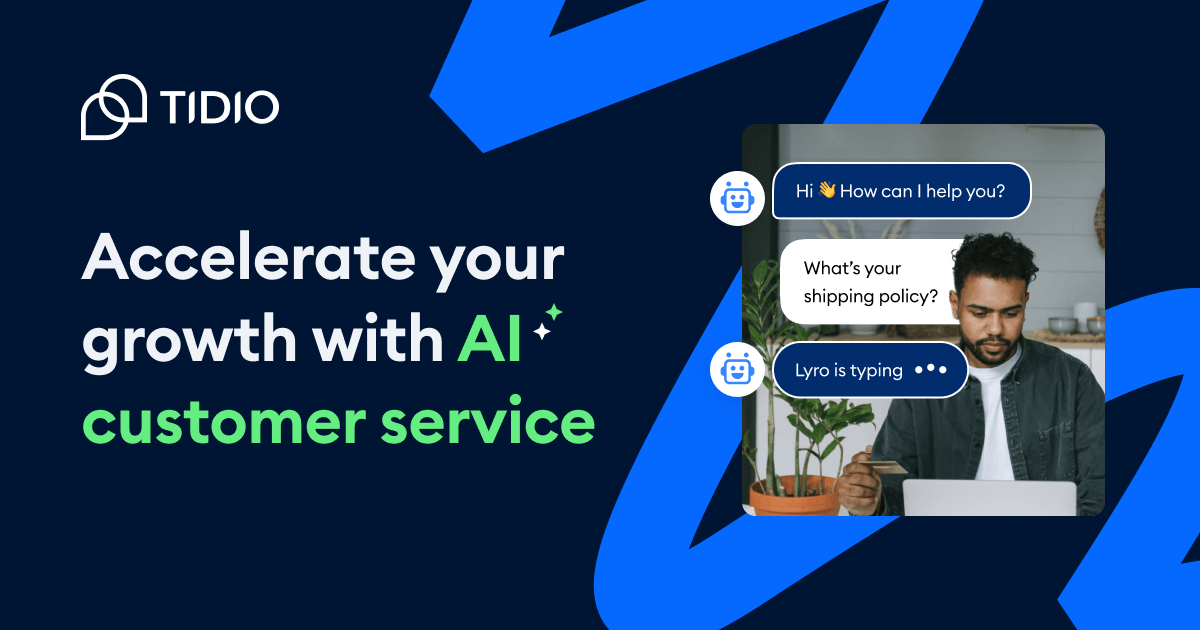
Best for: Small e-commerce stores and service businesses that want affordable AI support without Intercom’s price tag.
Tidio is the small business alternative to Intercom. Their AI agent, Lyro, handles customer conversations using your knowledge base and FAQ content. It’s not as sophisticated as Intercom Fin, but it’s a fraction of the cost.
The free tier includes 50 AI conversations per month. That’s enough for a small e-commerce store or service business to test whether AI support actually works for their customers. The Starter plan at $29/month adds 100 live chat conversations. The Lyro AI add-on starts at $39/month for 100 additional AI conversations.
Tidio claims a 67% automated resolution rate with Lyro. Lower than Intercom’s 82%, but reasonable for the price point. The drag-and-drop chatbot builder is easy to set up even without technical skills.
The limitation: Lyro’s AI is simpler than Fin’s. Complex multi-step queries often get escalated to humans. If your support requires nuanced troubleshooting, you’ll hit Lyro’s ceiling quickly. But for common questions like “Where’s my order?” and “What’s your return policy?”, it handles them well.
Price: Free (50 AI chats/month). Starter $29/month. Lyro AI add-on $39/month.
ManyChat
Best for: E-commerce brands, creators, and marketers who generate leads and sales through Instagram and Messenger automation.
ManyChat owns the Instagram DM automation space. If you’re running an e-commerce brand, coaching business, or content creator operation that generates leads through social media, ManyChat is probably already on your radar.
It automates conversations on Instagram, Facebook Messenger, WhatsApp, SMS, and email. When someone comments on your Instagram post, ManyChat can automatically send them a DM with a link, discount code, or lead capture form. This isn’t customer support. It’s marketing automation through messaging.
The free plan supports up to 1,000 contacts with basic Instagram and Messenger automation. Pro starts at $15/month and scales with your contact list. The AI add-on at $29/month adds intent recognition and AI-generated responses.
ManyChat is purpose-built. Don’t expect it to handle customer support like Intercom or Tidio. It’s a marketing tool that uses messaging as its channel. For that specific use case, nothing else comes close.
Price: Free (1K contacts). Pro from $15/month. AI add-on $29/month.
HubSpot Breeze AI

Best for: Existing HubSpot CRM customers who want AI agents that use their customer data for context-aware conversations.
HubSpot rebranded their AI features under “Breeze” and it’s now woven into the entire CRM platform. You get four specialized AI agents: Customer Agent (support), Prospecting Agent (lead research), Content Agent (blog writing), and Social Media Agent.
The key advantage: Breeze knows your CRM data. When a customer asks a question, the AI has full context on their purchase history, support tickets, and interactions. This makes responses more relevant than a standalone chatbot that only reads your FAQ page.
The catch is pricing. The free CRM includes a basic chatbot builder (no AI). To get Breeze AI features, you need the Professional plan at $800/month or higher. That’s steep for small businesses. HubSpot uses a credit system for AI conversations, so costs are somewhat unpredictable.
If you’re already paying for HubSpot’s CRM, adding Breeze makes sense. If you’re not a HubSpot customer, it’s not worth switching just for the AI features. Intercom or Tidio will serve you better at lower cost.
Price: Free CRM (basic chatbot). Breeze AI from $800/month (Professional).
Zendesk AI Agents
Best for: Enterprise companies with large support teams that need AI capable of handling complex, multi-step customer issues.
Zendesk AI is the enterprise option. Built on top of Zendesk’s massive customer service dataset, these AI agents handle complex, multi-step support scenarios that simpler bots can’t manage.
Pricing reflects the enterprise positioning. Suite Professional starts at $115/agent/month. The Advanced AI add-on is another $50/agent/month. Automated resolutions cost $1.50 each (pre-purchased) or $2.00 on a pay-as-you-go basis. That’s more expensive than Intercom’s $0.99 per resolution, but Zendesk positions it as handling harder queries.
What sets Zendesk apart: the AI isn’t just matching keywords to articles. It reasons through problems, asks clarifying questions, and adapts its approach based on the conversation. For complex B2B support with technical troubleshooting, this matters.
The downside is obvious: cost. For a 10-person support team, you’re looking at $1,650/month before resolution charges. That only makes sense if your support volume is high enough to justify automation at scale.
Price: $115/agent/month. Advanced AI add-on +$50/agent/month. $1.50-2.00/resolution.
The AI chatbot market grew from nearly nothing to $15.57 billion in just three years. By 2029, it’s projected to hit $46.64 billion. Every business will use AI chatbots. The only question is which ones.
How to Choose an AI Chatbot
Your choice depends on what you’re trying to do. Here’s the simple framework.
For personal/professional use: Start with ChatGPT‘s free tier. It covers the most ground. If you’re a writer or developer, try Claude. You’ll notice the difference in output quality within a few conversations. If you live in Google’s ecosystem, Gemini is the most convenient. If you need sourced research, add Perplexity.
For customer support: Intercom Fin if you can afford it and want the highest resolution rates. Tidio if you’re a small business on a budget. Zendesk if you’re enterprise-scale.
For marketing and lead gen: ManyChat if your business runs on Instagram and social messaging. HubSpot Breeze if you’re already paying for HubSpot CRM.
One thing I’d recommend: don’t pick just one general-purpose AI chatbot. I use ChatGPT, Claude, and Perplexity daily for different tasks. Each has strengths the others don’t. Most have free tiers, so try them all and see which fits your workflow.
Frequently Asked Questions
Common questions about AI chatbot apps.
What is the best free AI chatbot in 2026?
ChatGPT’s free tier is the most capable free AI chatbot. You get access to GPT-4o with limited messages (about 10 every 5 hours). Google Gemini’s free tier is also solid, especially if you use Google Workspace. Claude offers a free tier with variable limits. For research with sources, Perplexity’s free tier gives you limited daily searches. Microsoft Copilot’s free tier is surprisingly generous with unlimited Think Deeper reasoning now included.
Is ChatGPT better than Claude?
It depends on what you need. ChatGPT is better for breadth: image generation, plugins, custom GPTs, web browsing, and voice conversations. Claude is better for depth: long document analysis (200K token context), nuanced writing, and coding tasks. I use both daily. ChatGPT for quick tasks and image work, Claude for writing and complex analysis. If you only want one, ChatGPT covers more ground. If writing quality matters most, go with Claude.
What’s the best AI chatbot for business customer support?
Intercom Fin is the best overall with its $0.99 per resolution pricing and 82% resolution rate. Tidio is the best budget option starting free with 50 AI conversations per month. Zendesk AI is the enterprise choice for complex, multi-step support scenarios. HubSpot Breeze makes sense only if you’re already using HubSpot CRM. Each targets a different business size and budget.
How much do AI chatbots cost?
General-purpose AI chatbots: ChatGPT Go starts at $8/month, Plus is $20/month. Claude Pro is $20/month. Gemini AI Plus is $7.99/month. Perplexity Pro is $20/month. All have free tiers with limitations. Business chatbots: Tidio starts free (50 AI chats/month), Intercom starts at $29/seat/month plus $0.99/resolution, ManyChat starts at $15/month, and Zendesk starts at $115/agent/month. Costs vary significantly based on conversation volume.
Can AI chatbots replace human customer support agents?
Not completely, but they can handle 60-80% of routine queries. Intercom Fin resolves 82% of support conversations without human involvement. Tidio’s Lyro handles about 67%. For common questions like order status, return policies, and how-to guides, AI chatbots work well. For complex issues requiring empathy, judgment calls, or multi-system troubleshooting, you still need humans. The smart approach is using AI for volume and humans for complexity.
Disclaimer: This site is reader-supported. If you buy through some links, I may earn a small commission at no extra cost to you. I only recommend tools I trust and would use myself. Your support helps keep gauravtiwari.org free and focused on real-world advice. Thanks. - Gaurav Tiwari