
10 Best HDMI Splitters For Dual Monitors
I’ve spent way too many hours troubleshooting HDMI setups for clients and my own workstation. The problem is always the same: you’ve got one HDMI output and two screens staring at you, waiting. An HDMI splitter fixes that in about 30 seconds. It takes one signal and mirrors it across two monitors, no extra graphics card or receiver needed.
But here’s what most people get wrong: they grab the cheapest splitter on Amazon and wonder why their 4K display looks like a blurry mess. Resolution support, HDCP compatibility, and build quality matter more than you’d think for a $15-$80 device. I’ve tested dozens of these over the years for gaming setups, conference rooms, and home theater rigs.
I picked 10 HDMI splitters that actually work well in 2026. Some are pure splitters (mirror one source to two screens), some are switches (multiple inputs, one output), and one is a full docking station. I’ll tell you exactly who each one is for.
10 Best HDMI Splitters for Dual Monitors
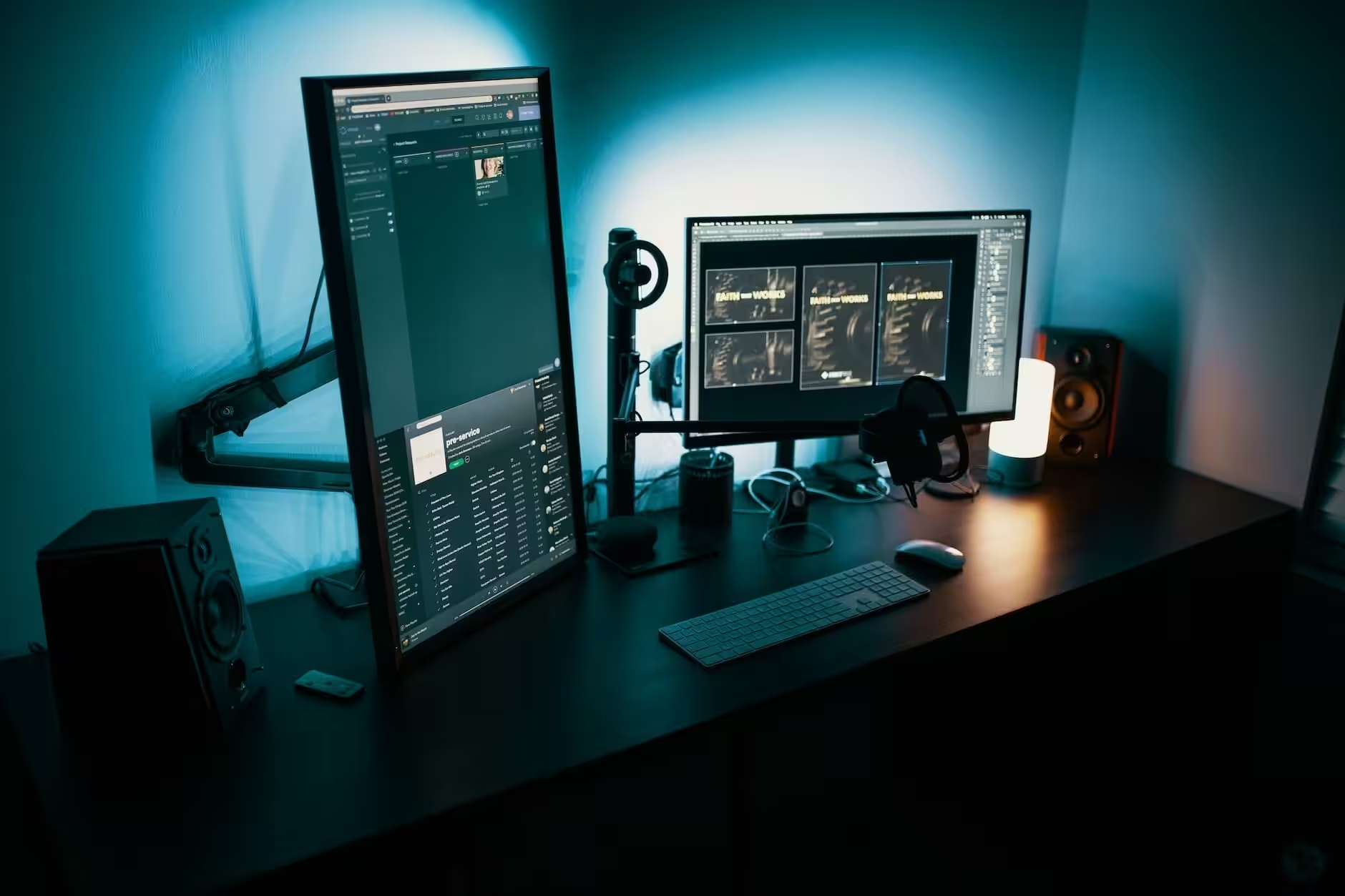
I’ve organized this list by use case, not just price. A $13 bidirectional switch might be all you need, or you might want a full USB-C dock with dual HDMI. Check the resolution support and input/output configuration before you buy. A splitter that mirrors your screen isn’t the same as a switch that toggles between sources.
OREI HDMI 2 in 1 Splitter

- HDMI DUPLICATOR 1 x 2 – Duplicates Mirror Displays to 2 TVs, NOT FOR LAPTOPS OR PC TO EXTEND MULTI MONITORS. ONLY Split one HDMI…
- MIRROR ONLY – Fully Compatible with any HDMI 1.4/ 1.3/ 1.2 version, support HDCP 1.4(NOTE: Will Not BYPASS HDCP), Easily Split…
The OREI is the splitter I recommend when someone just needs the basics. One HDMI in, two HDMI out, mirror only. It’s compatible with HDMI 1.4, 1.3, and 1.2, which covers most laptops, gaming consoles, streaming sticks, and projectors you’ll run into. At around $15, it’s hard to beat for the price.
What I like about the OREI is that it’s USB-powered. No bulky wall adapter cluttering your setup. The metal housing also dissipates heat well, so you won’t have overheating issues during long movie nights or extended gaming sessions. Just remember: this mirrors your display. It won’t extend your desktop across two screens.
Best for: Anyone who needs a dead-simple, affordable 1-to-2 mirror splitter for TVs or projectors.
Avedio Links 4K HDMI Splitter
![avedio links HDMI Splitter 1 in 2 Out [with 4 Feet HDMI Cable] 4K 1x2 HDMI Splitter Duplicate/Mirror Screen Only Not Extend Copy 1 Source to 2 HDMI Displays at The Same Time](https://m.media-amazon.com/images/I/412VNL8UP8L.jpg)
- 1×2 HDMI Splitter Duplicate/Mirror Only(Not Support Extend): avedio links HDMI Splitter can only duplicate same content from one…
- Not Support: 1.Not Extended,it not extend different content to two monitors; 2.Not a switcher, it not support connect two HDMI…
The Avedio Links splitter is another budget pick, but it comes with a 4-foot HDMI cable in the box. That’s a nice touch since most splitters ship without cables, and you end up ordering one separately anyway. It splits one HDMI signal to two displays simultaneously with zero lag.
Resolution support ranges from 480i at 60Hz all the way up to 4K at 30Hz, with 36-bit deep color and Dolby TrueHD audio passthrough. It’s also HDCP 2.2 compatible, which matters if you’re splitting content from streaming devices. One thing to know: it needs an external power adapter. The USB power from your TV won’t cut it here.
Best for: Budget-conscious buyers who want 4K mirroring and don’t want to buy a separate HDMI cable.
AAXY Ultra HD 2-in-1 Switch
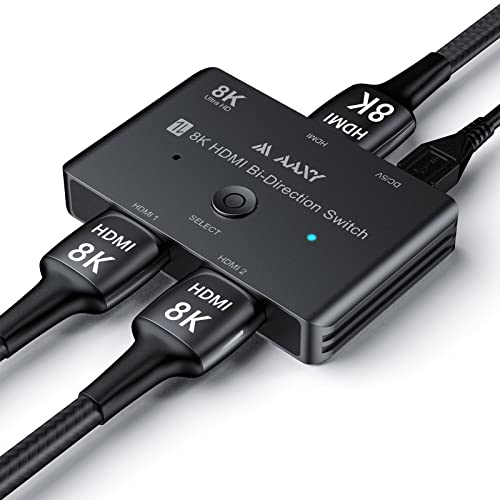
If you’re a gamer, this is the one I’d point you toward. The AAXY runs on HDMI 2.1 with 48Gbps bandwidth, which means 8K at 60Hz and 4K at 120Hz. That’s the kind of speed you need for a PS5 or Xbox Series X where every millisecond of input lag matters. Most cheaper splitters top out at HDMI 1.4, and you can feel the difference in fast-paced games.
It’s bidirectional too: use it as a 2-in-1 switch or a 1-in-2 splitter depending on what you need. The aluminum body keeps it cool and protects it from drops. I also appreciate the HDCP 2.2/2.3 support, which means you won’t get black screens when streaming protected content from apps like Netflix or Disney+.
Best for: Gamers who need 4K@120Hz or 8K support with zero lag on PS5, Xbox Series X, or a high-refresh-rate PC.
Targus USB-C Dual HDMI 4K Docking Station

- Multitask Like a Pro: Turn your laptop into a dual video workstation with Targus' compact USB-C Alt. Mode Dual HDMI 4K Docking…
- Workstation On the Go: Easily connect USB-C-enabled devices to two HDMI monitors, connect to a Gigabit Ethernet, and plug-in key…
This isn’t just a splitter. It’s a full docking station, and it’s the pick I’d make if you’re working from a USB-C laptop. The Targus gives you two HDMI ports (4K at 60Hz each), USB-A ports, SD and Micro SD slots, Gigabit Ethernet, and 100W power delivery passthrough. Plug one cable into your laptop and you’ve got a complete desktop workstation.
At around $80 (down from $105), it’s the most expensive option on this list, but you’re replacing 3-4 separate adapters with one device. I’ve set these up for clients who hot-desk between home and office, and the single-cable workflow is worth every penny. If your laptop has USB-C and you need dual 4K monitors plus extra ports, this is the one to get.
Best for: Remote workers and professionals who want a one-cable docking solution with dual HDMI, USB, and Ethernet.
Newcare 4K HDMI Switch 3 In 1 Out
![[Upgrade]NEWCARE HDMI Switch 3 in 1 Out 4K@60Hz HDMI 2.0 Switch Splitter with 2.6FT HDMI Cable 3-Port HDMI Switcher Selector Supports 4K 30Hz 3D 1080P HDCP2.2 for PS5 Xbox DVD Player Fire Stick PC](https://m.media-amazon.com/images/I/415OBm-7G7L.jpg)
- ➽【3 IN 1 OUT NEWCARE HDMI SWITCH】: 3 HDMI ports in and 1 HDMI out for various HDMI devices, HDMI switcher 3 ports can work…
- ➽【EASY TO HOOK UP】: This HDMI Switch has the key-press-switching function, you can push the button to change what port you…
The Newcare is an HDMI switch, not a splitter, and that’s an important distinction. It lets you connect 3 HDMI sources (say, a PS5, a Fire Stick, and a laptop) to one TV or monitor, then toggle between them with a physical button. It comes with a 2.6-foot HDMI cable included, supports 4K at 60Hz via HDMI 2.0, and works with HDCP 2.2.
I like this for entertainment centers where your TV only has one or two HDMI ports and you’ve got more devices than inputs. The button-press switching is straightforward, and you don’t need to fumble behind the TV to swap cables every time you want to switch from gaming to streaming. At around $22, it’s a no-brainer for that use case.
Best for: People with multiple HDMI devices and limited TV ports who need a quick way to switch between sources.
KELIIYO HDMI Splitter 1 In 4 Out HDMI Video Splitter
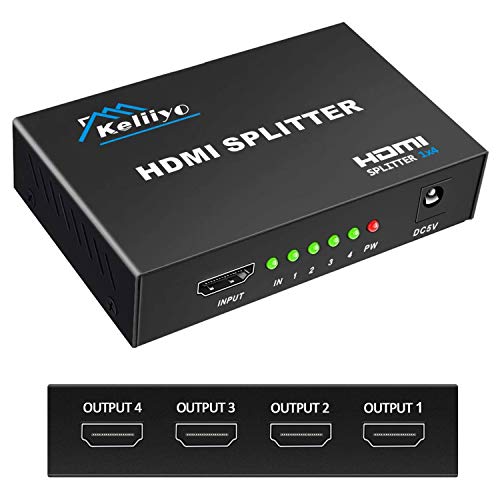
- 【1×4 Hdmi Splitter】This Hdmi splitter 1 input 4 output duplicate 1 HDMI input signal to 4 identical HDMI output signals,…
- 【High Compability】Keliiyo 4 way Hdmi Splitter supports full HD 1080P and 3D resolutions, it can reach up to 4K@30Hz, deep…
Need to mirror one signal across four screens? The KELIIYO is built for exactly that. I’ve used splitters like this for trade show booths and retail displays where the same content runs on multiple TVs. It duplicates one HDMI input to four identical outputs, supports 4K at 30Hz and 3D, and the metal casing with anti-corrosion ports means it’ll last.
The signal can reach up to 100 feet, which is useful for larger setups where your screens aren’t right next to the source. For the best results, keep output cables under 60 feet and input cables under 40 feet. At under $19 for a 4-way splitter with an AC adapter included, the value is hard to argue with.
Best for: Commercial displays, trade shows, or home setups where you need the same content mirrored on 3-4 screens.
Zettaguard 4 Port 4K HDMI Switch with PIP
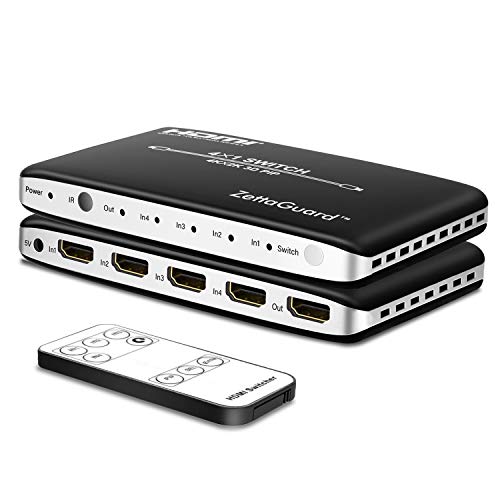
- Connects up to 4 HDMI source components to a single HDMI input, Switches between HDMI ports with included remote for impressive…
- Supports video format up to 4k2k@30Hz with 24bit RGB/YCBCR 4:4:4/YCBCR 4:2:2; Supports LPCM 7.1CH, Dolby Trued, and DTS-HD Master…
The Zettaguard stands out for one reason: Picture-in-Picture (PIP). You can watch content from one source in a small window while the main screen shows another. That’s a feature I haven’t seen on many switches at this price. It connects up to 4 HDMI sources to one display and comes with an IR remote for switching from across the room.
It supports 4K at 30Hz, Dolby TrueHD, DTS-HD Master Audio, and LPCM 7.1 channel audio. It’s also HDCP 2.2 compatible. I’d recommend this for anyone running a home theater with a Blu-ray player, gaming console, streaming box, and maybe a PC all going to one TV. The PIP feature alone justifies the ~$50 price tag over cheaper 3-port switches.
Best for: Home theater enthusiasts who want 4-port switching with PIP and remote control.
UGREEN HDMI Bi-Directional Switcher And Splitter
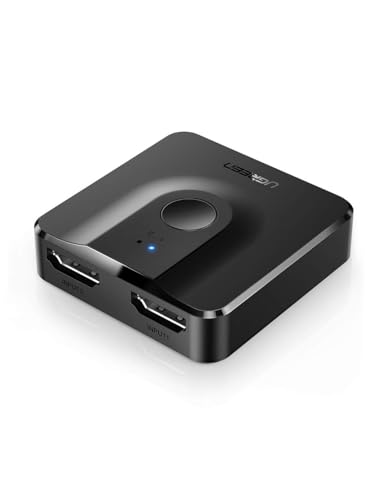
- Bidirectional HDMI Switch: With this HDMI switch 2 in 1 out, you could connect two HDMI sources to one HDMI display, or connect…
- High Resolution 4K@60Hz: Support 4K@60Hz and backward compatible with 4K@30Hz, 1080P@60Hz. This HDMI Switcher also supports 3D,…
UGREEN is a brand I trust for affordable accessories, and this bidirectional HDMI switch is their best-selling model for good reason. At $13, it does two things well: connect 2 sources to 1 display (switch mode) or split 1 source to 2 displays (splitter mode). You just flip the direction depending on what you need. No power adapter required.
It handles 4K at 60Hz, which is better than most devices in this price range that cap out at 30Hz. It also supports HDR, 3D, and works with PS5, Xbox Series X/S, Roku, Fire Stick, and pretty much anything with an HDMI port. The only limitation is that it can’t display on two screens simultaneously in switch mode. But for $13, you’re getting more flexibility than any single-function device at twice the price.
Best for: Anyone who wants the most versatile sub-$15 HDMI device. Great for dorm rooms and small setups.
TOPYIYI 4K HDMI Splitter
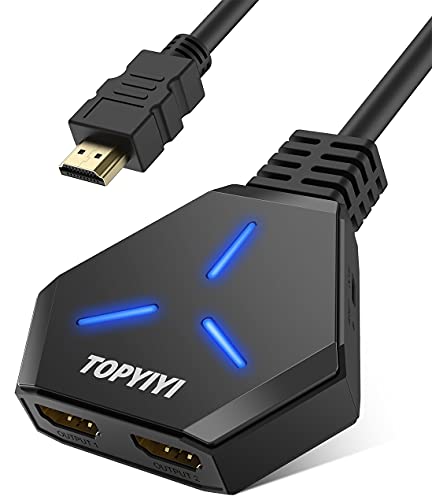
- 【HDMI SPLITTER 1 IN 2 OUT】 TOPYIYI HDMI splitter easily distributes audio and video signal from a single source (Xbox, Roku,…
- 【SUPPORTS 4K and 1080P】: The Topyiyi 4K HDMI Splitter supports resolutions up to Ultra HD (4K), 4K x 2K@30hz, 1080P…
The TOPYIYI has one feature that sets it apart from most budget splitters: HDCP 1.4 bypass. If you’ve ever gotten a blank screen or an “HDCP unauthorized” error when trying to split a signal from a streaming device or cable box, you know how annoying HDCP issues can be. The TOPYIYI handles that without any fuss.
It supports 4K at 30Hz, 1080p, and 3D, with stable signal transmission and no noticeable flicker. It comes with an HDMI cable and works with Xbox, PS4/PS3, Fire Stick, Roku, and most other standard HDMI devices. If HDCP compatibility has been a pain point for you in the past, this is the splitter I’d grab first.
Best for: Users who’ve struggled with HDCP errors on other splitters and need a reliable bypass at a low price.
Koopman HDMI Switch 4K HDMI Splitter
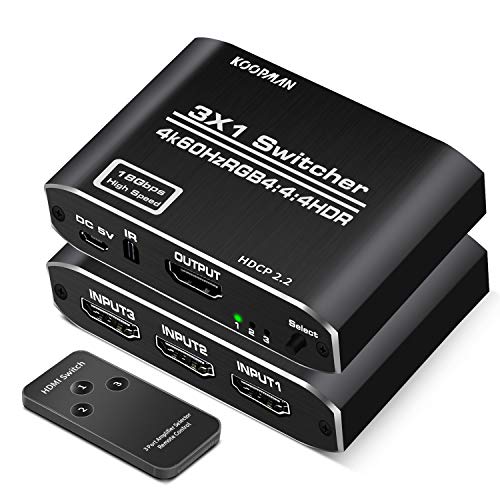
- [HDMI Switch 3 in 1 out] Koopman Aluminum HDMI switch splitter supports 4K@60Hz, HDCP 2.2(Also backward compatible with HDCP 1.4,…
- [Premium Aluminum Material] High-quality smooth aluminum material makes this HDMI switch box durable and offers fast heat…
The Koopman is a 3-in-1 HDMI switch with an IR remote, HDMI 2.0 support, and an aluminum body. It handles 4K at 60Hz, HDR, 3D, and HDCP 2.2. I’d call it the “grown-up” version of the Newcare switch, with better build quality and the convenience of a wireless remote instead of a physical button.
One honest caveat: this is a switch, not a true splitter. You can toggle between 3 input devices on one screen, but you can’t display on two screens at once. It’s plug-and-play with no external power needed, which keeps things clean. If you’ve got a PS4, Xbox, and Fire Stick all fighting for one HDMI port on your TV, the Koopman handles that situation well.
Best for: Home theater setups where you want 3 devices on one TV with wireless remote switching and 4K@60Hz.
Which HDMI Splitter Should You Buy?
If I had to pick just one for most people, I’d go with the UGREEN bidirectional switch at $13. It covers the two most common use cases (switching and splitting) in one tiny device with 4K@60Hz support. For gamers who need 8K or 4K@120Hz, the AAXY is the clear winner. And if you’re a remote worker with a USB-C laptop, skip the splitter entirely and get the Targus docking station.
The biggest mistake I see people make is buying a splitter when they need a switch, or vice versa. A splitter mirrors one source to multiple screens. A switch lets you toggle multiple sources to one screen. Figure out which problem you’re solving first, then pick from this list.
Frequently Asked Questions
What’s the difference between an HDMI splitter and an HDMI switch?
An HDMI splitter takes one input signal and mirrors it to two or more screens. An HDMI switch does the opposite: it takes multiple input devices and lets you toggle between them on one display. Some bidirectional models (like the UGREEN) can do both, but not at the same time.
Can an HDMI splitter extend my desktop across two monitors?
No. HDMI splitters mirror (duplicate) your screen, not extend it. You’ll see the same image on both displays. If you want different content on each monitor, you need a dual-output graphics card, a USB-C docking station with two HDMI ports (like the Targus), or a USB display adapter.
Do HDMI splitters reduce picture quality or resolution?
A good HDMI splitter won’t reduce quality if it supports your source’s resolution. The output resolution matches the input. But if you’re running 4K and the splitter only supports 1080p, it’ll downscale the signal. Always check the max resolution spec before buying. Budget splitters typically max out at 4K@30Hz, while higher-end models support 4K@60Hz or even 8K.
Why do I get a black screen when using an HDMI splitter?
The most common cause is HDCP (High-bandwidth Digital Content Protection). Streaming services and cable boxes use HDCP to prevent unauthorized copying, and cheap splitters can’t pass the HDCP handshake properly. Look for a splitter that explicitly supports HDCP 2.2, or try a model like the TOPYIYI with HDCP bypass if you’re running into this issue.
Do HDMI splitters need external power?
Some do, some don’t. Simple 1-to-2 splitters and bidirectional switches (like the UGREEN and AAXY) often draw power from the HDMI connection itself. Splitters with more outputs (like the KELIIYO 1-to-4) typically need an AC adapter or USB power source because they’re pushing the signal to more displays. Check the product listing before you buy.
Can I use an HDMI splitter for gaming without input lag?
Yes, but the splitter’s HDMI version matters. HDMI 2.1 splitters like the AAXY support 4K@120Hz with 48Gbps bandwidth and add negligible latency. Older HDMI 1.4 splitters cap out at 4K@30Hz and can introduce slight delays. For competitive gaming, stick with HDMI 2.0 or 2.1 models and keep your cable runs short.