
Why Is It a Good Idea for Companies to Outsource Software Development?
Businesses in almost every sector of the economy outsource some of their vital operations to other companies that have professionals at hand ready to execute them. Some disciplines that regularly outsource are manufacturing, customer services, human resources, and IT services. However, as the level of activity in the technology sector continues to increase, companies in this space have begun to embrace outsourcing.

Software development is the key task for tech companies and it eats up a huge chunk of their budget. This is because of the high demand for competent software developers, and the resulting high wages. The strain on the budget of some tech companies puts a limit on the number of full-time software developers they can have on their payroll.
However, these companies can sometimes have projects to execute that require more software developers than they can employ. In situations like this, the company can outsource the project to companies like mev.com so their experts can get the work done. To ensure this exercise is efficient, the company outsourcing the job can make their CTO oversee it and manage risks as appropriate. Here are benefits companies can enjoy by outsourcing their software development:
Better management of resources
The business world is competitive and companies that manage their resources well have an upper hand over their competitors. Outsourcing software development or any other business operation reduces long-term operational costs. It also gives companies access to highly-skilled professionals and their expertise at costs that they would not be able to afford on their payroll under normal circumstances.
Faster product or feature launch times
Sometimes software companies operate on a tight schedule and cannot meet the promised product or feature launch schedules due to staff limitations. Outsourcing their software development needs to competent companies like Mev can help them achieve their goals in due time.
Access to a wider pool of skills
Delegating software development tasks to other companies can expose a business to personnel that have better approaches to the task in question than their in-house developers. This exposure to better job performance can improve the overall service provision of the business without breaking the bank.
Lower chances of experiencing technical hazards
Outsourcing software development projects to a company like Mev that has a team of dedicated personnel that thoroughly understands the software space reduces technical hazards. This is because everyone involved in the project would be software specialists and would spot errors before they escalate and become costly to rectify.
Less daily operations to deal with
Letting other companies with competent software developers execute projects frees up a business’s time and allows them to focus on more strategic decisions. They can even use this extra time to explore possibilities of executing more projects, increasing their revenue. This will aid business growth in the long run for a fraction of what it would have originally cost.
Endnote
Businesses that outsource their software development needs benefit massively especially if they work with companies that are known for their stellar job performance. It makes their overall business operations easier especially if they gain the expertise of experienced professionals for a reduced cost. Outsourcing also lets businesses take on multiple projects at once and deliver them quickly.
Essential Communication Tools for Remote Teams
Outsourcing works when communication works. I’ve managed remote development teams across 4 time zones, and the one thing that kills projects faster than bad code is bad audio on calls. If your team can’t hear each other clearly, requirements get lost.
The Bose QuietComfort Ultra headphones have the best mic clarity I’ve tested for video calls. The noise cancellation filters out home office background noise that cheaper headsets let through. Your outsourced team will actually hear your feedback the first time. For more remote work gear, see my home office setup guide.
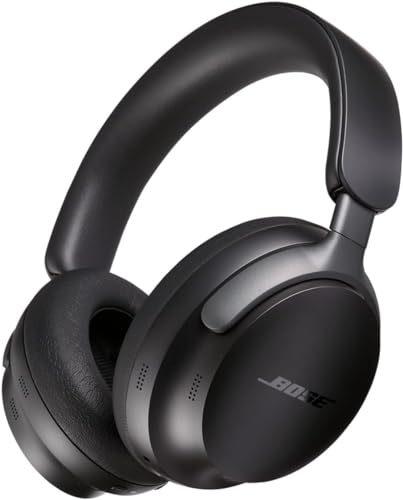
- SPATIAL AUDIO HEADPHONES: Bose QuietComfort Ultra Headphones with spatial audio give you an immersive experience that makes music feel more real; CustomTune technology offers personalized sound, shaped to you
- NOISE CANCELING HEADPHONES: These wireless noise cancelling headphones feature Quiet Mode, Aware Mode and Immersion Mode, which combines full noise cancellation and Bose Immersive Audio
- HEADPHONES WITH MIC: Microphones focus on the sound of your voice and the bluetooth headphones with microphone filter out background noise for the clearest phone calls of any Bose headphones
- COMFORTABLE HEADPHONES: Soft ear cushions hug your ears, the band spreads pressure evenly and elevated materials let you make a statement with these noise cancelling over-the-ear headphones
- WIRELESS HEADPHONES BLUETOOTH: Advanced Bluetooth 5.3 offers connection within 30 feet of your device; SimpleSync allows you to sync with a Bose smart soundbar so you can listen to TV at your own volume
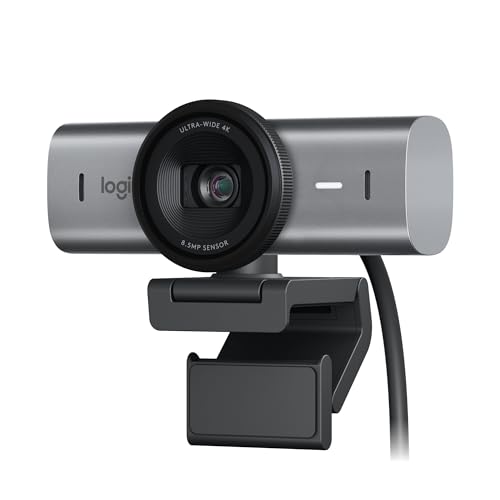
- Ultra HD 4K webcam: meet or stream in 4K resolution at 30fps or 1080p at 60fps, with our most advanced webcam sensor yet, with 70% larger pixels (1) for sharp image quality
- AI-enhanced image quality: Experience 2x better face visibility with finer image details in difficult light (2), with auto-exposure, auto white balance, noise reduction, and autofocus
- Curate Your Image: Fine controls (3) on this Ultra HD webcam let you adjust lighting and white balance, such as ISO, Shutter Speed, Tint, and Vibrance, or let Auto mode take care of it
- Let Them Hear Your Every Word: Integrated dual beamforming noise-reducing microphones minimize background noise with the aid of AI to make sure you are clearly heard
- Share Your Work: Tilt down your Logitech webcam to share notes and sketches on your desk with Show Mode, allowing for better collaboration on calls