
Best Email Verification Tools in 2026: 8 Services Tested and Compared

A 5% bounce rate doesn’t sound like much. But if you’re sending 1,000 cold emails a week, that’s 50 bounces, enough for Gmail to flag your domain and route everything to spam. I’ve watched it happen to client campaigns that skipped verification to save $20. The recovery took six weeks.
Email verification tools catch invalid, disposable, and risky addresses before they wreck your sender reputation. The cost is usually $3-15 per 10,000 emails. The cost of NOT verifying is weeks of degraded deliverability, lost revenue, and a domain that email providers don’t trust anymore.
Here are the 8 best email verification tools in 2026, ranked by accuracy, speed, and value for the price:
- Bouncer for reliable verification with catch-all scoring and the fastest turnaround under 45 minutes for 100K emails
- ZeroBounce for AI-powered email scoring and a full deliverability toolkit beyond just verification
- NeverBounce for the lowest per-verification cost at high volumes with SLA-backed accuracy
- Hunter for email finding and verification in one tool with a generous free tier
- EmailListVerify for budget bulk cleaning at $0.0004 per email with 99% accuracy guarantee
- Clearout for real-time form verification and deep CRM integrations with Salesforce and HubSpot
- Emailable for developer-first API access with the fastest response times for real-time verification
- MailerLite for newsletter senders who want verification built into their email marketing platform
Why Email Verification Matters for Your Campaigns
Every email you send to an invalid address is a signal to Gmail, Outlook, and Yahoo that you don’t maintain your lists. Send enough of them and your emails stop reaching real people. Not just the bad addresses, all of them.
Here’s what unverified lists actually cost you:
- Sender reputation damage. Once your bounce rate exceeds 2-3%, email providers start throttling your delivery. Gmail’s postmaster tools will show your domain reputation dropping from “High” to “Low” in days, not weeks.
- Wasted outreach budget. If your cold email tool charges per contact or per email sent, every invalid address is money burned. A 10% invalid rate on a 5,000-contact list means 500 wasted sends.
- Skewed campaign analytics. Hard bounces inflate your send count while reducing your real open and reply rates. You think your campaign performed at 15% open rate when the real number (among valid addresses) was 18%. Bad data leads to bad decisions.
- ESP account suspension. Email marketing platforms like Mailchimp, ConvertKit, and MailerLite will suspend accounts that consistently exceed bounce thresholds. Some don’t give warnings.
Email lists degrade at roughly 2-3% per month. People change jobs, companies shut down, temporary emails expire, and inboxes get abandoned. A list that was 97% valid in January is 85% valid by December if you don’t clean it.
Run verification before every major campaign, not just when you first build the list. The $10 it costs to verify 5,000 emails is nothing compared to the weeks it takes to recover a damaged sender reputation.
Quick Comparison
Here’s how all 8 tools stack up on the features that matter most:
| Tool | Best For | Free Tier | Bulk Rate (per 10K) | Real-Time API | Catch-All Detection |
|---|---|---|---|---|---|
| Bouncer | Freelancers and small teams | 100 credits | ~$30 | Yes | Yes + scoring |
| ZeroBounce | Deliverability-focused teams | 100/month | ~$39 | Yes | Yes + AI scoring |
| NeverBounce | High-volume bulk cleaning | 1,000 free | ~$8 | Yes | Yes |
| Hunter | Finding + verifying emails | 50/month | ~$34 | Yes | No |
| EmailListVerify | Budget bulk verification | 100 free | ~$4 | Yes | Yes |
| Clearout | CRM and form integrations | 100 credits | ~$28 | Yes | Yes |
| Emailable | Developer-first API usage | 250 free | ~$30 | Yes | Yes |
| MailerLite | Newsletter senders | Included | ~$40 | Yes (API) | No |
Bouncer
Best for: Freelancers and small teams who want fast, accurate verification without overpaying.

Bouncer verifies email lists fast. We’re talking 100,000 emails processed in under 45 minutes with 99.5%+ accuracy. For freelancers running cold outreach, that means you can clean a prospect list during lunch and have it ready for your afternoon campaign.
What makes Bouncer stand out is the catch-all verification with confidence scoring. Most tools just flag catch-all domains as “risky” and leave you guessing. Bouncer gives each catch-all address a deliverability score so you can make an informed call on whether to include it. For B2B outreach where many companies run catch-all servers, that distinction saves real contacts from being discarded.
The Toxicity Check feature is unique to Bouncer. It flags email addresses associated with spam traps, complainers, and litigators. Sending to a spam trap even once can get your entire domain blacklisted. Most verification tools don’t check for this at all.
Pricing: Pay-as-you-go starting at $0.008 per email (1,000 credits for $8). Volume discounts kick in at 10,000+ emails ($0.003/email). 100 free verification credits to test.
Key Features
- Bulk verification: Upload CSV lists up to 250,000 emails. Results include status (deliverable, risky, undeliverable), reason codes, and confidence scores.
- Real-time API: Verify emails at point of entry on signup forms, CRMs, or custom workflows. Response time under 1 second per check.
- Catch-all scoring: Instead of a binary risky/safe flag, Bouncer scores catch-all addresses on deliverability likelihood.
- Toxicity check: Flags spam traps, known complainers, and litigator addresses that other tools miss entirely.
- Integrations: Direct connections to Mailchimp, HubSpot, Brevo, Moosend, and Zapier for automated list cleaning workflows.
Pros
- Pay-as-you-go pricing with no monthly commitment. Only pay for what you verify.
- Toxicity check catches spam traps and litigator addresses that most competitors ignore.
- Catch-all confidence scoring helps you keep good contacts instead of blanket-rejecting entire domains.
- Fast processing. 100K emails in under 45 minutes is faster than most tools at this price.
Cons
- No built-in email finder. Bouncer only verifies, it doesn’t help you find emails in the first place.
- The dashboard UI is functional but not as polished as ZeroBounce or Emailable.
- No native integration with popular cold email tools like Instantly or Lemlist. You’ll export/import via CSV.
ZeroBounce
Best for: Teams that need verification plus deliverability tools in one platform.

ZeroBounce goes beyond basic verification. It’s a deliverability toolkit that includes email validation, inbox placement testing, blacklist monitoring, and an AI-powered email scoring system. If you’re not just cleaning lists but actively managing your sender reputation, ZeroBounce covers more ground than any other tool on this list.
The AI email scoring (ZeroBounce AI) analyzes each email address and assigns a quality score from 0-10 based on engagement likelihood. It factors in the age of the email, domain activity, and historical sending patterns. This helps you prioritize your best contacts, not just remove the dead ones.
ZeroBounce also appends missing data. If you have an email but no name, gender, or location, ZeroBounce fills in the gaps from its database. Useful for personalizing cold outreach without manual research.
Pricing: Pay-as-you-go at $0.008/email for 2,000. Monthly plans start at $15/month for 2,000 credits. 100 free verifications per month.
Key Features
- AI email scoring: Rates each email 0-10 on engagement probability. Helps prioritize outreach beyond just valid/invalid status.
- Data append: Adds first name, last name, gender, location, and IP info to email records missing this data.
- Inbox placement testing: Shows exactly where your email lands (primary inbox, promotions, spam) across Gmail, Outlook, Yahoo, and others.
- Blacklist monitoring: Alerts you if your sending domain or IP gets listed on any of 200+ blacklists.
- Activity scoring: Identifies which email addresses on your list have been active recently vs. abandoned months ago.
Pros
- The most complete deliverability toolkit on this list. Verification, inbox testing, blacklist monitoring, and data append in one platform.
- AI scoring helps you prioritize contacts by engagement likelihood, not just validity.
- Data append fills in missing contact details automatically. Saves hours of manual enrichment.
- SOC 2 Type II certified. Important if you handle client data or work under compliance requirements.
Cons
- More expensive than verification-only tools. The extra features come at a premium.
- The interface has a lot going on. If you just need basic verification, it’s more tool than you need.
- Pay-as-you-go credits expire after 12 months. Use them or lose them.
NeverBounce
Best for: High-volume senders who need the lowest per-email cost with guaranteed accuracy.
NeverBounce (now part of ZoomInfo) is one of the most established verification tools in the market. Its pricing model makes it the cheapest option for large lists: $0.008/email for under 10,000, dropping to $0.003/email at 100,000+. If you’re cleaning lists of 50,000+ contacts regularly, NeverBounce is hard to beat on cost.
NeverBounce backs its results with a deliverability SLA. If your bounce rate exceeds their guaranteed threshold after verification, they’ll refund the difference. That SLA matters because it means they stand behind their accuracy claims, not just marketing them.
The bulk cleaning dashboard is straightforward. Upload a CSV, NeverBounce processes it (typically 10-15 minutes for 50,000 emails), and you download the cleaned list with status codes for each address. It does one thing and does it well.
Pricing: Pay-as-you-go starting at $0.008/email (up to 10,000). $0.005/email at 50,000. $0.003/email at 100,000+. 1,000 free verifications to start.
Key Features
- Bulk list cleaning: Upload CSV files up to millions of records. Processing time scales linearly and stays fast even at high volumes.
- Deliverability SLA: Guaranteed bounce rate below their threshold. Refunds if your post-verification bounce rate exceeds the guarantee.
- Real-time API: Verify emails at point of entry with sub-second response times. Works with forms, CRMs, and custom applications.
- Automated list cleaning: Connect your ESP and schedule automatic verification runs on a daily, weekly, or monthly basis.
- 25+ integrations: Direct connections to Mailchimp, HubSpot, Salesforce, ActiveCampaign, Zapier, and more.
Pros
- The cheapest option for high-volume verification. $0.003/email at 100K+ is unmatched.
- Deliverability SLA puts their money where their accuracy claims are.
- 1,000 free verifications is generous enough to test on a real list, not just a handful of emails.
- Automated ESP cleaning means your list stays fresh without manual intervention.
Cons
- Now owned by ZoomInfo, which means the pricing model and feature set could change as they integrate.
- No data append, AI scoring, or deliverability testing. Verification only.
- The dashboard looks dated compared to newer tools like Emailable or Bouncer.
Hunter
Best for: Freelancers who need email finding and verification in one tool.
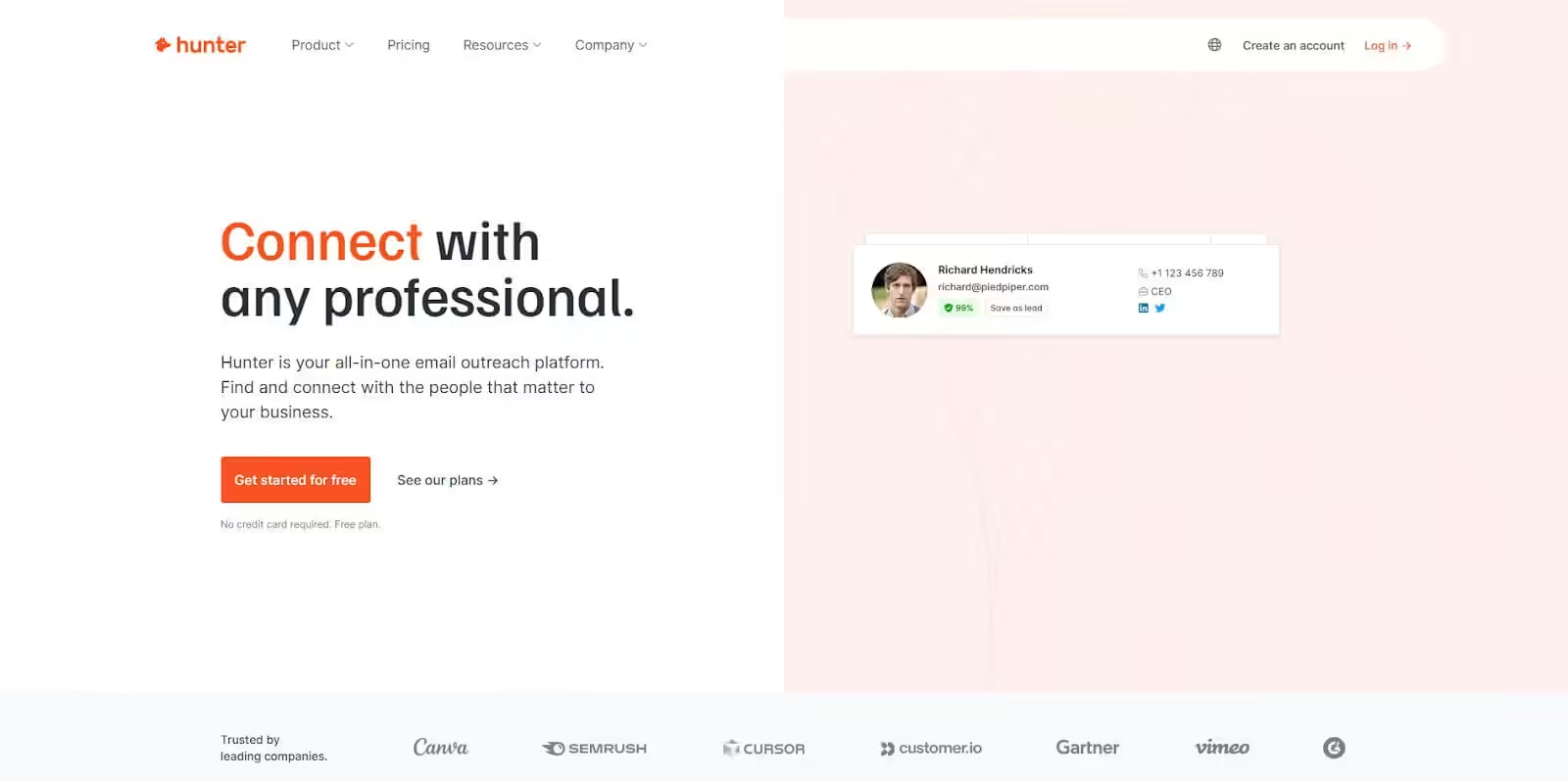
Hunter is primarily an email finder, but its built-in verification is accurate enough that many freelancers use it as their only tool. Find an email, verify it, and add it to your outreach list without switching platforms or exporting CSVs.
The domain search is what sets Hunter apart from pure verification tools. Enter any company domain and Hunter returns all associated email addresses with confidence scores and the sources where each address was found. For freelancers prospecting by company, this workflow of find-then-verify in one dashboard saves serious time.
The free tier gives you 25 email searches and 50 verifications per month. Not enough for heavy prospecting, but enough to test the tool on real targets before committing to a paid plan.
Pricing: Free (25 searches, 50 verifications/month). Starter at $34/month (500 searches, 1,000 verifications). Growth at $104/month (5,000 searches, 10,000 verifications).
Key Features
- Email finder + verifier: Find emails by domain search and verify them in one step. No need for a separate verification tool.
- Domain search: Enter a company domain and get all associated email addresses with confidence scores and original sources.
- Bulk verification: Upload CSV lists for batch verification. Results include status and confidence levels per address.
- TechLookup: Filter companies by technology stack. Find every company running WordPress, Shopify, or HubSpot.
- Chrome extension: Pull and verify emails from LinkedIn profiles and company websites without leaving your browser.
Pros
- Combines email finding and verification in one tool. Most competitors only do one or the other.
- Confidence scores and source transparency help you judge email quality before sending.
- TechLookup is a hidden gem for freelancers targeting companies on specific platforms.
- The free tier is functional enough to test on real prospects, not just demo data.
Cons
- Verification accuracy is good but not as high as dedicated tools like Bouncer or ZeroBounce.
- No catch-all detection or advanced features like toxicity checks or AI scoring.
- Credit-based pricing means you’re always watching your search count. Heavy prospectors hit limits fast.
If you’re running cold email campaigns, verify your list with a dedicated tool before importing it into your outreach platform. Most cold email tools don’t include verification, and sending to an unverified list is the fastest way to burn a new domain.
EmailListVerify
Best for: Budget-conscious freelancers who need bulk verification at the absolute lowest cost.
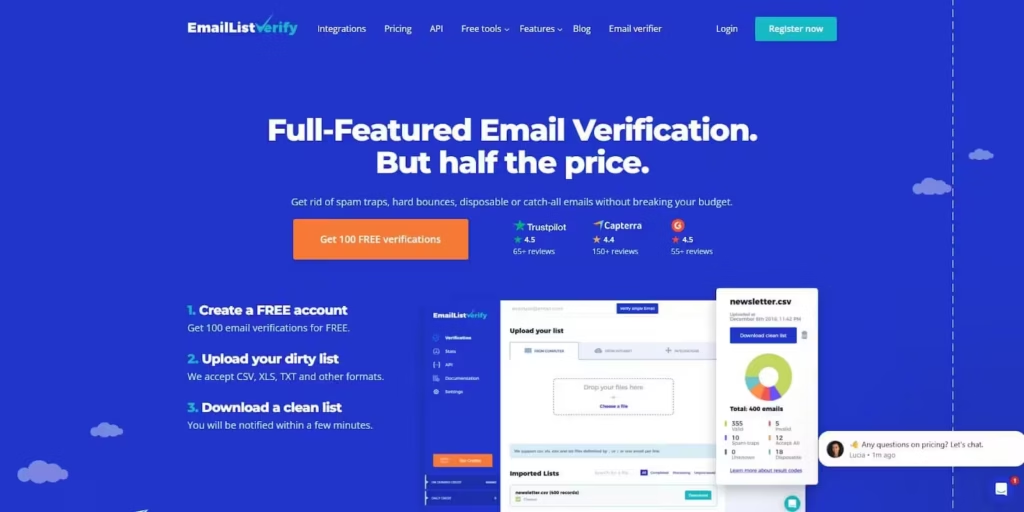
EmailListVerify is the cheapest dedicated verification tool available. At $0.0004 per email on their largest plan, you can verify 100,000 emails for $4. Even their pay-as-you-go rate of $0.004/email is cheaper than most competitors’ volume pricing.
The tool processes up to 100,000 emails per hour with a 99% accuracy claim on quality leads. It includes duplicate removal, syntax checking, domain validation, and disposable email detection. The confidence scoring system rates each email so you can set your own threshold for what to keep.
The ESP Finder feature identifies which email service provider each address uses. Knowing whether a prospect is on Gmail, Outlook, or a company mail server helps you tailor sending times and avoid provider-specific spam triggers.
Pricing: Pay-as-you-go at $0.004/email (1,000 for $4). Monthly plans from $39/month for 5,000 verifications. Enterprise rates as low as $0.0004/email for 10M+. 100 free credits.
Key Features
- High-speed bulk processing: Verify up to 100,000 emails per hour. Handles large lists without slowing down or timing out.
- Duplicate remover: Automatically removes duplicate addresses during verification to reduce list size and save credits.
- Confidence scoring: Rates each email’s deliverability likelihood so you can set custom thresholds for risky addresses.
- ESP Finder: Identifies the email service provider for each address. Helps tailor sending strategy by provider.
- API access: Real-time verification API with documentation for custom integrations and automated workflows.
Pros
- The cheapest verification tool on this list by a wide margin. $4 for 1,000 emails is hard to argue with.
- Fast processing. 100K emails per hour means you’re not waiting around for results.
- Duplicate removal is included automatically. Most tools charge extra for this or don’t offer it.
- ESP Finder gives you actionable intelligence most verification tools don’t provide.
Cons
- Accuracy on catch-all domains is lower than Bouncer or ZeroBounce. Budget pricing comes with trade-offs.
- No data append, deliverability testing, or blacklist monitoring. Verification only.
- The interface and documentation feel outdated compared to newer competitors.
Clearout
Best for: Teams that need real-time form verification and deep CRM integrations.

Clearout focuses on preventing bad emails from entering your system in the first place. Its real-time verification widget sits on your signup forms, landing pages, and registration flows. When someone enters an invalid or disposable email, Clearout blocks it before it reaches your database.
The CRM integrations go deeper than most competitors. Clearout connects directly to Salesforce, HubSpot, Zoho, Freshsales, and Pipedrive. It can verify contacts already in your CRM on a scheduled basis, automatically flagging or removing addresses that have gone stale.
Clearout also offers email finding capabilities (similar to Hunter) where you can search for business email addresses by name and company. It’s not as deep as Hunter’s database, but having both finding and verification in one tool is convenient.
Pricing: Pay-as-you-go at $0.007/email for 3,000 credits ($21). Monthly plans start at $31.50/month for 5,000 credits. 100 free credits to test.
Key Features
- Real-time form verification: JavaScript widget blocks invalid and disposable emails on your forms before they enter your database.
- CRM integrations: Direct connections to Salesforce, HubSpot, Zoho, Freshsales, and Pipedrive for automated list maintenance.
- Email finder: Search for business emails by name and company domain. Not as deep as Hunter but useful for quick lookups.
- Bulk verification: Upload CSV lists for batch processing with detailed status reports and exportable results.
- Google Sheets add-on: Verify email lists directly in Google Sheets without exporting or uploading files separately.
Pros
- The real-time form widget prevents bad emails from entering your system. Prevention beats cleanup.
- CRM integrations are deeper than any other tool on this list. Automated scheduled cleaning inside your CRM.
- Google Sheets add-on is convenient for freelancers who manage lists in spreadsheets.
- Email finding feature means you can search and verify in one tool without Hunter.
Cons
- More expensive per email than EmailListVerify or NeverBounce. You’re paying for the integrations.
- The email finder database is smaller than Hunter’s. For serious prospecting, you’ll still need a dedicated finder.
- Processing speed for bulk lists is slower than Bouncer or EmailListVerify at high volumes.
Emailable
Best for: Developers and teams that need the fastest, most reliable verification API.

Emailable (formerly TheChecker) is built for developers. The API documentation is clean, response times are consistently under 300ms for single verifications, and the webhook support means you can build automated verification pipelines without polling for results.
The bulk verification uses a smart queue system. Upload your list, and Emailable distributes the verification across multiple servers to keep processing fast even during peak usage. Results come back in segments, so you can start working with verified portions while the rest finishes.
For non-developers, the drag-and-drop CSV uploader and clean dashboard make Emailable accessible. But its real strength is the API. If you’re building custom outreach workflows, CRM integrations, or automated list cleaning pipelines, Emailable’s developer experience is the best on this list.
Pricing: Pay-as-you-go at $0.007/email for 1,000. Monthly plans from $30/month for 5,000 credits. 250 free verifications to test.
Key Features
- Fast API: Sub-300ms response times for single email verification. Webhook support for async bulk processing.
- Smart queue bulk processing: Distributed verification across multiple servers. Partial results available while processing continues.
- Reason codes: Detailed verification results including status, reason, role detection, free provider detection, and disposable detection.
- SDKs and libraries: Official client libraries for Python, Ruby, PHP, Node.js, Go, and Java. Well-documented API with examples.
- Monitor feature: Automated daily, weekly, or monthly verification of your lists to catch degradation before it affects campaigns.
Pros
- The best API experience on this list. Clean docs, fast responses, official SDKs in 6 languages.
- 250 free verifications is one of the more generous free tiers for testing before committing.
- Monitor feature automates ongoing list maintenance without manual intervention.
- Clean, modern dashboard. The UI doesn’t get in your way.
Cons
- No email finder, data append, or deliverability toolkit. Verification and nothing else.
- Pricing is mid-range. Not as cheap as EmailListVerify or NeverBounce for high volumes.
- Fewer native integrations than Clearout or ZeroBounce. The API is great, but you’ll build integrations yourself.
MailerLite (MailerCheck)
Best for: Newsletter senders who want verification built into their email marketing platform.

MailerLite includes email verification through MailerCheck, a built-in tool that cleans your subscriber list without leaving the MailerLite dashboard. For freelancers who already use MailerLite for newsletters and email marketing, this means no separate verification subscription and no CSV exports.
MailerCheck verifies single emails with a quick paste, or processes bulk lists uploaded as CSV. The verification API can sit on your signup forms and block invalid addresses before they reach your subscriber list. It catches syntax errors, invalid domains, disposable addresses, and role-based emails (info@, admin@, support@).
The pricing is higher per email than dedicated verification tools. But if you’re already paying for MailerLite’s email marketing plan, the convenience of having verification inside the same platform saves time and reduces tool sprawl.
Pricing: MailerCheck credits are separate from MailerLite subscription. 1,000 credits for $4. 5,000 for $15. 50,000 for $90. MailerLite plans start free (1,000 subscribers) with Growing Business at $10/month.
Key Features
- Built into MailerLite: Verify subscribers directly from your MailerLite dashboard. No export, no separate tool, no extra login.
- Single email verification: Quick copy-paste verification for one-off checks during outreach or manual list building.
- Verification API: Block invalid emails at signup by integrating with your forms. Prevents bad addresses from ever entering your list.
- Typo detection: Catches common misspellings like gmial.com, yaho.com, and outlok.com. Suggests corrections.
- Risky address detection: Flags role-based (info@, admin@), disposable, and full-inbox addresses with clear status codes.
Pros
- Built into MailerLite. No separate tool, no CSV juggling, no extra subscription for existing users.
- Typo detection catches common misspellings that other tools just flag as invalid.
- The API verification on signup forms prevents list degradation at the source.
- Pairs naturally with MailerLite’s automation and segmentation features for clean, targeted campaigns.
Cons
- Credits are separate from your MailerLite plan. You pay for the email marketing platform AND for verification credits on top.
- More expensive per verification than dedicated tools like EmailListVerify ($4/1,000 vs $0.40/1,000).
- No catch-all detection, AI scoring, or toxicity checks. Basic verification only.
- Only useful if you already use MailerLite. As a standalone verification tool, better options exist at every price point.
Which Tool Should You Pick
Here’s my take based on different situations:
If you’re a freelancer running cold outreach: Bouncer. Pay-as-you-go pricing, fast processing, and the toxicity check catches addresses that would damage your sender reputation. No monthly commitment, so you only pay when you have lists to clean.
If you need more than just verification: ZeroBounce. The inbox placement testing and blacklist monitoring help you understand why emails aren’t landing, not just which addresses are bad. Worth the premium if deliverability is critical to your business.
If you’re verifying large lists on a budget: NeverBounce at $0.003/email for 100K+ or EmailListVerify at even lower rates. Both do the job at scale without breaking the bank.
If you also need to find emails: Hunter combines finding and verification. One tool, one workflow, one subscription. The time savings add up when you’re prospecting daily.
If you’re building custom integrations: Emailable. The API docs, SDKs, and webhook support make it the developer’s choice.
If you already use MailerLite: Use MailerCheck for your subscriber list. But pair it with a dedicated tool for cold outreach verification.
The one thing I’d say regardless of which tool you choose: verify before every campaign, not just when you first build the list. A $10 verification run is cheap insurance against weeks of deliverability problems. For more on the tools that complement verification in your freelancer toolkit, check my full breakdown. And make sure you’re tracking the email metrics that actually matter so you can see the impact clean lists have on your campaigns.
Frequently Asked Questions
Why do I need to verify emails before sending campaigns?
Bounced emails destroy your sender reputation. Once your bounce rate exceeds 2-3%, email providers like Gmail and Outlook start routing your emails to spam for everyone on your list, not just the invalid addresses. Verification removes invalid, disposable, and role-based addresses before they cause damage. A $30 verification run can save months of deliverability recovery.
How accurate are email verification tools?
The best tools achieve 95-98% accuracy for identifying invalid addresses. Catch-all domains (which accept all emails regardless of whether the mailbox exists) are the hardest to verify accurately. No tool can guarantee 100% because email servers behave differently. Run verification before every major campaign, not just once when you build the list.
How often should I clean my email list?
Every 3-6 months as a minimum. If you’re adding new contacts rapidly through lead magnets, cold outreach, or paid ads, verify monthly. Email lists degrade at roughly 2-3% per month as people change jobs, abandon addresses, or mark emails as spam. A list that was 95% valid in January could be 85% valid by July.
What’s the difference between bulk verification and real-time API verification?
Bulk verification cleans an existing list by processing thousands of emails at once, usually via CSV upload. Real-time API verification checks individual emails at the point of entry, like when someone fills out a signup form or when a lead enters your CRM. Most tools offer both. Use bulk for existing lists and API for new signups.
Can email verification tools detect catch-all domains?
Yes, most tools flag catch-all domains, but they can’t tell you if the specific mailbox exists. A catch-all server accepts all emails sent to its domain, so the verification tool can’t distinguish between a real inbox and a dead one. Some tools like Bouncer and ZeroBounce offer confidence scoring for catch-all addresses to help you decide whether to send.
What’s a good bounce rate to aim for?
Under 2% is the target. Between 2-5% is a warning sign. Above 5% means your list needs immediate cleaning. Gmail and Outlook start throttling your sending when bounce rates stay above 2-3% consistently. If you’re running cold outreach, keep it under 1% by verifying every list before sending.
Do free email verification tools work?
For testing, yes. Most tools offer free tiers (Bouncer gives 100 free credits, Hunter gives 50 verifications/month, Emailable offers 250). But free tiers aren’t enough for real campaigns. A list of 5,000 contacts needs a paid plan. The cost is usually $3-15 per 1,000 verifications, which is a fraction of what a damaged sender reputation costs to repair.
Should I verify emails even if I bought a ‘verified’ list?
Always verify again yourself. Pre-verified lists degrade from the moment they’re created. The vendor might have verified them last month, but email addresses go stale fast. People change jobs, companies shut down, and temporary emails expire. Re-verification takes minutes and costs pennies per email. Skip it and you’re gambling your sender reputation on someone else’s quality control.
Disclaimer: This site is reader-supported. If you buy through some links, I may earn a small commission at no extra cost to you. I only recommend tools I trust and would use myself. Your support helps keep gauravtiwari.org free and focused on real-world advice. Thanks. - Gaurav Tiwari