
Best Android App Development Frameworks for 2026
You want to build an Android app. You open Google, search “best Android framework,” and get hit with 15 options that all claim to be the best. Flutter, React Native, Kotlin, Ionic, .NET MAUI. Each with its own fanbase telling you everything else is garbage.
Here’s the problem: picking the wrong framework wastes months. I’ve watched teams rebuild entire apps because they chose a cross-platform solution when they needed native performance, or went native when cross-platform would’ve shipped 3x faster.
After building and shipping apps with most of these frameworks across 800+ client projects, I can tell you the choice comes down to three things: your team’s existing skills, your target platforms, and your performance requirements. Here’s what actually works in 2026.
Best Android App Development Frameworks at a Glance
- Flutter — Best cross-platform framework with a single codebase for Android, iOS, web, and desktop
- Kotlin + Jetpack Compose — Google’s recommended stack for native Android development
- React Native — Ideal for JavaScript/React teams building for Android and iOS
- .NET MAUI — Microsoft’s cross-platform solution for C#/.NET developers
- Ionic — Web-tech approach for teams with HTML/CSS/JS expertise
- Solar 2D — Lightweight Lua-based framework for 2D games and graphics-heavy apps
What Exactly is a Framework for Mobile Apps?
A mobile app development framework is a software toolkit that provides structure, pre-built components, and best practices for building mobile applications. Think of it as the foundation you build on instead of starting from raw platform APIs.
Frameworks handle common tasks like UI rendering, navigation, networking, and platform-specific APIs. Without one, you’d spend months building basic functionality that’s already been solved. The right framework lets you focus on what makes your app unique rather than reinventing login screens and navigation patterns.
Best Android App Development Frameworks in 2026

Flutter
Best for: Teams who want one codebase for Android, iOS, web, and desktop without sacrificing UI quality.
Flutter is Google’s open-source UI toolkit and the most popular cross-platform framework right now. Built with the Dart programming language, Flutter lets you build natively compiled applications for Android, iOS, web, macOS, Windows, and Linux from a single codebase.
What sets Flutter apart is its own rendering engine (Impeller), which gives you pixel-perfect control over every element on screen without relying on platform-native UI components. This means your app looks and behaves consistently across all platforms. Flutter’s hot reload feature makes development fast. Change a widget, save the file, see the result instantly without restarting the app.
Flutter has a massive ecosystem with thousands of packages, strong community support, and is used in production by companies like Google Pay, Google Earth, ByteDance, and Alibaba. It’s free and open-source under the BSD license.
The downside? Dart. Most developers don’t know it before picking up Flutter, so there’s a language learning curve on top of the framework itself. App sizes also tend to be larger than native apps because Flutter bundles its own rendering engine. A basic “Hello World” Flutter app is around 5-8MB, while a native Kotlin app might be under 2MB.
Price: Free and open-source (BSD license).
Kotlin + Jetpack Compose
Best for: Developers building Android-first apps who need maximum performance and direct access to every platform API.
Kotlin is Google’s preferred language for Android development. It offers concise syntax, null safety (no more NullPointerException crashes), and full interoperability with Java. If you’re writing any new Android code, Kotlin is the default choice.
Kotlin has grown beyond Android. With Kotlin Multiplatform (now stable), you can share business logic across Android, iOS, macOS, JVM, JavaScript, WebAssembly, Linux, and Windows while writing platform-specific UI where needed.
For Android UI specifically, Jetpack Compose is Google’s modern, declarative UI toolkit built entirely in Kotlin. You describe what your UI should look like, and Compose handles the rendering. It’s been production-ready since July 2021 and is now Google’s recommended approach for building native Android interfaces. Compose integrates seamlessly with existing Android apps, so you can adopt it incrementally.
The drawback of going native Kotlin is that you’re building for Android only (unless you invest in Kotlin Multiplatform for shared logic). If you need iOS too, you’ll either maintain two separate codebases or use KMP, which still requires platform-specific UI code for each target.
Price: Free and open-source (Apache 2.0 license).
React Native
Best for: JavaScript/React teams who want to reuse their web skills for mobile development.
React Native, developed by Meta (formerly Facebook), remains one of the most widely used cross-platform frameworks. If your team already knows JavaScript and React, picking up React Native is straightforward.
React Native now supports Android, Android TV, iOS, macOS, tvOS, Web, Windows, and Apple’s visionOS. The New Architecture, featuring the Fabric renderer and TurboModules, significantly improved performance by reducing bridge overhead and enabling synchronous communication between JavaScript and native code.
The ecosystem is massive. Libraries like React Navigation, Expo, and Reanimated solve most common problems out of the box. Meta uses React Native in production for Facebook, Instagram, and Messenger, so it’s not getting abandoned anytime soon.
The honest limitation: performance-intensive apps (heavy animations, real-time graphics, complex gestures) still feel better in native Kotlin or Flutter. React Native renders through platform-native components via a JavaScript bridge, and while the New Architecture reduced this overhead, it hasn’t eliminated it entirely. For standard business apps, you won’t notice. For games or complex animations, you will.
Price: Free and open-source (MIT license).
.NET MAUI
Best for: C#/.NET teams building enterprise apps that need to target both mobile and desktop platforms.
.NET MAUI (Multi-platform App UI) is Microsoft’s cross-platform framework and the official successor to Xamarin, which reached end of support in May 2024. If you’re a C# or .NET developer, MAUI is your path to building native apps for Android, iOS, macOS, and Windows from a single codebase.
.NET MAUI is part of the broader .NET ecosystem and provides access to native platform APIs through a unified abstraction layer. You write your app once in C# and XAML, and MAUI handles the platform-specific rendering. It benefits from Microsoft’s extensive tooling support in Visual Studio, including hot reload, XAML live preview, and built-in debugging across platforms.
The strength of MAUI is enterprise integration. If your backend runs .NET, your team already knows C#, and you need apps on both mobile and Windows desktops, MAUI is the natural choice. You share business logic, models, and service layers between your server and client code.
The weakness: MAUI’s community is smaller than Flutter’s or React Native’s. Fewer third-party packages, fewer Stack Overflow answers, fewer tutorials. If you hit an obscure bug, you might spend more time debugging than you would with more established frameworks. Performance on Android specifically has been a recurring complaint, particularly around startup times and scrolling smoothness.
Price: Free and open-source (MIT license).
Ionic
Best for: Web development teams who need a mobile app but don’t want to learn an entirely new technology stack.
Ionic is an open-source framework for building cross-platform apps using web technologies: HTML, CSS, and JavaScript. It works with Angular, React, or Vue, and uses Capacitor (the successor to Cordova) to access native device APIs like the camera, GPS, and filesystem.
The biggest advantage of Ionic is zero learning curve for web developers. Your existing HTML, CSS, and JavaScript skills transfer directly. Ionic provides 100+ pre-built UI components that automatically adapt to iOS and Android design guidelines, so your app looks native on both platforms without manual styling.
Capacitor, Ionic’s native runtime, gives you access to any native SDK through a plugin architecture. The ecosystem includes plugins for push notifications, in-app purchases, biometric authentication, and more. You can also write custom native code in Swift/Kotlin when Capacitor plugins don’t cover your needs.
The downside is performance. Ionic apps run inside a WebView, which means they’re essentially web apps wrapped in a native shell. For simple CRUD apps, forms, and content-driven apps, you won’t notice any difference. But for anything requiring smooth animations, complex gestures, or real-time data processing, the WebView layer adds noticeable lag compared to Flutter or native Kotlin. Ionic has lost ground to Flutter and React Native in recent years for this reason.
Price: Free and open-source (MIT license). Enterprise plans available for teams needing dedicated support and CI/CD integrations.
Solar 2D
Best for: Solo developers and small teams building 2D games or graphics-heavy apps who want fast prototyping with Lua.
Solar 2D (formerly Corona SDK) is an open-source framework focused on 2D game development. It uses Lua scripting and supports Android, iOS, macOS, Windows, Linux, and HTML5. If you’ve ever built mods for games, you might already know Lua.
Solar 2D’s strength is simplicity. You can prototype a 2D game in hours, not days. The APIs for physics, sprites, animations, and touch input are straightforward and well-documented. Built-in monetization support handles ads (AdMob, Unity Ads, AppLovin) and in-app purchases across platforms without external plugins.
The community is small but dedicated. Solar 2D became open-source in 2020 when the original Corona Labs shut down, and community developers have kept it alive since. Don’t expect the rapid development pace of Flutter or React Native, but the framework is stable and functional for what it does.
The limitation is obvious: Solar 2D is for 2D games and graphics-heavy apps only. It’s not a general-purpose app framework. If you’re building anything that isn’t a game (business apps, utilities, social apps), use one of the other frameworks on this list.
Price: Free and open-source (MIT license).
How to Choose the Right Framework
Don’t pick based on hype. Pick based on constraints:
- Android-only app with maximum performance: Kotlin + Jetpack Compose. No contest.
- Android + iOS from one codebase: Flutter (if you’re open to learning Dart) or React Native (if your team knows JavaScript).
- Android + iOS + desktop (Windows/Mac): Flutter or .NET MAUI. Flutter has a larger community. MAUI integrates better with existing .NET backends.
- Web team building their first mobile app: Ionic. Lowest learning curve, fastest time to a working prototype.
- 2D game or graphics-heavy app: Solar 2D for quick prototyping, or Unity/Godot if you need more power.
- Enterprise app with .NET backend: .NET MAUI. Shared C# code between server and client is a real advantage.
All of these frameworks are free, open-source, and actively maintained. You can’t make a catastrophically wrong choice. But you can make a suboptimal one that costs you months, so match the framework to your team’s skills and your app’s actual requirements.
Recommended Books for Android Developers
Android frameworks change every two years. The fundamentals of good software don’t. Effective Java is required reading if you’re writing any Android code. Clean Code and Code Complete apply to every language and framework you’ll ever use.
I’ve seen developers chase every new framework without understanding basic principles. Don’t be that developer. Read these books once and you’ll write better code regardless of what Google promotes next. For more, see my Azure developer guide and full stack frameworks.
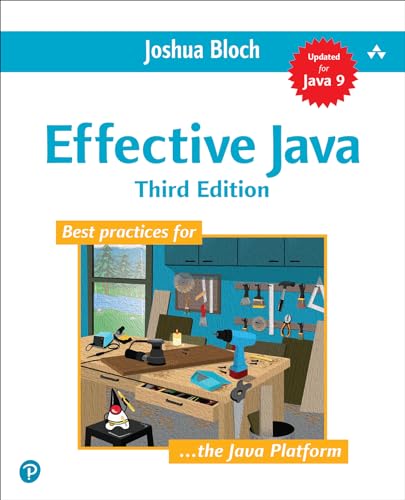
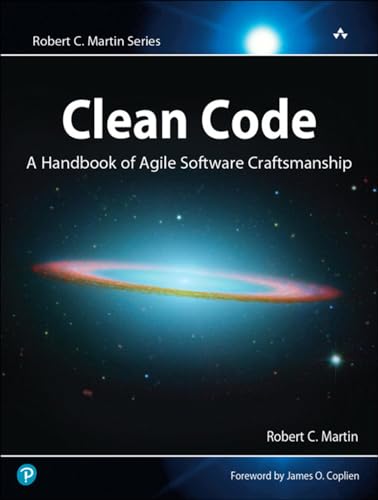
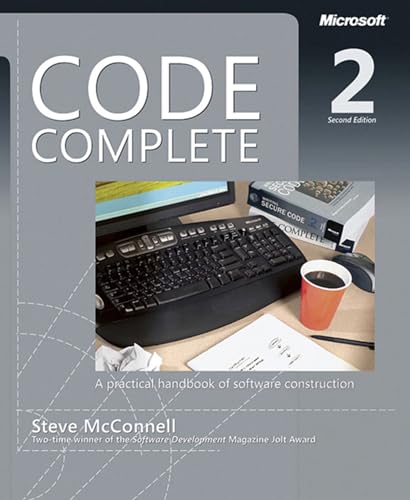
Code Complete: A Practical Handbook of Software Construction, Second Edition
- Helpful Programming Code Book
Best Laptops for Android Development
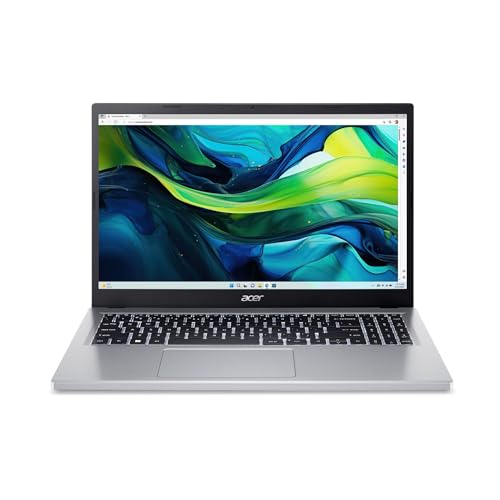
Android Studio is a resource hog. Running the emulator alongside the IDE needs at least 16GB RAM. The MacBook Air M2 gives smooth performance at a reasonable price. If budget is tight, the Acer Aspire 3 handles Android development at under $300. For more student options, see my guide on laptops for engineering students.

- STRIKINGLY THIN DESIGN — The redesigned MacBook Air is more portable than ever and weighs just 2.7 pounds. It's the incredibly capable laptop that lets you work, play or create just about anything — anywhere.
- SUPERCHARGED BY M2 — Get more done faster with a next-generation 8-core CPU, up to 10-core GPU and up to 24GB of unified memory.
- BUILT FOR APPLE INTELLIGENCE—Apple Intelligence is the personal intelligence system that helps you write, express yourself, and get things done effortlessly. With groundbreaking privacy protections, it gives you peace of mind that no one else can access your data—not even Apple.*
- UP TO 18 HOURS OF BATTERY LIFE — Go all day and into the night, thanks to the power-efficient performance of the Apple M2 chip.
- BIG, BEAUTIFUL DISPLAY — The 13.6-inch Liquid Retina display features over 500 nits of brightness, P3 wide color and support for 1 billion colors for vibrant images and incredible detail.
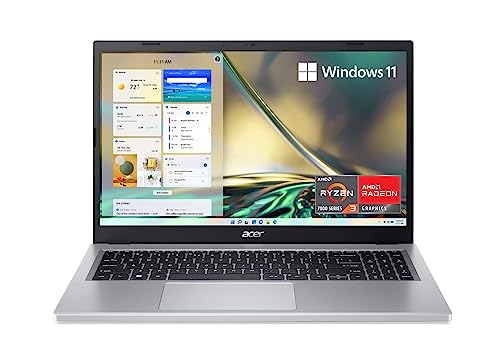
- Purposeful Design: Travel with ease and look great doing it with the Aspire's 3 thin, light design.
- Ready-to-Go Performance: The Aspire 3 is ready-to-go with the latest AMD Ryzen 3 7320U Processor with Radeon Graphics—ideal for the entire family, with performance and productivity at the core.
- Visibly Stunning: Experience sharp details and crisp colors on the 15.6" Full HD IPS display with 16:9 aspect ratio and narrow bezels.
- Internal Specifications: 8GB LPDDR5 Onboard Memory; 128GB NVMe solid-state drive storage to store your files and media
- The HD front-facing camera uses Acer's TNR (Temporal Noise Reduction) technology for high-quality imagery in low-light conditions. Acer PurifiedVoice technology with AI Noise Reduction filters out any extra sound for clear communication over online meetings.
- Speed and Storage: Equipped with an Intel Core i3-N305 processor, 8GB LPDDR5 RAM, and fast 128GB Universal Flash Onboard Storage, this laptop ensures smooth multitasking and responsive performance. Plus, enjoy extended productivity with exceptional battery life.
- Copilot in Windows – your AI Assistant: Do more, quicker than ever across multiple applications with the centralized generative AI assistance of Copilot in Windows (in preview). Accessible with a single touch of the Copilot Key
- Clarity and Comfort: With its narrow bezel design the 15.6" 1080p Full HD IPS display is perfect for casual web browsing and watching movies or streaming, allowing for a sharp, detailed view of what's in front of you. And with Acer BluelightShield, lower the levels of blue light to lessen the negative effects of blue light exposure.
- The Connectivity: Effortlessly connect or charge your devices through the full-function USB Type-C port—while Wi-Fi 6 and HDMI 2.1 enhance your digital experiences to be faster, smoother, and more enjoyable.
- Unlock More with AcerSense: Your device health and battery life are in good hands with AcerSense, which also optimizes storage space, monitors your apps, and much more. It's a versatile tool for a smoother, more user-friendly experience.
FAQs
Which Android framework should a beginner start with?
If you want to learn native Android development, start with Kotlin and Jetpack Compose. It’s Google’s recommended stack, has the best documentation, and every Android job listing asks for Kotlin. If you already know JavaScript and want to build for both Android and iOS, start with React Native. Flutter is also beginner-friendly but requires learning Dart, which isn’t as widely used elsewhere.
Is Flutter better than React Native in 2026?
Flutter generally offers better performance and more consistent UI across platforms because it uses its own rendering engine rather than native components. React Native has a larger ecosystem and lets JavaScript developers reuse their existing skills. Flutter is better for pixel-perfect custom UIs. React Native is better if your team already knows React and you want faster onboarding.
Can I build an Android app without learning Java?
Yes. Kotlin has replaced Java as Google’s preferred language for Android development. You can build complete Android apps using only Kotlin. Cross-platform frameworks like Flutter (Dart), React Native (JavaScript), Ionic (HTML/CSS/JS), and .NET MAUI (C#) also don’t require any Java knowledge. Java is still used in legacy Android codebases, but new projects rarely start with it.
What is Jetpack Compose and should I use it?
Jetpack Compose is Google’s modern UI toolkit for building native Android interfaces using declarative Kotlin code. Instead of writing XML layout files, you describe your UI as composable functions and Compose handles rendering. It’s been production-ready since July 2021 and is now Google’s recommended approach. If you’re starting a new Android project, use Jetpack Compose. If you have an existing app with XML layouts, you can adopt Compose incrementally alongside your existing UI code.
Do cross-platform frameworks have worse performance than native?
For most apps, the performance difference is negligible. Standard business apps, content apps, and social media apps run fine on Flutter, React Native, or any cross-platform framework. The gap shows up in performance-intensive scenarios: complex animations, real-time graphics, heavy data processing, or apps that need to push hardware limits. If you’re building a game engine or a video editing app, go native. For everything else, cross-platform frameworks are fast enough.
Is Kotlin Multiplatform a good alternative to Flutter?
Kotlin Multiplatform (KMP) takes a different approach than Flutter. With KMP, you share business logic (networking, data, domain logic) across platforms but write native UI for each target. Flutter shares everything including the UI. KMP is better when you need truly native look-and-feel on each platform. Flutter is better when you want consistent UI everywhere and faster development. KMP is now stable and has tier 1 iOS support, making it a viable option for teams already invested in Kotlin.