
6 Tips for Effective Project Management in the Digital Age
I’ve managed projects ranging from simple website builds to complex multi-team product launches. The ones that went smoothly all had the same things in common: clear scope, the right tools, consistent communication, and a methodology that fit the team. The ones that went sideways? They skipped at least two of those. Here’s what I’ve learned about making project management actually work.
These aren’t theoretical tips from a textbook. They’re lessons from real projects with real deadlines, real budgets, and real people who sometimes don’t do what they said they’d do.
Choose the Right Methodology for Your Team
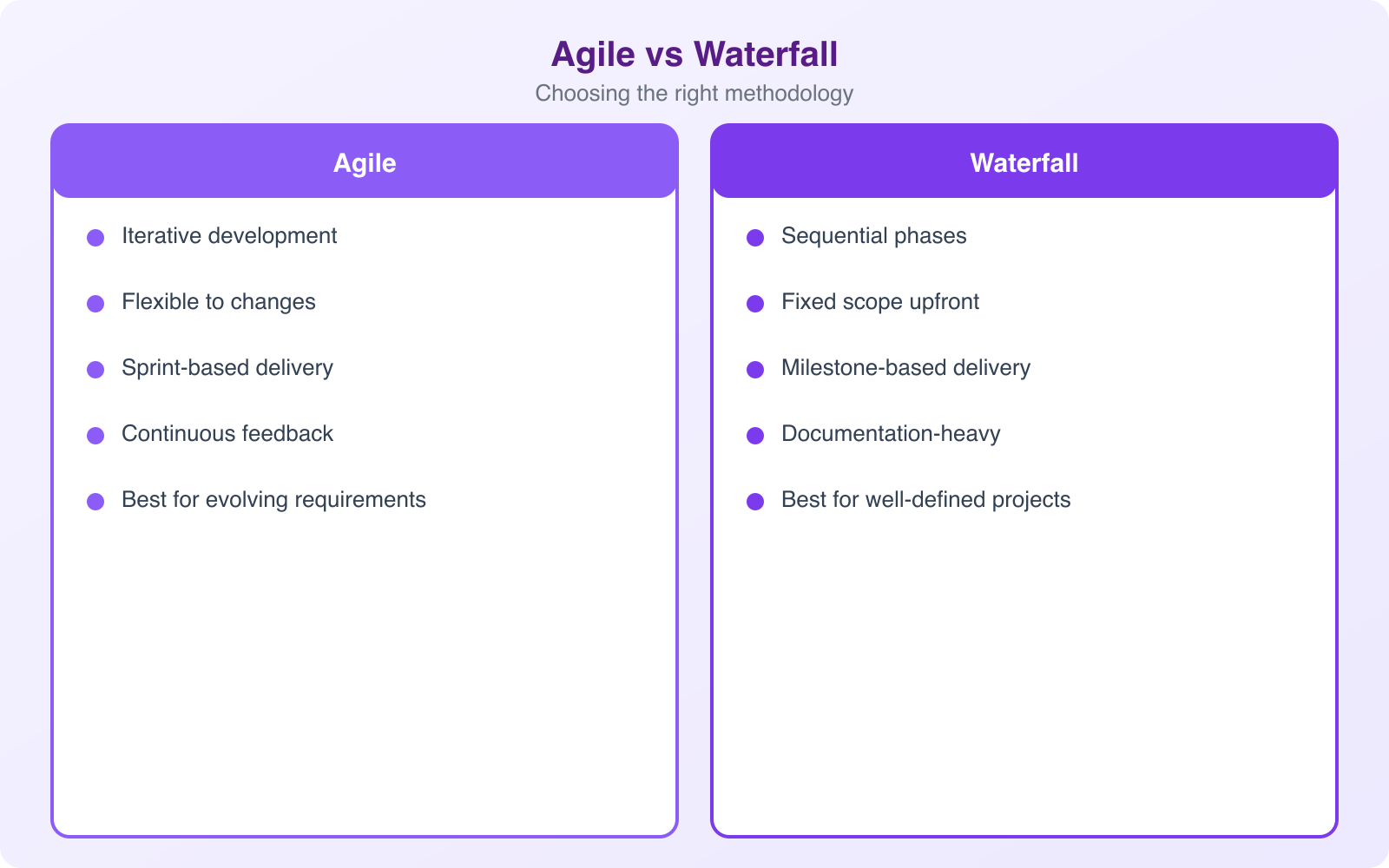
The biggest mistake I see in project management is using the wrong methodology. Agile isn’t always the answer. Waterfall isn’t always wrong. The right approach depends on your project type, team size, and how much uncertainty you’re dealing with.
Agile/Scrum: Use when you’re building something where requirements will change (software, digital products, creative projects). Work in 2-week sprints. Deliver working increments. Get feedback. Adjust. Agile works because it embraces uncertainty instead of pretending you can plan everything upfront.
Waterfall: Use when requirements are fixed and sequential (construction, event planning, manufacturing). Phase 1 must finish before Phase 2 starts. Everything is planned upfront. Changes are expensive. Waterfall works when you know exactly what you’re building before you start.
Kanban: Use for ongoing work that isn’t project-based (customer support, content production, maintenance). Visualize tasks on a board. Limit work in progress. Move items through columns (To Do, In Progress, Done). Kanban works because it prevents your team from taking on too much at once.
Hybrid: Most real-world teams end up here. You use Agile for development sprints but Waterfall for the overall project timeline. You run Kanban for support tickets but Scrum for new features. Don’t be dogmatic about methodology. Use whatever combination works for your team and project.
Pick the Right Project Management Tools
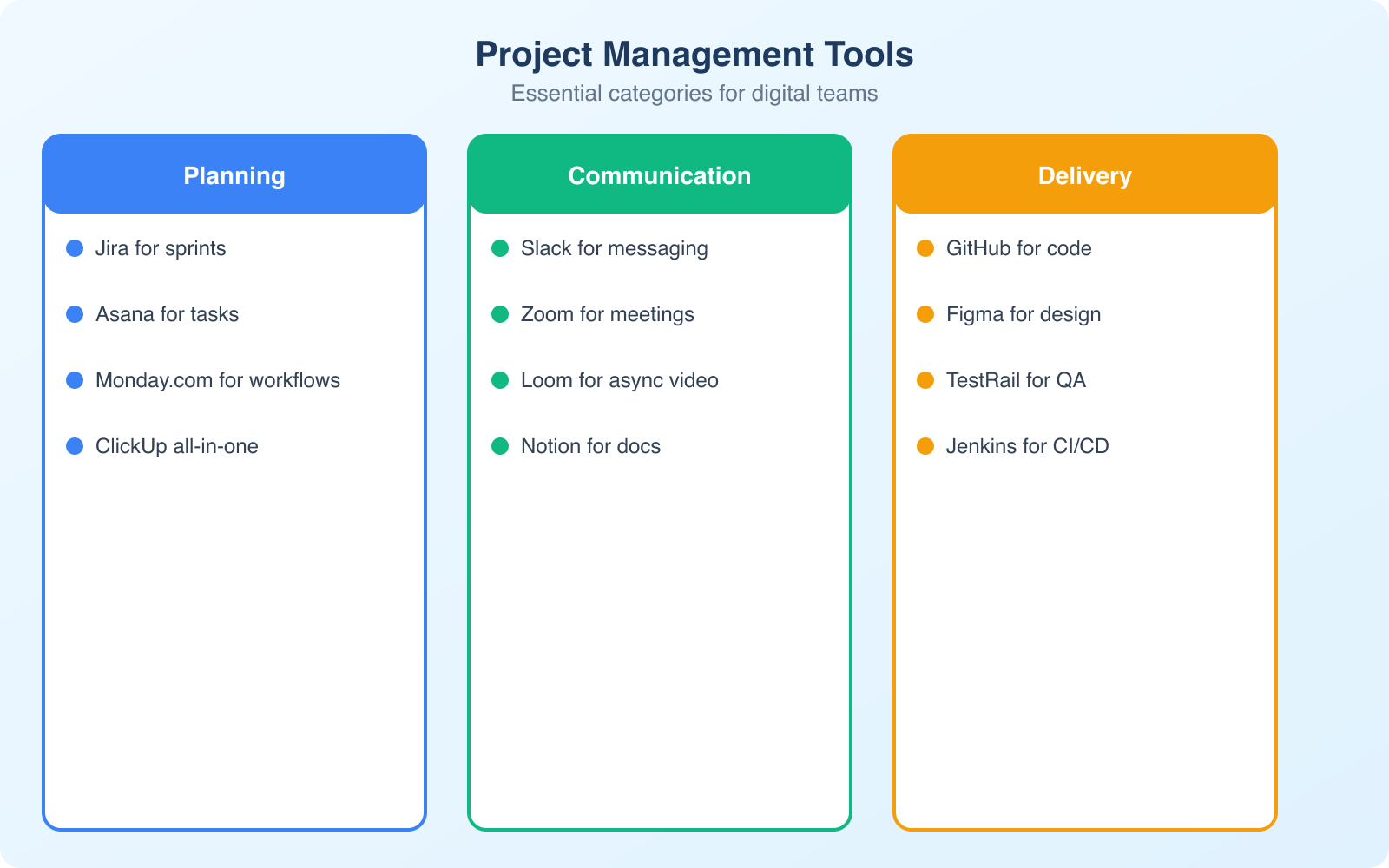
The tool doesn’t make the project manager, but the wrong tool makes everything harder. Here’s my honest assessment of the major project management tools.
Monday.com: This is my top recommendation for most teams. It’s visual, flexible, and powerful without being overwhelming. You can set up Kanban boards, Gantt charts, dashboards, and automations in minutes. It works for everything from simple task tracking to complex multi-team projects. Pricing starts at $8/seat/month.
Trello: Best for small teams and simple projects. Its card-based Kanban system is intuitive and free for basic use. But it breaks down for complex projects with dependencies, multiple workflows, or reporting needs.
Asana: Good for marketing teams and content workflows. Strong on task dependencies and timeline views. The free tier is generous but the learning curve is steeper than Monday.com or Trello.
Notion: Not a traditional PM tool, but many teams use it for project documentation, knowledge bases, and lightweight task tracking. Best as a complement to a dedicated PM tool, not a replacement.
Don’t overthink the tool choice. Pick Monday.com if you need a full PM platform, Trello if you want simple Kanban, or Notion if you need a flexible workspace. The best tool is the one your team will actually use consistently.
Implement Clear Communication Channels
Poor communication kills more projects than poor planning. I’ve seen technically excellent teams fail because nobody knew what anyone else was working on. And I’ve seen average teams deliver great results because communication was dialed in.
Here’s how to set up communication that actually works.
Define where different types of communication happen. Quick questions go in Slack or Teams. Project updates go in your PM tool. Documents and decisions go in a shared drive. Don’t let project discussions happen in email. Email is where information goes to die in long thread chains that nobody reads.
Hold a 15-minute daily standup. Each person answers three questions: What did I do yesterday? What am I doing today? Am I blocked on anything? This single practice eliminates 80% of communication problems. Keep it to 15 minutes. If discussions run long, take them offline.
Write things down. Verbal agreements are worthless in project management. Every decision, scope change, and deadline adjustment should be documented in your PM tool or a shared document. When someone says “I thought we agreed on X,” you need a written record to point to.
Master Scope Management
Scope creep is the silent killer of projects. It starts innocently: “Can we also add this small feature?” Then another. Then another. Before you know it, a 4-week project is on week 12 with no end in sight.
Here’s how to manage scope effectively.
Define scope in writing before work begins. A scope document doesn’t need to be 20 pages. It needs to clearly state: what’s included, what’s not included, the timeline, and the budget. The “what’s not included” part is the most important. It sets boundaries that prevent creep.
Create a change request process. When someone wants to add something to the project, don’t say yes or no immediately. Say, “Sure, let’s document that as a change request and evaluate the impact on timeline and budget.” This forces everyone to think about the tradeoffs before committing.
Say no more often. This is the hardest skill in project management. Every yes to a new feature is a no to the original timeline. Get comfortable saying, “That’s a great idea for version 2. Let’s finish version 1 first.”
Build a Project Kickoff Template
Every project should start with a kickoff, and every kickoff should follow the same template. This isn’t bureaucracy. It’s the 30 minutes that saves you 30 hours of confusion later.
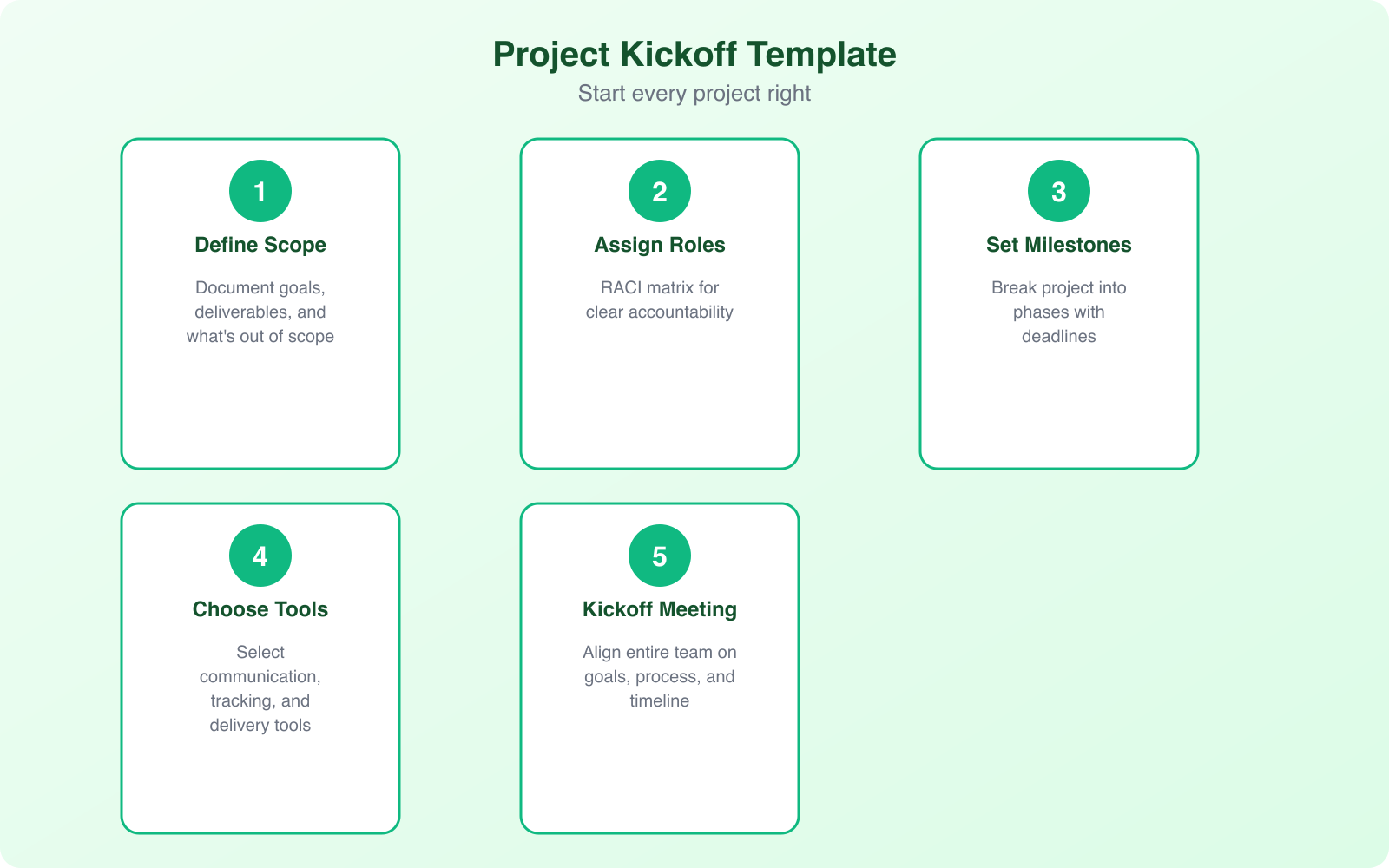
Here’s the kickoff template I use for every project. It fits on one page and covers everything the team needs to get aligned.
Project overview: What are we building and why? One paragraph max. If you can’t explain the project in one paragraph, you don’t understand it well enough to start.
Scope definition: What’s included, what’s excluded, and what’s out of scope for this phase but might come later. The “what’s excluded” section is the most important part. It prevents the “I thought we were also doing X” conversations that derail projects.
Roles and responsibilities: Who owns what. Project manager, team leads, subject matter experts, stakeholders, and decision makers. Use a RACI matrix (Responsible, Accountable, Consulted, Informed) if you have more than 5 people involved. Without clear role definitions, tasks fall through cracks and decisions get stuck.
Timeline and milestones: Key dates, not just the final deadline. Break the project into 3-5 milestones with specific deliverables for each. “Phase 1 design complete by March 15” is a milestone. “Continue working on the project” is not.
Communication plan: Where do updates go? When are meetings? How do we handle urgent issues? How do we make decisions? Nail this down in the kickoff and you eliminate 80% of communication problems.
Risks and assumptions: What could go wrong? What are we assuming to be true? List the top 3-5 risks with their likelihood, impact, and mitigation plan. Revisit this list at every weekly check-in.
Save this template in your PM tool and duplicate it for every new project. After a few projects, your team will fill it out in 15 minutes because the format is familiar.
Prioritize Project Tracking and Reporting
You can’t manage what you don’t measure. Project tracking isn’t about micromanaging your team. It’s about catching problems early before they become crises.
Track these metrics weekly: Percentage of tasks completed vs planned. Number of overdue tasks. Budget spent vs budgeted. Number of blocked items. These four metrics give you a clear picture of project health in 60 seconds.
Tools like Monday.com generate these reports automatically from the tasks your team is already updating. You don’t need to create separate spreadsheets or manually compile data. The tracking happens as part of the normal workflow.
Hold a weekly project review. 30 minutes max. Review the metrics, discuss blockers, and adjust the plan for next week. This isn’t a status update meeting. It’s a problem-solving meeting. Focus on what’s not going well and what needs to change.
Use dashboards, not spreadsheets. A dashboard that pulls live data from your PM tool is always up to date. A spreadsheet that someone manually updates every Friday is already stale by the time anyone reads it. Most PM tools (Monday.com, Asana, Jira) have built-in dashboards that update in real-time. Set one up for each project and share it with stakeholders.
Create a traffic light system for status reporting. Green means on track, yellow means at risk, red means off track. At the start of every weekly review, give each workstream a color. This gives stakeholders a 10-second health check without requiring them to dig through task lists. The key is defining what each color means upfront so green/yellow/red are objective, not based on someone’s gut feeling.
Foster Continuous Improvement
The best project teams get better over time. They don’t just finish projects and move on. They learn from each one.
Run a retrospective after every project. Ask three questions: What went well? What didn’t go well? What will we do differently next time? Keep it blame-free and action-oriented. Document the takeaways and review them before starting the next project.
Invest in your team’s skills. Project management isn’t just about the PM. Everyone on the team benefits from understanding estimation, communication, and time management. Encourage team members to take courses, attend conferences, or get certified.
Automate repetitive work. If your team spends hours every week on status reports, recurring task creation, or notification management, automate it. Monday.com and similar tools have built-in automation that can save your team 5-10 hours per week on administrative tasks.
Create a “Project Playbook” document that captures your team’s best practices, templates, and lessons learned. Update it after every project retrospective. After 5-10 projects, this playbook becomes your team’s most valuable asset because it codifies everything you’ve learned into a repeatable system.
Common Project Management Mistakes to Avoid
I want to call out the mistakes I see most often because they’re so common and so preventable.
Not setting clear priorities. When everything is a priority, nothing is. Force-rank your tasks. What’s the one thing that must get done this week? Do that first.
Underestimating time. Most people underestimate how long tasks take by 30-50%. Add a buffer to every estimate. If someone says “3 days,” plan for 4-5. You’ll be right more often than not.
Skipping the kickoff meeting. Every project should start with a kickoff where the entire team aligns on scope, timeline, roles, and expectations. 30 minutes upfront saves hours of confusion later.
Ignoring risks. Every project has risks. Identify them early, assign owners, and create mitigation plans. “The API might not be ready on time” isn’t a surprise if you planned for it. It’s only a crisis if you didn’t.
Managing Remote and Distributed Teams
Remote work has made project management both easier and harder. Easier because tools have improved dramatically. Harder because you can’t walk over to someone’s desk and ask a question. Here’s what works for distributed teams.
Default to async communication. Not everything needs a meeting or an instant message. Write clear task descriptions, document decisions, and use threaded comments in your PM tool. This lets people in different time zones contribute without waiting for overlap hours. Reserve synchronous time for complex discussions, brainstorming, and relationship building.
Over-communicate context, not status. In an office, people absorb context by overhearing conversations and seeing what others are working on. Remote teams don’t have that luxury. When you update a task, don’t just change the status. Add a sentence about what happened, what you decided, and what’s next. “Moved to QA” is useless. “Finished the API integration, tested with 3 edge cases, sent to QA with notes on the date handling issue” is useful.
Create team rituals. Remote teams need intentional moments of connection that happen naturally in an office. A Monday morning “what’s on deck” standup, a Wednesday afternoon virtual coffee, a Friday “wins of the week” thread. These rituals replace the watercooler conversations that build trust and team cohesion.
Use video for important conversations. Text is efficient for updates. But for giving feedback, resolving conflicts, or discussing complex trade-offs, turn on the camera. Tone and body language prevent misunderstandings that text-only communication creates. A 10-minute video call often resolves what would have been a 30-message Slack thread.
Document everything in one place. This is non-negotiable for remote teams. If your project information is spread across Slack messages, email threads, Google Docs, and your PM tool, people will miss things. Pick one source of truth for project decisions and updates. Monday.com or Notion work well as that central hub because they combine task management, documentation, and updates in one platform.
Effective project management isn’t about following a perfect process. It’s about being disciplined enough to plan, flexible enough to adapt, and honest enough to acknowledge when things aren’t working. Pick a methodology that fits your team, use a tool that keeps everyone aligned, communicate consistently, and learn from every project. That’s it. It’s not complicated. It’s just hard to do consistently. For a deeper look at mastering these skills, check out my guide to mastering project management and the top productivity tools for freelancers and entrepreneurs.
Frequently Asked Questions
What’s the best project management tool for small teams?
Monday.com is the best all-around choice for small teams because it’s visual, flexible, and easy to learn. The starter plan is affordable at $8 per seat per month. For very small teams (2-3 people) with simple needs, Trello’s free tier works well. The key factor is choosing a tool your team will actually use consistently rather than the one with the most features.
Should I use Agile or Waterfall for my project?
Use Agile when requirements are likely to change and you can deliver in iterations (software development, digital products, marketing campaigns). Use Waterfall when requirements are fixed upfront and changes are costly (construction, event planning, manufacturing). Most teams end up with a hybrid approach that combines elements of both based on what works for their specific situation.
How do I prevent scope creep?
Three practices prevent most scope creep. First, write a clear scope document before work begins that lists what’s included AND what’s excluded. Second, implement a formal change request process where every addition is evaluated for time and budget impact. Third, get comfortable saying ‘great idea for version 2’ instead of adding everything to the current project.
How often should I have project meetings?
A daily 15-minute standup and a weekly 30-minute project review is the sweet spot for most teams. The daily standup keeps everyone aligned on short-term priorities and unblocks issues quickly. The weekly review looks at the bigger picture: are we on track, what needs to change, and what’s coming next? Avoid meetings without agendas and meetings that could be replaced by a written update.
Do I need a PMP certification to be a project manager?
No. Many successful project managers have no formal certification. A PMP is valuable if you’re in a large organization that requires it, if you’re competing for senior PM roles, or if you want the salary premium (PMP holders earn 25% more on average). For small teams and startups, practical experience and the ability to deliver projects on time matters more than any certification.
Disclaimer: This site is reader-supported. If you buy through some links, I may earn a small commission at no extra cost to you. I only recommend tools I trust and would use myself. Your support helps keep gauravtiwari.org free and focused on real-world advice. Thanks. - Gaurav Tiwari