
Top Factors to Consider When Choosing a Point-of-Sale System for Your Business
A point-of-sale system isn’t just a cash register anymore. It’s the central nervous system of your business: processing payments, tracking inventory, managing customers, generating reports, and connecting to every other tool you use. Choosing the wrong POS means fighting your technology every day instead of focusing on running your business. The right one saves you hours per week and puts critical data at your fingertips.
I’ve helped retail and service businesses select and implement POS systems across different industries. The most expensive mistake isn’t picking the wrong system. It’s getting locked into a multi-year contract with a system that doesn’t fit your operations, then spending years working around its limitations. This guide helps you avoid that.
Cloud-Based vs. Traditional POS Systems
This is the first and most fundamental decision you’ll make. It affects your upfront costs, ongoing expenses, feature updates, data access, and long-term flexibility.
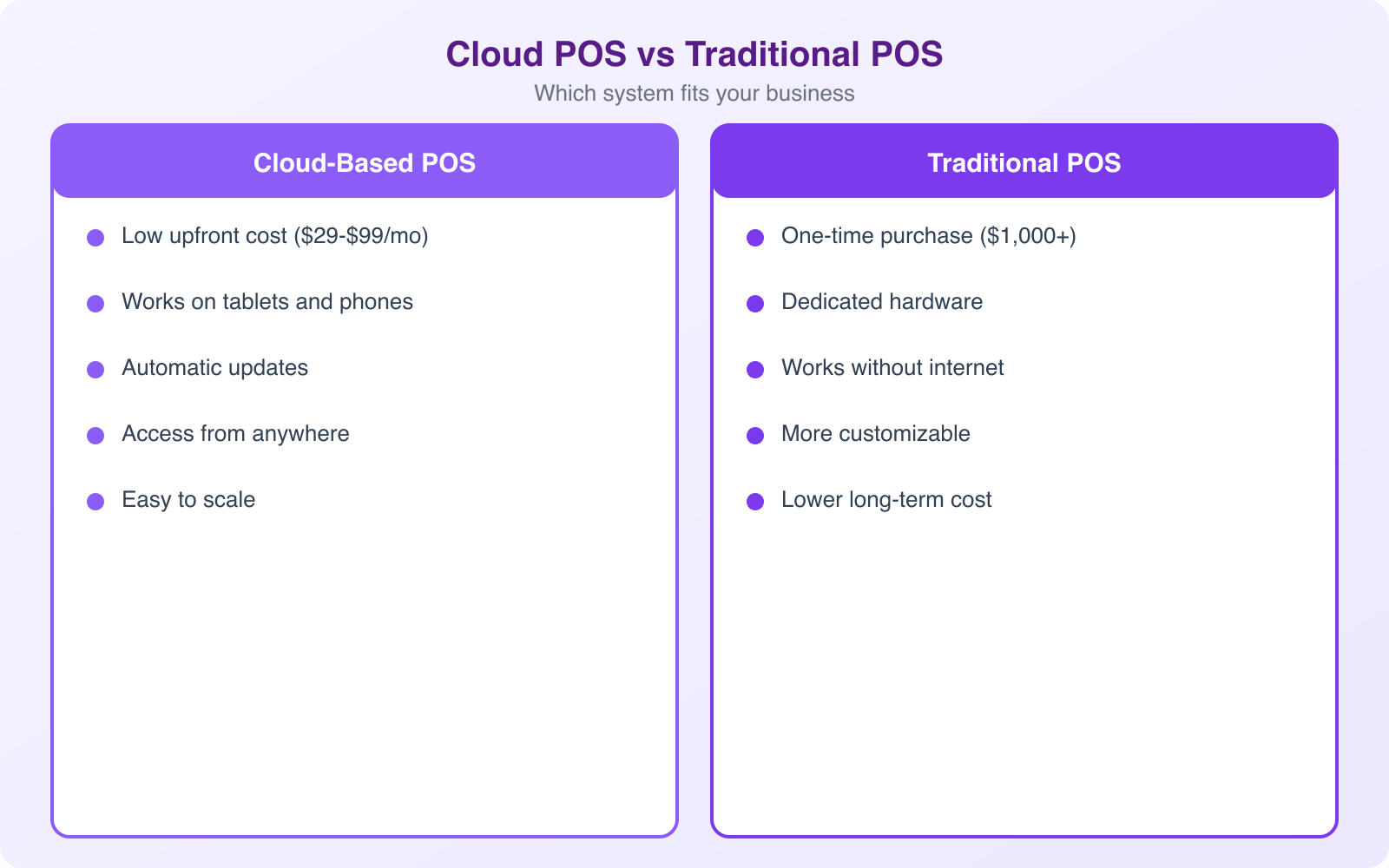
Cloud-Based POS
Cloud POS systems (Square, Shopify POS, Lightspeed, Toast) store your data on remote servers and run through web browsers or dedicated apps. You pay a monthly subscription instead of a large upfront license fee. Updates happen automatically. You can access your sales data, inventory, and reports from any device with an internet connection.
The biggest advantage is cost structure. Instead of $5,000-$15,000 upfront for a traditional system, you’re paying $0-$300/month. That’s easier for small businesses and startups to absorb. Cloud systems also get new features regularly without you needing to buy upgrade packages.
The main drawback is internet dependency. If your connection drops, most cloud POS systems have an offline mode that processes payments locally and syncs when you’re back online. But the offline functionality is limited, and some systems handle it better than others. If you’re in an area with unreliable internet, test offline mode thoroughly before committing.
Traditional (On-Premise) POS
Traditional POS systems store data locally on your server. You own the software license outright after the initial purchase. They work without internet, which makes them reliable for businesses in areas with spotty connectivity. But they’re expensive upfront, harder to update, and you can only access your data from the physical location where the system is installed.
Traditional systems are becoming less common in 2026, but they still make sense for businesses that process high transaction volumes (large retailers, busy restaurants) and need maximum reliability with zero internet dependency.
Always test a POS system’s offline mode before buying. Deliberately disconnect from the internet and run through a complete transaction cycle: sale, refund, discount, and split payment. If offline mode can’t handle your basic operations, that system is a liability during internet outages.
Essential Features to Look For
Not every business needs every feature. A coffee shop has different needs than a boutique clothing store, which has different needs than a multi-location restaurant chain. But certain features are universally important.
Payment Processing
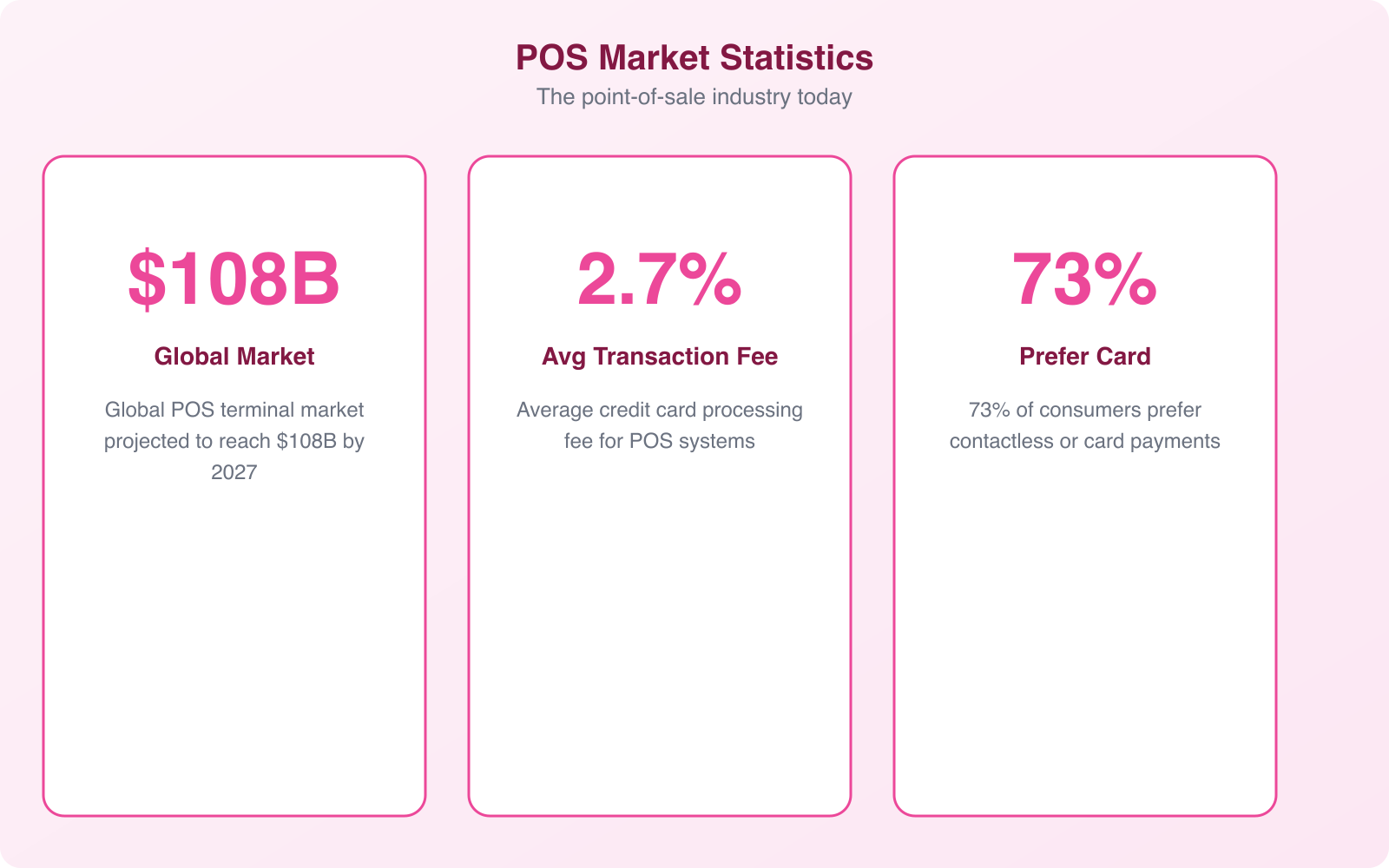
Your POS needs to accept credit cards, debit cards, contactless payments (Apple Pay, Google Pay), and ideally mobile wallets. In 2026, 41% of in-store transactions use contactless payments. If your POS doesn’t support tap-to-pay, you’re frustrating a significant chunk of your customers.
Check the processing rates carefully. Some POS systems lock you into their own payment processing at higher rates. Others let you choose your processor, which means you can shop for better rates. Square charges 2.6% + $0.10 per tap, dip, or swipe. Shopify POS charges 2.4%-2.7% depending on your plan. These differences add up fast at volume.
Inventory Management
Every item you sell should be tracked in your POS automatically. When a product sells, inventory decreases. When stock arrives, you log it and inventory increases. The system should alert you when items hit reorder points, generate purchase orders, and show you which products are your best and worst sellers.
For businesses with multiple locations, inventory management becomes critical. You need to see stock levels across all locations, transfer inventory between stores, and understand which products sell better at which locations.
Reporting and Analytics
Your POS collects data on every transaction. Good reporting tools turn that data into actionable insights. What are your peak sales hours? Which employees generate the most revenue? What’s your average transaction value? Which products are overstocked? Which are running low?
Look for real-time dashboards you can check on your phone, scheduled email reports, and the ability to export data to CSV or connect to accounting software. The best POS systems make this data accessible without requiring you to be a data analyst.
Customer Management
A POS that tracks customer purchase history lets you personalize marketing, run loyalty programs, and identify your best customers. When a regular walks in, you (or your staff) should be able to see what they typically buy, how often they visit, and their lifetime value to your business. This data drives smarter marketing decisions and better customer experiences.
Avoid Long-Term Contracts
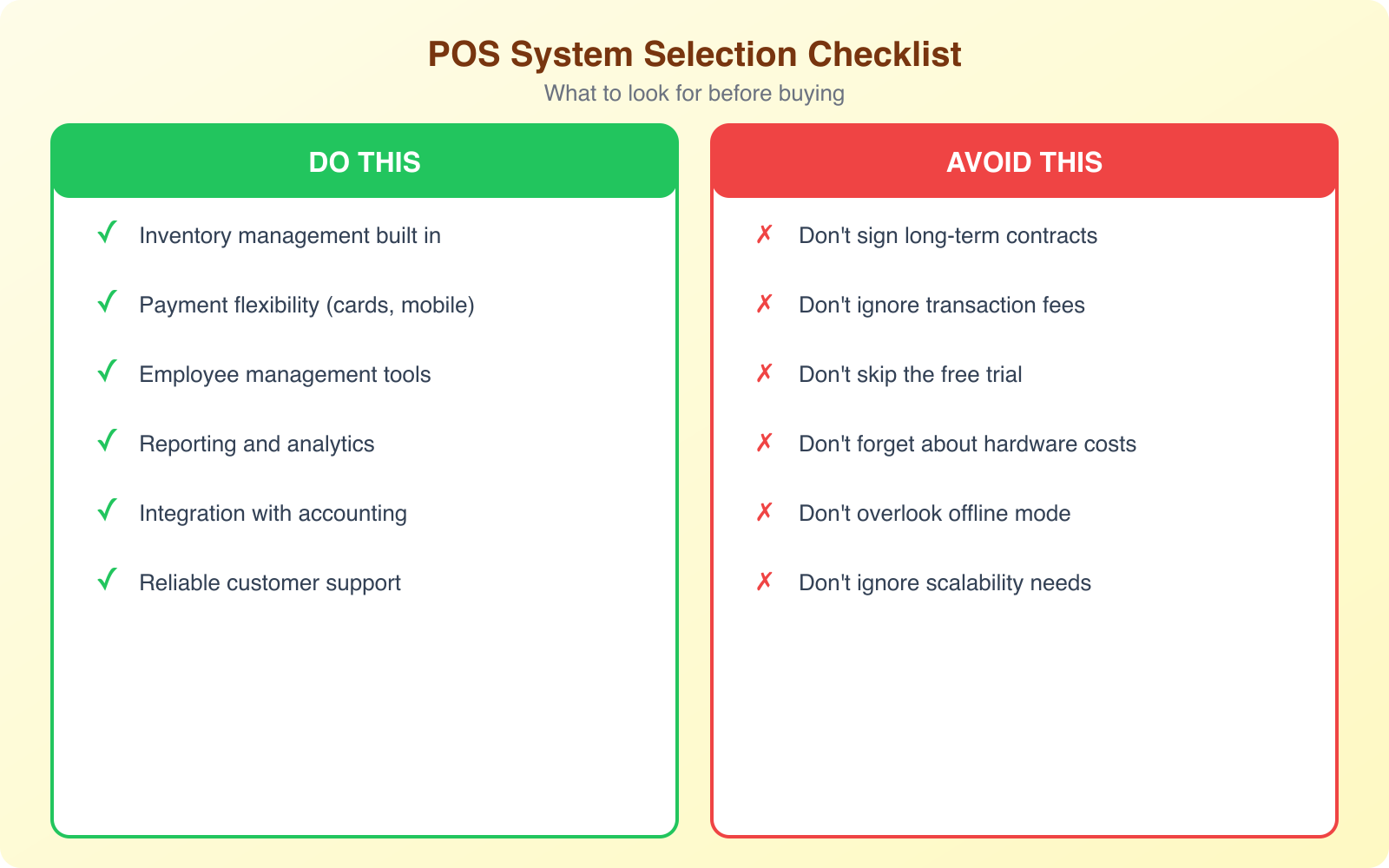
Some POS companies lock you into 2-3 year contracts. This is a red flag. If the system doesn’t meet your needs after 3 months, you shouldn’t be stuck paying for it for 3 years. Early termination fees can run $1,000-$5,000 or more, effectively trapping you in a system that hurts your business.
Go with a POS that offers month-to-month billing. Square, Shopify, and most modern cloud-based systems operate this way. If the system works for you, great, keep paying. If it doesn’t, cancel and switch without penalty. The freedom to leave keeps vendors honest about their product quality and support.
If a vendor requires a contract, ask why. Sometimes there’s a legitimate reason (discounted hardware in exchange for a commitment), but often it’s because they know customers would leave if they could. Read every line of the contract, especially the auto-renewal clause. Many contracts auto-renew for another multi-year term if you don’t cancel within a narrow window.
Integration and Third-Party Support
Your POS doesn’t exist in isolation. It needs to talk to your accounting software, email marketing platform, e-commerce store, loyalty program, and scheduling tools. The more integrations your POS supports, the less manual data entry you’re doing.
Check specifically for integration with your accounting software (QuickBooks, Xero, FreshBooks). Manual reconciliation between your POS and accounting system wastes hours every week. An automatic sync eliminates that entirely and reduces accounting errors.
Also check whether the POS uses proprietary hardware or works with third-party devices. Systems that require proprietary hardware (Toast, for example) lock you into their ecosystem. Systems that work with standard tablets and card readers (Square, Shopify) give you more flexibility and lower replacement costs if hardware breaks.
Pricing: What POS Systems Actually Cost
POS pricing is confusing by design. Vendors want you to focus on the low monthly fee while hiding the real cost in processing rates, hardware fees, add-on modules, and premium support charges. Here’s how to calculate your true cost.
Monthly software fee: $0-$300/month depending on the system and plan. Free plans (Square, Toast Starter) have limited features. Full-featured plans run $89-$300/month.
Payment processing: 2.4%-2.99% + $0.10-$0.15 per transaction. On $50,000/month in sales, that’s $1,200-$1,500/month in processing fees alone. This is usually your biggest ongoing cost.
Hardware: Card readers ($0-$50), tablet stands ($100-$300), receipt printers ($200-$400), cash drawers ($100-$200), barcode scanners ($100-$300). A complete setup runs $300-$1,500 depending on what you need.
Add-ons: Loyalty programs, advanced inventory, employee management, online ordering, and marketing tools often cost extra. Budget $20-$100/month per add-on.
For a small business doing $30,000/month in card sales, expect to pay $800-$1,200/month total for a cloud-based POS system including software, processing, and add-ons.
Always calculate your total cost of ownership over 12 months, not just the monthly subscription. A system with a $0 monthly fee but 2.99% processing rates often costs more than a system with a $89/month fee but 2.4% processing rates if your transaction volume is above $15,000/month. Do the math for your specific volume before deciding.
Setting Up Your POS for Success
Choosing the right system is half the battle. Setting it up correctly is the other half. A POS that’s configured properly from day one saves you from months of workarounds and data cleanup later.
Import your product catalog correctly. Most POS systems allow CSV imports for products. Take the time to set up categories, variants (sizes, colors), and accurate stock counts. Clean data going in means clean reports coming out.
Train your staff thoroughly. Schedule dedicated training sessions before going live. Cover everyday transactions, refunds, discounts, inventory adjustments, and end-of-day procedures. The most common POS complaints aren’t about the software. They’re about staff who weren’t trained properly.
Run parallel for a week. If you’re switching from an existing system, run both systems simultaneously for at least a week. This catches configuration issues and gives your team a safety net while they learn the new system. It’s extra work upfront that prevents expensive mistakes.
Frequently Asked Questions
What is the best POS system for small businesses in 2026?
Square is the best overall POS for small businesses because it’s free to start, easy to set up, and handles payments, inventory, and basic reporting without a monthly fee. For retail businesses that also sell online, Shopify POS offers the best omnichannel experience. For restaurants, Toast is purpose-built for food service with table management, kitchen displays, and online ordering. The best choice depends on your specific business type and needs.
How much does a POS system cost per month?
Software fees range from $0 (Square free plan) to $300/month for premium plans. But the real cost includes payment processing (2.4-2.99% per transaction), hardware ($300-$1,500 one-time), and add-ons ($20-$100/month each). For a small business doing $30,000/month in card sales, expect $800-$1,200/month total. Always calculate the full 12-month cost including processing fees, not just the subscription price.
Can I use a POS system without internet?
Most cloud-based POS systems offer an offline mode that allows you to continue processing card payments during internet outages. The transactions are stored locally and synced when you reconnect. However, offline functionality varies significantly between systems. Some only support cash transactions offline, while others (like Square) can process cards offline and sync later. Always test offline mode before buying.
Should I avoid POS contracts?
Generally, yes. Month-to-month billing gives you the flexibility to switch if the system doesn’t meet your needs. Multi-year contracts often include auto-renewal clauses and early termination fees of $1,000-$5,000+. If a vendor requires a contract, it’s usually because they need to lock customers in rather than earn their continued business through product quality. The exception is discounted hardware bundles that require a commitment period.
What POS features do restaurants specifically need?
Restaurants need table management, kitchen display system (KDS) integration, menu management with modifiers, check splitting, tip handling, online ordering, delivery app integration, and front-of-house to back-of-house communication. Toast is the industry leader for these features. Square for Restaurants is a solid budget alternative for counter-service restaurants and cafes that don’t need full table service management.
Final Thoughts
Choosing a POS system doesn’t have to be overwhelming. Start with your business type, identify the features you actually need (not the ones that sound cool in a demo), calculate the true 12-month cost, and avoid long-term contracts. Test before you commit. Train your staff properly. And remember that the best POS system is the one that makes your daily operations easier, not more complicated.
For most small businesses, Square is the safest starting point. For retail with online sales, Shopify POS wins. For restaurants, Toast is hard to beat. For complex multi-location retail, Lightspeed has the deepest features. Whatever you choose, give yourself the flexibility to change if your needs evolve. For more business tools, check out my guide on the best apps for business productivity.