
15 Best Gaming Headsets Under $50 For Perfect Gaming Experience
Budget gaming headsets have a reputation problem. Most $30 options sound like you’re listening through a tin can. The mic picks up every fan, keyboard click, and ambient noise in the room. Teammates can’t hear callouts clearly. After an hour the ear cups feel like vises around your head.
That’s the real trap with cheap headsets. You save $20 upfront, then buy a replacement three months later because the hinge snapped or the audio started crackling. A 2023 survey by PC Gamer found that 41% of gamers on a tight budget had replaced a headset within six months of purchase — usually because of mic failure or build breakage at hinge points.
The fix is knowing where the $50 line actually sits in 2026. Brands like HyperX, Razer, EKSA, and Logitech now fit 50mm drivers, 7.1 virtual surround, and memory foam ear cushions into the $25 to $50 range. The six headsets below are the ones worth buying — based on driver specs, user review patterns, and verified durability reports across Reddit’s r/gaming and r/buildapc communities.
Quick Summary
Short on time? Here’s each pick and what it does best.
- HyperX Cloud Stinger — Best overall under $50. Steel slider, 275g, swivel-to-mute mic that actually works.
- Razer Kraken X — Lightest at 250g with an aluminum frame. Software 7.1 surround on PC via Razer Synapse.
- EKSA E900 Pro — Real hardware 7.1 via included USB sound card. No software tricks needed.
- Logitech G432 — DTS Headphone:X 2.0 and full EQ in Logitech G Hub. Built for PC power users.
- Corsair HS35 — Best under $30. Discord-certified, detachable mic, memory foam. Solid starter pick.
- Senzer SG500 — Best plug-and-play for console. 3.5mm, no drivers, no software, just works.
What to Expect from a $50 Gaming Headset
A $50 headset won’t give you audiophile-grade sound. But that’s not what you need for gaming. What you need is accurate positional audio so you can hear footsteps coming from behind you in Warzone, a decent mic so your squad can actually understand you, and enough comfort to wear them for 3 to 4 hours without your ears feeling like they’re on fire.
At this price, you’re looking at wired connections (which is actually better for latency), plastic builds with some metal reinforcement on the better models, and 50mm drivers that deliver solid bass without muddying the mids. Some headsets in this range even offer virtual 7.1 surround sound through software, which is a useful bonus for FPS games where positional audio gives you a real edge.
Best Gaming Headsets Under $50 in 2026
Each pick below is organized by what it does best. Match your use case to the right headset and you won’t need to second-guess it.
HyperX Cloud Stinger
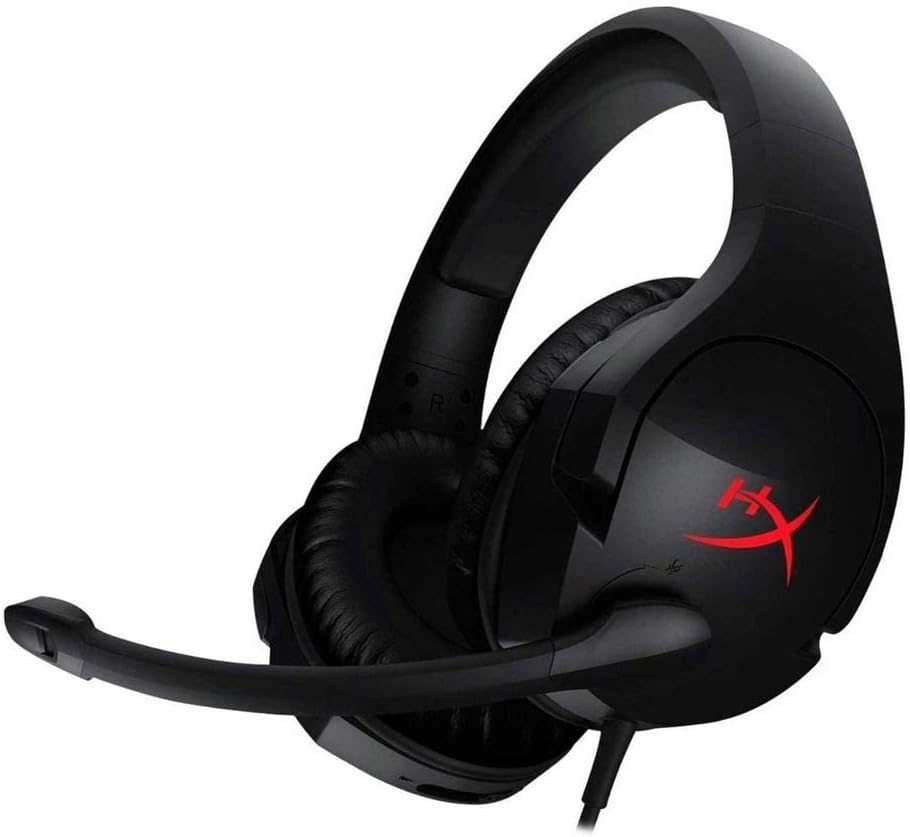
Best for: Overall value. The one to get if you don’t want to overthink it.
The HyperX Cloud Stinger consistently sits at $29.99 to $39.99 and routinely outperforms headsets in the $70 to $80 bracket on comfort and gaming-specific audio. The 50mm directional drivers are tuned for gaming, not music — that means clear separation between gunfire, footsteps, and voice chat rather than the bass-heavy tuning you’d get from a generic headset.
The swivel-to-mute mic is the design detail that most people undervalue until they’ve used it. Flip the mic up and it mutes automatically. No fumbling for a button during a clutch round. The steel slider headband adjusts smoothly and doesn’t creak. At 275 grams, it’s one of the lightest wired headsets in this price range, and the memory foam ear cushions hold up across 4-hour sessions without pressure buildup.
The downside: no inline volume control on the base wired model, and the ear cups are full plastic rather than mixed materials. That said, the steel headband slider is where cheap headsets typically fail first — and HyperX got that right. It works with PC, PS4, PS5, Xbox One, Xbox Series X/S, Nintendo Switch, and mobile via 3.5mm. No drivers needed for basic use.
Razer Kraken X
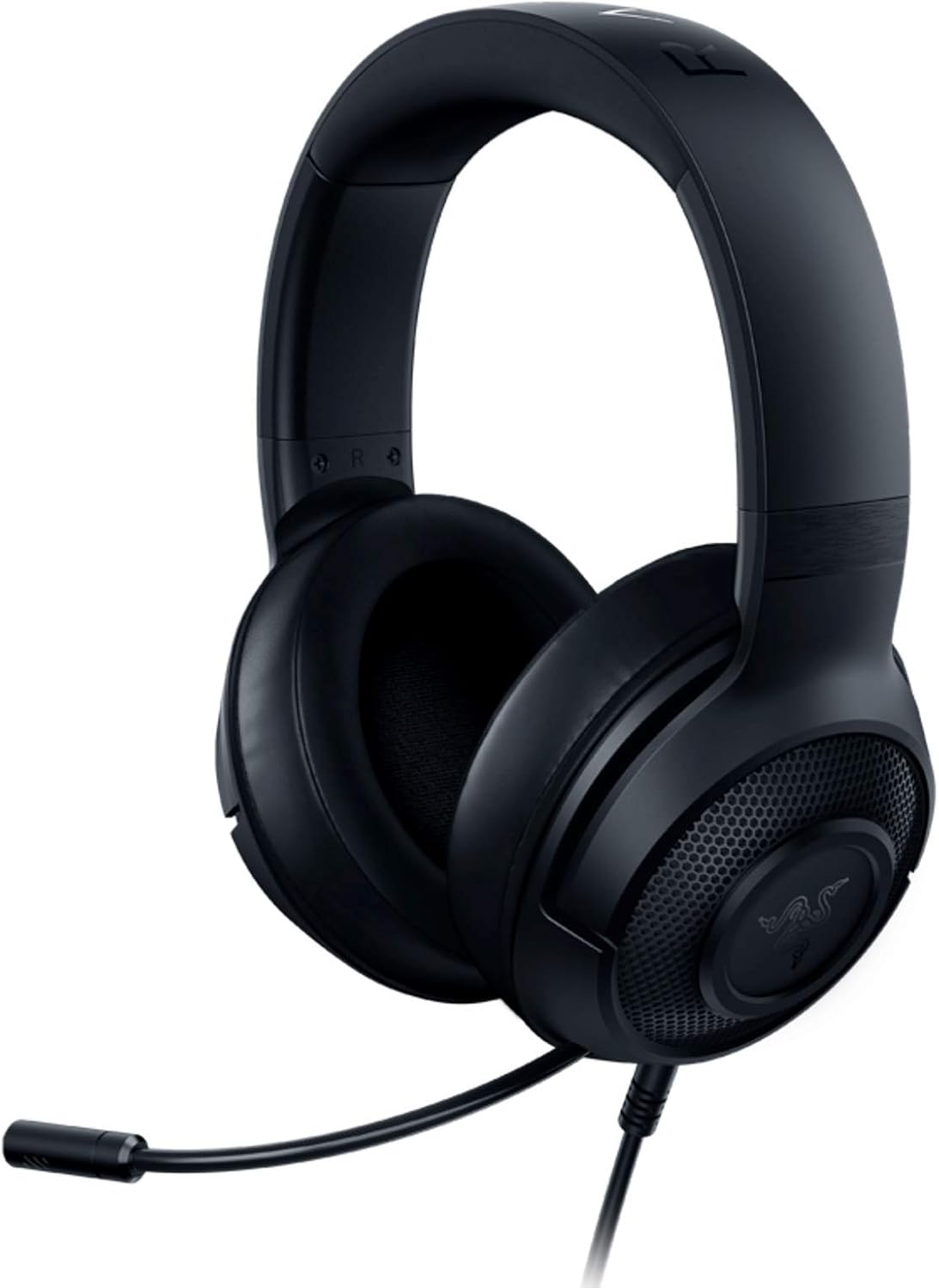
Best for: Lightweight comfort and PC gamers who want software surround sound.
Razer doesn’t usually play in the budget segment, but the Kraken X at $29.99 to $34.99 is their most compelling affordable option. It weighs just 250 grams, making it the lightest headset on this list, and an aluminum frame keeps it from flexing like cheaper all-plastic designs. The custom-tuned 40mm drivers deliver a sound signature that’s brighter and more detail-forward than most budget headsets — which suits competitive players tracking footsteps more than it suits casual listeners.
The 7.1 surround is software-based through Razer Synapse on PC, and it works noticeably well in titles like Apex Legends and CS2 where directionality matters. On console, you get standard stereo — that’s the main limitation to know going in. The bendable cardioid mic does a decent job rejecting background noise for Discord calls, though it won’t pass muster for streaming or recording.
The gel-infused oval ear cushions are a genuine differentiator at this price. They run cooler than solid memory foam during long sessions. The aluminum frame, while adding rigidity over pure plastic, can feel slightly less padded on the top of the headband than the HyperX Cloud Stinger. For PC-primary gamers who wear their headset for 3+ hours at a stretch, the weight difference matters more than the surround processing gap.
EKSA E900 Pro
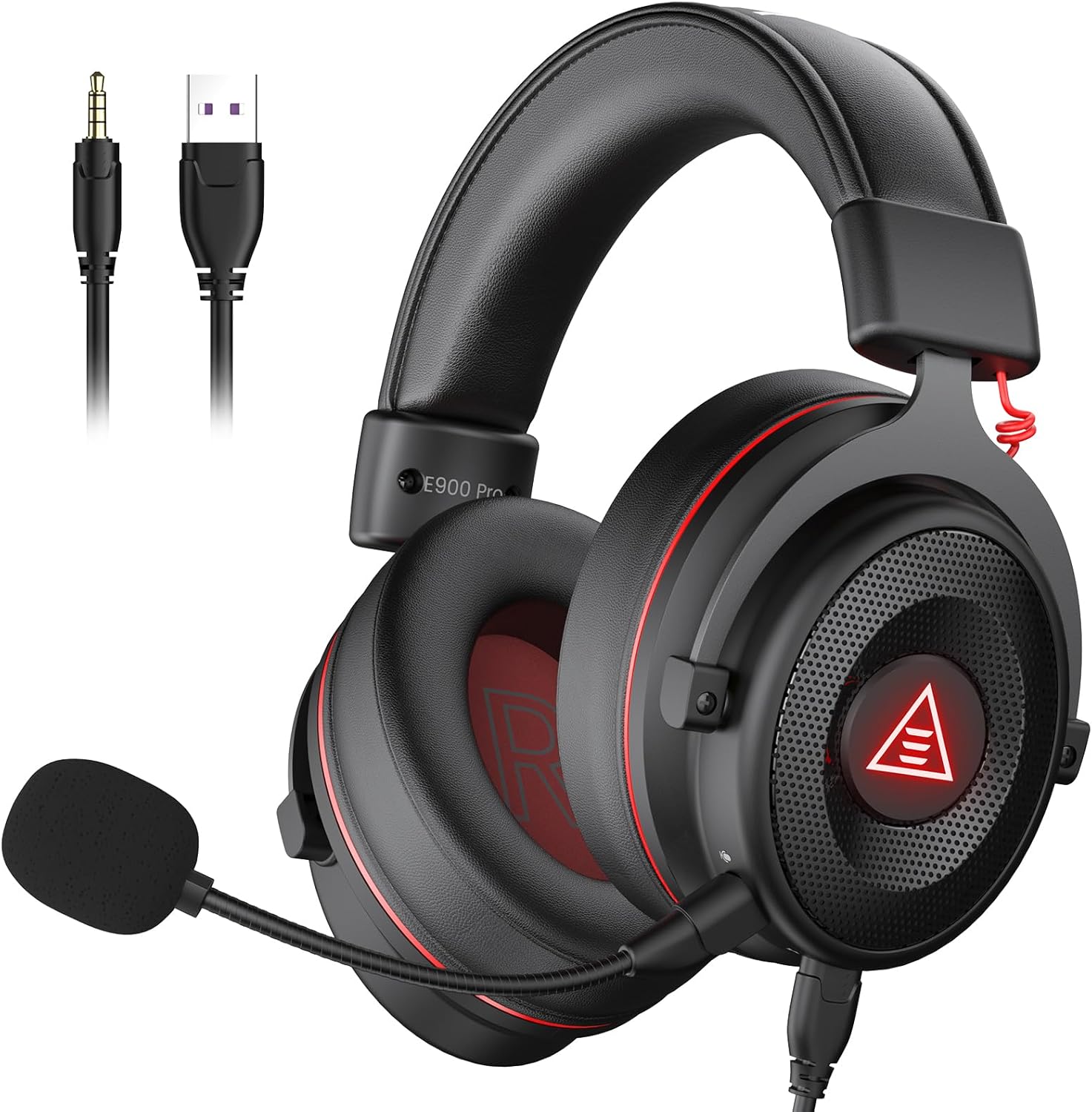
Best for: Real hardware 7.1 surround sound without spending $80+. Includes its own USB sound card in the box.
EKSA isn’t a household name, but the E900 Pro has earned Amazon’s Choice status in the budget gaming headset category for a reason. At $35.99 to $39.99, it’s the only headset on this list that ships with a dedicated USB sound card for genuine 7.1 surround processing — not a software emulation layer, but actual hardware decoding. For FPS games where you need to distinguish whether an enemy is above you, beside you, or behind you, that distinction matters.
The 50mm drivers hit punchy bass and clear mids, and the detachable noise-cancelling microphone is a feature usually reserved for headsets costing $60+. The headband has a hidden metal frame under the padding, which gives it more structural integrity than the price suggests. Dual cable system (USB and 3.5mm) means you can switch between PC and console without swapping gear.
The tradeoffs are real: EKSA is a smaller brand with less established long-term support than HyperX or Corsair. The protein leather earcups look good but generate noticeably more heat than fabric alternatives during summer sessions. And the USB sound card, while useful, is one more dongle to manage. But the 2-year warranty covers the main risk, and at under $40 with hardware surround, the E900 Pro is hard to argue against for anyone gaming on PC.
Logitech G432
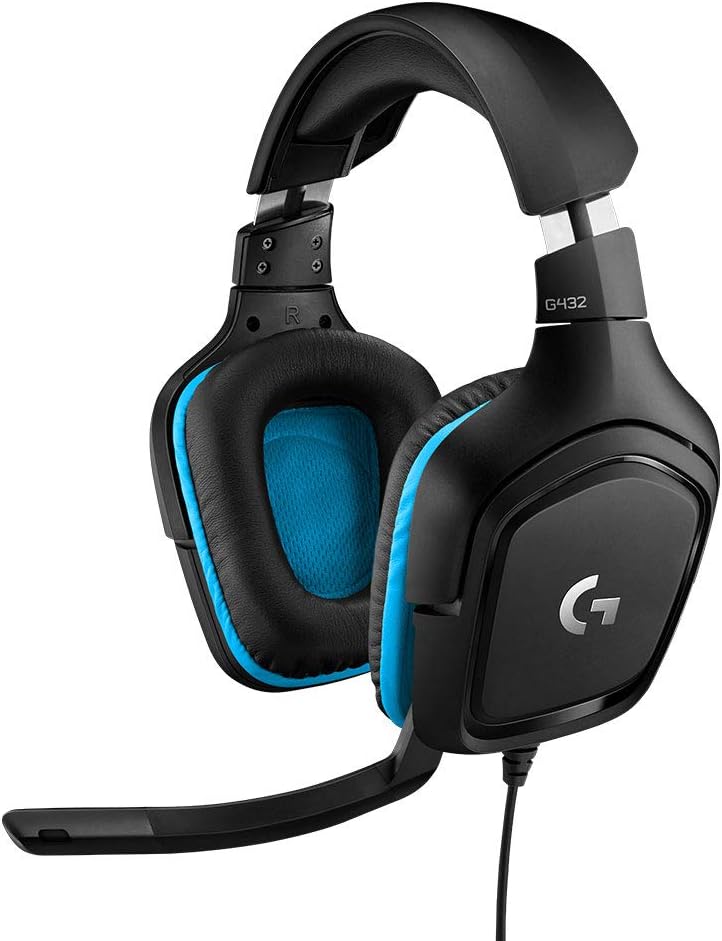
Best for: PC gamers who want DTS Headphone:X 2.0 surround and full EQ control through Logitech G Hub.
Logitech has been making gaming peripherals for over two decades, and the G432 at $39.99 to $49.99 reflects that accumulated engineering experience. The DTS Headphone:X 2.0 implementation is a step above most virtual surround at this price — it uses actual DTS audio processing rather than a proprietary software stack, which translates to more realistic spatial cues in games. The 50mm drivers produce a wide soundstage that makes positional audio in Valorant and Apex Legends noticeably clearer.
Logitech G Hub gives you full EQ customization on PC, which is something most $50 headsets don’t offer. You can dial in a flat profile for competitive play or boost the bass for immersive single-player titles. The flip-to-mute boom mic is reliable for Discord and in-game comms. The USB DAC bundled in the box handles PC audio duties, and a 3.5mm cable handles console and Switch connections.
The G432 has a notable weakness: the leatherette ear pads use rigid plain foam rather than memory foam, which makes them less comfortable for extended sessions than the HyperX or EKSA options. The design hasn’t been refreshed in a few years and it shows. For pure audio performance and software control on PC, it punches its weight. But for comfort during 4-hour sessions, the Cloud Stinger edges it out. Pair it with Logitech’s G Hub if you spend time on EQ tweaking.
Corsair HS35
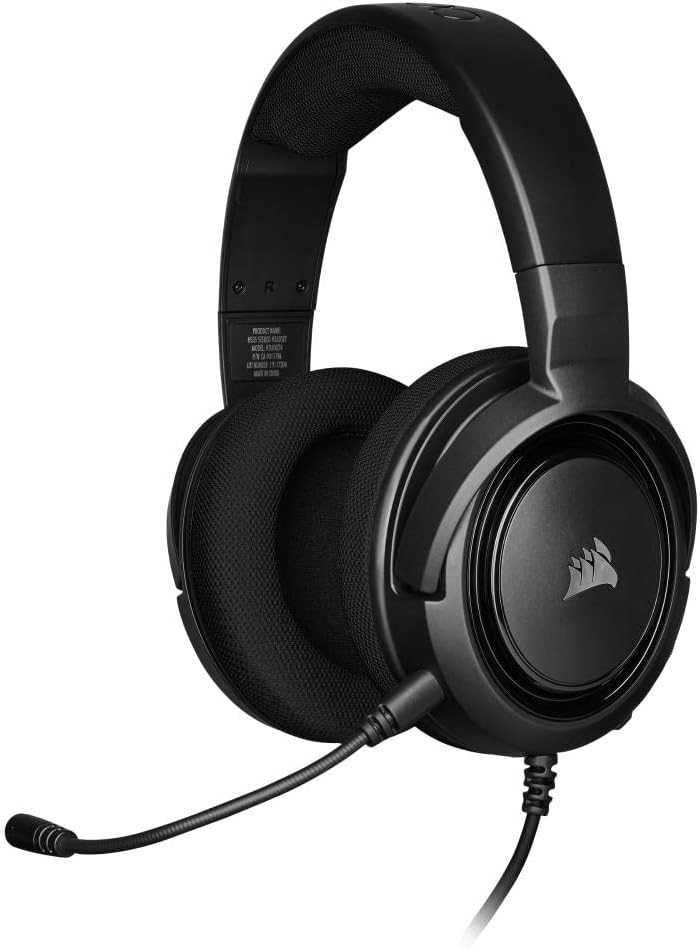
Best for: Tight budgets. A solid starter headset under $30 with a detachable mic and Discord certification.
At $29.99 to $39.99, the Corsair HS35 is the lowest-priced entry on this list that still checks the boxes that actually matter. The custom-tuned 50mm neodymium drivers are rated at 32 ohms with 113dB sensitivity — numbers that show Corsair put real engineering into the driver spec rather than just slapping a big number on the box. Sound is clean and well-balanced for gaming even if it doesn’t have the deep bass profile some people want for music.
The standout feature at this price is the detachable unidirectional microphone. Under $30, most headsets have fixed mics that you can’t remove. The HS35 lets you pull the mic off entirely when you’re listening to music or don’t need voice chat. It’s also Discord-certified, which means the mic has passed Discord’s internal testing for voice clarity — a meaningful quality signal. The memory foam ear cups with plush fabric finish are genuinely comfortable and run cooler than protein leather alternatives.
The honest downside: the audio skews slightly harsh and trebly for non-gaming use, which audio reviewers at Tom’s Hardware and Tweaktown have both noted. It’s tuned for game sound spaces specifically, not music or movies. The all-plastic build is light at 250 grams but requires careful handling — the hinge points don’t have metal reinforcement. For a first gaming headset, though, it’s the most responsible option under $30 from an established brand.
Senzer SG500
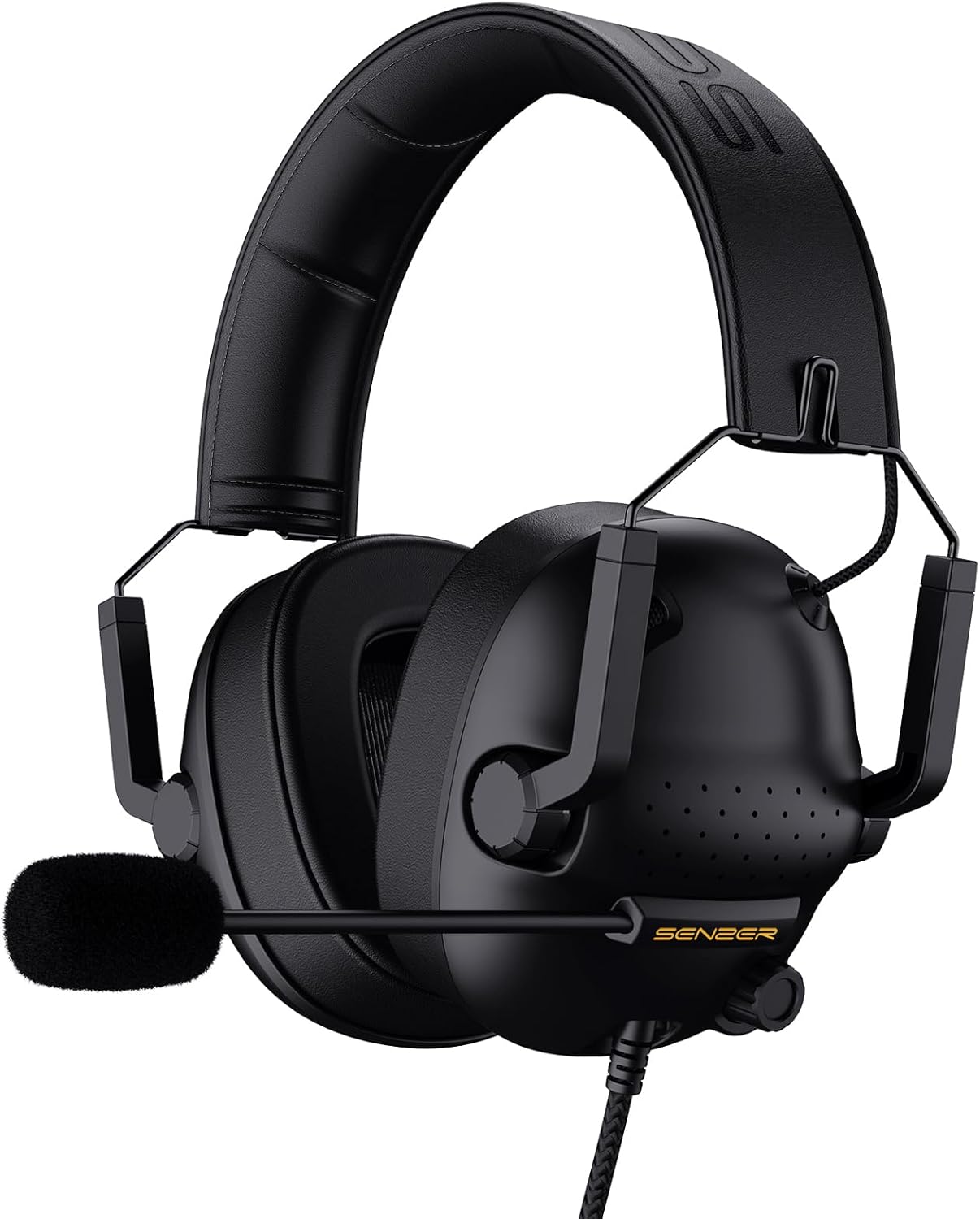
Best for: Console gamers who want zero setup. Plug in the 3.5mm jack and play.
The Senzer SG500 sits at $24.99 to $29.99 and punches above that price with 50mm drivers, a noise-isolating bendable mic, soft protein leather ear cushions, and in-line volume and mute controls. The virtual surround is processed stereo rather than true spatial audio, but it creates enough directional cue separation to be useful in games. At 0.66 lbs it’s lighter than most competitors in the segment.
The foldable design is a practical detail that most budget headsets skip. The ear cups fold inward, making the SG500 genuinely portable — useful for console gamers who take their setup to a friend’s place or travel with a Switch. In-line controls handle volume and mic muting without alt-tabbing or touching the headset itself. LED lighting on the ear cups activates through USB on PC, adding a bit of visual flair if that matters to you.
One caution worth flagging: user reviews on Amazon show inconsistency in mic quality across units. Some report clear voice transmission; others report the mic arriving non-functional. If voice chat is critical, the HyperX Cloud Stinger or Corsair HS35 carry more consistent quality control records. That said, for a console gamer who needs plug-and-play compatibility with PS4, PS5, Xbox, Nintendo Switch, and mobile — and wants no software, no drivers, and no configuration — the SG500 delivers at the lowest price on this list.
Features to Look for Under $50
Before picking a headset, here’s what actually matters at this price point. These are ranked by impact on your actual gaming experience.
Sound Quality and Positional Audio
Sound quality is the whole reason to buy a headset over earbuds. At $50, look for 50mm drivers (bigger drivers generally mean better bass response and soundstage width) and some form of surround sound, even if it’s virtual. Positional audio is a real competitive advantage in FPS games — knowing which direction footsteps are coming from before they’re visible is the kind of edge that shifts rounds. Driver size, frequency range, and surround implementation all feed into this.
Microphone Quality
Communication wins games. A mic that sounds underwater costs your team callouts and relay accuracy in competitive modes. Look for noise-cancelling or unidirectional mics that pick up voice and reject background noise — fan noise, keyboard clicks, and ambient room sound are the common culprits. A flip-to-mute or detachable mic adds usability. Most $50 headsets won’t have broadcast-quality output, but they should deliver clear enough audio for Discord, party chat, and in-game comms.
Comfort for Long Sessions
If a headset hurts after an hour, it won’t get used. Look for memory foam ear cushions, adjustable headbands, and lightweight builds under 300 grams. Protein leather ear pads look polished but trap heat during long sessions. Fabric or mesh-covered pads breathe better. Clamping force matters more than most specs sheets acknowledge — overly tight headsets cause headaches in 90 minutes that no amount of padding can fix. Check review sites like RTINGS.com and Rtings specifically flag clamping force in their measurements.
Build Quality and Durability
At this price range, most headsets use plastic frames. That’s acceptable as long as the hinge points and headband have some metal reinforcement. The ear cup swivel point is the most common failure location on all-plastic budget headsets — thin plastic pivots crack within months under daily use. Headsets with metal headband sliders like the HyperX Cloud Stinger have a documented advantage here. Check Amazon review histograms specifically for one-star reviews mentioning “broke” or “snapped” — that’s the fastest durability signal you’ll find.
Wired vs. Wireless Under $50
Every headset on this list is wired. There’s a straightforward reason for that. Wireless gaming headsets under $50 cut too many corners — worse audio quality, higher latency (noticeable in fast-paced competitive games), shorter battery life, and cheaper build materials overall. The wireless tax at this price range isn’t worth paying.
Wired connections deliver zero audio latency, which matters in competitive gaming. Power delivery is consistent with no mid-match battery drops. Sound quality doesn’t suffer Bluetooth compression artifacts. For wireless gaming headsets that don’t compromise on these points, the entry point is closer to $70 to $80 — where brands like SteelSeries and Corsair start making viable options.
Platform Compatibility
Most budget gaming headsets use a 3.5mm audio jack, which covers practically every platform: PC, PS4, PS5, Xbox, Nintendo Switch, and mobile. Some include a USB adapter for PC that unlocks features like virtual surround sound or software EQ control without needing a dedicated sound card.
For multi-platform gamers, stick with a headset that uses 3.5mm as its primary connection. You get the widest compatibility without needing adapters or worrying about driver support on different operating systems. For PC-only gamers, a USB headset or one bundled with a USB DAC can deliver extra features — but check whether surround sound requires proprietary software before committing. Check the guides on the best external SSDs for PS5 and the best monitors for programmers if you’re upgrading a full setup.
Tips for Getting the Best Deal
Gaming headsets go on sale constantly on Amazon, especially during Prime Day, Black Friday, and back-to-school season in August. The HyperX Cloud Stinger has historically dropped to $20 during Prime Day sales — which is an exceptional deal for what the headset delivers. Set up price alerts on CamelCamelCamel for the specific ASIN of any model on this list.
Amazon Renewed is worth considering for this category. Returned peripherals from brands like HyperX and Corsair typically show up at 30% to 40% off and come with a 90-day Amazon Renewed guarantee. Gaming headsets rarely fail from refurbishment — the most common reason for returns is buyer preference rather than defect. If budget is the primary constraint, checking the Renewed listings for the HyperX Cloud Stinger or Corsair HS35 can shave another $8 to $12 off an already reasonable price. For a full gaming and home setup upgrade on a budget, see the picks for the best fitness trackers and smart devices.
Which One Should You Buy?
Get the HyperX Cloud Stinger. At $29.99 to $39.99, it delivers better comfort, sounder build quality, and more gaming-tuned audio than most headsets at double the price. The steel slider headband, swivel-to-mute mic, and multi-platform 3.5mm compatibility make it the most versatile option on the list.
Need hardware 7.1 surround? The EKSA E900 Pro ships with its own USB sound card at under $40 — that’s the cheapest real surround option available. For budgets under $30, the Corsair HS35 gives a detachable Discord-certified mic, memory foam, and 50mm drivers without cutting the corners that matter most.
Pick one, set a CamelCamelCamel price alert, and grab it when the price dips. Every headset on this list drops 20% to 40% during Prime Day and Black Friday.
Upgrade Your Full Gaming Setup
A headset is one piece of the puzzle. For competitive gaming, the monitor, mouse, and graphics card matter just as much. High-refresh gaming monitors paired with a 1ms response time make a measurable difference in fast-paced titles — watching high-framerate gameplay on a 60Hz panel is one of the more common setup mistakes that holds players back.
The Dell 27″ QHD gaming monitor at $499 hits the sweet spot between visual quality and frame rate for competitive play. QHD at 2560×1440 gives you 3.68 million pixels versus 1080p’s 2.07 million — a 77% increase in pixel density that makes targets sharper at any range. For a full workstation setup, see the best monitors for programmers guide.
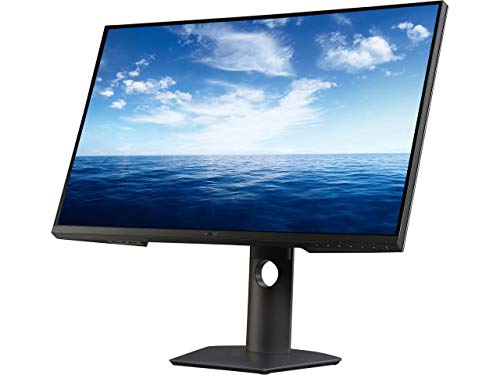
- Experience sharp, tear free graphics with a swift refresh rated to 155 hertz (overclocked) and AMD free sync for super smooth visuals
- Get blazing fast and responsive gameplay with minimum input lag at an extremely rapid 1ms response time. Pixel Pitch:0.2331 mm
- Enjoy vivid edge to edge game play and crisp QHD resolution. You'll get lost in the 3.68 million pixels almost two times more than full HD
- Brightness: 350 candela per square metre
- Note: The 27' measurement of a TV monitor is measured diagonally.
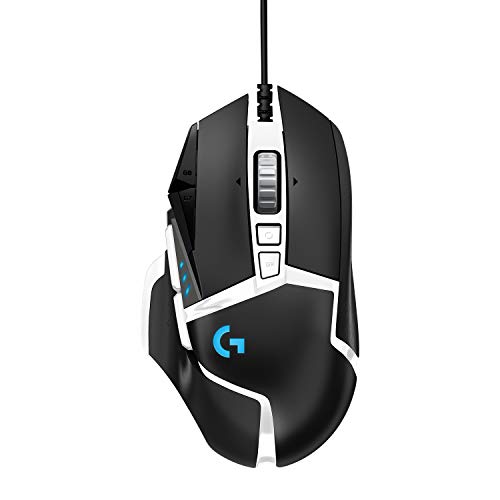
Logitech G502 SE Hero High Performance RGB Gaming Mouse with 11 Programmable Buttons
- High performance hero 16k sensor: Logitech most accurate sensor yet with upto 16,000 dpi for the ultimate in gaming speed, accuracy and responsiveness across entire dpi range
- 11 customizable buttons and onboard memory: Assign custom commands to the buttons and save Upto five ready to play profiles directly to the mouse
- Adjustable weight system: Arrange upto five removable 3.6 gram weights inside the mouse for personalized weight and balance tuning. Requirements – Windows 7 or later. macOS 10.11 or later. Chrome OS. USB port
- Programmable RGB lighting and lightsync technology: Customize lighting from nearly 16.8 million colors to match your team's colors, sport your own or sync colors with other Logitech G Gear
- Mechanical switch button tensioning: Metal spring tensioning system and pivot hinges are built into left and right gaming mouse buttons for a crisp, clean click feel with rapid click feedback
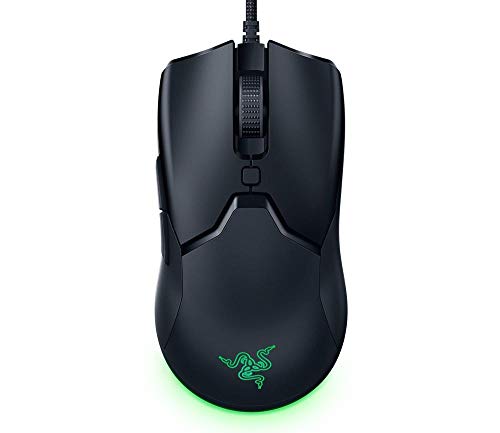
- Lightest, Zero-Compromise Miniature Mouse: 10% Smaller Than the Viper and lighter at 61g, with a 8500 DPI optical sensor befitting the most serious gamers without the need for drilling holes in the chassis like competitor mice
- Faster Than Traditional Mechanical Switches: Razer optical mouse switches uses light beam-based actuation, registering button presses at the speed of light for absolute control
- Customizable Chroma RGB Color Profiles & Underglow: Includes 16.8 million color combinations w, included preset profiles
- 6 Programmable Buttons: Allows for reconfiguration and assignment of complex macro functions through Razer Synapse 3
- Drag-Free Cord for Wireless-Like Performance: Razer Speedflex cables eliminate the need for mouse bungees, drastically reducing weight and drag
Frequently Asked Questions
Are gaming headsets under $50 worth buying?
Absolutely. Headsets like the HyperX Cloud Stinger and Razer Kraken X deliver solid sound quality, decent mics, and comfortable fits that rival headsets twice the price. You won’t get wireless or active noise cancellation, but for competitive gaming, these budget options perform surprisingly well.
What’s the best gaming headset under $50 for FPS games?
The HyperX Cloud Stinger is the top pick for FPS games. Its 50mm drivers deliver clear positional audio so you can pinpoint footsteps and gunshots accurately. The Razer Kraken X is a close second with its 7.1 surround sound support on PC.
Can I use a budget gaming headset for music and movies?
Yes. Most gaming headsets in this price range produce good enough audio for casual music listening and movie watching. The Logitech G432 and EKSA E900 Pro have well-balanced sound profiles that work across entertainment, not just gaming.
Should I buy wired or wireless gaming headsets under $50?
Go wired at this price point. Wireless headsets under $50 typically sacrifice sound quality, battery life, or build quality to hit that price. A wired connection gives you zero latency, no battery anxiety, and better audio drivers for the same money.
Do cheap gaming headsets work on PS5 and Xbox?
Most wired gaming headsets with a 3.5mm jack work on PS5, Xbox, Switch, and PC without any adapters. The HyperX Cloud Stinger and Corsair HS35 are confirmed compatible across all major platforms. Just plug into the controller’s headphone jack.
How long do budget gaming headsets last?
Expect 1-3 years of regular use from a well-made budget headset. The HyperX Cloud Stinger and Logitech G432 have steel-reinforced headbands that hold up better than most. Avoid headsets with thin plastic frames if durability matters to you.
What’s the most comfortable gaming headset under $50?
The HyperX Cloud Stinger weighs just 275g with memory foam ear cups, making it comfortable for 4-6 hour sessions. The EKSA E900 Pro also gets high marks for comfort with its protein leather cushions and lightweight build.