
SureCart Review: A Better Alternative to WooCommerce?
I’ve rebuilt enough WordPress stores to know one thing. Checkout complexity kills momentum. Not slowly. Fast.
SureCart tries to solve that by moving heavy ecommerce logic out of your server and into its cloud. You keep WordPress for content and front-end control. SureCart handles cart, checkout, billing, and subscriptions in the background.
After testing SureCart on client projects and staging builds, my verdict is clear. It’s one of the best commerce stacks for digital products on WordPress in 2026, but only if you’re comfortable with SaaS tradeoffs.
If you want pure ownership and unlimited code-level control, WooCommerce still wins. If you want speed, lower maintenance, and cleaner operations, SureCart is hard to beat.
This review was fully updated on February 23, 2026 with current pricing, product direction, and practical limitations that matter before you commit.
Table of Contents
What is SureCart?

SureCart
SureCart is a WordPress commerce platform with a SaaS core. You install a plugin, but core transaction logic is managed on SureCart infrastructure.
That architecture is the whole point. Your site does not need to run every subscription job, renewal process, and checkout event locally. For most stores, that means better performance and fewer plugin conflicts.
As of February 2026, SureCart sits at 90,000+ active installs on WordPress.org, carries a 4.8/5 rating, and the listed stable release is 3.20.1. That is strong traction for a newer ecommerce stack.
It is also opinionated by design. You get fewer architectural choices than WooCommerce, but most teams do not need fifty choices for checkout logic. They need stable checkout, predictable billing, and fewer things breaking before a launch.
That is why SureCart feels fast to adopt. Product setup, checkout embedding, tax basics, and billing workflows are presented as one system, not ten separate plugins pretending to be one system.
The real question is not “is it good?” The real question is this. Is this architecture right for your business model?
If you sell courses, memberships, digital downloads, coaching, templates, or private communities, SureCart fits naturally. If your store depends on deep custom database workflows, unusual catalog logic, or heavy code-level overrides, you may feel boxed in.
If your north star is operational simplicity, SureCart is built for that. If your north star is unlimited backend flexibility, it is not.
SureCart Features: What It Does Right
SureCart gets the fundamentals right out of the box. You can launch a real store quickly without stacking ten different extensions.
The most useful capabilities for real stores are:
- Cloud-managed checkout and subscription engine that keeps your WordPress layer lightweight.
- Built-in recurring billing, payment plans, free trials, and installment setups.
- Native affiliate center with referral tracking and commission controls.
- Order bumps, coupons, taxes, and customer portal controls in core product.
- Modern product and checkout builder that is easier for non-technical teams.
- REST API, webhooks, and action hooks for custom integrations.
- Stripe and PayPal focused payment workflows with practical defaults.
- Strong documentation and migration guides for existing stores.
- Lower day-to-day maintenance compared to heavy WooCommerce stacks.
- Agency-friendly multi-store plan options when you scale.
My Complete Setup and Testing Workflow
I test SureCart the same way I evaluate any revenue-critical plugin. Staging first, then controlled rollout on production stores where metrics are already tracked.
My stack during testing was GeneratePress + GenerateBlocks, FlyingPress, Cloudflare, and Umami. That’s close to how many of my client stores run today.
Setup is fast. Product creation, checkout embed, payment gateway connect, and test checkout can be done in under an hour if your product catalog is simple.
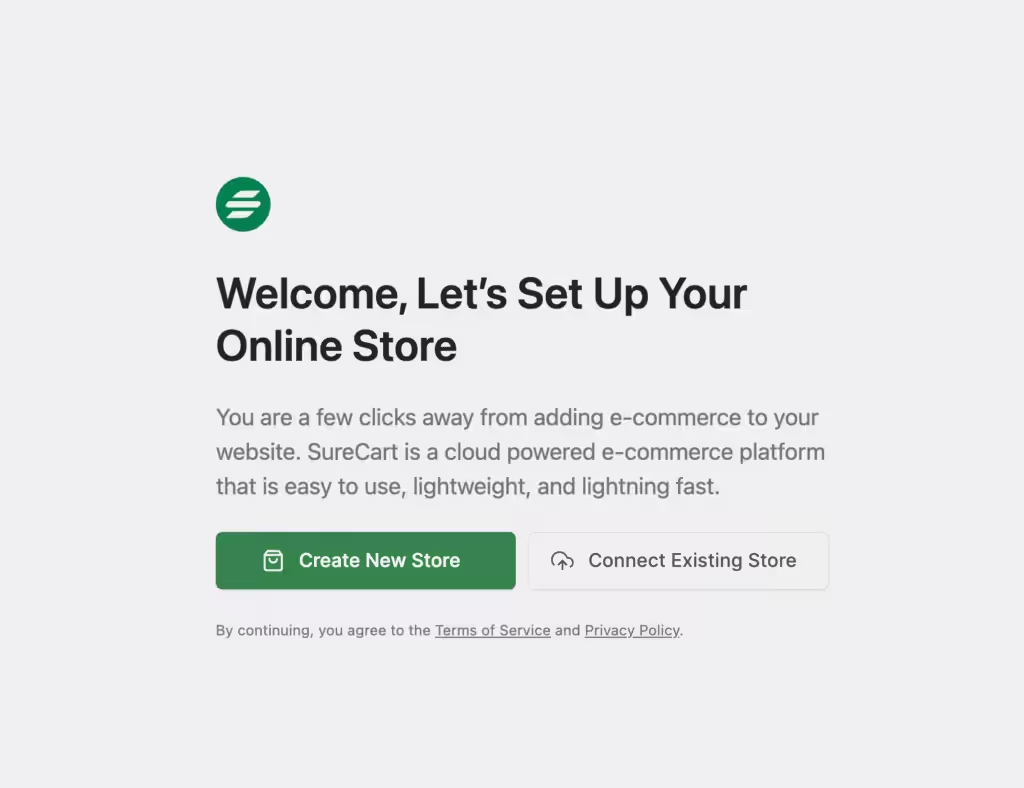
The onboarding wizard is clean and focused. You don’t get buried in forty tabs before your first sale.
I track four checkpoints during evaluation: time to first test order, checkout error rate, average support tickets per week, and plugin conflict frequency. SureCart usually performs well on all four for straightforward digital stores.
For one client build, first test checkout went live in under 45 minutes from fresh install. That is not normal in WooCommerce unless the stack is already templated and battle tested.
Built-In Subscriptions and Payment Plans
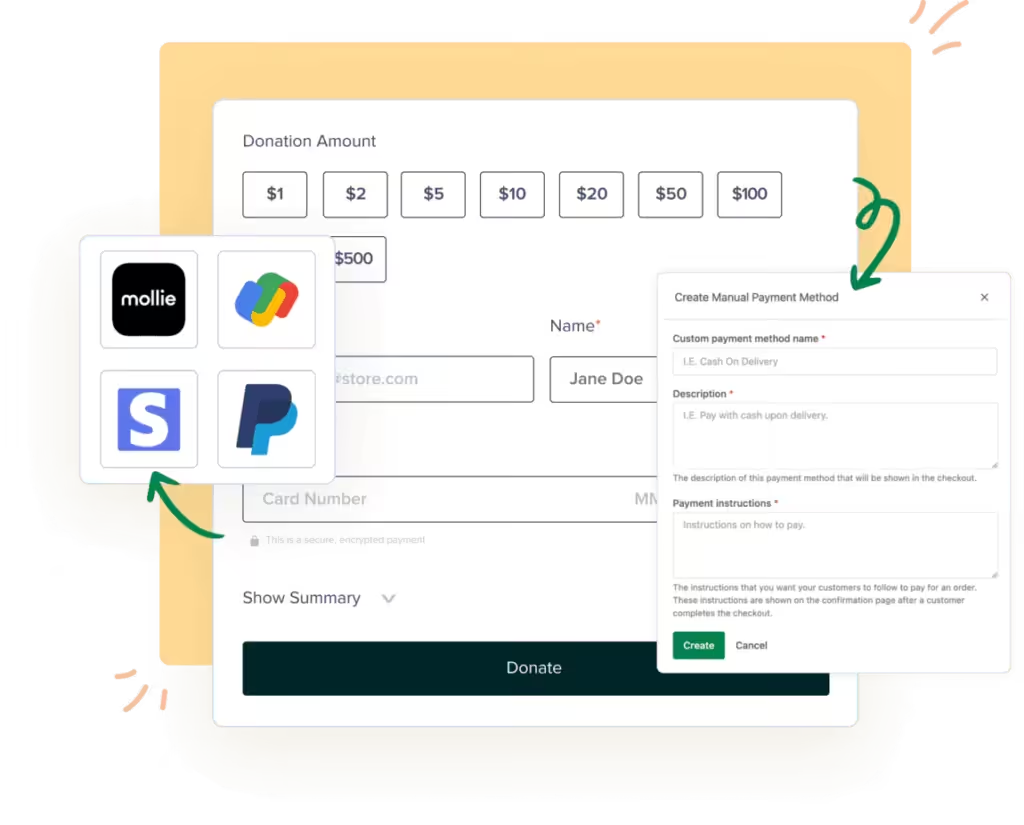
This is where SureCart saves real money and time. In WooCommerce, recurring billing usually means paid extensions plus configuration overhead. In SureCart, subscription workflows are first-class.
You can ship monthly plans, annual plans, trial flows, and installment pricing without adding extra billing plugins. That reduces moving parts, which usually means fewer support tickets.
That matters more than people think. Every extra billing extension is another update cycle, another compatibility risk, and another troubleshooting branch when checkout fails.
SureCart’s default subscription UX is also cleaner for customers. Fewer confusing form states, fewer weird edge cases with trial transitions, and fewer abandoned checkouts caused by brittle add-on logic.
Affiliate Management and Revenue Tools
SureCart includes an affiliate system in the core experience. That matters if referral revenue is part of your growth plan.
You can also run common conversion tactics like coupon codes, order bumps, and straightforward upsell flows without bolting on separate funnel plugins.
If you sell low-ticket front-end offers, this built-in conversion layer saves a lot of glue work. You can test offer structure first instead of burning hours on plugin wiring.
SureCart also includes cart abandonment and customer account workflows that are good enough for most creator businesses. For advanced lifecycle automation, you can hand off events to your ESP or CRM through webhooks.
Clean Admin Interface
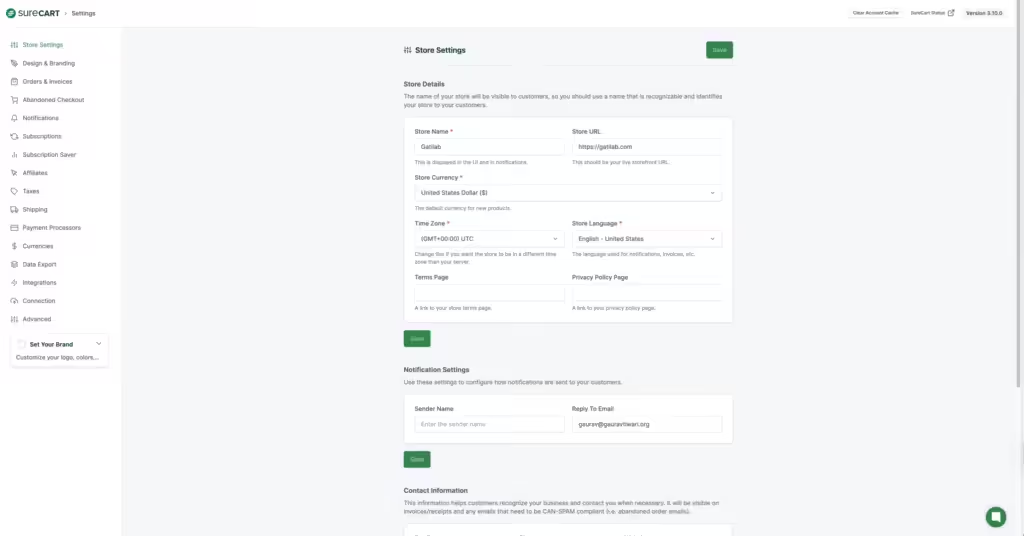
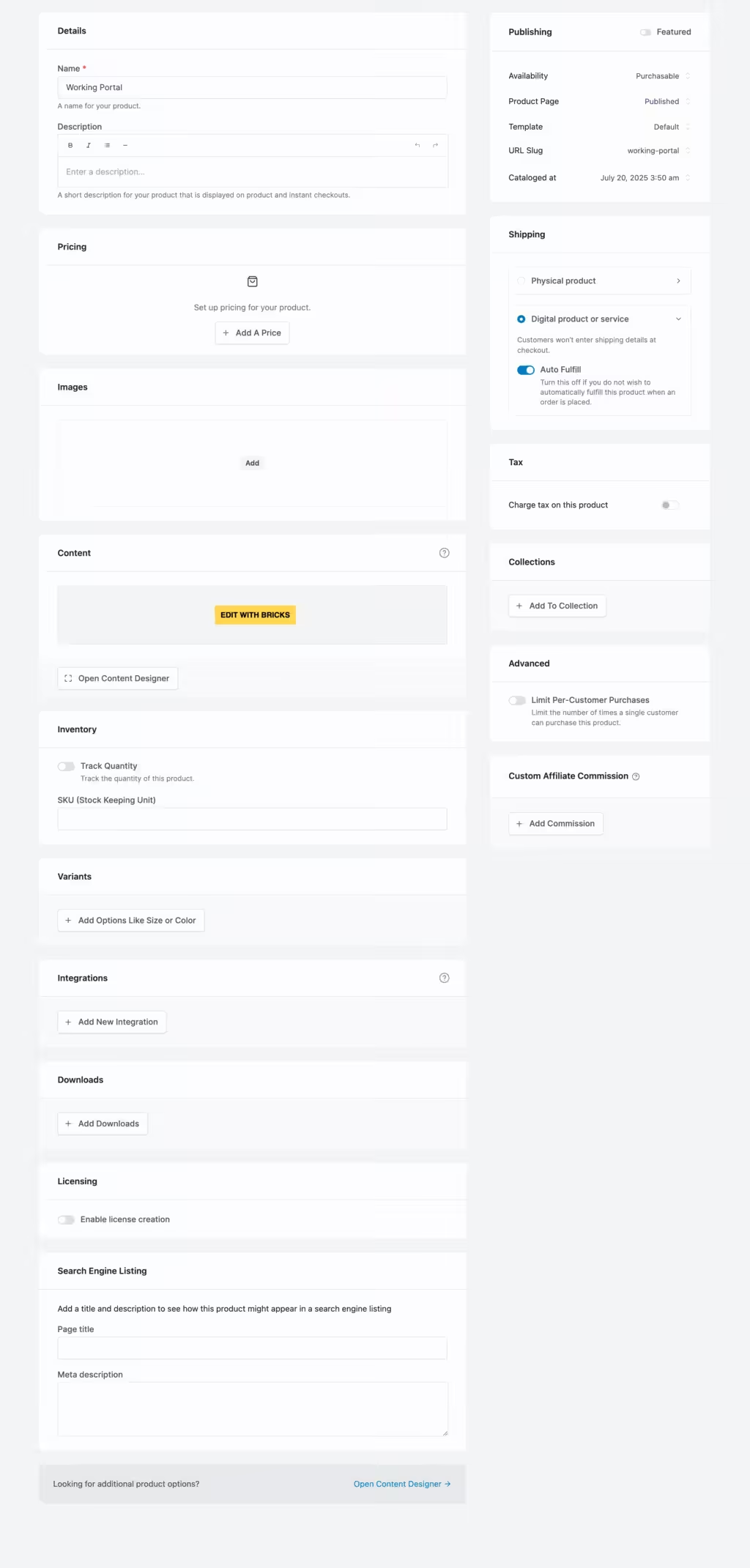

The admin UX is one of SureCart’s best decisions. Settings are easier to scan, product editing is cleaner, and handoff to clients is smoother than typical WooCommerce dashboards.
If you build client sites, this directly affects retention. Fewer confusing screens means fewer late-night support calls.
And this is where agencies quietly win. Clean backend means easier onboarding for client teams. Easier onboarding means fewer mistakes. Fewer mistakes means fewer emergency fixes billed at midnight.
Developer-Friendly API and Integrations
SureCart is not closed from a developer perspective. It exposes action hooks, filters, REST API endpoints, and webhook events for external automation.
That gives you room to wire CRM events, course enrollment logic, and custom reporting pipelines without patchwork hacks.
I care about this part because lock-in risk is lower when integration pathways are clear. Even if you stick with SureCart for years, having predictable event hooks makes your stack less fragile.
When platforms hide event data, you are guessing. When platforms expose events cleanly, you can build with confidence. SureCart is closer to the second model.
Better Performance with Fewer Resources
Because checkout and billing workflows are not fully executed on your WordPress runtime, store pages stay lighter. That helps on modest hosting setups and on high-traffic launches.
No plugin can fix a badly configured server. But SureCart does reduce the ecommerce overhead that usually drags WordPress stores down.
In staging comparisons, I have seen lighter checkout pages and cleaner TTFB behavior versus bloated WooCommerce stacks with multiple add-ons. The gap gets smaller on highly optimized Woo builds, but the baseline advantage remains real for most teams.
Pricing
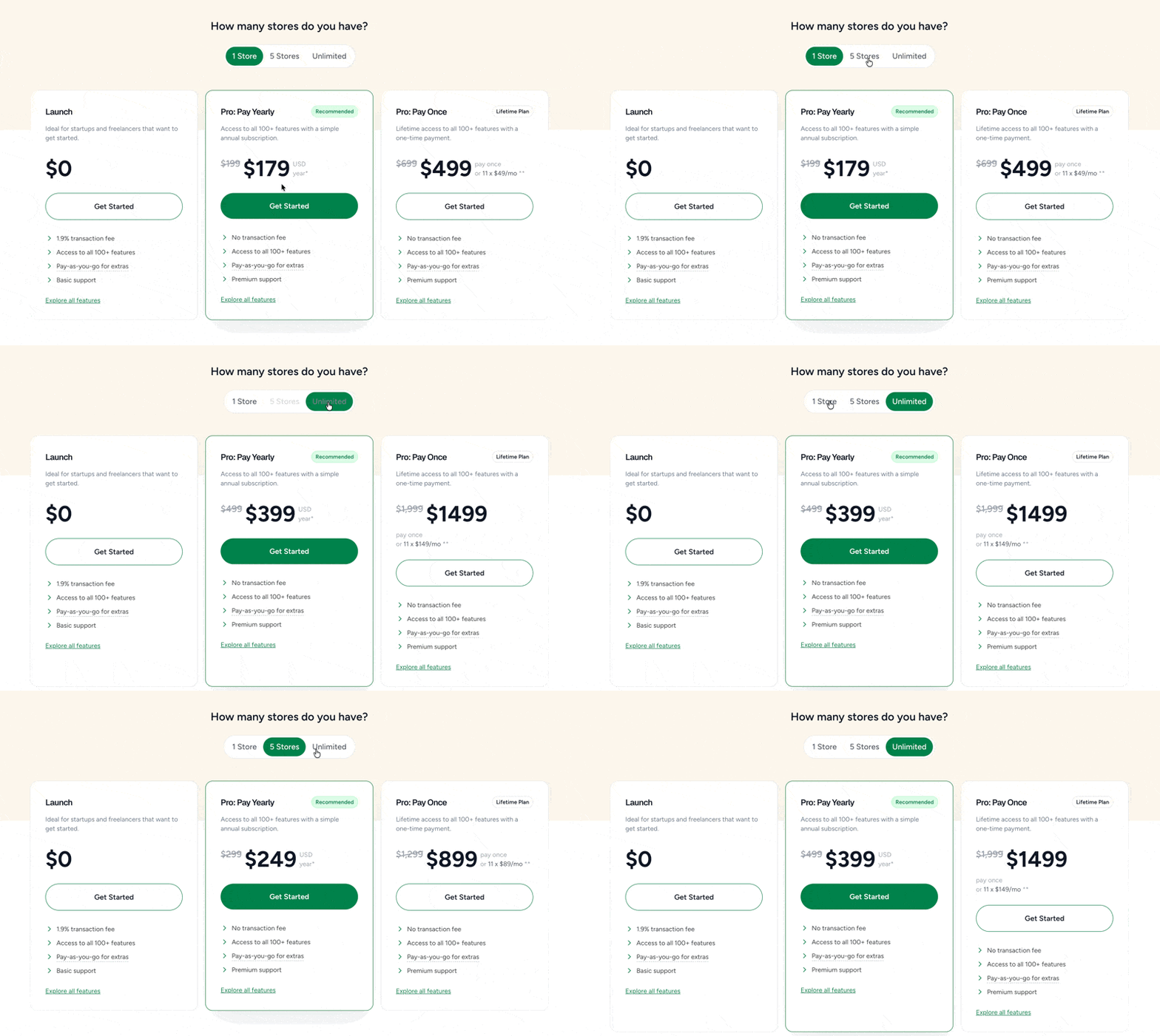
SureCart pricing changed multiple times over the last year, so always check the official pricing page before checkout. These numbers are current as of February 23, 2026.
| Plan | 1 Store | 5 Stores | Unlimited Stores | Transaction Fee |
|---|---|---|---|---|
| Launch (Free) | $0 | $0 | $0 | 1.9% per transaction |
| Pro (Yearly) | $199/year | $299/year | $499/year | 0% |
| Pro (Lifetime) | $699 one-time | $1,499 one-time | $2,999 one-time | 0% |
The free Launch plan is legit for early stores, but the 1.9% fee becomes expensive once volume grows. If your monthly sales are steady, Pro usually pays for itself quickly.
Simple math. At $10,000 monthly revenue, 1.9% is $190. That is more than the monthly equivalent of the 1-store yearly Pro plan.
If you run multiple client stores, the 5-store and unlimited tiers are where SureCart starts looking very competitive against custom WooCommerce maintenance time.
One more practical note. SureCart supports multi-currency display for customers, but settlement still happens in your store base currency. That is fine for most stores, but global pricing workflows need careful planning.
There is one pricing mistake I see repeatedly. Teams stay on Launch too long because \”free\” feels safe. Once revenue rises, fee drag silently becomes your highest software expense. Run the math monthly, not once.
| Monthly Revenue | Launch Fee (1.9%) | Approx Yearly Fee | Better Plan Trigger |
|---|---|---|---|
| $2,000 | $38 | $456 | Move to Pro if growth is steady |
| $5,000 | $95 | $1,140 | Pro is usually cheaper immediately |
| $10,000 | $190 | $2,280 | Pro is a no-brainer |
Also compare yearly vs lifetime on realistic timelines. If you know you will run the same store for 4+ years, lifetime pricing can make sense. If your offer model changes every year, yearly is safer.
The SaaS Factor: Pros and Cons
This is the section people ignore and regret later. SureCart is fast because it is SaaS-first. That same decision introduces dependency.
Where the SaaS Model Helps
- Lower operational overhead on your WordPress server.
- Faster rollout of product updates and security fixes.
- Cleaner support path because core logic is centralized.
- Less plugin conflict drama compared to large WooCommerce stacks.
Where the SaaS Model Hurts
- You do not control every backend layer like a fully self-hosted plugin stack.
- Downtime or policy changes on the provider side can impact your store.
- Migration away is possible, but never friction-free for subscriptions and order history.
- Long-term total cost depends on your growth curve and plan changes.
I am not anti-SaaS. I run SaaS tools across my stack. But you should treat this as an infrastructure decision, not just a plugin install.
If your business needs strict ownership and custom backend behavior, choose the self-hosted route. If your business needs speed and low ops burden, SureCart is a strong answer.
Plan for failure before it happens. Keep regular order exports, customer exports, and product backups. Document your migration fallback path even if you never use it. This is standard operational hygiene, not paranoia.
SureCart provides export paths and migration guidance, which is good. But moving active subscriptions between platforms is never one-click. Budget real time for that work if you ever switch.
SureCart vs WooCommerce
I already published a full deep-dive at SureCart vs WooCommerce, but here is the practical summary for decision-making.
| Area | SureCart | WooCommerce |
|---|---|---|
| Architecture | SaaS core + WordPress bridge | Fully self-hosted plugin ecosystem |
| Setup speed | Very fast for common digital products | Slower, more configuration required |
| Control | Moderate, platform-defined limits | Very high, full code and data control |
| Maintenance | Lower day-to-day maintenance | Higher maintenance over time |
| Extensibility | Good API and webhooks, curated surface | Massive extension ecosystem, can get messy |
| Best fit | Creators, small teams, fast-launch stores | Complex stores and teams needing full ownership |
WooCommerce is still the right answer for many projects. I still use it where deep customization and complete ownership matter most.
SureCart wins when you value shipping speed, cleaner operations, and lower technical drag over absolute backend control.
If you are still deciding, read this with my WooCommerce review and your own revenue model in mind.
One hidden WooCommerce cost is extension sprawl. A store that starts simple can end up running subscriptions, affiliates, funnels, taxes, checkout fields, and analytics across six paid add-ons. That stack can work, but maintenance overhead compounds.
SureCart trades some flexibility to avoid that sprawl. Whether that trade is smart depends on what you sell and how much customization you really need.
Use Cases Where SureCart Wins
Digital Product Sellers and Membership Businesses
If you sell templates, mini-courses, memberships, paid newsletters, or coaching products, SureCart removes a lot of setup friction. You can go live quickly and focus on offer quality.
This is especially useful when your growth bottleneck is content and offer execution, not engineering capacity. You can spend time improving conversion copy and onboarding instead of debugging checkout extensions.
Small Teams That Need a Cleaner Client Handoff
Agencies and freelancers benefit from the cleaner interface. Clients learn it faster, misuse fewer settings, and ask fewer support questions after launch.
For white-labeled delivery, predictable admin UX matters. You can standardize handoff videos, SOPs, and support playbooks much faster than with heavily customized WooCommerce dashboards.
Teams That Want Lower Technical Maintenance
If your team does not want to babysit plugin conflicts, subscription add-ons, and checkout breakages, SureCart is a practical path.
Small teams with no dedicated WordPress developer feel this immediately. Less maintenance pressure means more time for product development, customer support, and distribution.
Who Should Probably Skip SureCart
- Stores that require unusual catalog rules and deep custom data models.
- Teams with strict no-SaaS policy for commerce-critical workflows.
- Businesses that already have a stable WooCommerce stack with no major pain points.
- Developers who want full backend ownership and unrestricted plugin-level control.
SureCart Review
If SureCart isn’t the right fit, the SureCart vs WooCommerce comparison helps you decide between the two. For setting up either platform, my eCommerce development services cover full store builds. I also handle payment gateway setup for Stripe, PayPal, and regional processors.

Pros
- Checkout and subscription logic runs on SureCart cloud, so WordPress stays light under load.
- Free Launch plan is practical for new stores. You can start without annual cost.
- Recurring billing, payment plans, trials, coupons, and order bumps are built in.
- Admin UI is cleaner than most WordPress ecommerce stacks and easier for clients to manage.
- Strong developer surface: REST API, webhooks, action hooks, and solid docs.
Cons
- It is a SaaS-first architecture. If the service is down, key commerce flows are down.
- Launch plan takes 1.9% transaction fee, so margins get squeezed as revenue grows.
- Data portability exists, but migrations still require planning and cleanup.
- Multi-currency display is available, but checkout settles in your store base currency.
Summary
SureCart is the best fit for creators and small teams who want fast WordPress commerce without WooCommerce maintenance overhead. It is not a pure self-hosted plugin, so control tradeoffs are real. If you value speed, clean UX, and lower ops burden, it is excellent. If you need deep code-level ownership of every layer, stick with WooCommerce.
SureCart is no longer an experimental alternative. It is now a serious commerce option for WordPress businesses that care about speed, cleaner UX, and lower maintenance overhead.
My recommendation is straightforward. Start on Launch if you are validating a new store. Move to Pro when transaction fees begin eating margin.
If your business requires full ownership over every backend layer, stay on WooCommerce. If you want to ship faster and operate leaner, SureCart is one of the best options in this category right now.
My practical rollout advice is simple. Test in three stages. Stage one: one product and one checkout flow. Stage two: recurring billing and coupon logic. Stage three: automation events and reporting. Do not migrate everything on day one.
If all three stages are stable for 30 days, scale confidently. If they are not, you will know exactly where friction exists before revenue-critical traffic hits the new stack.
If you want to test it today, use SureCart on a staging clone first, run real checkout tests, and compare your support load over 30 days.
Disclosure: Some links in this review are affiliate links. I recommend SureCart because I have tested it in real WordPress workflows, not because of commission.
Frequently Asked Questions
Is SureCart free?
Yes. The Launch plan is free, but it includes a 1.9% transaction fee.
Can SureCart replace WooCommerce completely?
For many digital product businesses, yes. For heavily customized stores, not always.
Does SureCart support subscriptions?
Yes. Recurring billing, payment plans, and trial setups are built in.
Can I migrate from WooCommerce to SureCart?
Yes, but do it in stages. Product migration is easier than subscription and historical order migration.
Is SureCart good for agencies?
Yes, especially if you manage multiple small-to-medium stores and want lower maintenance overhead.
What is the biggest risk with SureCart?
Platform dependency. You are adopting a SaaS architecture, not a purely self-hosted plugin model.
Disclaimer: This site is reader-supported. If you buy through some links, I may earn a small commission at no extra cost to you. I only recommend tools I trust and would use myself. Your support helps keep gauravtiwari.org free and focused on real-world advice. Thanks. - Gaurav Tiwari