
5 Best Productivity Apps to Improve Your Writing Skills
The average writer loses 2.1 hours per day to context switching between apps, tabs, and tools. That’s over 10 hours a week of productive writing time gone.
You sit down to write, and 20 minutes later you’re reorganizing your notes app, checking Slack, or staring at a blank screen because your drafting tool doesn’t get out of the way. Writer’s block isn’t always a creativity problem. It’s often a tools problem. The wrong setup fragments your attention, buries your research, and makes every writing session feel like starting from scratch.
I’ve tested dozens of writing productivity tools across 2,000+ published articles. These five actually changed how I work. Each one solves a specific bottleneck, from messy drafts to missed deadlines to inconsistent output quality.
Best Productivity Apps for Writers at a Glance
- ProWritingAid: AI-powered grammar, style, and readability editor that catches what Grammarly misses
- Milanote: Visual brainstorming boards for organizing ideas before you start writing
- Scribus: Free desktop publishing tool for presenting written content in professional layouts
- FocusWriter: Distraction-free word processor that blocks everything except your draft
- Calendar: AI-powered scheduling that protects dedicated writing blocks
[table id=”145″ responsive=collapse responsive_breakpoint=phone]
ProWritingAid
Best for: Writers who want deep style and readability analysis beyond basic grammar checking.
ProWritingAid works for both business editing and creative writing projects. It’s a style guide, online editor, and writing coach rolled into one. You can use it for corporate editing or long-form content. This app serves as:
- A style guide
- An online editor
- A writing coach
It highlights many potential writing pitfalls that you otherwise might overlook. It checks for vague and abstract words in your writing. It also looks for overused words, transition issues, and redundancies.
The free version lets you upload documents and access over 20 in-depth writing reports that will clarify your texts accurately and quickly.
Milanote
Best for: Visual thinkers who need to organize research, outlines, and ideas on digital boards before drafting.

Milanote works for both students and professionals. It’s a tool you use before you start writing. You organize your thoughts on visual boards, mapping out structure and connections before a single word hits the draft.
With it, you can:
- Keep track of scene order
- Look at character relationships
- ‘Write reminders‘ of story elements you need to add
If you’re writing a story for class or an eBook for your job, Milanote fits into your workflow at any stage. Use it before you start the project, or pull it up while you’re mid-draft to reorganize.
You can write to-do lists and notes and keep them all in the same place. You can also upload images and files if you’re going to add some visual elements to the eventual finished product.
Scribus
Best for: Writers who need to present their work in polished, print-ready layouts without paying for Adobe InDesign.
Sometimes you need to present professional writing in a visually compelling format. Presentations for coworkers, investors, or a class assignment all benefit from proper layout design.
Scribus lets you present your writing as part of a rich visual layout. It’s kind of like Adobe InDesign. However, Scribus is free, which is always great if you’re a student and don’t have a lot of spare cash lying around.
FocusWriter
Best for: Writers who can’t stop checking social media and need a full-screen, distraction-free drafting environment.

FocusWriter keeps you on-task by removing everything that isn’t your draft. It won’t let you get pulled into social media or other distractions mid-session.
With it, you get a word-processor interface that is clean and clutter-free. If you’re in the first part of the creation process, and you want to get words down on the screen before you do your in-depth editing, then FocusWriter is an excellent choice for helping you.
Calendar
Best for: Writers who struggle to protect writing time from meetings and scheduling chaos.
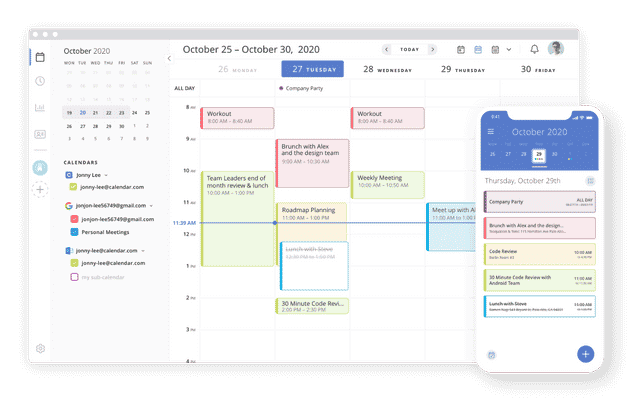
Calendar uses AI to help you stay focused, save time, and be more productive. The more you use it, the better it learns your priorities.
It has been featured on Inc, Forbes, CNN, and Entrepreneur, which indicates how widespread its use has become both by students and in workplaces. There is a free version of it, as is true with many of these apps, or you can also pay a yearly or monthly subscription fee and get more features.
Through it, your friends or coworkers can schedule an appointment with you when it’s convenient. You only allow those you trust access to the app. The calendar will also keep you from ever overbooking because it blocks off times when you already have meetings scheduled.
Pick one problem. If you can’t focus, start with FocusWriter. If your drafts are sloppy, try ProWritingAid. If your calendar is a mess and you never find time to write, Calendar fixes that.
Don’t install all five at once. That’s just adding more tools to a workflow that’s already broken. Pick the one that solves your biggest bottleneck, use it for 30 days, then decide if you need another.
Productivity Books for Writers
Writing is the skill that compounds the most over a career. I’ve written over 1,800 articles, and the productivity books that helped most weren’t about writing. They were about protecting focus.
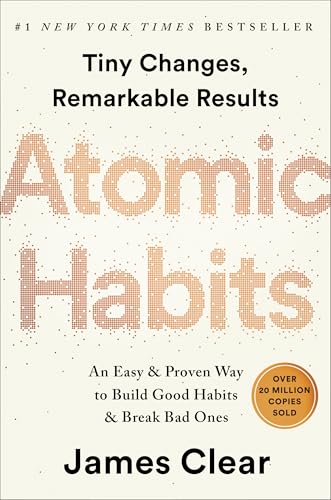
Deep Work is non-negotiable for anyone who writes. Cal Newport’s argument is simple: the ability to focus without distraction is increasingly rare and increasingly valuable. Atomic Habits helps you build a daily writing routine that doesn’t require willpower. I also wrote about using a 40-minute timer to write faster articles.
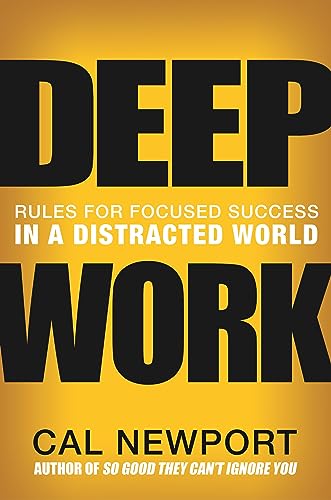
Deep Work: Rules for Focused Success in a Distracted World
- Brand New in box. The product ships with all relevant accessories
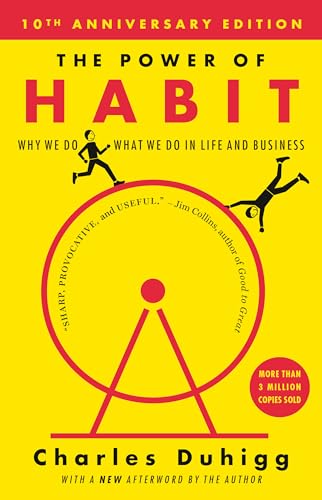
The Power of Habit: Why We Do What We Do in Life and Business
- Life changing novel
Disclaimer: This site is reader-supported. If you buy through some links, I may earn a small commission at no extra cost to you. I only recommend tools I trust and would use myself. Your support helps keep gauravtiwari.org free and focused on real-world advice. Thanks. - Gaurav Tiwari
Hey Gaurav Tiwari ,
Excellent and well-written post. I truly appreciate your efforts and hard-work.
It is my first time commenting on your blog post and i am glad to say that you have done a fantastic work and suggested the best & effective apps to improve the writing skills.
You have explained each app very nicely and provided all the necessary information that is providing quick & better understanding as well.
I know Pro writing aid and calendar app but i don’t have any idea regarding Focus writer, Scribus & Milanote app . so kindly thanks for making me aware and will definitely try these apps. Using these apps will be a great helping hand and will undoubtedly enhance the productivity and improves the writing skills.
After going through this post i really gain helpful ideas and your blog works like a knowledge-booster for me and have also boosted my knowledge upto some limit..
Eventually thanks for sharing your knowledge and such a wonderful post.