
Best WordPress Theme Frameworks in 2026
WordPress theme frameworks have evolved dramatically. What worked five years ago feels ancient now. Block themes, visual builders, and modern development stacks have completely changed how we build WordPress sites.
I’ve tested dozens of theme frameworks over the past decade. Some are still excellent choices. Others are coasting on reputation while better alternatives have emerged. This guide covers the 10 best WordPress theme frameworks worth using in 2026, plus a quick rundown of others that deserve a mention.
What Makes a Theme Framework Different from a Theme?
Before diving in, let’s clarify something. A theme framework is not the same as a regular WordPress theme. A theme is what your visitors see. A framework is the foundation underneath.
Theme frameworks provide a structured codebase that developers build upon. They handle the boring stuff like SEO optimization, security hardening, and responsive layouts. You focus on the design and customization. Some work as parent themes with child themes built on top. Others provide a starting point that you modify directly.
The best frameworks share common traits: clean code, strong performance, active development, and flexibility to build whatever you need.
WordPress Theme Frameworks Compared
| Theme | Description | Original Price | Get Deal |
|---|---|---|---|
| Kadence | Build fast & beautiful websites with Kadence. Modern features & customization for all. | $149 | Get Deal on Kadence |
| Astra | Lightweight, fast theme with beautiful templates and page builder support. | $59-$699 | Get Deal on Astra |
| GeneratePress One | Premium theme bundle with GenerateBlocks and GenerateCloud access. | $149 | Get GeneratePress One |
| Themeforest | Marketplace for premium themes including Total, BeTheme, and more. | $13 - $199 | Get Themeforest Themes |
| WPZoom | Premium themes for education, news, magazines, and more. | $79 per theme | Visit WPZoom |
| TemplateMonster | Wide selection of themes & plugins across all web categories. | Variable | Get Deal on TemplateMonster |
| MonsterONE | Access to an extensive asset library for WordPress themes & design tools. | $529 (lifetime) | Get Deal on MonsterONE |
| Neve | Fast, mobile-first theme with customizable headers & footers. | Variable | Get Deal on Neve |
| Avada | Popular drag-and-drop theme for feature-rich websites. | Variable | Get Deal on Avada |
| Divi | Customizable theme with powerful design options and pre-made layouts. | Variable | Get Deal on Divi |
| Blocksy | Lightweight, customizable theme optimized for performance. | Variable | Get Deal on Blocksy |
| Total | Multipurpose theme with drag-and-drop functionality and flexible layouts. | Variable | Get Deal on Total |
The 10 Best WordPress Theme Frameworks in 2026
1. GeneratePress
- Under 30KB with no jQuery
- Block-based theme builder
- 10-year track record of stability
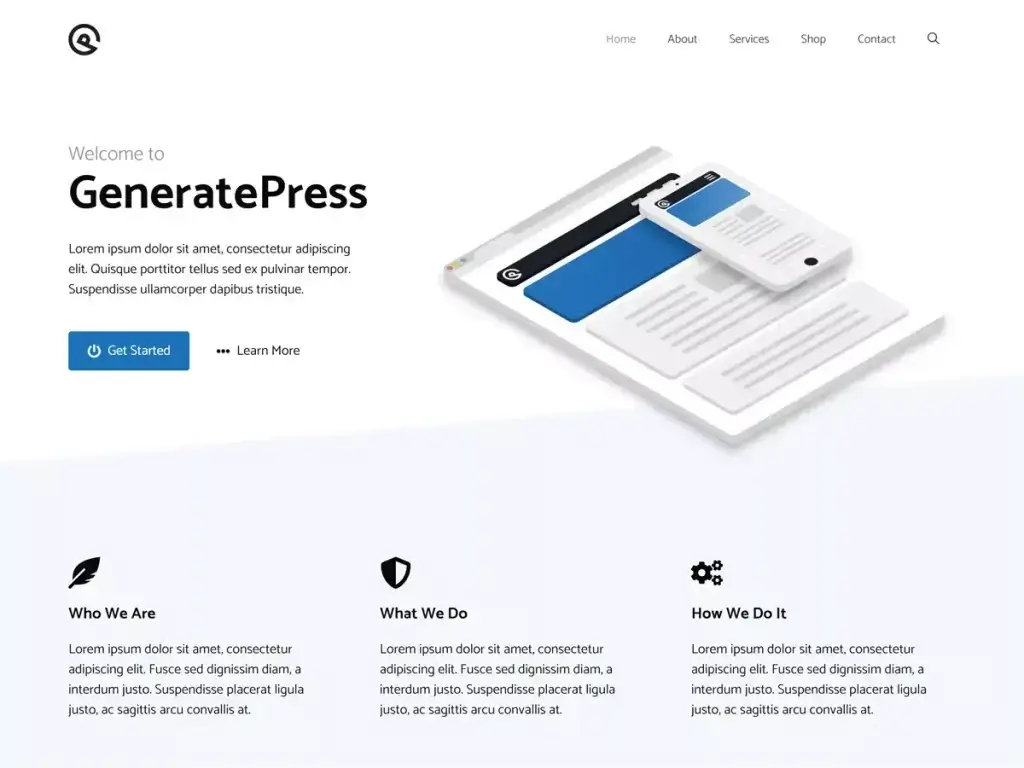
GeneratePress has quietly become the framework of choice for performance-obsessed developers. And for good reason.
The base theme weighs less than 10KB. Not 10MB. 10KB. That’s absurd in a world where most themes ship with bloat that would embarrass a cargo ship. It consistently scores perfect 100s on PageSpeed Insights without any caching plugins or optimization tricks.
What makes GeneratePress special is how it balances lightweight architecture with genuine flexibility. The free version handles most basic sites. GeneratePress Premium adds the Elements module, which lets you insert custom hooks, templates, and layouts throughout your site without touching code.
The theme works beautifully with both the classic customizer and the block editor. If you’re building agency sites and care about Core Web Vitals, GeneratePress should be your default choice. I’ve migrated several sites from heavier frameworks and consistently seen 40% improvements in load times.
Best for: Performance-focused developers, agencies building client sites, anyone who values speed over flashy features.
Pricing: Free core theme. Premium starts at $59/year for the theme and $149 for GeneratePress One
2. Genesis Framework
- SEO-optimized clean code
- Rock-solid security track record
- Included free with WP Engine hosting
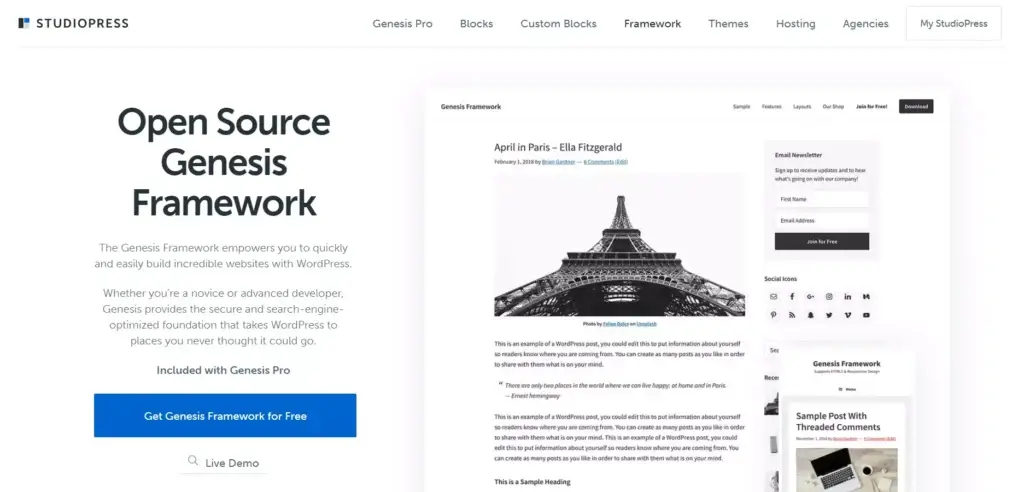
Genesis Framework built its reputation over more than a decade. StudioPress created something special: a bulletproof foundation that prioritizes security, SEO, and clean code across everything.
The framework uses a parent-child theme architecture. Genesis handles the heavy lifting while child themes control the visual appearance. This separation means Genesis can update without breaking your customizations. It’s elegant engineering.
Genesis bakes in schema markup, proper heading hierarchies, and semantic HTML5 structure. Search engines love it. The codebase follows WordPress coding standards religiously, making it easy for any developer to jump in and understand what’s happening.
But here’s the honest truth. Genesis development has slowed significantly since WP Engine acquired StudioPress. Updates come less frequently. The community feels less vibrant than five years ago. Many Genesis developers are migrating to alternatives like GeneratePress or Kadence.
That said, existing Genesis sites remain rock solid. If you have a Genesis site running well, there’s no urgent reason to switch. The framework still works. It just isn’t evolving as quickly as competitors.
Best for: Developers who prefer coding over visual building, sites already running Genesis, those who value proven stability.
Pricing: Available through Genesis Pro at $360/year, or included free with WP Engine and Flywheel hosting.
3. Kadence
- Drag-and-drop header/footer builder
- Extensive starter template library
- Top-tier performance out of the box
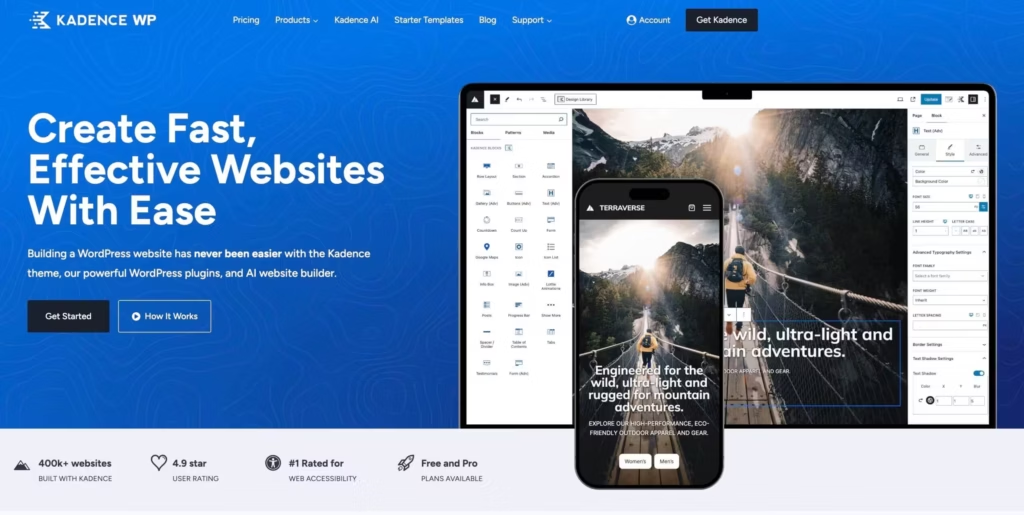
Kadence emerged as the modern alternative that Genesis users were waiting for. It combines lightweight performance with native Gutenberg integration in a way that feels genuinely fresh.
The theme embraces full-site editing while maintaining backward compatibility with the customizer. Kadence Blocks extends the block editor with advanced row layouts, advanced heading controls, tabs, accordions, and more. These aren’t bloated workarounds. They’re clean implementations that generate minimal code.
What impresses me most is the header and footer builder. You can create complex navigation structures, sticky headers, and mobile-specific layouts without writing CSS. It’s powerful enough for agency work while remaining accessible to beginners.
Kadence also ships with starter templates that actually look professional. Not the generic templates you see in most theme bundles. Real designs that work for real businesses. Import one, customize it, and launch in hours instead of weeks.
Many Genesis users are upgrading to Kadence because it offers everything Genesis provided plus the modern visual controls Genesis always lacked.
Best for: Full-site editing enthusiasts, Genesis migrants, developers wanting Gutenberg-native design tools.
Pricing: Free core theme and blocks plugin. Pro bundle starts at $149/year.
4. Astra
- 2 million+ active installs
- 240+ starter templates
- Under 50KB frontend footprint
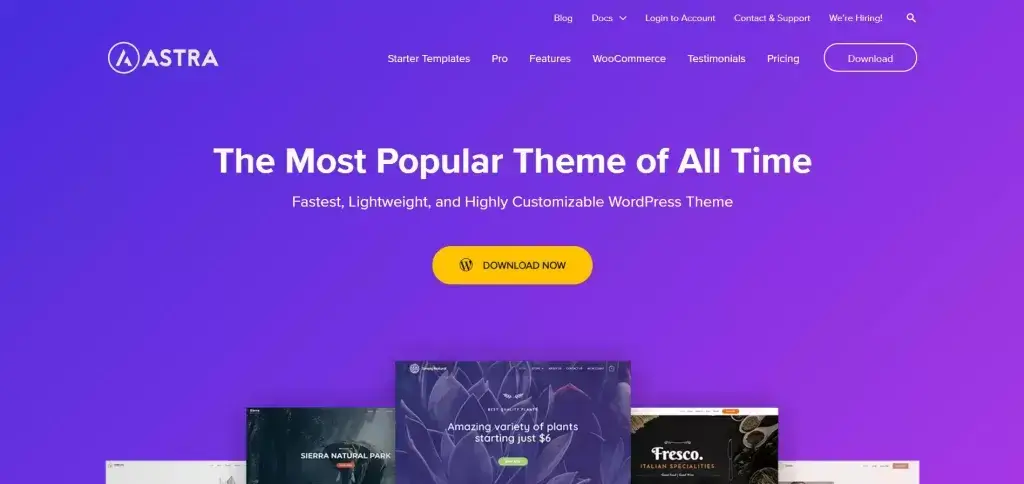
Astra powers over 2.4 million websites. That popularity comes with both advantages and baggage.
On the positive side, Astra offers incredible flexibility. The theme integrates seamlessly with Elementor, Beaver Builder, Brizy, and other page builders. It ships with pre-built starter sites spanning every conceivable industry. If you need to launch quickly, Astra delivers.
The performance holds up well too. Not quite GeneratePress territory, but lightweight enough to achieve green Core Web Vitals on properly configured hosting. The free version includes more features than most premium themes charge for.
My concern with Astra is complexity creep. The Pro version adds extensive customization options which sometimes conflict with each other or with popular plugins. I’ve troubleshot Astra sites where mysterious spacing issues traced back to obscure settings buried three levels deep.
For straightforward projects, Astra works great. For complex builds with multiple developers, the flexibility can become a liability. Document your settings thoroughly.
Best for: Page builder users, rapid prototyping, businesses wanting extensive starter templates.
Pricing: Free core theme. Pro starts at $59/year.
5. Bricks Builder
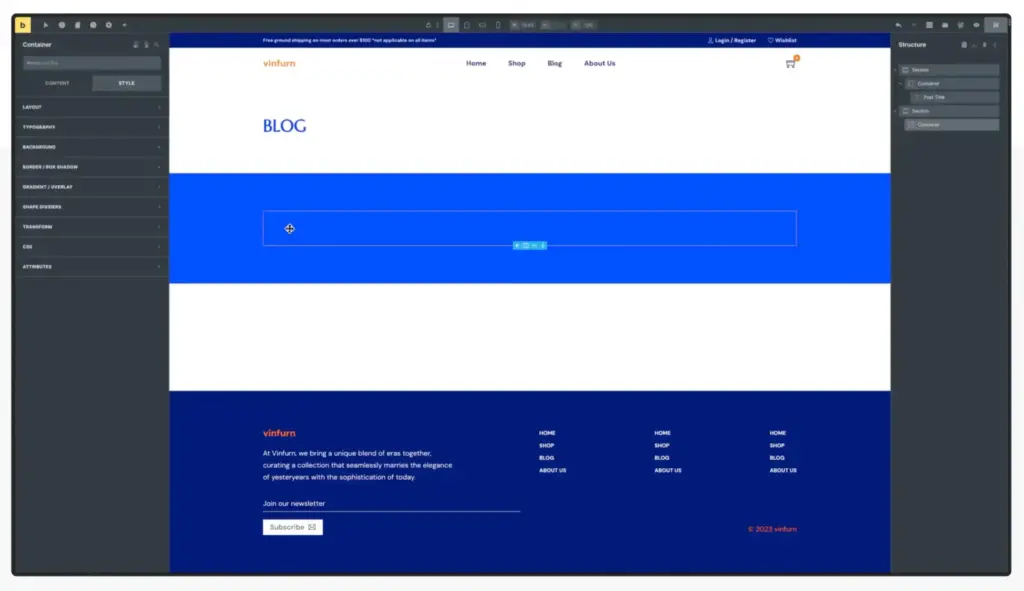
Bricks Builder breaks the rules. It’s technically a theme, not a plugin. That architectural choice unlocks performance advantages that plugin-based page builders can’t match.
Bricks generates semantic HTML without wrapper div soup. Where Elementor might output 50 nested divs, Bricks outputs 5. The difference shows in page speed metrics, accessibility scores, and maintainability.
The builder itself feels incredibly responsive. Built with Vue.js, it reacts instantly to changes. No waiting for previews to refresh. No AJAX delays. Just fluid design.
Dynamic data handling is where Bricks truly shines. The query loop builder rivals what you’d expect from custom development. Meta fields from ACF, Pods, or Meta Box display exactly where you want them. Building custom post type archives no longer requires a developer on speed dial.
The learning curve is steeper than Elementor. Bricks assumes you understand CSS concepts like flexbox and grid. It won’t hold your hand through basic layout decisions. For intermediate and advanced users, that directness is refreshing.
Recent updates added a Visual Grid Builder for CSS Grid, a centralized Style Manager, CSS frameworks and improved Gutenberg compatibility with components as blocks. Development moves very fast. The community is active and helpful.
Best for: Developers and agencies who want page builder convenience with developer-level output quality.
Pricing: $129/year for unlimited sites or $599 lifetime. An amazing investment, if you ask me.
6. Thrive Theme Builder
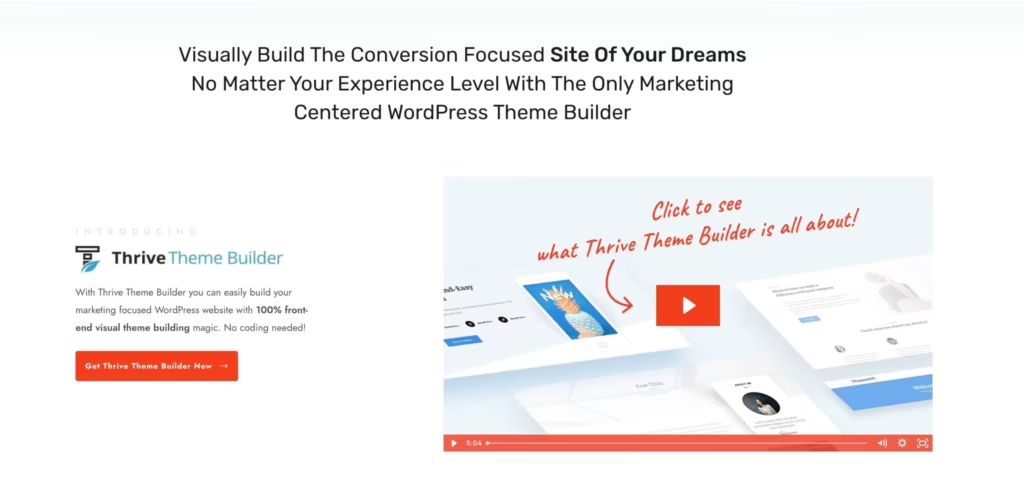
Thrive Theme Builder takes a different approach. Instead of serving everyone, it focuses ruthlessly on conversion optimization.
Every template, every element, every setting connects back to a single goal: turning visitors into customers. The builder ships with conversion-optimized designs informed by actual test data. Headers emphasize calls to action. Footers push email signups. Blog templates highlight related content that keeps readers engaged.
Thrive integrates with the broader Thrive Suite ecosystem. Lead generation, quizzes, courses, and landing pages all share the same design system. For online business owners, this cohesion saves enormous time.
The visual editor provides complete control over headers, footers, sidebars, and templates. You can customize every pixel without code. Global colors and fonts propagate site-wide changes instantly.
There are limitations. Thrive operates as something of a closed system. Using it with other page builders or theme frameworks gets messy. It’s all-or-nothing. If you’re building a marketing-focused business site, that focus is a feature. If you want maximum flexibility, it’s a constraint.
Best for: Online businesses, coaches, course creators, anyone prioritizing conversions over design flexibility.
Pricing: Part of Thrive Suite at $299/year, or $149/year standalone.
7. Sage by Roots
Sage represents the cutting edge of WordPress theme development. It’s not for beginners. It’s for developers who want a modern workflow that matches what they’d use building React or Laravel applications.
Sage leverages Laravel Blade templating instead of WordPress’s traditional PHP templates. Blade separates logic from presentation, enabling cleaner, more maintainable code. Components become reusable. Templates become readable.
The build system uses Vite in the latest version, providing instant hot module reloading during development. Changes appear immediately. No more refreshing browsers after every CSS tweak.
Tailwind CSS integration generates theme.json automatically from your Tailwind configuration. Colors, fonts, and spacing sync to the block editor without additional setup. It’s remarkably elegant.
Sage assumes you’re working within the Roots ecosystem. Bedrock restructures WordPress as a proper application with Composer dependency management. Acorn brings Laravel functionality to WordPress. Trellis handles deployment. Together, they create a professional development environment that standard WordPress installations can’t match.
Is Sage overkill for a simple blog? Absolutely. For complex custom projects where code quality matters long-term, nothing else comes close.
Best for: Experienced developers building custom applications, agencies with established development workflows, projects requiring long-term maintainability.
Pricing: Free and open source on GitHub.
8. Divi
- 2,000+ pre-made layouts
- Visual theme builder included
- Lifetime membership available
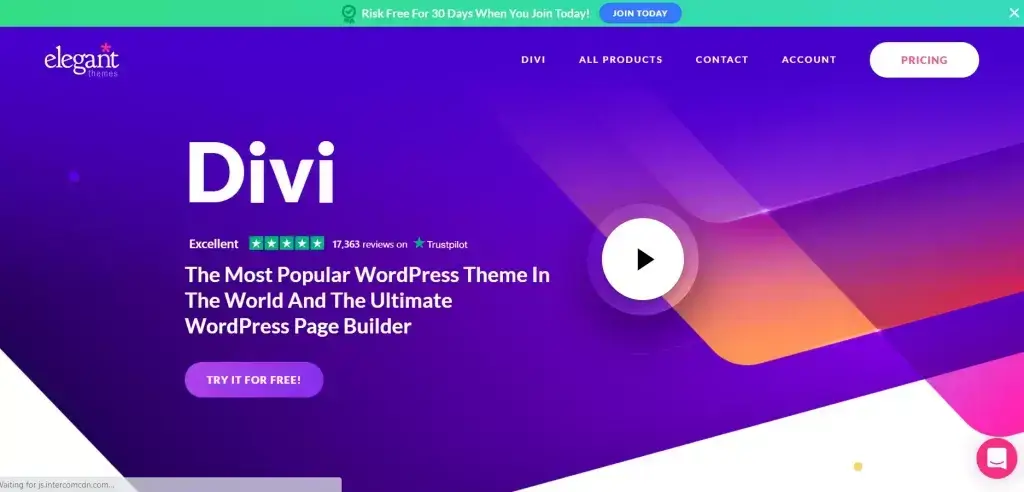
No WordPress theme framework list is complete without Divi. Love it or hate it, Elegant Themes created something that reshaped the industry.
The Divi Builder provides genuine visual editing. Click any element and modify it directly on the page. No abstract panels. No mental mapping between controls and output. What you see is literally what you get.
The design library includes over 2,000 pre-made layouts and 300+ website packs. For non-developers who need professional results, this abundance solves real problems. Browse, import, customize, launch. The process democratizes web design in ways purists sometimes dismiss too quickly.
Divi’s reputation for bloat was deserved in earlier versions. Recent updates addressed performance significantly. Divi 5, currently in development, promises a ground-up rewrite focused on speed and modern architecture. How well they execute remains to be seen.
The theme works best for solo site owners or small teams who want complete control without code. Large-scale development teams often find Divi’s visual approach slower than writing actual code. It depends on your workflow and priorities.
Best for: Non-developers wanting professional results, visual designers comfortable with drag-and-drop, solopreneurs building their own sites.
Pricing: $89/year or $249 lifetime for unlimited sites plus entire Elegant Themes library.
9. Gantry Framework
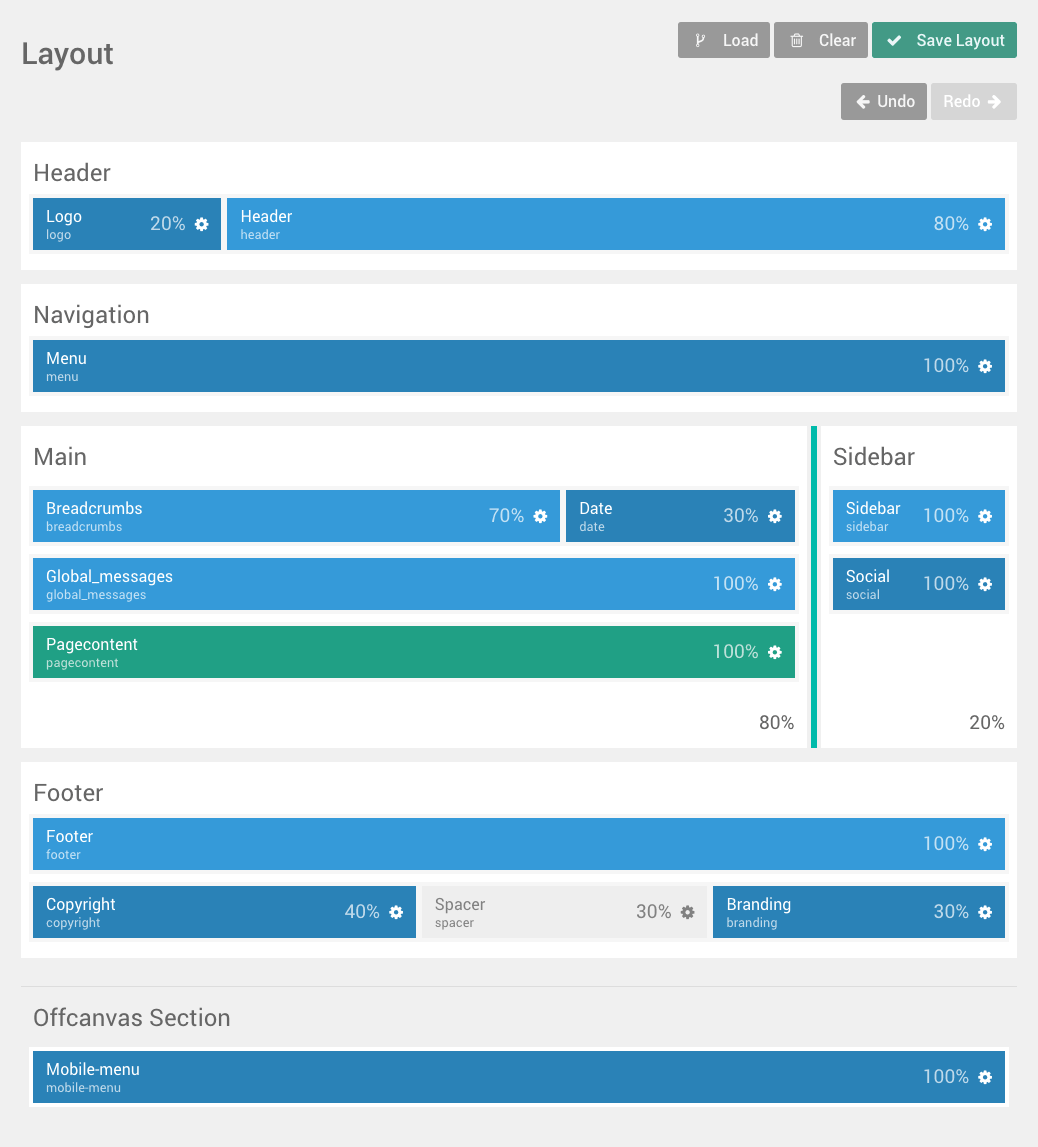
Gantry – Next Generation Theme Framework | Gantry
Gantry is fast and flexible web theme framework
Gantry Framework flies under the radar while quietly powering sophisticated sites. Originally developed by RocketTheme, stewardship transferred to Tiger12 in 2025, ensuring continued development.
The framework works across WordPress, Joomla, and Grav using the same configuration system. For agencies managing sites across multiple platforms, this consistency saves learning time.
Layout management uses a drag-and-drop interface without requiring any programming. Widgets drop into place. Particle systems create standalone content blocks that work independently of WordPress widgets. The mega menu feature handles complex multi-level navigation better than most dedicated menu plugins.
Under the hood, Gantry uses Flexbox for responsive layouts and Twig templating for cleaner code organization. YAML-driven configuration makes settings portable across projects.
The framework remains actively maintained despite being less prominent than commercial alternatives.
Best for: Developers working across multiple CMS platforms, complex site navigation requirements, those who prefer open-source solutions.
Pricing: Free and open source.
10. Blocksy

- Deep WooCommerce integration
- Advanced customizer controls
- Lightweight and block-editor-first
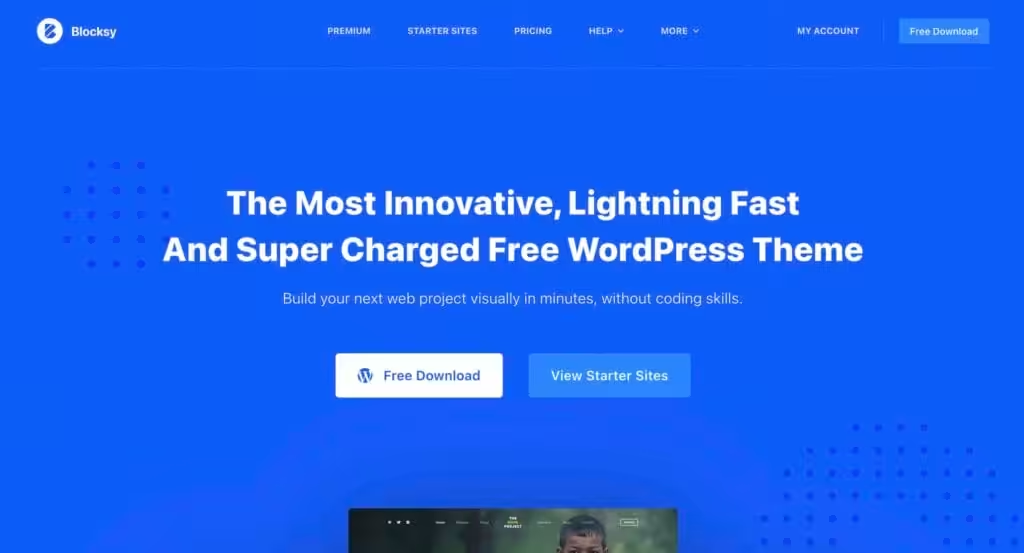
Blocksy emerged as a serious contender for modern WordPress development. It embraces Gutenberg wholeheartedly while maintaining excellent compatibility with page builders for those who prefer them.
The theme launches incredibly fast out of the box. No heavy JavaScript frameworks loading on every page. Clean CSS that doesn’t fight with your customizations. Performance that rivals the most lightweight options available.
What sets Blocksy apart is its header and footer builder. Custom layouts, sticky behaviors, transparent headers, and mobile-specific designs all work without plugins or code. The interface is intuitive enough for beginners while powerful enough for complex projects.
WooCommerce integration goes deeper than most themes. Product page layouts, quick view options, cart widgets, and checkout customizations come built-in. Building an eCommerce site with Blocksy feels remarkably polished.
The free version includes features that competitors charge for. Premium adds additional options, but you might not need them. Try free first before upgrading.
Best for: WooCommerce stores, agencies wanting Gutenberg-first development, performance-conscious developers.
Pricing: Free core theme. Pro starts at $49/year.
Looking to improve your WordPress setup with amazing new features and performance improvements?
Try out the Functionalities plugin. 100% free.
More Theme Frameworks Worth Mentioning
The 10 frameworks above deserve detailed coverage. But several others merit quick mentions for specific use cases.
11. Underscores (_s)

GitHub – Automattic/_s:
Now inactive, Underscores remains the classic starter theme for traditional WordPress development. Automattic created it as a minimal foundation following WordPress coding standards perfectly. It provides essential templates without styling, giving developers complete control. Note that Automattic archived the GitHub repository in September 2025 as they shift focus entirely to Block Themes. For new projects, consider alternatives. For learning traditional theme development, Underscores still teaches valuable fundamentals.
12. Understrap

Understrap
The free, open-source WordPress theme framework for handcrafted sites. Trusted by more than 100,000 developers.
Understrap combines Underscores with Bootstrap 4, providing responsive grid systems and component libraries out of the box. If your workflow involves Bootstrap, Understrap saves integration time. Sass integration keeps stylesheets organized. The WooCommerce compatibility makes it viable for eCommerce projects needing Bootstrap’s design patterns.
13. Redux Framework
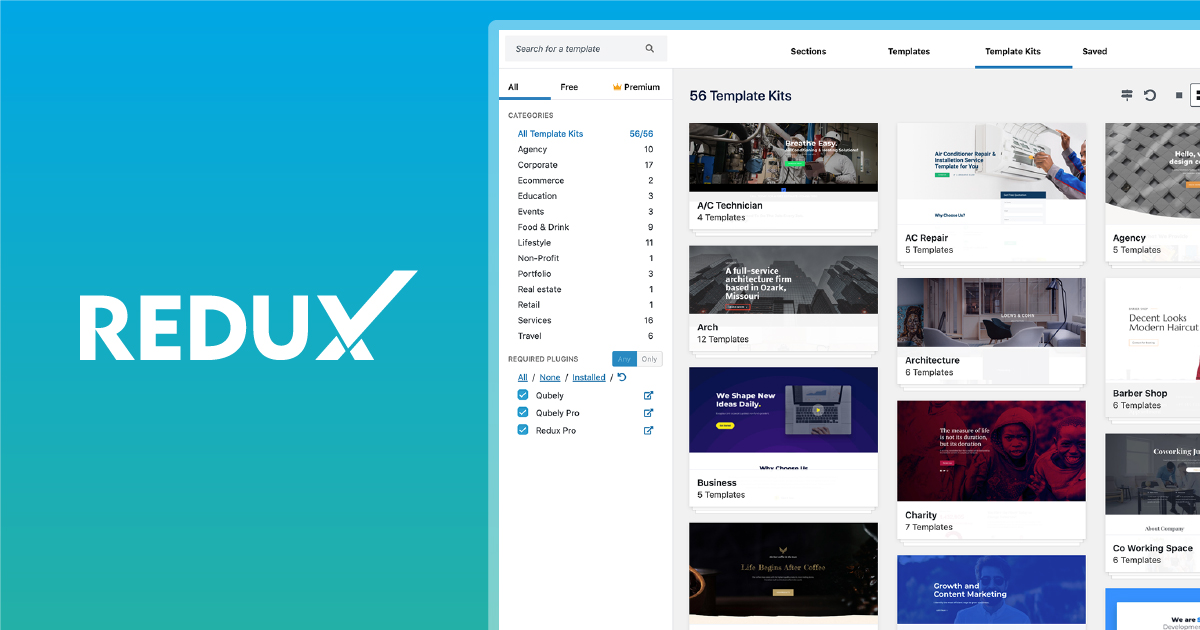
Redux
The most powerful, flexible, and complete WordPress interface and panel builder ever!
Redux isn’t a theme exactly, but a framework for building theme and plugin options panels. If you’re developing custom themes for clients or sale, Redux simplifies creating settings interfaces. Font pickers, color selectors, image uploaders, and complex configuration options work consistently across projects.
14. Hybrid Core
GitHub – themehybrid/hybrid-core: Official repository for the Hybrid Core WordPress development framework.
Official repository for the Hybrid Core WordPress development framework. – themehybrid/hybrid-core
Hybrid Core provides an application layer for WordPress theme development. Think of it as Laravel-lite for WordPress. A service container manages dependencies. Modern PHP patterns replace procedural spaghetti code. For developers coming from framework backgrounds, Hybrid Core feels familiar and professional.
15. Cherry Framework

CherryFramework – CherryFramework
100% GNU GPL modular WordPress framework
TM Starter (Cherry Framework) from TemplateMonster provides modular theme development. Its drag-and-drop interface helps build layouts quickly while maintaining clean code output. Plugin integration works smoothly. The framework particularly suits developers creating themes for distribution.
Flynt
GitHub – flyntwp/flynt: Component based WordPress starter theme, powered by ACF Pro and Timber, optimized for performance and a11y.
Component based WordPress starter theme, powered by ACF Pro and Timber, optimized for performance and a11y. – flyntwp/flynt
Flynt takes component-based development seriously. Built on Timber (which brings Twig templating to WordPress) and supporting Advanced Custom Fields PRO, it treats themes as collections of reusable components. Each component is self-contained: its own template, styles, scripts, and fields. This architecture scales remarkably well for larger projects.
TypeRocket
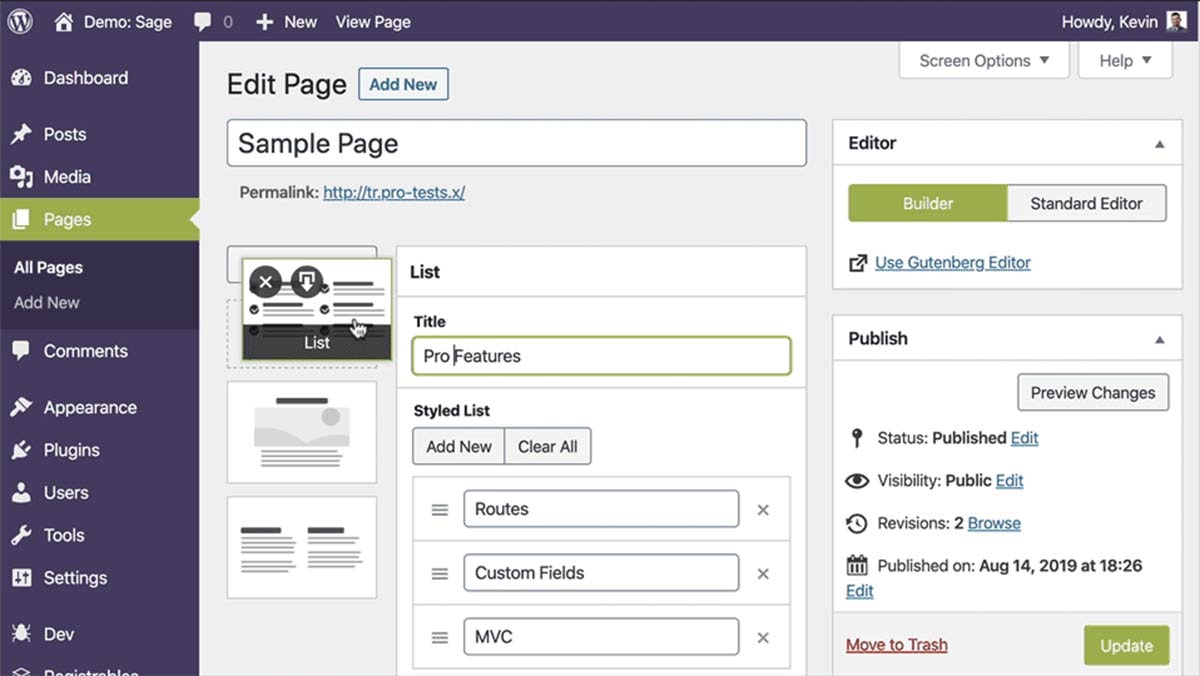
TypeRocket – The WordPress MVC Framework
TypeRocket is a modern WordPress framework with remarkable code performance, beautiful UI components, and elegant PHP syntax.
TypeRocket bundles advanced WordPress framework features for developers who want to move fast. Create post types and taxonomies without plugins. Add custom fields with elegant APIs. Use its page builder for content areas. The templating system keeps code organized. For developers building custom applications on WordPress, TypeRocket accelerates common tasks.
Starter Templates by Popular Theme Authors
Many premium themes now offer what they call “starter templates” or “starter sites.” These aren’t frameworks per se, but pre-configured design packages. GenerateBlocks, Starter Templates from Elementor, and similar offerings provide quick-launch designs within their respective ecosystems. Useful for speeding up projects, though less flexible than true frameworks.
How to Choose the Right Theme Framework
Choosing a framework depends on answering a few honest questions about yourself and your projects.
- What’s your coding skill level? Non-developers thrive with Divi, Thrive, or Astra. Intermediate users find Kadence, Bricks, or GeneratePress approachable. Advanced developers gravitate toward Sage, Hybrid Core, or Flynt.
- What’s your priority: speed of building or speed of loading? Visual builders accelerate design at the cost of output complexity. Lightweight frameworks require more initial effort but deliver faster sites.
- Do you need specific integrations? WooCommerce stores benefit from Blocksy, Astra, or Kadence’s deep integration. LMS sites pair well with Thrive’s course ecosystem. Multi-CMS projects fit Gantry’s cross-platform nature.
- What’s the long-term maintenance story? Proprietary builders lock you in. If you ever want to switch, you’re rebuilding from scratch. Framework-generated code survives theme changes more gracefully.
- What does your team already know? Developer familiarity trumps theoretical advantages. A team expert in Genesis will ship faster with Genesis than learning Sage, even if Sage might produce slightly better output.
The Future of WordPress Theme Frameworks
WordPress 6.5, through the latest WordPress version, accelerated Block Theme adoption dramatically. Full-site editing now works reliably. Many developers predict traditional PHP-based frameworks will gradually yield to block-based approaches.
I’m not so sure. Visual builders remain popular precisely because they solve real workflow problems. Plugin ecosystems built around Elementor and Divi aren’t disappearing. They’re adapting.
The smarter frameworks already bridge both approaches. Kadence works beautifully with FSE while supporting page builders. GeneratePress embraces blocks without abandoning the customizer. This flexibility will prove more valuable than ideological purity.
AI-assisted development adds another variable. Tools that generate block patterns, suggest layouts, and write custom CSS are improving monthly. How frameworks integrate these capabilities will differentiate winners from laggards.
What won’t change: performance matters. Whatever framework you choose, optimize the output. Slow sites lose visitors, rankings, and revenue. No design sophistication compensates for a three-second load time.
Final Recommendations
- For most developers building client sites: Start with GeneratePress or Kadence. Both deliver outstanding performance with genuine flexibility. The choice depends on whether you prefer the customizer approach (GeneratePress) or full-site editing focus (Kadence).
- For visual designers preferring drag-and-drop: Bricks Builder offers the best balance of visual editing power and code quality. Divi remains viable for simpler projects and non-technical users.
- For conversion-focused business sites: Thrive Theme Builder wins if you’re all-in on their ecosystem. The integration advantages compound over time.
- For custom development projects: Sage by Roots provides the most professional development experience. Steep learning curve, enormous payoff on complex builds.
- For existing Genesis sites: Stay unless you’re hitting specific limitations. Genesis still works. Consider Kadence for your next project to evaluate gradually.
The best framework is one you actually use effectively. Don’t chase theoretical perfection. Choose something solid, learn it deeply, and ship excellent websites.
FAQs
If you’re looking for a specific theme recommendation, I use GeneratePress on most client sites. The Kadence vs GenerateBlocks comparison covers the block editors that pair with these frameworks. For a complete theme + plugin stack, my WordPress development services include full theme selection, configuration, and customization.
What is the difference between a WordPress theme and a theme framework?
A WordPress theme is the complete design package visitors see on your site. A theme framework is the underlying foundation that handles core functionality like SEO structure, security, responsive layouts, and hooks for customization. Frameworks typically work as parent themes with child themes built on top, or as starter themes that developers modify directly. The framework provides the architecture while you control the design.
Which WordPress theme framework is best for beginners?
For beginners, Astra and Divi offer the gentlest learning curves. Both provide visual customization through drag-and-drop interfaces and come with extensive starter templates. Kadence also works well for beginners who want to learn the block editor while having access to powerful customization options. All three include extensive documentation and active community support.
Is Genesis Framework still worth using in 2026?
Genesis Framework remains a solid choice for existing sites and developers who prefer coding over visual building. However, development has slowed since WP Engine acquired StudioPress. The framework still works reliably, but alternatives like GeneratePress and Kadence offer similar benefits with more active development and modern features. For new projects, most developers now recommend exploring alternatives while continuing to maintain existing Genesis sites.
What is the fastest WordPress theme framework for page speed?
GeneratePress is widely considered the fastest WordPress theme framework available. The base theme weighs less than 10KB and consistently achieves perfect PageSpeed scores without additional optimization. Kadence and Blocksy also deliver excellent performance. Bricks Builder produces the cleanest code output among visual page builders, making it the fastest option in that category. All four regularly achieve green Core Web Vitals scores on properly configured hosting.
Should I use a page builder or a theme framework?
It depends on your skills and goals. Page builders like Elementor, Divi, and Bricks offer visual drag-and-drop design but add code complexity that can slow sites. Theme frameworks like GeneratePress or Sage require more initial learning but generate cleaner code. Many developers now use hybrid approaches, combining lightweight frameworks with the native WordPress block editor for the best balance of flexibility and performance.
What WordPress theme framework works best with WooCommerce?
Blocksy, Astra, and Kadence all offer deep WooCommerce integration with dedicated product page layouts, cart widgets, checkout customization, and quick view features built in. Bricks Builder also handles WooCommerce well with its dynamic data capabilities. For conversion-focused stores, Thrive Theme Builder works if you’re using their complete ecosystem. Choose based on whether you prefer block editor approaches (Blocksy, Kadence) or page builder workflows (Astra with Elementor, Bricks).
Are free WordPress theme frameworks good enough for professional sites?
Yes. Several free theme frameworks are genuinely professional-grade. GeneratePress, Kadence, Blocksy, and Astra all offer robust free versions suitable for commercial projects. Open-source options like Sage by Roots and Gantry Framework provide enterprise-level capabilities at no cost. Premium versions typically add convenience features and advanced options, but the free cores often suffice. Start free, upgrade only when you need specific premium features.
Disclaimer: This site is reader-supported. If you buy through some links, I may earn a small commission at no extra cost to you. I only recommend tools I trust and would use myself. Your support helps keep gauravtiwari.org free and focused on real-world advice. Thanks. - Gaurav Tiwari