
8 Best Full Stack Web Development Frameworks
Looking to move forward with your business or web development career with full-stack web development frameworks? In this article, I have listed the best full stack web development frameworks for 2026 and beyond.
Table of Contents
The Need for Full Stack Frameworks
In times when businesses are competing with each other to capitalize on trends and for a larger market share, this shows how important a functional website is for any business.

According to Internet Live Stats, more than 1.95 billion online websites exist. This means there are several thousands of websites for every business segment. Having said that, not all these websites are successful. Why so?
There can be several reasons, ranging from constrained marketing budgets to failed marketing strategies to poor brand positioning to poor website development. Of all the reasons, a non-functional website framework chosen during the website development can do more harm than others.
This is because the performance of the website entirely depends on the framework chosen for front-end and back-end development. There are several front-end and back-end development frameworks to choose from, and each has its advantages and disadvantages, too.
Are you intrigued to know what they are?
What advantages and disadvantages do they bring to your development?
Keep reading the article to know the answers.
Introduction to Frameworks
A framework refers to programs and tools that are written for a programming language. The framework is employed during the development of websites and web applications such as web APIs and web resources. The framework is a standard for designing and developing websites to be hosted on the world wide web. There are different frameworks for front-end and back-end development.
- Front-End Development: This refers to the programming that is used to build the user interface of a website. The frameworks for front-side development are also sometimes termed as client-side scripts. CSS, HTML, and JavaScript are used to develop applications on the front end. Buttons, forms, slides, and so on that you see on the website are developed through front-end scripting.
- Back-end Development: This back-end development refers to the programming that goes in the back-end of the website. This is referred to as server-side scripting, where scripts are written on a web server. The script produces a customized response for a user’s request.
Server-side scripting and client-side scripting are used together on a website.
Both front-end and back-end development frameworks are together referred to as full-stack development.
Most companies hire full-stack developers who can manage the front-end and back-end development on their own. However, as business needs to grow more complex, off-the-shelf solutions may not always be enough. This is where custom enterprise software development services become essential, ensuring that both front-end and back-end systems are tailored to specific operational requirements. By integrating customized frameworks, businesses can enhance performance, security, and scalability while maintaining flexibility for future growth.
What are the popular full-stack frameworks used for development? The next section focuses on full-stack frameworks that go into front-end and back-end development.
Full Stack Web Development Frameworks
Now, as the concept of front-end and back-end development is clear, it is important to understand the frameworks that are used more often. The list below features names of such frameworks along with their advantages and disadvantages.
Backbone.js
Introduced in 2010, this is client-side scripting that offers access to the JavaScript library. This framework is lightweight and allows users to structure their JavaScript code in a model-view-controller (MVC) fashion. This model has one hard dependency on Underscore.js, and it forms the core of JavaScript application.
Advantages of Using Backbone.js
- Being lightweight, you can use them for building single page websites
- They allow you to use less code if you are familiar with backbone conventions
- You can sync them with the back-end scripting to support the RESTful APIs
- It doesn’t require jQuery data.
- It implements an event-driven communication between views and models, thereby helping a user to minimize code cluttering.
Disadvantages of Using Backbone.js
- New users may face difficulties while applying the codes
- It may require longer development time than other client-side scripting frameworks.
React
This is a front-end development framework, which was introduced in 2013. React is also known as ReactJS or React.js, and is employed mostly for user interface development. This JavaScript library is open-source and maintained by a community of freelance programming enthusiasts and Facebook. This framework is mainly used for developing mobile applications, as well as single-page websites.
Advantages of Using React
- This technology is easy to learn.
- It offers several reusable components
- The JavaScript library is loaded with several developer-friendly tools.
- React can be easily written with JSX, which is the syntax extension of JavaScript and HTML.
- The virtual Document Object Model or virtual DOM is another benefit of this framework.
- React is evolving constantly.
Disadvantages of Using React
- JSX may act as a barrier for new developers who may not be well versed with the framework.
- React is inadequate, as it covers only the UI layers, so you will need other technologies to complete the development.
- There is no proper documentation for the framework as it is being constantly updated.
Vue.js
Introduced in 2014, this is a front-end, open-source JavaScript framework, which is widely employed for building single-page applications, as well as user interfaces. The framework when used with supporting libraries and advanced tools enables users to create powerful and high performing web applications. Trivago, Nintendo, and Oval Money are the few companies that use this framework.
Advantages of Using Vue.js
- This allows users to extend HTML with directives, which are HTML attributes.
- Vue.js uses virtual DOM for performance and rendering.
- It enables users to reuse components wherever applicable.
- All advanced features required for complex coding are officially maintained in supporting packages and libraries.
- It features an adaptable architecture, which focuses on component composition, as well as declarative rendering.
Disadvantages of Using Vue.js
- This framework is not compatible with browsers such as Safari and iOs, which limits its utility.
- It is extremely flexible, which some users find it difficult to manage.
- This framework is managed by a small community, and some users also face language barriers while implementing it.
Angular JS
This is a front-end framework, which is again JavaScript-based and suited for building single-page websites and web applications. This framework is maintained by a community of programming enthusiasts and Google. It is used for development and testing of applications, because it provides a framework for model-view-view model (MVVM), and model-view-controller (MVC) architectures.
Advantages of Using Angular JS
- This enables easy and faster two-way data binding, thereby reducing the intervention of a user.
- Angular JS ensures better server performance as it supports caching and other processes.
- It is an ideal choice for a quick application prototyping.
- It not only allows developers to build easily testable prototypes but also helps them create fast-loading and responsive websites.
- Angular JS is a user-friendly framework compared to many others on this list.
Disadvantages of Using Angular JS
- Websites built on this framework can only be viewed on JavaScript enabled devices.
- Using directives may not be easy for traditional developers .
- Websites have longer loading times, which may be challenging when it comes to attracting and retaining visitors on the website.
NodeJS
This is a back-end development or server-side scripting framework, which is written in JavaScript, C++, and C. NodeJs was first introduced in 2009, and has been popular since then. This framework allows programmers to run scripts on the server side to create dynamic web pages before sending the web page to the web browser. NodeJS or Node. js. is used by several industry leaders like Amazon Web Services, GoDaddy, LinkedIn, Yahoo, Netflix, and so on.
Advantages of Using NodeJS
- It offers a robust technology stack, which gives users easy access to full-stack JavaScript development.
- It follows an event-based model and is faster than PHP, GO, and Java.
- The technology can be easily scaled for microservices architecture.
npmis a marketplace for JavaScript tools used for NodeJS. There are more than 836,000 libraries active online for Nodejs, which makes it a rich ecosystem for developers.
Disadvantages of Using Node.js
- This framework fails to support websites that may demand high computation tasks.
- Owing to its asynchronous nature, Node.js. relies on callbacks, which sometimes causes callback hell.
- Many tools in npm are not well-documented or tested, thereby making them difficult to use.
CakePHP

This is a back-end development framework that is written in PHP and follows a model-view-controller or MVC approach. This framework was introduced in 2005, and it uses some popular software design patterns, as well as software engineering concepts. Many small business owners use this framework for backend development, as it is one of the easiest frameworks to work with. CakePHP is popular with programmers because it allows developers to write short and simple codes.
Advantages of Using CakePHP
- This framework requires no system pre-configuration, unlike Linux-Apache-MySQL-PHP setup.
- It features an inbuilt object relational mapping or ORM, which facilitates easy data conversion in an incompatible system.
- Cake PHP allow users to produce reusable components, which can be used across projects.
- It can be used to test all critical and fragile points in your web application.
Disadvantages of Using CakePHP
- CakePHP framework has no extensive documentation.
- To produce fancy URLs, a developer has to update default routes, which is time-consuming.
- The CakePHP follows one-way routing, which some developers find challenging.
Laravel
It is an open-source PHP web framework, which was introduced in 2011, and is free to use. This framework follows a model-view-controller or MVC architectural pattern. In recent years, this framework has gained huge popularity owing to its advanced features. Businesses are using it to create various types of powerful applications and websites.
Advantages of Using Laravel
- This framework offers users access to all the latest PHP features such as overloading, namespaces, interfaces, anonymous functions, and shorter array syntax.
- Laravel supports different cache backends such as Memcached or Reddit, which enables users to build and set up multiple cache setups.
- Laravel is supported by a large user community that provide answers to challenges and help developers to accelerate their development cycle.
- MVC architectural pattern means developers do not need to write PHP codes and PHP in the same files.
Disadvantages of Using Laravel
- Laravel does not have in-built support as many other back-end frameworks mentioned here.
- Laravel doesn’t support certain upgrades.
- The framework requires heavy documentation and many learners find it difficult.
Ruby on Rails
This is server-side scripting that follows an MVC architectural model and provides default structures for web pages, web services, and databases. Introduced in 2004, this framework encourages users to employ JavaScript, CSS, and HTML for user interface development, as well as XML and JSON for data transfer. Ruby on Rails, since its introduction, has heavily influenced web development patterns across the globe, and serves as a reference for various contemporary technologies such as Django, CakePHP, Laravel, and so on.
Advantages of Using Ruby on Rails
- This framework offers several tools to developers, which allows them to develop web pages and applications quickly.
- Ruby on Rails features robust built-in mechanisms, which help protect websites and applications from threats such as cross-site scripting, cross-site request forgery, SQL injection, and so on.
- This framework features easy-to-understand syntax, which makes it popular with users.
- There are several free open-source libraries, which help accelerate the development of websites and applications.
Disadvantages of Using Ruby on Rails
- Ruby on Rails has a slow runtime, which makes it suitable for small applications.
- Ruby on Rails is not flexible due to heavy dependency between modules and components.
- This framework requires extra effort to understand and usually learners need to be well-versed in at least one or two languages.
Final Words
As the advantages and disadvantages of each of these frameworks are explained, the choice of the right framework will depend on your application requirements. It is said that perfection comes from experience. However, the basic and implementation knowledge of any framework is very important. Well, experience takes years to build, whereas you can easily perfect your basic and implementation knowledge by taking short term courses conducted at universities, colleges, or reputed institutes or by attending online training sessions lead by experts.
Although some may agree that offline coaching classes can be better in terms of experience and real-time interaction with trainers, online training sessions are equally better. There are several online learning platforms that enable you to take trainer-lead or self-paced courses for learning or mastering these frameworks. They offer you the opportunity to interact with trainers worldwide and gain from their experiences.
Books Every Full Stack Developer Should Own
I’ve built over 800 client projects across every major web framework. The developers who write the best code aren’t the ones who know the most frameworks. They’re the ones who understand patterns, principles, and clean architecture.
Python Programming is on this list because Python is everywhere in full stack: Django, Flask, FastAPI, data processing, scripting. Clean Code and Code Complete are universal. I re-read them every couple of years and find something new each time. For mobile development, see my Android frameworks guide.

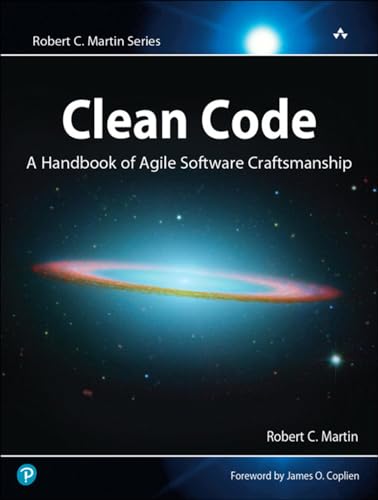
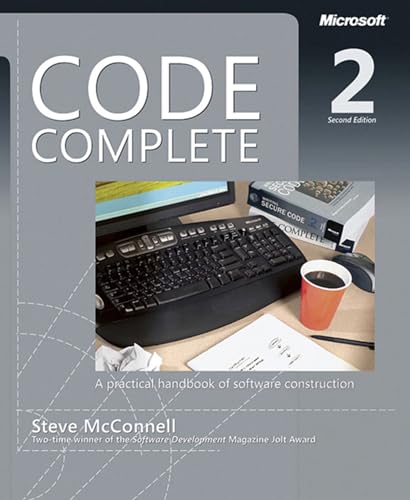
Code Complete: A Practical Handbook of Software Construction, Second Edition
- Helpful Programming Code Book
Best Laptops for Full Stack Development
Full stack development means running a frontend dev server, backend server, database, and maybe Docker all at once. A Chromebook won’t cut it. The MacBook Air M2 is my recommendation for most developers. The Acer Aspire 3 gets the job done at $280 if budget matters more.

- STRIKINGLY THIN DESIGN — The redesigned MacBook Air is more portable than ever and weighs just 2.7 pounds. It’s the incredibly capable laptop that lets you work, play or create just about anything — anywhere.
- SUPERCHARGED BY M2 — Get more done faster with a next-generation 8-core CPU, up to 10-core GPU and up to 24GB of unified memory.
- BUILT FOR APPLE INTELLIGENCE—Apple Intelligence is the personal intelligence system that helps you write, express yourself, and get things done effortlessly. With groundbreaking privacy protections, it gives you peace of mind that no one else can access your data—not even Apple.*
- UP TO 18 HOURS OF BATTERY LIFE — Go all day and into the night, thanks to the power-efficient performance of the Apple M2 chip.
- BIG, BEAUTIFUL DISPLAY — The 13.6-inch Liquid Retina display features over 500 nits of brightness, P3 wide color and support for 1 billion colors for vibrant images and incredible detail.
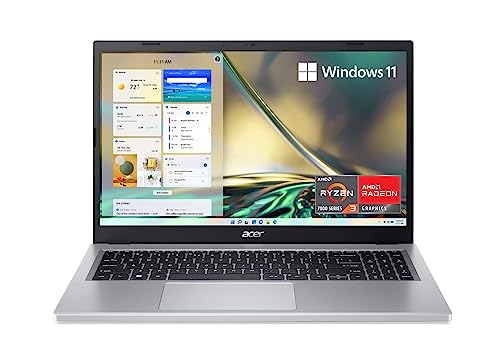
- Purposeful Design: Travel with ease and look great doing it with the Aspire's 3 thin, light design.
- Ready-to-Go Performance: The Aspire 3 is ready-to-go with the latest AMD Ryzen 3 7320U Processor with Radeon Graphics—ideal for the entire family, with performance and productivity at the core.
- Visibly Stunning: Experience sharp details and crisp colors on the 15.6" Full HD IPS display with 16:9 aspect ratio and narrow bezels.
- Internal Specifications: 8GB LPDDR5 Onboard Memory; 128GB NVMe solid-state drive storage to store your files and media
- The HD front-facing camera uses Acer’s TNR (Temporal Noise Reduction) technology for high-quality imagery in low-light conditions. Acer PurifiedVoice technology with AI Noise Reduction filters out any extra sound for clear communication over online meetings.
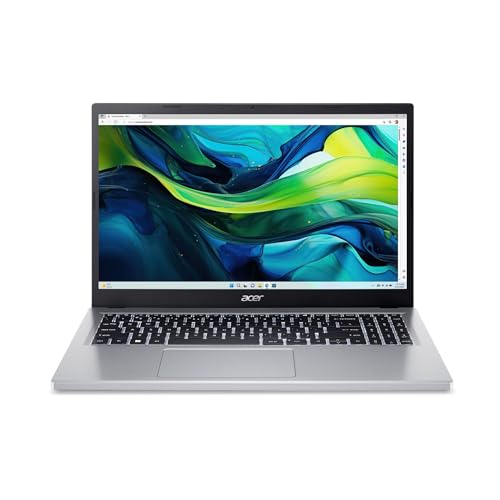
- Speed and Storage: Equipped with an Intel Core i3-N305 processor, 8GB LPDDR5 RAM, and fast 128GB Universal Flash Onboard Storage, this laptop ensures smooth multitasking and responsive performance. Plus, enjoy extended productivity with exceptional battery life.
- Copilot in Windows – your AI Assistant: Do more, quicker than ever across multiple applications with the centralized generative AI assistance of Copilot in Windows (in preview). Accessible with a single touch of the Copilot Key
- Clarity and Comfort: With its narrow bezel design the 15.6" 1080p Full HD IPS display is perfect for casual web browsing and watching movies or streaming, allowing for a sharp, detailed view of what's in front of you. And with Acer BluelightShield, lower the levels of blue light to lessen the negative effects of blue light exposure.
- The Connectivity: Effortlessly connect or charge your devices through the full-function USB Type-C port—while Wi-Fi 6 and HDMI 2.1 enhance your digital experiences to be faster, smoother, and more enjoyable.
- Unlock More with AcerSense: Your device health and battery life are in good hands with AcerSense, which also optimizes storage space, monitors your apps, and much more. It’s a versatile tool for a smoother, more user-friendly experience.
Best Monitors for Coding
Coding on a laptop screen is like cooking in a closet. A 27-inch external monitor changes everything. I use the Samsung T35F for my second display. At $100, it’s the best value in monitors for developers. See also: why developers should learn Kubernetes.
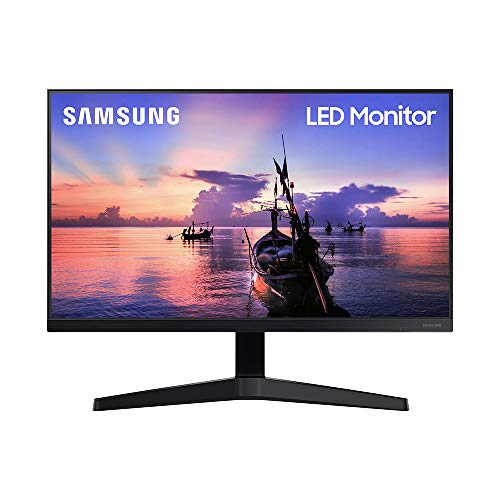
- ALL-EXPANSIVE VIEW: The 3-sided borderless display brings a clean and modern aesthetic to any working environment. In a multi-monitor setup, the displays line up seamlessly for a virtually gapless view without distractions.Aspect ratio:16:9.Response time:5.0 milliseconds
- IPS PANEL: Sit anywhere and have a full technicolor experience. The IPS panel preserves color vividness and clarity across every inch of the screen. Even on a display this wide, tones and shades look completely accurate from virtually any angle, with no color washing
- SYNCHRONIZED ACTION: Superfluid entertainment experience. AMD Radeon FreeSync keeps your monitor and graphics card refresh rate in sync to reduce image tearing. Watch movies and play games without any interruptions. Even fast scenes look seamless and smooth
- SEAMLESS, SMOOTH VISUALS: Now, the picture looks flawless. The 75Hz refresh rate delivers more fluid scenes. Whether you're catching up on your favorite TV drama, watching a video, or playing a game, your entertainment has no lag or ghosting effect
- MORE GAMING POWER: Ideal game settings instantly give you the edge. Get optimal color and image contrast to see scenes more vividly and spot enemies hiding in the dark. Game Mode adjusts any game to fill your screen with every detail in view
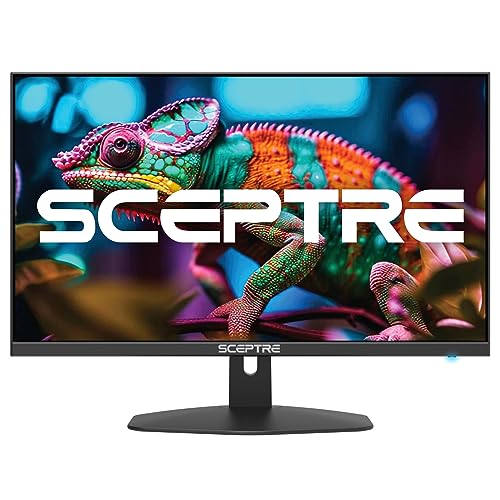
- 100% sRGB Color Gamut: With 100% sRGB, our display reveals an astonishing brightness and variance in red, green, and blue color across a wide gamut, providing a more defined and naturalistic display of color in every image.
- DP & HDMI Ports: Two HDMI ports and one DisplayPort port provide up to 100Hz refresh rate, refining picture clarity in all action-packed gaming sequences and graphic design projects. Audio In and a Headphone Jack provide diverse audio options.
- Blue Light Shift: Blue Light Shift reduces blue light, allowing you to comfortably work, watch, or play applications without straining your eyes.
- Built-in Speakers: Perfectly suited to work & gaming settings, built-in speakers deliver robust & smooth audio while saving space on your desk.
- FPS-RTS Game Modes: FPS and RTS are Sceptre's custom set display settings built for an enhanced gaming experience. FPS (First Person Shooter), RTS (Real-Time Strategy).