
What to Look for When You Buy YouTube Likes?
Getting more likes on YouTube isn’t about gaming the system. It’s about making content people genuinely want to engage with. I’ve watched creators obsess over like counts while ignoring the fundamentals that actually drive engagement. The truth? YouTube’s algorithm rewards genuine interaction, and there are no shortcuts that don’t eventually backfire. Let me walk you through the strategies that actually work for growing your YouTube likes in 2026.
YouTube likes aren’t just vanity metrics. They’re direct signals to the algorithm that your content is worth recommending to more people. Videos with higher like-to-view ratios get pushed harder in search results, suggested videos, and the home feed. Building authentic engagement takes effort, but it compounds over time in ways that artificial methods never can.
Why YouTube Likes Matter for Channel Growth
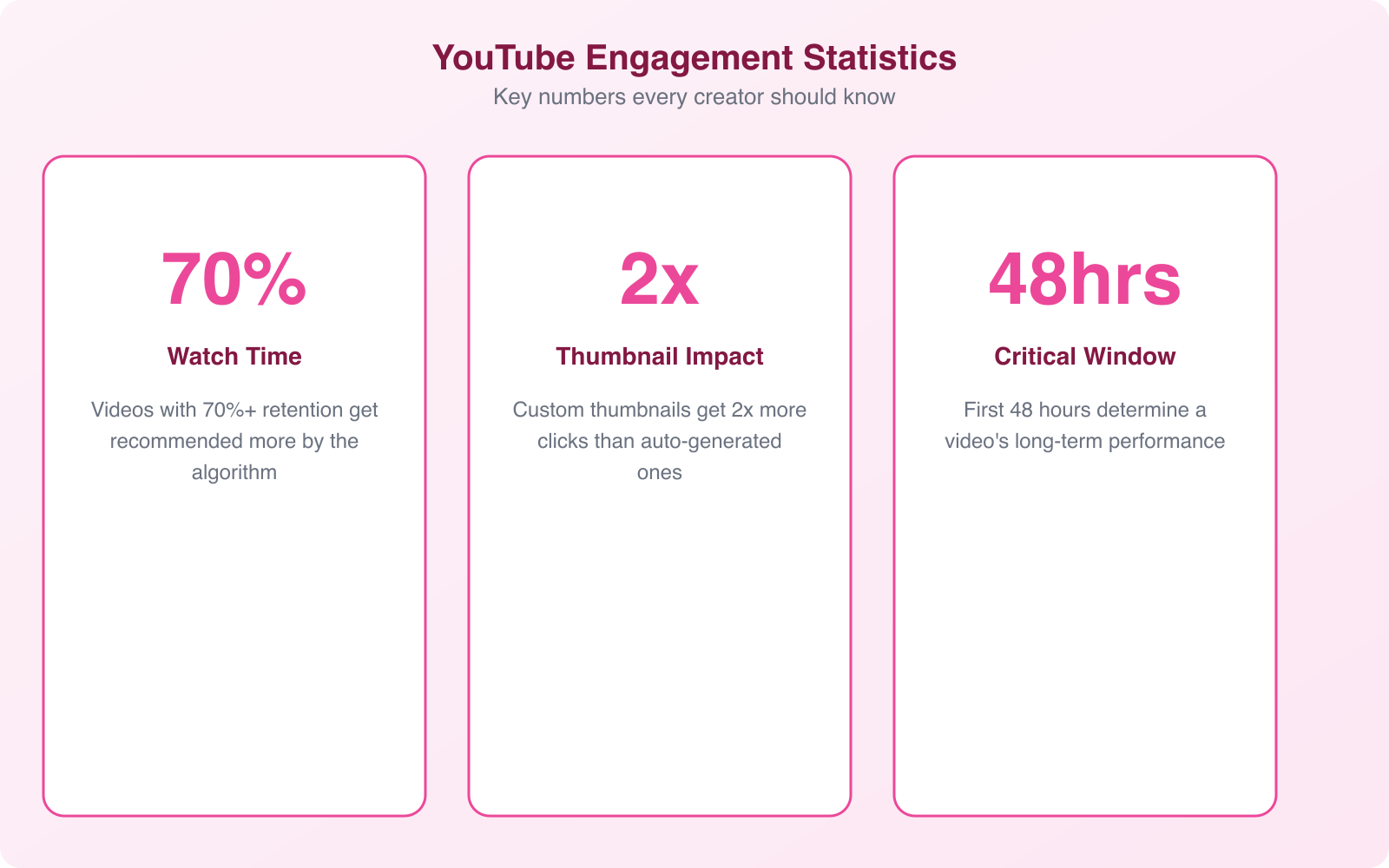
YouTube’s recommendation algorithm accounts for roughly 70% of all videos watched on the platform. That means most viewers don’t find videos by searching. They find them because YouTube suggested them. And YouTube decides what to suggest based on engagement signals, with likes being one of the strongest.
Here’s what a healthy like count does for your channel:
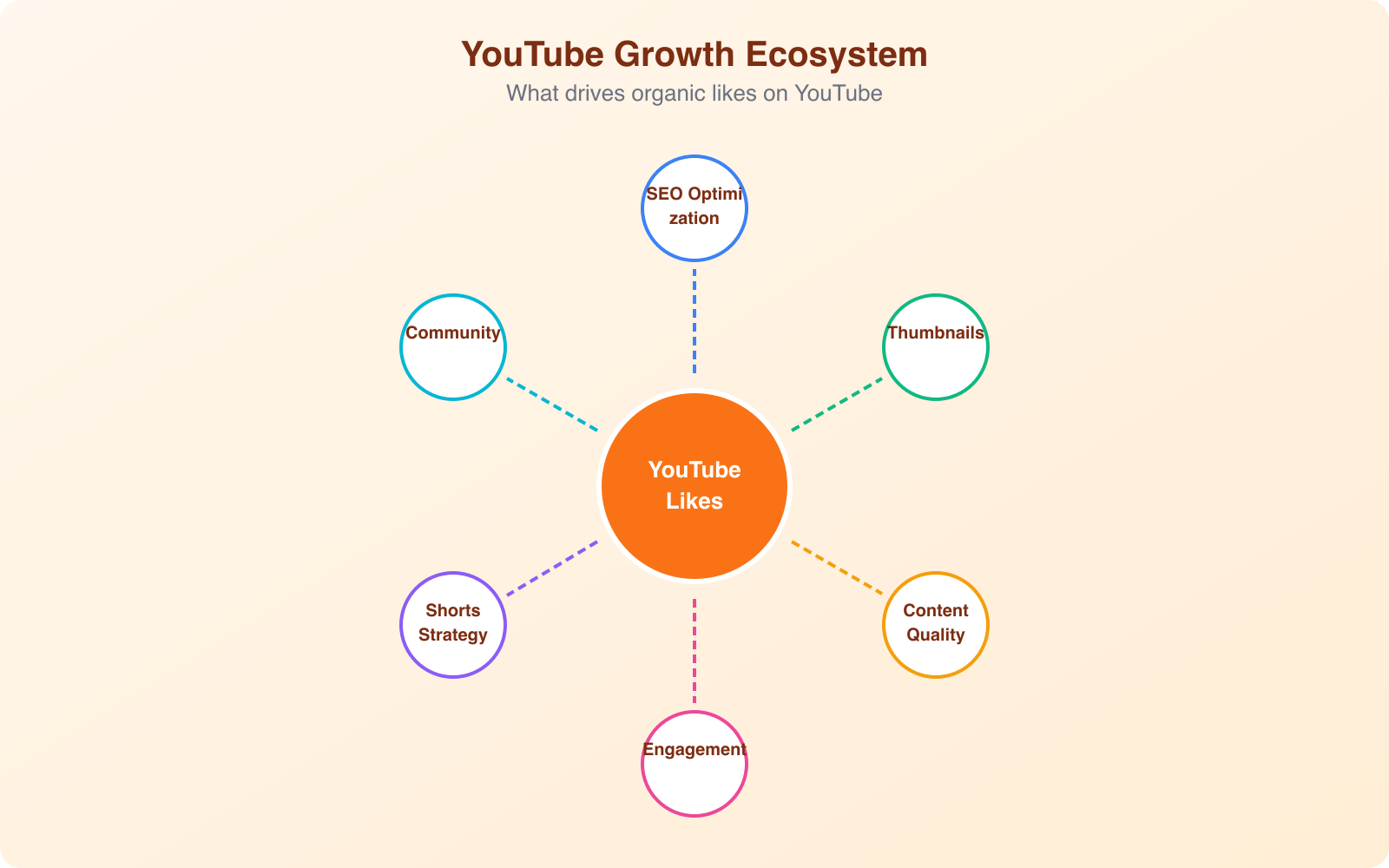
- Boosts algorithmic reach. Videos with strong like-to-view ratios get pushed to more people through suggested videos and browse features.
- Builds social proof. New viewers are more likely to watch a video with thousands of likes than one with very few. It signals quality before they even press play.
- Improves search rankings. YouTube factors engagement into search results. Higher engagement means higher visibility for your target keywords.
- Attracts sponsors. Brands look at engagement rates, not just subscriber counts. A channel with 10,000 subscribers and high engagement is more valuable than one with 100,000 subscribers and dead comments.
YouTube SEO: Optimize Before You Upload
Most creators upload their video and then think about optimization. That’s backwards. Your YouTube SEO strategy should start before you record a single frame.
Keyword Research for YouTube
YouTube is the second-largest search engine in the world. People actively search for content, and you want your videos showing up for those searches. Start by typing your topic into YouTube’s search bar and noting the autocomplete suggestions. These are real search queries from real people.
Use tools like TubeBuddy or vidIQ (both have free versions) to check search volume and competition for specific keywords. Target keywords with decent search volume but manageable competition, especially when your channel is small.
Title Optimization
Your title needs to accomplish two things: include your target keyword and make people want to click. “How to Edit Videos in Premiere Pro” includes a keyword but isn’t compelling. “I Edited 100 Videos in Premiere Pro. Here’s What I Learned.” includes the keyword AND creates curiosity.
Keep titles under 60 characters so they don’t get cut off on mobile. Front-load the most important words. Use numbers when possible (they consistently outperform titles without numbers).
Description and Tags
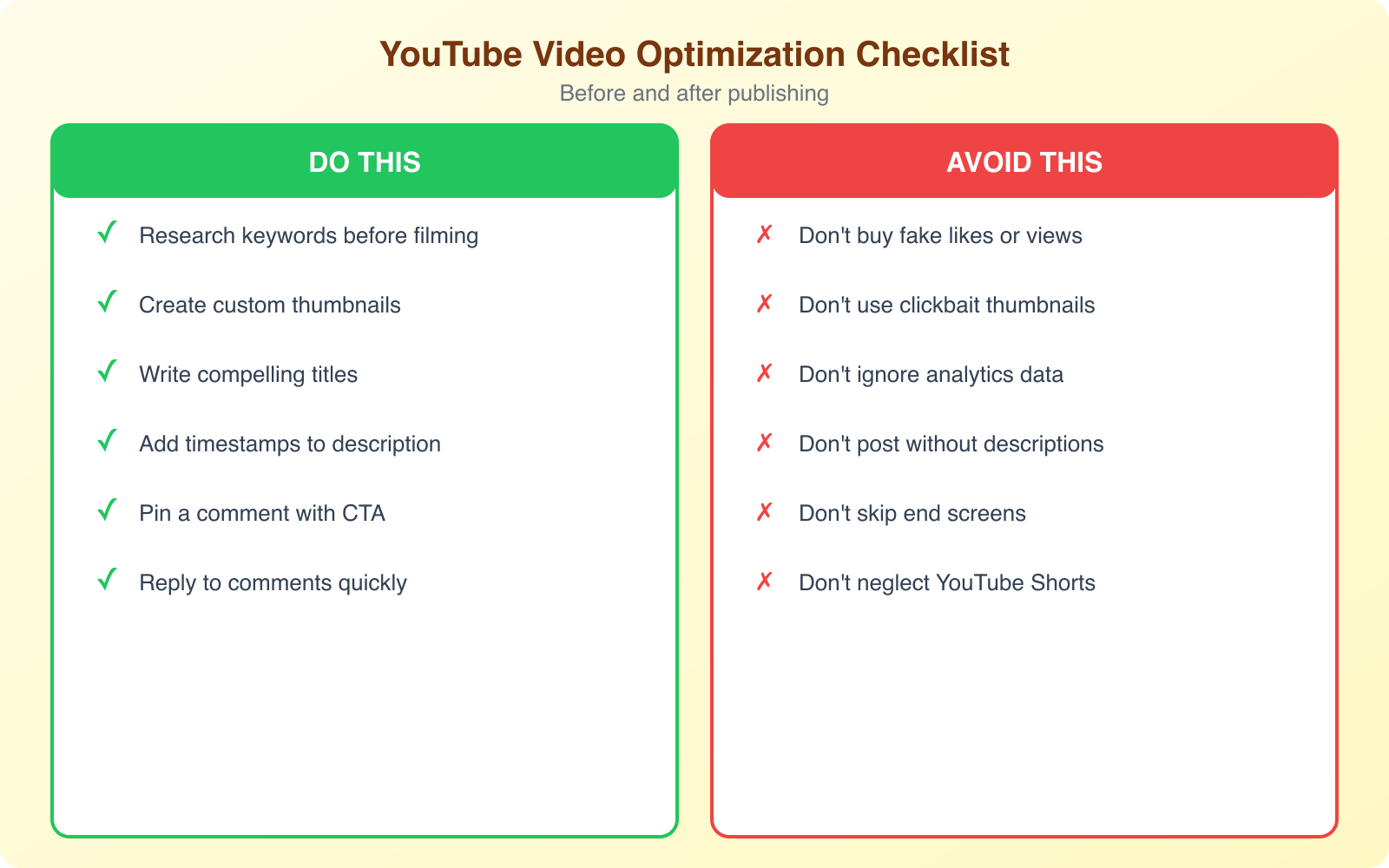
Write descriptions of at least 200 words that naturally include your target keywords and related terms. The first 2 to 3 lines are the most important because they show above the “Show more” fold. Include timestamps for longer videos because they improve watch time and create clickable chapter markers.
Tags still matter, though less than they used to. Use your main keyword as the first tag, then add variations and related terms. Don’t stuff irrelevant tags. YouTube’s algorithm is smart enough to penalize that.
Thumbnail Optimization: Your Most Important Asset
Your thumbnail is the single biggest factor in whether someone clicks on your video. You can have perfect SEO and a great title, but if your thumbnail doesn’t stop the scroll, none of it matters.
Here’s what works for thumbnails in 2026:
- High contrast. Use bold colors that pop against YouTube’s white background. Yellows, reds, and blues consistently perform well.
- Faces with emotion. Thumbnails with expressive faces get 30 to 40% higher click-through rates. Show surprise, excitement, or curiosity.
- Minimal text. Maximum 4 to 6 words in large, bold font. The text should complement your title, not repeat it.
- 1280×720 resolution. This is YouTube’s recommended thumbnail size. Always upload custom thumbnails rather than letting YouTube auto-generate one from your video.
- Consistent branding. Use a consistent style, font, and color scheme across all your thumbnails so viewers recognize your content in their feed.
A good YouTube thumbnail can make the difference between 100 views and 100,000 views on the same video. Test different thumbnail styles and check your click-through rates in YouTube Analytics to see what works for your audience.
Create 3 different thumbnail versions for every video. Upload the first one and check your click-through rate after 48 hours. If it’s below 5%, swap it for version 2. Top creators change thumbnails multiple times to find the one that performs best.
Content Strategy That Drives Engagement
Good content is the foundation. Everything else, SEO, thumbnails, promotion, is just amplification. If your content doesn’t deliver value, no amount of optimization will save it.
Hook Viewers in the First 30 Seconds
YouTube measures audience retention, and the first 30 seconds determine whether someone watches or bounces. Skip the long intros, logo animations, and “Hey guys, welcome back to my channel.” Get straight to the value. Show the end result, ask a provocative question, or state the problem you’re solving.
Create Binge-Worthy Series
Series keep viewers coming back. When someone watches Part 1 and likes it, they’ll seek out Part 2 and Part 3. Each video in the series reinforces the habit of liking, commenting, and subscribing. Think of your YouTube channel like a TV show, not a collection of random episodes.
Ask for the Like (at the Right Time)
Don’t ask for likes at the beginning of the video before you’ve delivered any value. Wait until you’ve given the viewer something useful, then say something like “If this tip helped you, hit the like button so more people can find this video.” Tie your ask to a specific moment of value delivery, not a generic plea.
YouTube Shorts Strategy for Rapid Growth
YouTube Shorts have become one of the fastest ways to grow a channel in 2026. These 60-second vertical videos get pushed aggressively by YouTube’s algorithm, and they can drive massive subscriber and engagement growth.
Here’s how to use Shorts strategically:
- Repurpose long-form content. Take the most engaging 30 to 60 seconds from your longer videos and turn them into Shorts. This gives your best content a second life.
- Hook immediately. With Shorts, you have about 2 seconds to capture attention. Start with action, not setup.
- Post consistently. 3 to 5 Shorts per week is a sweet spot for growth. YouTube rewards consistent Short creators with more algorithmic push.
- Drive viewers to long-form. Use Shorts as teasers for your longer content. “Full tutorial on my channel” or pin a comment linking to the full video.
- Trending audio. Using trending sounds and music in Shorts can boost discoverability significantly, similar to how it works on TikTok and Instagram Reels.
Community Building and Engagement Tactics
YouTube isn’t a broadcasting platform. It’s a community platform. The creators who build genuine connections with their audience see dramatically higher engagement rates.
- Reply to every comment (especially early on). When your channel is under 10,000 subscribers, you should be replying to virtually every comment. This builds loyalty and encourages more comments on future videos.
- Use the Community tab. Post polls, behind-the-scenes photos, and updates between video uploads. This keeps your audience engaged and primes them to watch your next upload.
- Collaborate with other creators. Find creators in your niche with similar audience sizes and create collaborative content. You’ll both benefit from exposure to each other’s audiences.
- Run end-screen annotations. Use the last 20 seconds of your video to suggest another video. This keeps viewers on your channel and increases the chance they’ll like multiple videos.
Analyzing Your Performance with YouTube Analytics
You can’t improve what you don’t measure. YouTube Studio provides incredibly detailed analytics that show you exactly what’s working and what isn’t.
Key metrics to track:
- Click-through rate (CTR). The percentage of people who see your thumbnail and click. Average is 2 to 10%, with top-performing videos hitting 8 to 12%.
- Average view duration. How long people actually watch. If your 10-minute video averages 2 minutes, your content isn’t holding attention.
- Like-to-view ratio. A healthy ratio is 3 to 5 likes per 100 views. If you’re below 2%, your content might not be resonating with your audience.
- Traffic sources. Understand where your views come from (search, suggested, browse, external). This tells you which discovery channels to optimize.
- Audience retention graph. This shows the exact moments viewers drop off. Use this data to improve your content structure and pacing.
Check your analytics at least once a week. Look at your top-performing videos from the last 28 days and identify patterns. What topics get the most likes? What thumbnail style has the highest CTR? Double down on what works.
Upload Schedule and Consistency
Consistency beats frequency. It’s better to upload one excellent video per week than four mediocre ones. The most successful YouTube channels maintain a predictable upload schedule that their audience can rely on.
Here’s what I recommend for different channel sizes:
- New channels (0 to 1,000 subscribers): 1 to 2 long-form videos per week plus 3 to 5 Shorts.
- Growing channels (1,000 to 10,000 subscribers): 2 long-form videos per week plus regular Shorts.
- Established channels (10,000+ subscribers): Quality over quantity. 1 to 3 videos per week, depending on your niche and production complexity.
Publish at times when your audience is most active. Check YouTube Analytics > Audience > When your viewers are on YouTube for the best publishing windows. Generally, posting between 2 PM and 4 PM on weekdays gives your video time to gain initial traction before peak evening viewing hours.
Promoting Your Videos Beyond YouTube
Don’t rely solely on YouTube’s algorithm to distribute your content. Cross-promote your videos across other platforms to drive initial views and engagement.
- Share on social media. Post clips or teasers on Twitter, Instagram, LinkedIn, and Facebook with a link to the full video.
- Embed in blog posts. If you have a website or blog, embed your videos in relevant articles. This drives views from a completely different traffic source.
- Email your list. If you have an email list, send your subscribers a notification when you publish new content. Email traffic tends to have very high engagement rates.
- Engage in relevant communities. Share your videos (where appropriate) in Reddit communities, Discord servers, and Facebook groups related to your niche. Don’t spam. Provide value first, then share.
The first 24 to 48 hours after upload are critical. YouTube uses early engagement signals to decide how widely to distribute your video. External traffic during this window can give your video the initial boost it needs to trigger algorithmic distribution.
Frequently Asked Questions
How many likes do I need for YouTube to recommend my videos?
There’s no specific like threshold. YouTube looks at the like-to-view ratio rather than raw like counts. A video with 50 views and 10 likes (20% ratio) signals stronger engagement than a video with 10,000 views and 100 likes (1% ratio). Focus on creating content that resonates with your audience rather than hitting a specific number.
Do YouTube Shorts likes count the same as long-form video likes?
Yes, likes on Shorts count toward your overall channel engagement. Shorts can also drive subscribers who then engage with your long-form content. Many successful creators use Shorts as a discovery tool to funnel viewers into their regular uploads, where watch time and engagement tend to be higher.
What’s a good like-to-view ratio on YouTube?
A healthy like-to-view ratio is between 3% and 5%. Top-performing viral content can reach 7% or higher. If your ratio is consistently below 2%, review your content quality, audience targeting, and whether your titles and thumbnails are attracting the right viewers. Misleading thumbnails attract clicks but not likes.
How often should I post on YouTube to grow my likes?
Consistency matters more than frequency. One well-produced video per week with strong SEO and thumbnails will outperform daily uploads of mediocre content. Start with a schedule you can maintain for at least 6 months without burning out. Most successful creators publish 1 to 3 long-form videos per week supplemented by 3 to 5 Shorts.
Can I recover a YouTube channel with low engagement?
Yes. Many successful channels went through periods of low engagement before finding their stride. Start by analyzing your analytics to identify which videos performed best, then create more content in that direction. Update your thumbnails on older videos, improve your titles, and focus on a specific niche rather than broad topics. Consistent quality content will gradually rebuild your channel’s momentum.