
Agile Process in Software Engineering
You’ve got 47 article ideas in a spreadsheet. Twelve are half-written. Three were supposed to publish last week. Your editorial calendar looks like a graveyard of good intentions, and you’re still not sure which piece to finish first. I’ve been there. For years, I ran content production the way most creators do: one giant to-do list, zero structure, and a lot of guilt about missed deadlines.
Then I borrowed something from my software engineering background. I started running content like a development sprint. Two-week cycles. A kanban board. Short daily check-ins. Retrospectives after every cycle. The result? I went from publishing 2 articles per month (with constant stress) to shipping 4-5 per sprint (with less anxiety). That’s not a productivity hack. That’s a system borrowed from teams who build products used by millions of people.
I’m going to show you exactly how I adapted Agile principles for content production. Not the textbook Scrum stuff with 15-person teams and certification jargon. The practical, solo-creator and small-team version that actually works for publishing content consistently without burning out.
Why Content Teams Need Agile
Content production has the same problems that plagued software development in the 1990s. Big plans that never ship. Scope creep that turns a 1,500-word article into a 5,000-word monster. Zero feedback loops until something is published and either works or doesn’t. Sound familiar?
Agile was created to solve exactly this kind of mess. In 2001, 17 software developers wrote the Agile Manifesto in a Utah ski lodge. The core idea was simple: stop planning everything upfront, build in small chunks, get feedback fast, and adjust as you go. Software teams that adopted Agile shipped 28% more successfully than those using traditional methods (PwC research).
Content production isn’t software. But the problems are identical. You’re dealing with unclear requirements (“write something about AI”), changing priorities (the trending topic from Monday is irrelevant by Friday), and long feedback cycles (you don’t know if a piece works until it’s published and indexed). Agile fixes all three.
I’ve managed both codebases and editorial calendars. The same principles that helped me ship features on time now help me ship articles on time. The ceremonies are lighter. The tools are simpler. But the mindset is identical: work in short cycles, measure what you produce, and improve every two weeks.
Content Sprints: The 2-Week Cycle That Changed Everything
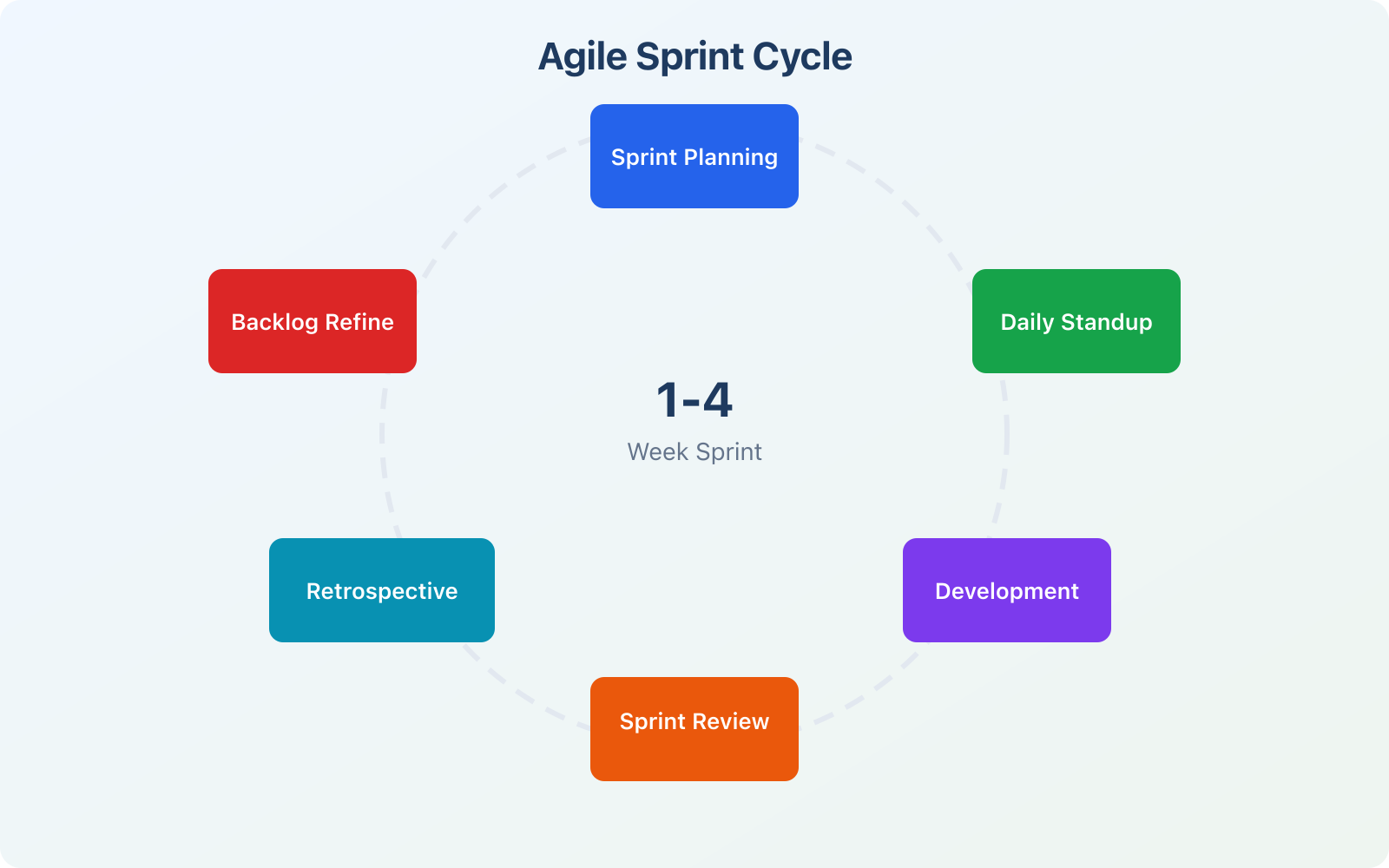
A content sprint is a fixed 2-week window where you commit to producing a specific set of content pieces. Not “I’ll try to write some articles.” A concrete list: these 4 articles, these 2 newsletters, this 1 social thread. You plan it on Day 1, execute for 8 days, publish on Day 9-10, and review what happened.
The magic of the 2-week sprint is the constraint. When you know you only have 10 working days, you stop gold-plating. You stop rewriting introductions for the fourth time. You define “done” clearly (published and promoted), and you ship. Two weeks is short enough to stay focused but long enough to produce meaningful work.
I’ve tested 1-week, 2-week, and monthly cycles. One week is too tight for long-form content. Monthly cycles let procrastination creep back in. Two weeks is the sweet spot for most content creators.
How I Structure a 2-Week Content Sprint
Day 1: Sprint Planning. I review my content backlog, pick 4-5 articles that align with my current goals, and assign them specific days. Each article gets a brief: target keyword, audience, word count, and the one thing that makes it different from what’s already ranking. This meeting with myself takes 45 minutes. Not longer.
Days 2-3: Research and Outlining. Every article gets a structured outline before I write a single paragraph. I check what’s ranking, identify gaps, pull stats, and map internal links. Two days of research for 4-5 articles sounds like a lot. It’s not. It saves me from the worst content trap: staring at a blank page with no direction.
Days 4-7: Writing. This is the deep work block. I write 1-2 articles per day during this phase. No editing, no second-guessing, no checking analytics. Just drafting. The key is separating writing from editing. They use different parts of your brain, and switching between them kills your speed.
Days 8-9: Editing and Design. I run every piece through my 7-pass editing sequence (clarity, voice, proof, specificity, so-what, risk removal, slop detection). Then I create graphics, format WordPress blocks, add product boxes, and build internal links.
Day 10: Publish, Promote, Retrospective. Everything ships. I share on social, queue for my newsletter, submit to Google for indexing, and then spend 15 minutes reviewing what went well and what didn’t. That 15-minute retro is the most important part. It’s how the system improves every cycle.
The Content Kanban Board: 7 Stages From Idea to Promotion
A kanban board is a visual workflow where every piece of content lives in exactly one column at a time. You move it from left to right as it progresses. I use 7 columns, and every article I produce passes through all of them. No exceptions.
Backlog. Every content idea starts here. Topic, target keyword, brief notes on angle. This column can have 50+ items. That’s fine. The backlog is your idea bank, not your to-do list. You pull from it during sprint planning.
Research. Once an article enters a sprint, it moves here. Competitor analysis, keyword data, outline creation, source gathering. An article stays in Research until I have a complete outline with H2s, key points per section, and at least 3 data sources.
Writing. The draft phase. I limit this column to 2 articles at a time. That’s a WIP (work in progress) limit, and it’s borrowed directly from Agile. Without WIP limits, you’ll start 5 articles and finish none. Two in progress at once. Period.
Editing. Proofreading, voice consistency check, fact verification, banned phrase scan. I use Sapling for grammar and then do a manual pass for tone. This column has a WIP limit of 1 because editing requires full attention.
Design. Graphics, product boxes, featured images, WordPress block formatting. This is where articles get their visual identity. I create SVG illustrations, import OG images for product boxes, and finalize the post structure.
Publishing. WordPress push, SEO meta, schema markup, indexing request. This should take 15 minutes per article if your Design stage was thorough. If publishing takes longer, your Design stage is incomplete.
Promoted. Social sharing, newsletter inclusion, backlink outreach, content syndication. An article isn’t “done” when it’s published. It’s done when it’s been promoted through at least 3 channels. That’s my definition of done, and it lives in writing on my kanban board so I never forget it.
Sprint Planning for Content: Pick the Right 4-5 Pieces
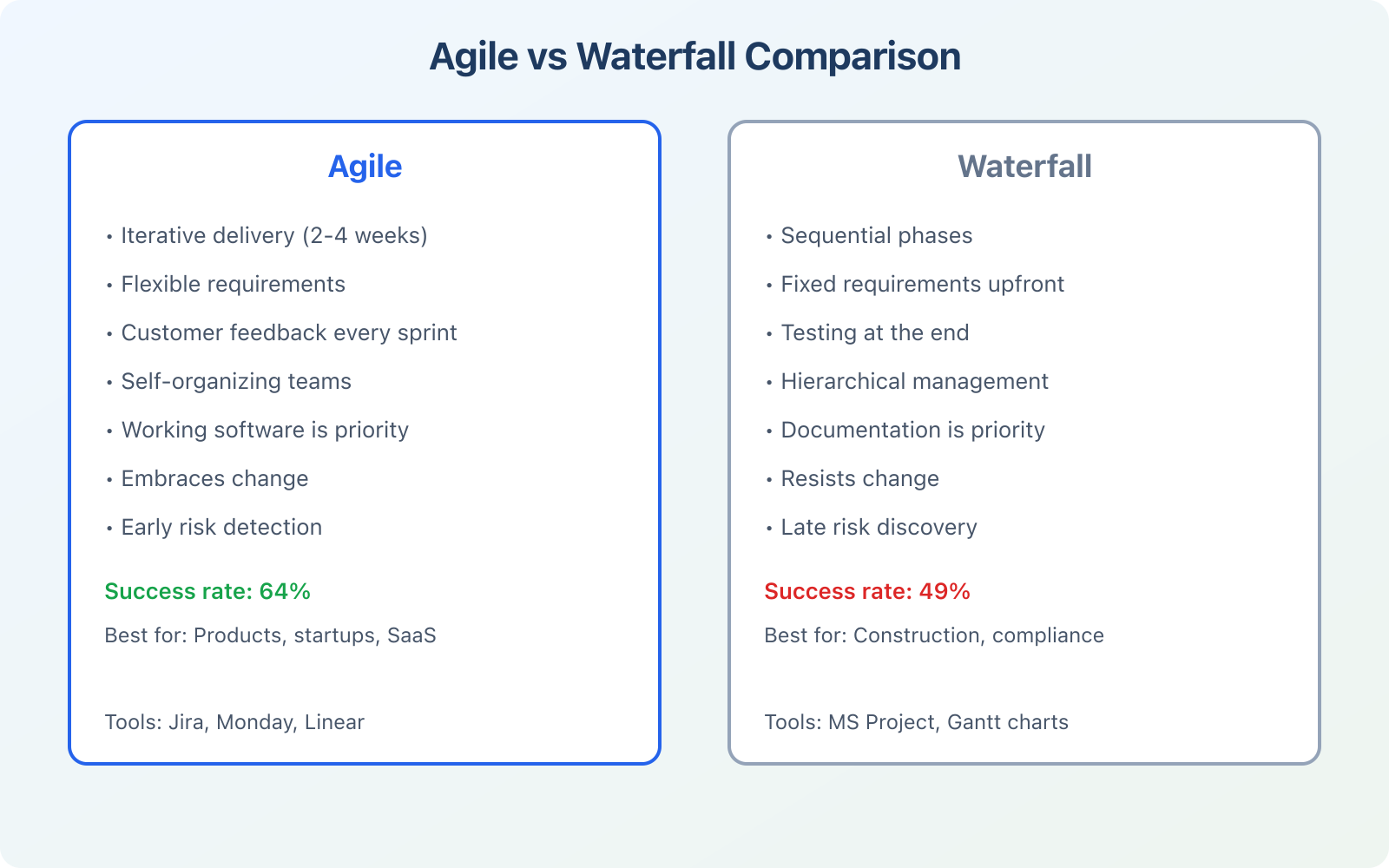
Sprint planning is where most content creators fail. They either commit to too much (10 articles in 2 weeks, then burn out by Day 4) or pick random topics with no strategic thread. Good sprint planning takes 45 minutes and answers three questions.
What’s the goal this sprint? Not “write articles.” A real goal. “Publish 4 articles in the WordPress performance cluster to strengthen topical authority” or “Write 3 product reviews that target buyer-intent keywords.” The goal connects your content to your content marketing KPIs.
What’s the capacity? I track my content velocity: how many articles I produce per sprint. After 4-5 sprints, you’ll have a reliable number. Mine is 4.2 articles per 2-week sprint. I plan for 4 and occasionally over-deliver. Teams that plan to 100% capacity always feel behind. Plan to 85%.
What’s the priority? I rank backlog items by potential impact. A 3,000-word article targeting a keyword with 2,400 monthly searches beats a 1,500-word piece targeting 300 searches, unless the smaller piece fills a critical gap in a topic cluster. Priority isn’t just traffic. It’s strategic fit.
Leave 10-15% of your sprint unplanned. You’ll need that buffer for content updates, fixing broken links, responding to trending topics, or dealing with the article that turned out harder than expected. Teams that plan every minute of every sprint are always stressed. Teams that keep a buffer feel in control.
I went from publishing 2 articles per month to shipping 4-5 per sprint. Not by working more hours. By planning 45 minutes on Day 1 instead of guessing all month.
The Solo Creator’s Daily Standup: A 5-Minute Morning Ritual
In software teams, the daily standup is a 15-minute meeting where everyone shares what they did yesterday, what they’ll do today, and what’s blocking them. For a solo content creator, you don’t need 15 minutes or a meeting. You need 5 minutes and a notebook.
Every morning, before I open any tool, I answer three questions in my notes app:
What did I finish yesterday? Not what I worked on. What I finished. Finished means moved to the next column on my kanban board. If nothing moved, that’s a red flag. Something is stuck, and I need to figure out what.
What will I finish today? One or two things. Not a wish list. The specific task that will move a card forward. “Complete the outline for the Monday.com review” or “Edit and format the Agile article.”
What’s blocking me? Missing information, unclear angle, waiting on a screenshot, can’t find a stat. Name the block, then solve it before you start writing. Most blocks have a 5-minute fix. The problem is that you don’t notice them until you’re mid-draft and stuck.
This 5-minute ritual replaced the old pattern of opening my laptop, checking analytics for 20 minutes, scanning social media for “inspiration,” and then realizing it’s 10 AM and I haven’t written a word. The standup forces intention. It turns a vague day into a specific one.
Content Retrospectives: The 15 Minutes That Make You Better
Retrospectives are where Agile gets its power. At the end of every 2-week sprint, you stop and ask: What went well? What didn’t? What will I change next sprint? Skip this step, and you’ll make the same mistakes every cycle. Do it consistently, and you’ll improve faster than you thought possible.
I spend 15 minutes on my retro. Not more. I write three lists:
What worked. “The WIP limit of 2 articles in Writing kept me focused. Research on Day 2 was thorough enough that drafting went fast. The new outline template saved me 30 minutes per article.”
What didn’t work. “I underestimated the product review. It needed 6 screenshots and I didn’t account for that time. My Day 8 editing felt rushed because I overcommitted on Day 7 writing.”
One thing to change. Not five things. One. “Next sprint, I’ll add a ‘screenshots needed’ field to my article brief so I don’t get surprised during Design.” One improvement per sprint compounds. After 10 sprints, you’ve made 10 improvements. After a year, 26. That’s how you build a system that keeps getting better.
The retrospective is the most important ceremony in Agile. Software teams that skip retros stop improving. Content creators who skip retros keep publishing the same way they did six months ago, wondering why nothing changed. Protect this 15 minutes. It’s the highest-ROI investment in your content workflow.
Measuring Content Velocity: Numbers That Actually Matter
Content velocity is how much content you produce per sprint, measured consistently over time. It’s the content equivalent of a software team’s velocity metric, and it’s the single most useful number for predicting your output and improving your process.
I track four numbers every sprint:
Articles published. The simplest metric. How many pieces moved from Backlog to Promoted this sprint? My average is 4.2 per sprint. Yours might be 2 or 8. The number doesn’t matter as much as the trend. If it’s going up or staying stable, your system works.
Average cycle time. How many days does an article take from entering Research to reaching Promoted? My current average is 6.3 days. Three months ago it was 8.4 days. That improvement came from fixing my editing bottleneck (I used to let articles sit in Editing for 2-3 days before touching them).
Post-publish iterations. How many times do I update an article after publishing? My target is 2-3 edits. One for immediate fixes (typos, broken links found after publishing), one for performance-based updates (adding sections based on search console data), and occasionally one for freshness (updating stats, tools, or screenshots). If this number is 0, you’re not iterating. If it’s 5+, you’re shipping too rough.
Sprint scope changes. How many articles were added or removed mid-sprint? My target is 0-1. If I’m regularly adding 3+ pieces mid-sprint, my planning is bad. If I’m regularly removing pieces, I’m overcommitting. This metric keeps my planning honest.
These four metrics give me a complete picture of my content production engine. I review them during my retrospective and adjust my process based on what the numbers say, not what my gut says.
Agile Tools for Content Teams
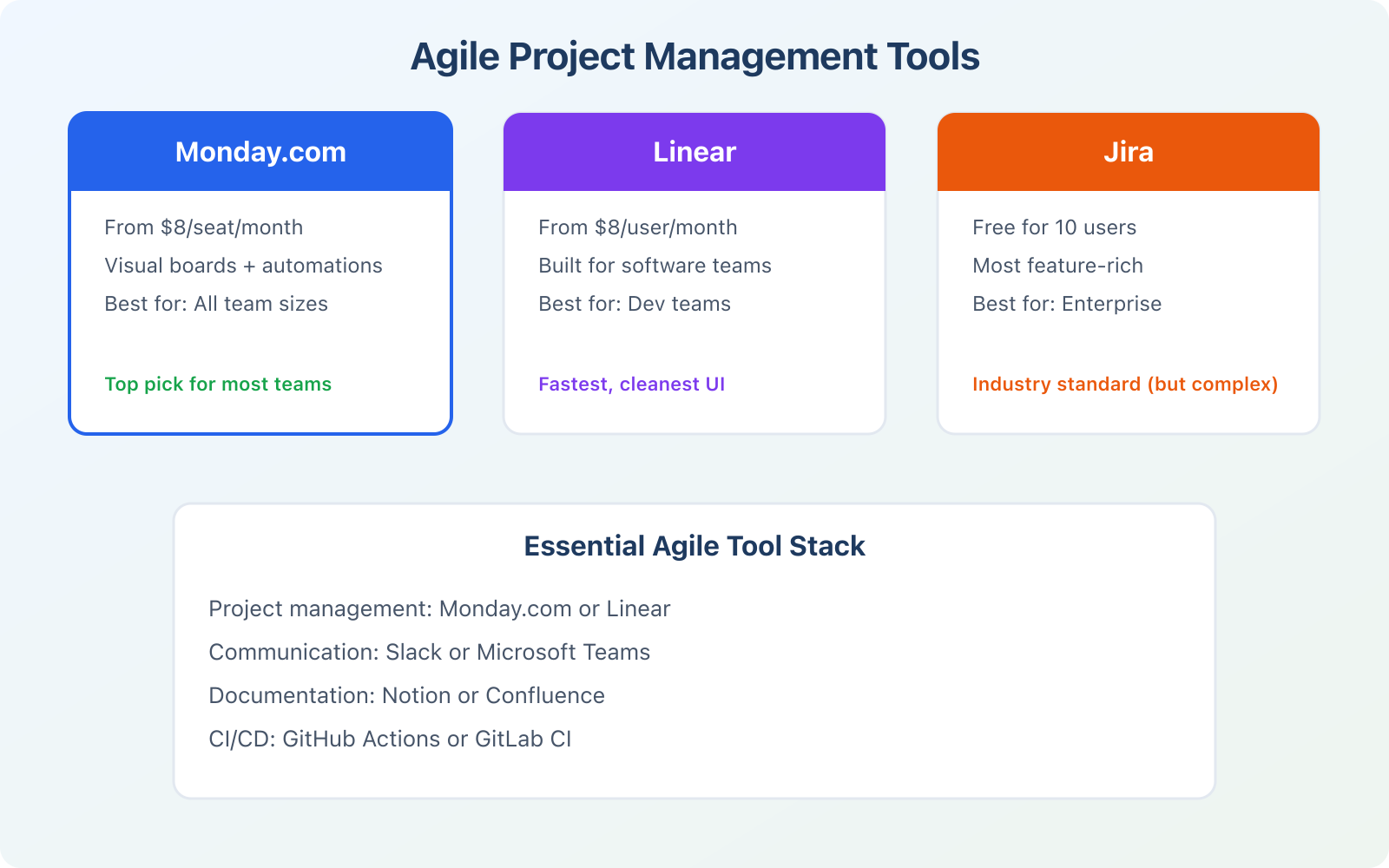
You don’t need special software to run content sprints. A whiteboard with sticky notes works. But the right tool makes tracking easier and gives you the data you need for retrospectives. I’ve tested dozens of project management platforms for content workflows. Three stand out.
Monday.com: Best for Content Teams
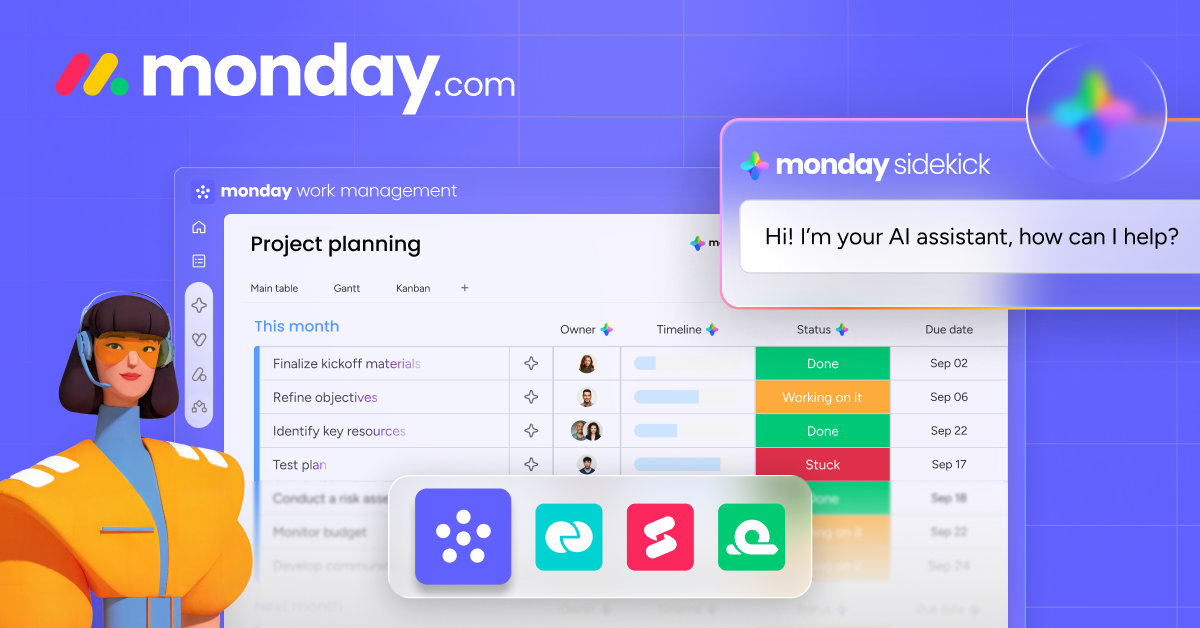
Monday.com is my primary content management tool. The kanban view maps perfectly to the 7-stage workflow I described above. I can drag articles between columns, set due dates per sprint, attach briefs and outlines directly to cards, and automate status updates (when an article moves to “Publishing,” it automatically notifies me to prepare the SEO meta).
The dashboard feature gives me sprint velocity at a glance. I built a custom view that shows articles published this sprint, average cycle time, and a burndown chart of remaining tasks. Monday starts at $9/seat/month and includes everything a content team needs. For solo creators, the free plan covers the basics.
- Kanban, Gantt, and calendar views in one platform
- Automation rules for moving cards between columns
- Custom dashboards for sprint velocity tracking
- Templates for editorial calendars and content pipelines
- Free plan available for solo creators
Notion: Best for Solo Creators
Notion works well if you want your kanban board, article drafts, research notes, and sprint logs in one place. I use Notion for my daily standup notes and sprint retrospective archive. The database views let you switch between kanban, table, and calendar without duplicating data.
Notion’s weakness is reporting. You won’t get burndown charts or velocity dashboards out of the box. You’ll need to build those manually or use a third-party integration. For solo creators who care more about writing flow than metrics, Notion is the better choice. For teams who need data, Monday wins.
- All-in-one workspace for notes, boards, and databases
- Kanban, table, and calendar views from one database
- Write drafts and manage workflow in the same tool
- Templates for editorial calendars and sprint logs
- Generous free plan for individual use
Google Workspace: Best for Collaboration
Google Workspace isn’t a project management tool, but it fills a gap that Monday and Notion don’t: real-time collaborative editing. When I work with guest writers or editors, Google Docs handles the drafting and commenting workflow. Google Sheets works for simple sprint tracking if you don’t want to adopt a new tool.
My setup: Monday for workflow management, Google Docs for collaborative drafts, and Notion for personal sprint logs. You don’t need all three. Pick one that matches your team size and stick with it for at least 3 sprints before deciding if it works.
- Real-time collaborative document editing
- Google Sheets for simple sprint tracking
- Gmail, Calendar, and Meet built in
- Commenting and suggestion workflows for editors
- 30 GB storage per user on starter plan
Minimum Viable Article: Publish Early, Iterate Later
Software teams have the MVP (minimum viable product): the simplest version of a product that delivers value. Content needs the same concept. I call it the minimum viable article (MVA), and it’s changed how I think about publishing.
An MVA is a published article that’s good enough to rank, help readers, and build authority, but isn’t the final version. It’s 80% of the quality in 50% of the time. You publish it, see how it performs, and then iterate based on real data instead of assumptions.
The traditional approach is to spend 3 weeks perfecting a single article. The Agile approach is to publish it in 6 days, see which sections get the most engagement, check what Google Search Console says about the queries driving traffic, and then spend 1-2 hours improving it based on actual performance data. The second approach produces better articles because it’s informed by reality, not guesswork.
My MVA checklist: Does it answer the main query? Does it have a clear structure with H2s? Does it include at least one original insight or data point? Is it at least 2,000 words? If yes to all four, it ships. I can always add more sections, better graphics, and deeper examples in later iterations. But I can’t improve what doesn’t exist. Ship the MVA. Iterate from data.
Perfection is the enemy of publishing. I’d rather ship a good article on Tuesday and improve it next sprint than publish a “perfect” article three weeks late.
When NOT to Use Agile for Content
Agile isn’t a magic wand. It works best for ongoing content production: blog posts, newsletters, social content, product reviews. It doesn’t work well for everything.
Long-form books or courses. If you’re writing a 50,000-word ebook, 2-week sprints won’t give you meaningful “shipped” milestones. You need a longer planning horizon. Use Agile for the chapter-by-chapter execution, but plan the overall structure upfront like a traditional project.
Highly regulated content. Legal pages, compliance documentation, and anything requiring multi-layer approval processes don’t benefit from “ship fast and iterate.” The approval cycle is the bottleneck, not your writing speed. Agile won’t fix organizational bureaucracy.
One-off projects. If you’re writing a single sales page and that’s it, you don’t need a sprint system. Just write it, edit it, publish it. Agile shines when you’re producing content repeatedly, week after week. The system pays dividends over time, not on a single piece.
When you don’t have a backlog. Agile requires a pool of work to pull from. If you’re struggling to come up with content ideas, your problem isn’t workflow management. It’s content strategy. Fix that first. Build your content budget and idea pipeline before adding process on top.
For everything else, including regular blog publishing, newsletter cadences, product review pipelines, and social media content, Agile works. Not because it’s trendy. Because short cycles, clear boards, and regular retrospectives solve the three biggest content production problems: inconsistency, bottlenecks, and stagnation.
How to Start Your First Content Sprint This Week
You don’t need to read a book about Agile or get a certification. You need to start a sprint. Here’s the minimum setup that takes less than an hour.
Step 1: Create your kanban board. Open Monday.com, Notion, Trello, or even a Google Sheet. Make 7 columns: Backlog, Research, Writing, Editing, Design, Publishing, Promoted. That’s your workflow.
Step 2: Fill your backlog. Dump every content idea you have into the Backlog column. Don’t organize it yet. Just get it out of your head and onto the board. Aim for at least 15-20 items.
Step 3: Plan your first sprint. Pick 3-4 articles from the backlog (start conservative). Assign them to the sprint. Give each one a target publish date within the next 10 working days. Write a one-paragraph brief for each: keyword, audience, angle, word count target.
Step 4: Work the board. Every day, do your 5-minute standup. Move cards forward. Respect your WIP limits (2 in Writing, 1 in Editing). Don’t start new work until you’ve finished work in progress.
Step 5: Run your retrospective. On Day 10, review what happened. What worked? What didn’t? What’s the one thing you’ll change next sprint? Write it down. Then start Sprint 2.
That’s it. No complicated frameworks. No Scrum Master certification. No expensive tools. Just a board, a rhythm, and a commitment to improving every two weeks. The system will get better because you’ll make it better, one retrospective at a time.
How do you manage your content production?
Frequently Asked Questions
Can one person really use Agile for content? Isn’t it designed for teams?
Yes. Agile principles work for solo creators. You won’t use every ceremony (you don’t need a daily standup meeting with yourself), but the core ideas translate directly: work in 2-week sprints, limit work in progress, visualize your workflow on a kanban board, and run a retrospective every cycle. I’ve used this system solo for over a year, and my publishing consistency improved by roughly 2x. The system works because the principles are about workflow discipline, not team size.
How many articles should I plan per sprint?
Start with 3-4 for your first sprint. Track how many you actually complete. After 3-4 sprints, you’ll have a reliable velocity number. My average is 4.2 articles per 2-week sprint for long-form content (2,400+ words each). Your number depends on your writing speed, content complexity, and how much time you have. The point is to measure and plan from data, not to hit an arbitrary target.
What’s the best tool for running content sprints?
Monday.com is my top pick for content teams because it has kanban views, automations, and reporting dashboards built in. Pricing starts at $9 per seat per month with a free plan for individuals. Notion works better for solo creators who want writing and workflow in one tool. Google Workspace handles collaborative editing when you work with guest writers. Pick one tool and stick with it for at least 3 sprints before switching.
What’s a WIP limit and why does it matter for content?
WIP stands for work in progress. A WIP limit caps how many items can be in a kanban column at once. I set mine to 2 for the Writing column and 1 for Editing. Without WIP limits, you’ll start 5 articles and finish none because context-switching kills your writing speed. WIP limits force you to finish what you started before pulling new work. It feels restrictive at first but delivers more completed articles per sprint.
How is a content sprint different from an editorial calendar?
An editorial calendar tells you when to publish. A content sprint tells you how to produce. The calendar is a schedule. The sprint is a workflow with built-in planning, execution phases, WIP limits, and a retrospective for improvement. Most editorial calendars fail because they plan publishing dates without accounting for the actual production work. Sprints account for every phase: research, writing, editing, design, publishing, and promotion.
What is a minimum viable article?
A minimum viable article (MVA) is the simplest version of an article that delivers real value to readers. It answers the main search query, has a clear structure, includes at least one original insight, and meets a minimum word count (I use 2,000 words). You publish the MVA, collect performance data from Google Search Console, and then iterate with additional sections, better graphics, and deeper examples. This approach produces better articles than spending 3 weeks perfecting a piece before anyone reads it.
How do I measure if Agile is working for my content?
Track four metrics: articles published per sprint (your velocity), average cycle time (days from backlog to promoted), post-publish iterations (how many updates per article), and sprint scope changes (articles added or removed mid-sprint). If your velocity is stable or increasing, cycle time is decreasing, iterations stay at 2-3, and scope changes are 0-1, your system is working. Review these at every retrospective.
Do I need any Agile certification to use this approach?
No. You don’t need a Certified Scrum Master or any other certification to run content sprints. The approach I described here borrows Agile principles (short cycles, kanban boards, retrospectives, WIP limits) without requiring formal training. Read the Agile Manifesto (it’s 68 words), set up a kanban board, and start your first sprint. The learning happens by doing, not by studying.
Content production doesn’t have to feel chaotic. The same principles that help software teams ship products on schedule work for shipping articles on schedule. Two-week sprints give you rhythm. A kanban board gives you visibility. WIP limits give you focus. Retrospectives give you improvement. Start your first sprint this week. Pick 3 articles, set up a board, and commit to 10 days. You’ll publish more in those 10 days than most creators publish in a month, and you’ll have a system to keep doing it every cycle after that.
Disclaimer: This site is reader-supported. If you buy through some links, I may earn a small commission at no extra cost to you. I only recommend tools I trust and would use myself. Your support helps keep gauravtiwari.org free and focused on real-world advice. Thanks. - Gaurav Tiwari