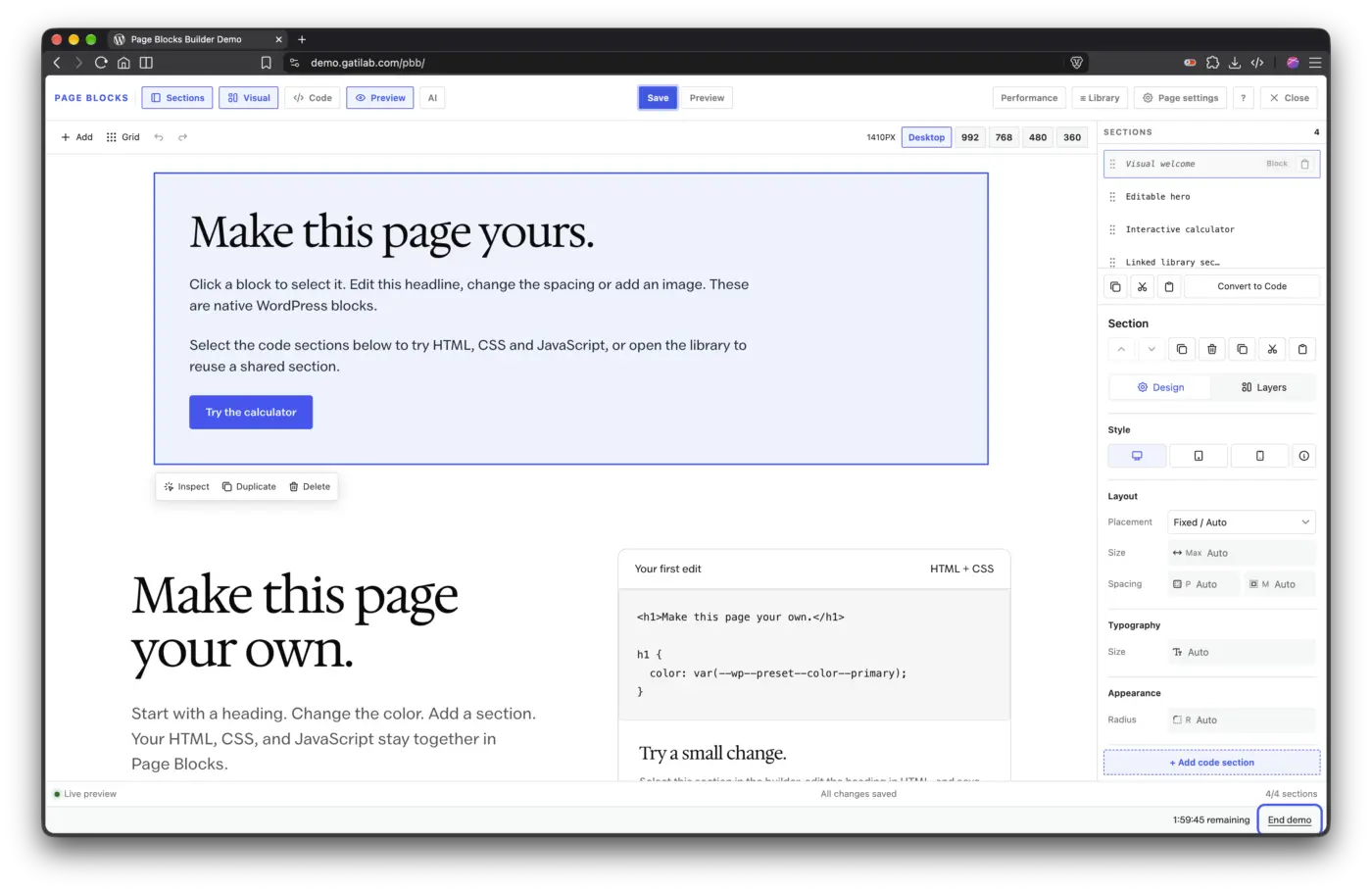


Page Blocks Builder 4: native visual editing
Page Blocks Builder 4 brings native WordPress blocks into the visual workspace. You can edit a section on the canvas and keep its content in native block markup.
I've kept existing HTML/CSS/JS sections and linked library content compatible. Your saved sections aren't automatically converted.
The current 4.x release is 4.1.0, which includes:
- Visual editing: select native blocks on the canvas and adjust them through the Design inspector.
- Auto and Freeform placement: use normal layout flow or drag and resize on desktop. Mobile layouts follow the blocks' reading order.
- Media drops: drop files onto the canvas to upload them through WordPress and insert native media blocks.
- Blank canvas: build a page without the theme's header and footer.
- A searchable library: find saved sections with previews, then choose whether to insert a copy or a linked section.
Version 4.1.0 also adds optional Visual/Code conversion. If a section contains dynamic or ambiguous content that can't be converted safely, the editor refuses the conversion. Converted native-block code needs 4.1.0 or later on the site that uses it.
The updated Page Blocks Builder demo has separate Visual, Code and Library entry points. I'd start with a heading edit in Visual. Save it before opening Preview.
You can install 4.1.0 from WordPress's Plugins screen with an active license. Please back up before updating, and let me know here if an existing section behaves differently.