
Gaurav Tiwari · From the Workbench
I Built a Free ACF Blocks Plugin (And You Should Probably Use It)
30+ free WordPress Blocks that you will probably use everyday.
I’ve spent the last 16 years building WordPress sites. In that time, I’ve watched ACF Pro become the backbone of professional WordPress development. But here’s what nobody talks about: managing ACF blocks across multiple projects is a nightmare.
Every project, I’d rebuild the same accordion. The same testimonial block. The same product review with schema markup. Copy, paste, tweak, repeat. Tedious isn’t a strong enough word.
So I did what any frustrated developer does. I built a plugin to solve my own problem.
What This Plugin Actually Does
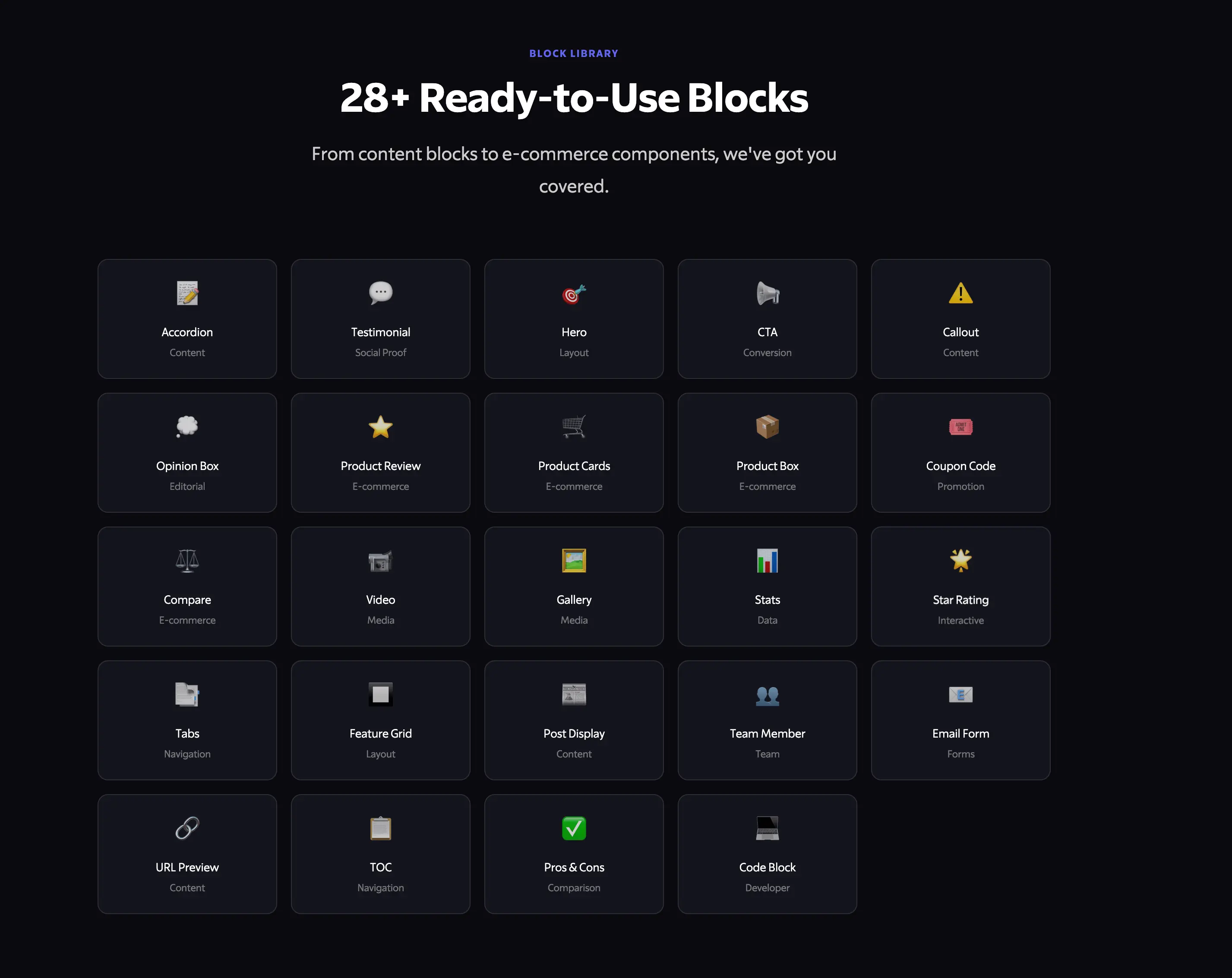
ACF Blocks Plugin is a free, open-source collection of 28+ ready-to-use blocks for the WordPress block editor. Think of it as a starter kit for ACF Pro users who are tired of reinventing the wheel.
Here’s the thing that makes it different: automatic field group registration.
Most ACF block tutorials tell you to export your field groups as JSON, then import them on every site. That’s fine for one block. But for 28? That’s 28 imports. Every. Single. Time. (By the time you are reading this, the number of blocks have increases to 30+.)
This plugin handles it automatically. Drop it in your plugins folder or install the usual way, activate, and everything just works. No imports. No configuration. No friction.
The Blocks You Actually Need
I didn’t build blocks that look impressive in demos. I built blocks I use on real client sites. Here’s what’s included:
Content Blocks:
-
Accordion with native HTML
<details>/<summary>(zero JavaScript required) -
FAQ schema support built-in for better SEO
-
Testimonials with star ratings
-
Hero sections with CTA buttons
-
Callout boxes for highlighted content
-
Opinion boxes for editorial content
Product & E-Commerce:
-
Product Review block with Google-friendly schema markup
-
Product Cards for showcasing multiple items
-
Coupon Code display with copy-to-clipboard
-
Pros & Cons comparison blocks
-
Side-by-side Compare blocks
Utility Blocks:
-
Table of Contents with multiple styles
-
Tabs with accessible keyboard navigation
-
Feature grids for pricing pages
-
Stats displays with animations
-
Star rating collection with AJAX submission
Why Native HTML Accordions Matter
Let me explain why I’m particularly proud of the accordion implementation.
Most accordion plugins load jQuery, initialize event handlers, manage state, and add 15-30KB to your page weight. For an accordion. Something browsers can do natively.
The ACF Blocks accordion uses <details> and <summary> elements. That’s it. Native HTML. Works in every modern browser. Built-in keyboard accessibility. Zero JavaScript.
The result? Faster page loads. Better Core Web Vitals. One less thing that can break.
Here’s what the output looks like:
<details class="acf-accordion-item" open>
    <summary class="acf-accordion-title">
        Your Question Here
        <span class="acf-accordion-icon" aria-hidden="true"></span>
    </summary>
    <div class="acf-accordion-content">
        <p>Your answer here.</p>
    </div>
</details>
Clean. Semantic. Accessible. No dependencies.
Schema Markup That Actually Works
SEO is table stakes now. If your blocks don’t support structured data, you’re leaving traffic on the table.
The Accordion block includes optional FAQ schema. Toggle it on, and the plugin automatically generates valid FAQPage schema:
{
  "@context": "https://schema.org",
  "@type": "FAQPage",
  "mainEntity": [
    {
      "@type": "Question",
      "name": "Your question",
      "acceptedAnswer": {
        "@type": "Answer",
        "text": "Your answer"
      }
    }
  ]
}
The Product Review block generates proper Review schema with ratings. The Table of Contents generates navigation schema. This isn’t afterthought SEO. It’s built into the core of each relevant block.
Conditional Asset Loading (Performance Matters)
Every block has its own CSS file. But here’s the key: they only load when the block is actually used on the page.
If you’re displaying a testimonial but not a product review, you don’t load the product review CSS. Simple concept. Surprisingly rare in practice.
Most block plugins bundle everything into one giant stylesheet. Your homepage loads accordion styles even if you’ll never use an accordion there. That’s wasted bandwidth.
This plugin checks which blocks are on the page and enqueues only what’s needed. Your page weight stays lean.
The Architecture: Why It’s Built Like This
Each block follows a consistent structure:
blocks/
  accordion-block/
    ├── block.json          # Block metadata (ACF v3)
    ├── accordion-block.php # Render template
    ├── block-data.json     # ACF field group (auto-registered)
    ├── accordion.css       # Styles (conditionally loaded)
    └── extra.php           # Additional hooks (optional)
This isn’t clever. It’s boring. And that’s intentional.
When every block follows the same pattern, you can:
-
Quickly understand any block in the collection
-
Copy the structure to create new blocks
-
Maintain consistency across your projects
-
Debug issues without hunting through spaghetti code
Creating Your Own Blocks
The plugin is designed for extension. Here’s how to add a custom block:
-
Create a folder:
blocks/my-custom-block/ -
Add your
block.json:
{
  "apiVersion": 3,
  "name": "acf/my-custom-block",
  "title": "My Custom Block",
  "description": "What it does",
  "category": "acf-blocks",
  "acf": {
    "renderTemplate": "my-custom-block.php",
    "blockVersion": 3
  }
}
-
Create
block-data.jsonwith your ACF field configuration -
Build your
my-custom-block.phprender template -
Add
my-custom-block.cssfor styles
Done. The plugin discovers and registers your block automatically. No hook modifications. No filter hunting. Just follow the pattern.
Requirements (The Fine Print)
-
WordPress 6.0+
-
PHP 7.4+
-
ACF Pro 6.0+
Yes, this requires ACF Pro. It uses ACF Block Version 3 features that aren’t available in the free version. If you’re doing serious WordPress development, ACF Pro is already on your stack. If not, it should be.
What’s Not Included
This plugin doesn’t try to do everything. It’s not:
-
A page builder replacement
-
A theme framework
-
A comprehensive design system
It’s a focused collection of blocks that solve specific problems. Use it alongside your existing workflow. Extend it with your own blocks. Modify the CSS to match your client’s brand.
Installation
-
Download from GitHub
-
Upload to
wp-content/plugins/ -
Activate in WordPress admin
-
Ensure ACF Pro is active
-
Start using blocks
No wizard. No onboarding flow. No settings page. Just blocks that work.
The Bottom Line
I built this plugin because I was tired of repetitive work. After using it on dozens of client projects, I’m releasing it for free because it solves a problem that shouldn’t exist.
If you’re an ACF Pro user who builds custom WordPress sites, this saves you time. Real-time. Hours per project that you’d otherwise spend recreating blocks you’ve built before.
The code is on GitHub. It’s GPL licensed. Fork it, modify it, use it however you want.
Download ACF Blocks Plugin on GitHub or Learn More at My Website
Questions? I’m on Twitter/X as @wpgaurav. Drop me a message.
This plugin requires ACF Pro 6.0+ and WordPress 6.0+. It’s free, open-source, and maintained as part of my ongoing WordPress development work. View more plugins